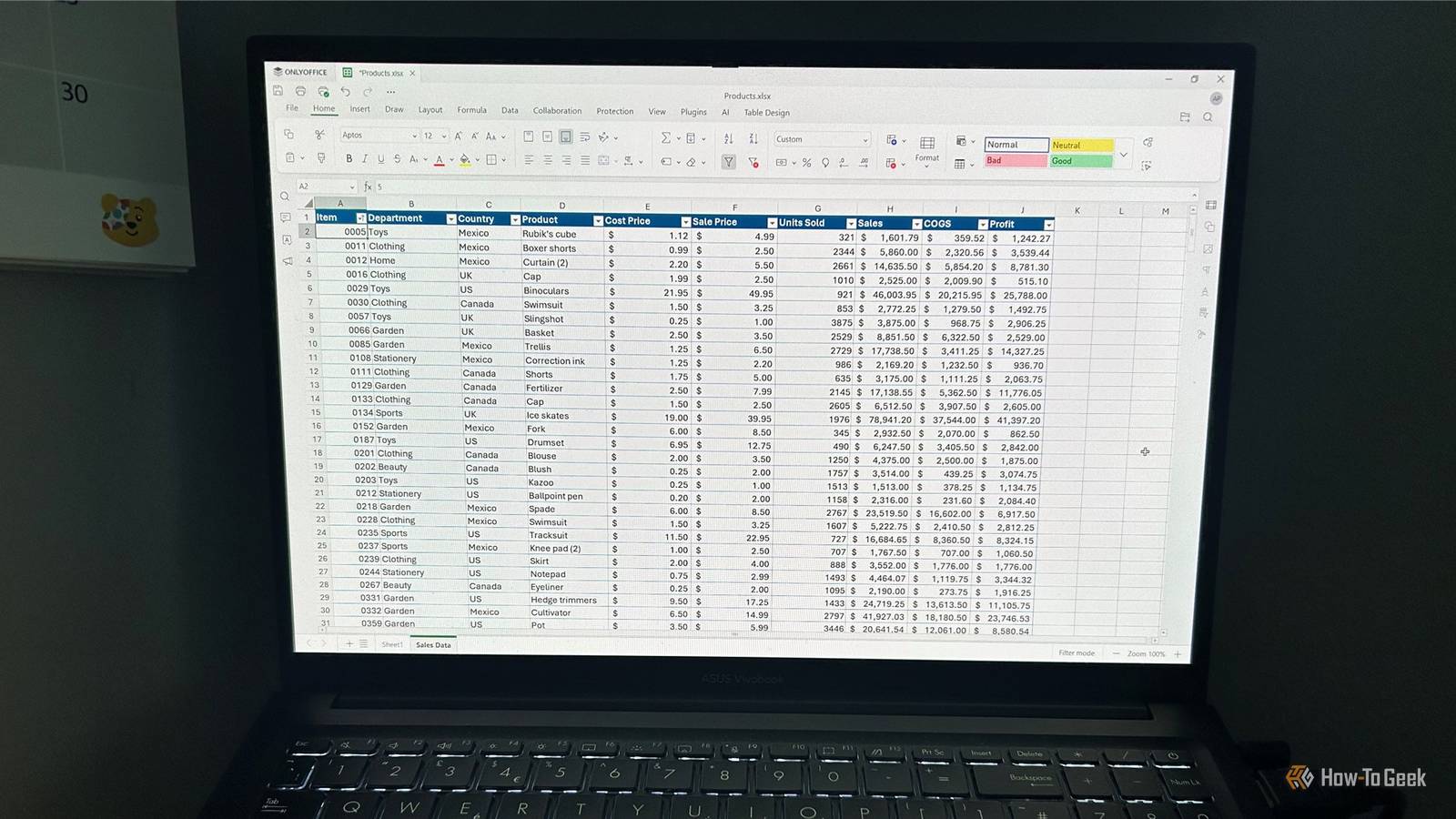
There's a generally accepted rule when it comes to Excel alternatives: if you need to do something complicated, you need Excel, but if you're only doing basic spreadsheet work, a free, open-source alternative should be perfectly adequate.But after spending a week in ONLYOFFICE Spreadsheet, I'm not convinced it's that simple.ONLYOFFICE did most of what I expected The basic spreadsheet experience was familiar Close If I'm going to replace Excel, I need an alternative that can handle the basics, and for the most part, ONLYOFFICE Spreadsheet did.
My Excel files transferred well I opened an existing XLSX workbook containing a table with hundreds of rows of data and found that the formatting, formulas, and structured references all survived.Sorting and filtering were responsive, and the workbook behaved correctly after I saved it in ONLYOFFICE and reopened it in Excel.There were no warnings that anything had been repaired or removed, which gave me confidence that I wasn't introducing compatibility problems by switching programs.
Most of my formulas worked I tested XLOOKUP, FILTER, UNIQUE, SORT, TEXTSPLIT, TEXTJOIN, IFERROR, and SUMIFS, and they all worked.The dynamic array functions spilled as expected, and when I deliberately blocked the spill range, I got the same #SPILL! error.I also tested formulas that referenced other worksheets, and the results updated when I changed the source data.
For the calculations I use regularly, I didn't have to change my approach to get the results I expected.Everyday spreadsheet tools worked as expected Conditional formatting, data validation, filtering, sorting, Text to Columns, Remove Duplicates, freeze panes, grouping, hiding sheets, and protection all worked well.I also used ONLYOFFICE's macro system to record a simple macro, and after saving, closing, and reopening the workbook, it ran successfully again.
I could create PivotTables, get the correct totals, rearrange fields, and change the aggregation from "Sum" to "Count." Changing source data and refreshing the PivotTable worked as expected.On a straightforward feature checklist, ONLYOFFICE ticked most of the boxes.ONLYOFFICE couldn't handle the "easy" stuff Small differences can disrupt everyday Excel workflows Close This was the part of the test I found most revealing.
At this point, I still wasn't looking for sophisticated Excel features—just the things I'd expect a spreadsheet app to handle automatically, regardless of how experienced the person using it is.What I found made me question the idea that Excel alternatives are perfectly capable of handling the simple stuff.Tables and charts don't behave quite like Excel Although ONLYOFFICE tables expand when new rows are added, they don't behave quite like Excel tables.
Typing a formula into the top cell of a calculated column doesn't automatically fill it down through the existing rows, and new rows don't automatically inherit the formula.I also had to open the Name Manager to rename a table—a significant source of friction if you use tables a lot.Charts exposed a more significant version of the same problem.
For me, this was probably the biggest deal-breaker of the lot.A chart created from a table doesn't automatically adjust when new rows are added.I even tried setting the chart's source to the table name, but ONLYOFFICE converted it to the underlying cell range.
This is a simple interaction between two features that spreadsheet users commonly use together, so I found it particularly frustrating that they didn't stay synchronized.Some familiar workflows require extra steps Some of the most useful Excel keyboard shortcuts don't translate in ONLYOFFICE.Ctrl+T doesn't create a table, while Ctrl+1 only opens the number formatting options, not Format Cells.
I tried customizing the shortcuts, but most commands are locked, and there isn't a "Format Cells" command available to assign Ctrl+1 to, so I had to adapt to the right-click method instead.Even though a formula can produce a spilled range, the range doesn't behave as a cohesive block of data.When I moved a UNIQUE formula, ONLYOFFICE moved the formula itself but left its spilled results behind.
There's no "Clear All" option for data validation rules, meaning you have to manually change the rule to "Any value," and there are no Split Panes or New Window options for working with complex worksheets.The PivotTable tools have some differences too.The same grouping functionality isn't available, the "Calculated Items" button was grayed out, and there's no dedicated PivotTable conditional formatting option like Excel's.
Advanced Excel users will feel the bigger gaps This is where the differences become much harder to work around Close The problems in the section above could affect anyone, regardless of how much Excel they use.But once I moved into the features I rely on for more advanced work, the gaps became even more significant.Power Query and Power Pivot are missing There's currently no Power Query equivalent in ONLYOFFICE.
According to an ONLYOFFICE community post, a Power Query equivalent is in development, but there's no ETA.There's also no Power Pivot, Data Model, relationships between tables, or DAX.These aren't features I'd expect every spreadsheet user to need.
But if you're regularly importing and transforming data, building relationships between datasets, or creating more sophisticated PivotTable reports, they're a major part of what makes Excel so useful.My VBA tools don't make the move ONLYOFFICE has its own macro system, but it isn't compatible with Excel's VBA.I opened an Excel workbook containing a VBA macro, and although the workbook itself opened successfully, the macro couldn't run.
ONLYOFFICE uses JavaScript and its Office JavaScript API for its own macros.But if you've spent years building a collection of VBA macros, you can't simply bring that automation with you.You'd need to recreate it using ONLYOFFICE's JavaScript-based system.
I also regularly use VBA to create small tools that I add to Excel's Quick Access Toolbar, effectively turning my own macros into custom buttons for things Excel doesn't provide.That workflow doesn't carry over either, removing one of the ways I've customized Excel around how I actually work.Some newer Excel functions aren't available LET and LAMBDA aren't supported as worksheet functions in ONLYOFFICE Spreadsheet.
It does have a Custom Functions feature, but it takes a different approach.You create functions using JavaScript within its macro system rather than defining reusable functions directly with Excel's formula language as you can with LAMBDA.That's an important distinction if you're accustomed to using LAMBDA to build reusable spreadsheet functions.
You can create custom functionality in ONLYOFFICE, but you'd need to approach it in a fundamentally different way.Excel's small advantages add up I wasn't expecting ONLYOFFICE to match Excel feature-for-feature, and it would be unreasonable to expect it to.But what surprised me was where it fell short.
The assumption that alternatives can handle the basics perfectly well while Excel is only necessary for complicated work doesn't quite hold up.For me, those seemingly small differences added up quickly.Even for basic spreadsheet work, I'm not convinced I could fully make the switch from Excel to this open-source alternative.
Read More