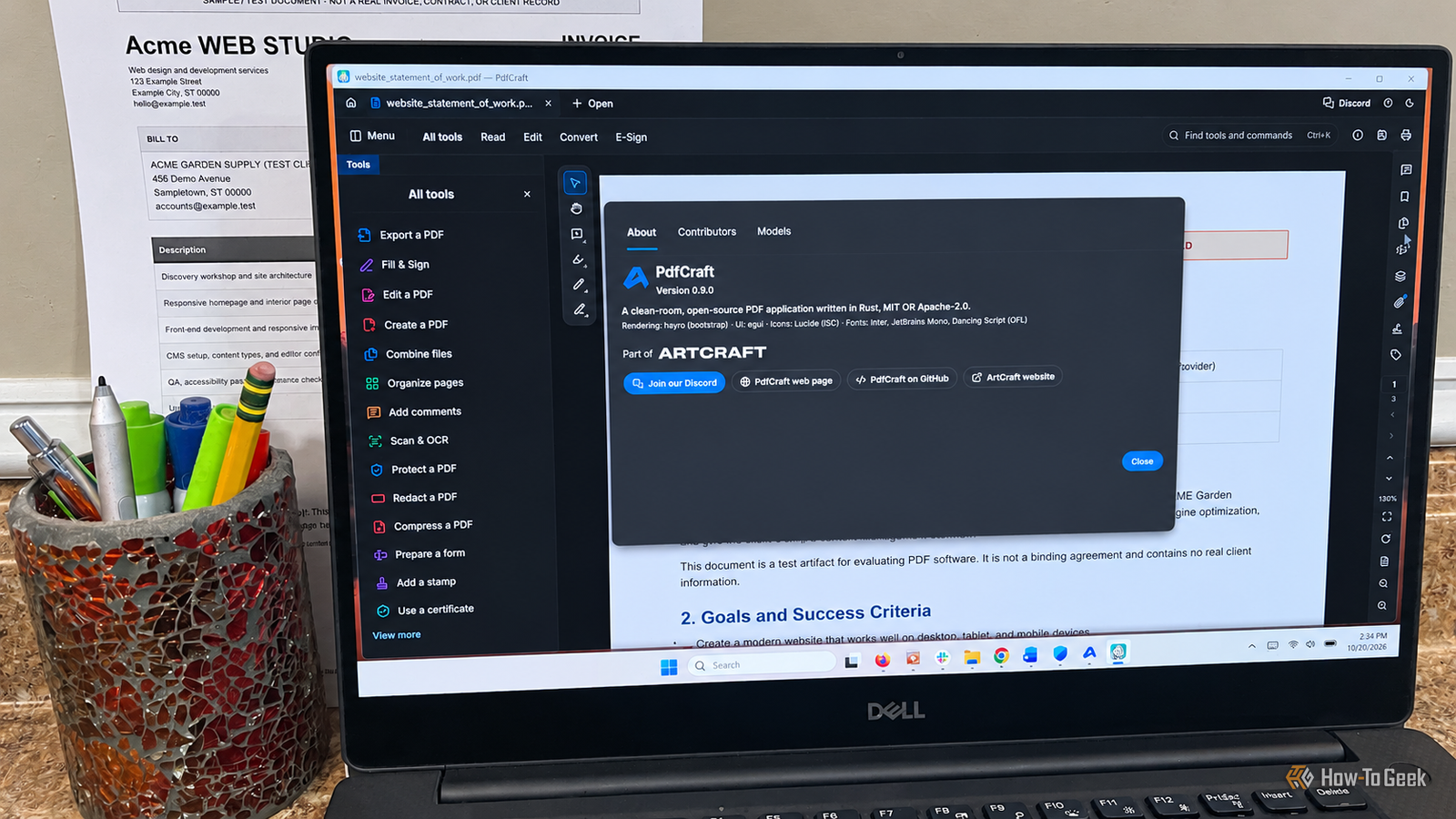
Like many people, I've never been a fan of software subscriptions, especially for applications I only use occasionally.I also enjoy testing new software and finding free alternatives to paid applications.So when I recently wrote about ArtCraft’s ambitious collection of open-source alternatives to Adobe Creative Suite, it got me thinking.
I downloaded the entire ArtCraft suite and spent quite a bit of time testing the different apps.The one that caught my attention was PdfCraft, ArtCraft’s alternative to Adobe Acrobat.I work with PDFs often enough to need more than a basic reader, and I’ve already tried several free and open-source alternatives, including BentoPDF, LibreOffice, and SumatraPDF.
PdfCraft is still in early alpha, but I wanted to see whether it could handle the basics.That's really all I need.It's designed to edit text, annotate documents, convert files, combine PDFs, add signatures, and handle printing and compression.
Given how new PdfCraft is, I wasn't expecting it to do everything I needed, much less offer the same level of polish as Adobe Acrobat.But after putting it through its paces, I was pleasantly surprised.I updated to the latest version, 0.9.0, which includes fixes for previously reported bugs, and put it through a series of practical tests using three PDFs I created: an invoice, a statement of work, and a 30-60-90-day plan.
Overall, I was pretty impressed, although one feature didn't work quite as well as I'd hoped.PdfCraft already handles the everyday tasks I need Editing, organizing, and signing PDFs worked without a hitch Close I started with a sample invoice because I wanted to see whether PdfCraft could actually edit existing text rather than just place new text boxes over it.I changed the customer's name, a line item, and its rate, and everything worked exactly as I expected.
The original formatting stayed intact, and when I saved the invoice, closed it, and reopened it, all my changes were still there.I also wanted to test printing, since I'd seen some complaints about it on GitHub.PdfCraft recognized my printer immediately, and the invoice printed without any problems.
I checked the printed invoice for missing text, formatting issues, or anything that might have shifted, but everything looked fine.None of this is particularly exciting, but these are the kinds of tasks I need a PDF editor to handle on any given day.Related How to Split a PDF File on Windows 11 Create a new PDF only containing your favorite pages.
Posts By Mahesh Makvana From there, I moved on to a statement of work, where I highlighted some text and added a comment.Both were preserved after saving and reopening the file.I also used a 30-60-90-day plan to test the page organization tools, rearranging and rotating pages without running into any problems.
Next, I combined all three documents into a single PDF, and PdfCraft kept the formatting, my invoice edits, and the annotations I'd added to the statement of work.The Fill & Sign tools worked just as well.I added a signature, initials, text, and dates, and everything stayed where I put it after reopening the document.
Finally, I tried reducing the size of the combined PDF.PdfCraft took it from 277 KB down to 115 KB, a reduction of nearly 59%, without any noticeable loss of quality or formatting.Unfortunately, I couldn't say quite the same thing when I tried converting a PDF to Microsoft Word.
PdfCraft still has some rough edges PDF-to-Word conversion needs work, and there are other bugs to fix The only feature that didn't fully pass my tests was PDF-to-Word conversion.I used my sample statement of work, exported it as a Word document, and for the most part, the conversion went well.Most of the original formatting survived, including the text and headings.
However, the table near the top lost its background colors and borders, and some of the bullet points disappeared.The document was still usable, but I needed to spend some time formatting before it could be shared.Some users have reported conversion problems on ArtCraft's GitHub.
One encountered more serious formatting issues involving two-column documents, missing images, and broken tables.In my testing, PdfCraft converted the document successfully, although some formatting was lost.I could still work with the result, especially considering the software is free.
Other users have encountered more serious problems I didn't experience any crashes or major reliability problems during my testing, but PdfCraft's GitHub issues show that other users haven't been as fortunate.One Windows 11 user reported that PdfCraft crashed after multiple print jobs and may have interfered with their printer configuration.Another user couldn't open a complex PDF page because rendering took too long, even though the same document worked in another PDF reader.
There are also reports of problems with Hebrew and Arabic text, including characters appearing as squares and issues with right-to-left formatting.These are worth keeping in mind, especially if you regularly work with complicated documents.Some editing and conversion bugs are more concerning Two other open issues caught my attention because they involve things I'd expect a PDF editor to get right.
One bug involving paragraph numbering can cause subsequent edits to affect the wrong paragraph.That's a pretty serious problem.Another report describes how text from multi-column PDFs can end up in the wrong order when exported to Word or HTML.
Both are worth considering if you regularly edit or convert important documents.Here's how PdfCraft performed in my tests Feature Result Edit existing PDF text Pass Save and reopen edited PDFs Pass Print a PDF Pass Convert PDF to Word Partial pass Highlight and annotate PDFs Pass Rearrange and rotate pages Pass Merge multiple PDFs Pass Add signatures, initials, and dates Pass Reduce PDF file size Pass PdfCraft is good enough to replace Acrobat for me Despite the bugs other users have reported, I plan to keep using PdfCraft.It does what I need it to do, and while the PDF-to-Word conversion could use some work, that's not enough to make me look for something else.
I also appreciate how familiar the interface feels.If you've spent any time using Adobe Acrobat, there's very little learning curve.I had no trouble finding the tools I needed.
Read More