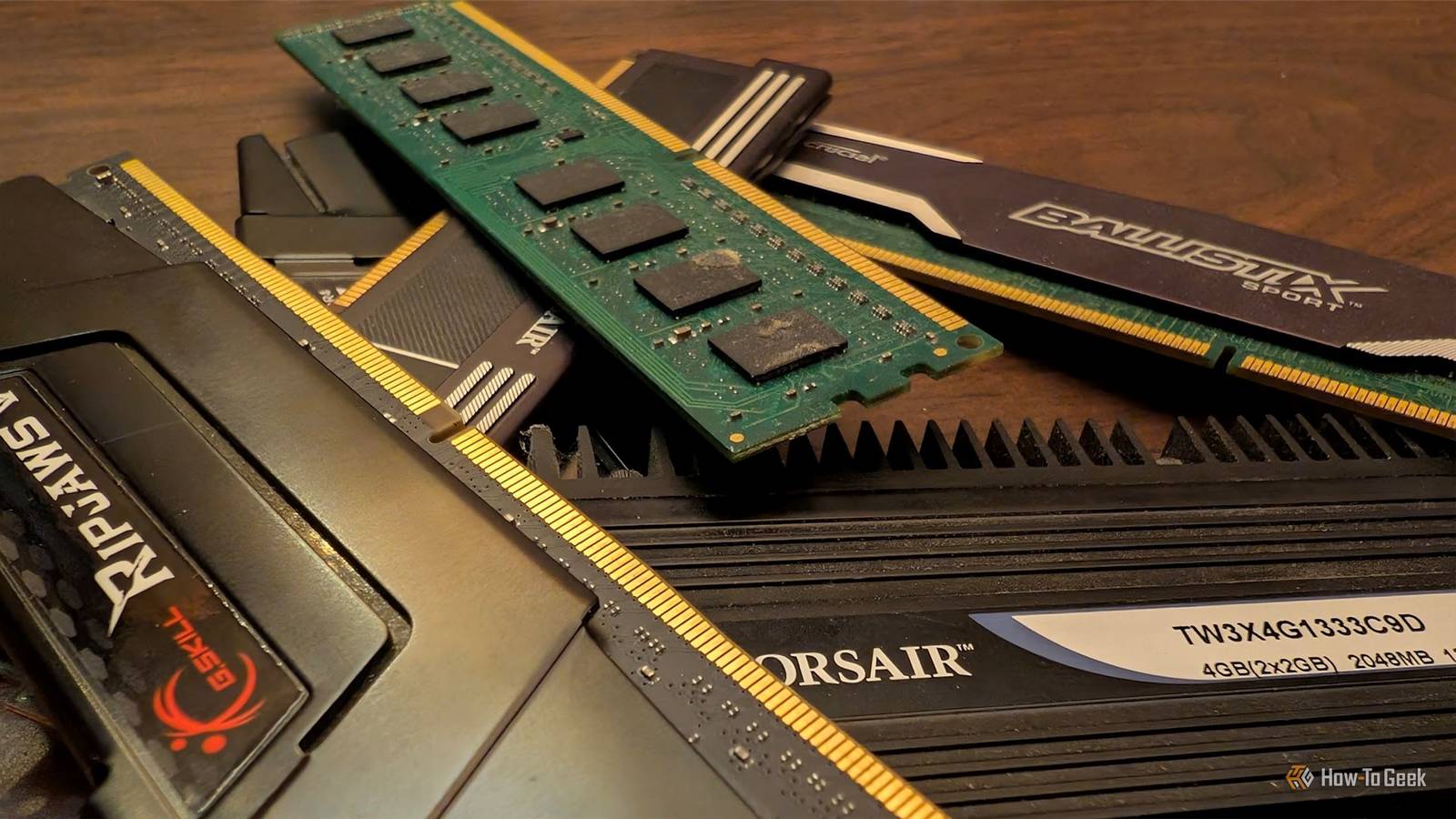
Linus Torvalds, who you might know for being the mastermind behind Linux, has spent years publicly frustrated that error-correcting memory isn't standard in consumer PCs.If you've never heard of ECC RAM, here's what it does, why the Linux creator cares so much, and why your next PC probably won't have it anyway.What's ECC RAM? Like your regular RAM, but with an important fix ECC stands for error-correcting code, and it works by using additional parity bits to verify that the data read from memory matches the data that was originally written to it.
Regular RAM has no such safeguard.If a single bit in a memory cell flips from a 0 to a 1, or vice versa, standard memory has no way of knowing anything went wrong.That corrupted bit just gets treated as valid data and passed along to whatever process requested it.
These flips aren't purely theoretical.Memory is vulnerable to occasional corruption where a bit changes state spontaneously, sometimes triggered by background radiation from cosmic rays or nearby electrical interference.It sounds like something out of a physics textbook, but at the scale of billions of memory cells running continuously, these events happen more often than most people assume.
Most of the time the consequences are invisible: a pixel renders wrong, a calculation is off by a rounding error nobody notices.Occasionally, though, a flipped bit lands somewhere that matters, corrupting a file, crashing an application, or silently poisoning a dataset.ECC memory has actually been available for more than fifty years, and it also offers partial protection against Rowhammer, a technique where rapidly and repeatedly accessing the same memory locations can cause neighboring cells to change state.
So this isn't new or experimental technology.It's a well-understood, decades-old solution to a well-understood problem.What's changed is how much data modern systems push through memory every second, which raises the odds that an uncorrected error eventually causes something visible to go wrong.
Why should you use it? The case for better RAM Close The case for ECC comes down to trust in your own data.Every time your computer reads a value from memory, whether it's a line of code being compiled, a financial spreadsheet, or a scientific dataset, you're implicitly trusting that the bits haven't quietly changed since they were written.For most everyday tasks, an occasional silent error is tolerable.
For anything where accuracy actually matters, it isn't.This is precisely the position Torvalds has taken with his own hardware.When he finally let YouTuber Linus Sebastian build him a new Linux PC on camera, the build featured ECC memory specifically to ensure data accuracy for development tasks, alongside a Threadripper CPU chosen for its multi-core power when compiling Linux code.
Reliability, not raw speed, was clearly the priority.That preference isn't just theoretical for him, either.In a 2022 kernel mailing list post, Torvalds described dealing with random memory corruption in user space that caused his build processes to fail with internal compiler errors, which he eventually traced to a DIMM going bad after two and a half years of stable use.
He confirmed the fault by booting an older kernel and running an overnight memtest, ruling out a software bug before replacing the memory.It's a useful real-world illustration of the exact failure mode ECC is designed to catch: a hardware fault masquerading as something else entirely, wasting hours of debugging time before the real cause is found.Related Make it make sense: This mini PC is cheaper than the 1TB SSD and 16GB RAM that's inside of it Buying a mini PC just to harvest the SSD is a real strategy in 2026, unfortunately Posts 4 By Monica J.
White Why it's actually not commonplace There's not a straightforward answer, but there are tons of fiery opinions If ECC memory is this useful and has existed for decades, the obvious question is why it isn't standard in every PC.The blunt answer, according to Torvalds, is market segmentation.He has accused Intel of being instrumental in killing the whole ECC industry with its horribly bad market segmentation, restricting official ECC support to its server-oriented Xeon processor line while leaving it out of the mainstream Core series that powers most consumer desktops and laptops.
Because ECC support has to be built into the memory controller, and the memory controller lives on the CPU in modern systems, a chipmaker's decision to withhold ECC compatibility from consumer chips effectively locks the feature out of the entire consumer motherboard and RAM ecosystem, regardless of what memory a person might want to buy.AMD has been somewhat more permissive, with many Ryzen desktop chips unofficially supporting ECC modules even though it isn't a heavily marketed feature, but official validation and motherboard support remain inconsistent.Of course, this is mostly Torvalds' opinion, but personally, I agree.
There's also a cost dimension—which is what keeps most regular folks away from ECC RAM even if it's compatible with their systems.ECC modules are more expensive to manufacture, and the extra parity chip on each module adds a small but real premium over standard RAM.For manufacturers selling in a price-sensitive consumer market, that's an easy feature to cut, especially when most buyers have never heard of it and wouldn't notice its absence.
The end result here is weird: ECC is considered essential for servers where downtime and data corruption are expensive, but treated as an unnecessary luxury everywhere else, even though the underlying hardware risk doesn't actually change based on who's using the computer.Quiz 8 Questions · Test Your KnowledgeSSDs, NAND memory, and interfacesTrivia challengeFrom flash cells to PCIe lanes — see how much you really know about modern solid-state storage.NANDInterfacesHardwarePerformanceStandardsBegin 01 / 8NANDWhich type of NAND flash stores exactly one bit of data per cell?AMLCBTLCCSLCDQLCCorrect! SLC stands for Single-Level Cell, meaning each cell holds just one bit — either a 0 or a 1.This makes SLC the fastest and most durable NAND type, but also the most expensive per gigabyte, so it's mainly found in enterprise and industrial storage.Not quite — the answer is SLC, which stands for Single-Level Cell.
MLC stores 2 bits, TLC stores 3, and QLC stores 4 bits per cell.The more bits per cell, the cheaper but slower and less durable the NAND becomes.Continue 02 / 8InterfacesWhat does NVMe stand for in the context of SSDs?ANon-Volatile Memory ExpressBNetwork Virtual Memory ExtensionCNext-gen Volatile Memory EngineDNon-Volatile Module ExtenderCorrect! NVMe stands for Non-Volatile Memory Express, a communication protocol designed specifically for flash-based storage.Unlike AHCI, which was built for spinning hard drives, NVMe takes full advantage of PCIe's parallel lanes to deliver dramatically lower latency and higher throughput.Not quite — NVMe stands for Non-Volatile Memory Express.
It's a host controller interface protocol designed to replace the older AHCI standard, which was originally built with spinning hard disk drives in mind rather than fast flash storage.Continue 03 / 8HardwareWhich physical form factor is most commonly used for NVMe SSDs in modern laptops and desktops?A2.5-inch SATABmSATACM.2DU.2Correct! The M.2 form factor has become the dominant standard for NVMe SSDs in consumer devices.It's a compact, card-style connector that fits directly onto the motherboard, eliminating the need for data and power cables and saving space inside the chassis.The correct answer is M.2.While 2.5-inch SATA and mSATA were common in older systems, M.2 has taken over as the go-to slot for NVMe drives.
U.2 is also used for NVMe but is mostly found in enterprise servers rather than consumer hardware.Continue 04 / 8PerformanceApproximately how fast can a high-end PCIe 4.0 NVMe SSD read data sequentially?A550 MB/sB1,200 MB/sC7,000 MB/sD20,000 MB/sCorrect! Top-tier PCIe 4.0 NVMe SSDs can achieve sequential read speeds of around 7,000 MB/s.This is a massive leap over SATA SSDs, which are capped near 550 MB/s due to interface bandwidth limitations, and even outpaces many PCIe 3.0 drives significantly.Not quite — the answer is approximately 7,000 MB/s.Around 550 MB/s is the ceiling for SATA-based SSDs, while 1,200 MB/s is typical for older PCIe 3.0 drives.
20,000 MB/s exceeds even PCIe 5.0 NVMe drives available at time of writing.Continue 05 / 8NANDWhat does 3D NAND refer to in modern SSD manufacturing?ANAND chips shaped into a three-dimensional cube for faster accessBStacking memory cells vertically in multiple layersCUsing three separate dies wired together on one chipDA three-bit-per-cell design that improves enduranceCorrect! 3D NAND, sometimes called V-NAND by Samsung, stacks memory cells vertically in dozens or even hundreds of layers rather than spreading them flat across a wafer.This dramatically increases storage density without shrinking individual cell sizes, which also helps preserve endurance and reliability.The correct answer is that 3D NAND stacks memory cells vertically in multiple layers.Planar (2D) NAND arranges cells flat on a single layer, but manufacturers hit physical scaling limits, so the industry moved to vertical stacking to keep increasing capacity without sacrificing cell quality.Continue 06 / 8StandardsWhich interface protocol were most SATA SSDs designed to use before NVMe became mainstream?ANVMeBAHCICSCSIDIDECorrect! AHCI (Advanced Host Controller Interface) is the protocol that SATA SSDs communicate over.
It was originally designed for mechanical hard drives and supports a single command queue of 32 commands — a major bottleneck compared to NVMe, which supports 65,535 queues each holding 65,535 commands.The answer is AHCI, which stands for Advanced Host Controller Interface.SCSI and IDE are much older standards largely retired from consumer use, while NVMe is the newer protocol used by PCIe-based drives.AHCI's single command queue made it a poor fit for the parallelism flash storage can deliver.Continue 07 / 8NANDWhich NAND type offers the highest storage density per chip but typically has the lowest endurance?ASLCBMLCCTLCDQLCCorrect! QLC, or Quad-Level Cell NAND, packs four bits into every cell, giving it the highest density of common consumer NAND types.
The trade-off is significantly reduced endurance — QLC cells wear out faster because of the precision needed to distinguish between 16 different voltage states per cell.The answer is QLC (Quad-Level Cell).It stores 4 bits per cell, making it the densest and most affordable NAND type, but it also has the lowest P/E (program/erase) cycle endurance.SLC sits at the opposite end — fewest bits per cell but the longest lifespan.Continue 08 / 8InterfacesWhich PCIe generation, first adopted widely in consumer SSDs around 2020, doubled the bandwidth of its predecessor?APCIe 2.0BPCIe 3.0CPCIe 4.0DPCIe 6.0Correct! PCIe 4.0 arrived in consumer platforms around 2020, starting with AMD's Ryzen 3000 series and X570 motherboards.
It doubles the per-lane bandwidth compared to PCIe 3.0, pushing NVMe SSD sequential speeds from roughly 3,500 MB/s up to around 7,000 MB/s.The correct answer is PCIe 4.0, which first appeared broadly in consumer hardware around 2020 with AMD's Zen 2 platform.PCIe 3.0 was the previous mainstream standard, while PCIe 6.0 is a more recent enterprise-focused generation not yet common in everyday consumer motherboards.See My Score Challenge CompleteYour Score/ 8Thanks for playing!Try Again A fifty-year-old fix still waiting on wider adoption ECC RAM solves a real, well-documented problem, and Torvalds' own experience shows why it matters even outside server rooms.Its absence from most consumer PCs comes down to chipmaker pricing decisions, not any lack of usefulness.
Read More