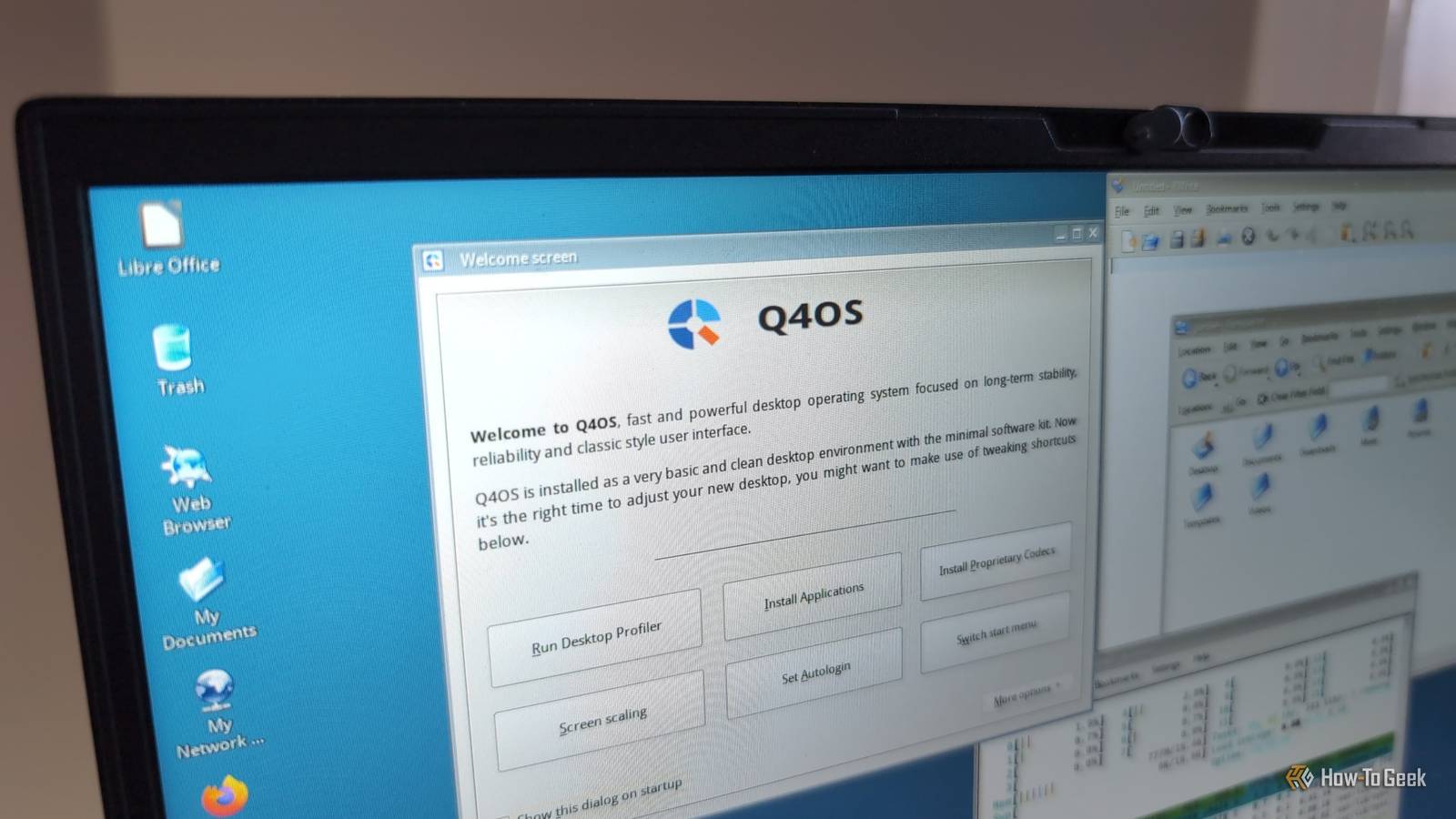
This weekend I'm going to start using a new distro on the secondary disk drive on my Linux laptop.It's one that had escaped my notice for a long time, but I was pretty sure I'd struck gold when I saw it.Q4OS has been around since 2014 when Windows XP reached end-of-life.
Given that Windows 10 similarly reached its technical expiration date last year, and Q4OS is still seeing development, I thought it's the perfect time to give this Linux distribution a try.Related 5 Windows-like Linux distros you should try out Ease yourself into Linux with a Windows-like desktop.Posts 5 By Dibakar Ghosh Q4OS uses Trinity, keeping the old KDE style One of Q4OS's standout traits is its desktop environment options.
While offering KDE Plasma as the default, it also offers the Trinity Desktop Environment (TDE for short), which is a fork of KDE Plasma.TDE describes itself as "a free/libre lightweight desktop environment intended for computer users preferring a lean and efficient experience." TDE preserves the looks of the older K Desktop Environment 3 (from before Plasma got its current name), which you might remember from the mid 2000s.Even though Qt 3 has been end-of-life for a long time, TDE's developers have been maintaining it to support their desktop.
Plasma is hands-down my favorite desktop environment, but I'm also interested in exploring how it used to feel in the age of Qt 3.I'm looking forward to learning how much of my established workflow can fit inside TDE.The Debian base means stability for my work Since I use my laptop for work, I need it to be working and reliable at all times.
That's why I primarily run Kubuntu Linux on it.Kubuntu uses Ubuntu as its base, and Ubuntu is famously reliable—sometimes to a fault.Q4OS, meanwhile, uses Debian Linux as its underlying package base, which Ubuntu itself is based on.
That means, so long as Q4OS's developers keep up maintenance updates, I can keep up a reliable system for work and play while exploring a very different distribution.Debian actually happens to be one of my favorite Linux distros for servers, so I feel comfortable with it already.That'll reduce the learning curve, so I'm hoping for a relatively seamless slip into daily driving Q4OS.
There are built-in retro Windows-style themes The retro looks don't stop at K Desktop 3 preservation.What makes Q4OS really fun is its collection of themes for Trinity that mimic Windows operating systems in its Windows XP and Vista eras.That's the time of Windows when I was first getting into computers and software as a hobby.
Not only do they look surprisingly good, but they're also more convenient.When I've applied retro themes to Linux desktops in the past, they've typically required third-party software and asset packages.In the case of Q4OS, it's built into the settings manager.
Related This Linux Theme Gave Me the Windows 95 Experience in 2024 It's time to head back to 1995 with this Linux theme.Posts 4 By Ben Stockton It's not just the nostalgia, though.I also think some of the conventions and layouts fit my brain and my workflow better than modern desktops.
I've never felt quite at home on Windows 11's desktop, and Linux desktop environments that try to mimic it don't sit right with me.My laptop is making this easy As I said earlier, I'm doing all of this on my laptop, which is a Kubuntu Focus Ir 14 Gen 2.It came with Kubuntu preinstalled, and I plan to keep that in place on the original internal drive while I try out Q4OS.
How-To Geek Report: Subscribe and never miss what matters Unlock your tech-savvy potential and master the digital world with How-To Geek.Subscribe By subscribing, you agree to receive newsletter and marketing emails, and accept our Terms of Use and Privacy Policy.You can unsubscribe anytime.
In truth, this kind of testing is one of the reasons I wanted the laptop.It was built to handle hardware upgrades and expansions, and when I ended up with a spare NMVe drive, I was able to place it there.A separate internal hard drive makes for the perfect dual-boot configuration.
Kubuntu Focus Ir16 (Gen2) 8 Operating System Kubuntu CPU Intel Core i5-13500H GPU Intel Iris Xe (Integrated) RAM Up to 96GB Storage Up to 8TB Battery 80Wh Display (Size, Resolution) 16 in, 2,560 x 1,600 Speakers 2 x 2W Memory Dual Channel DDR5-4800 or DDR5-5200 Ports USB-C, USB-A, HDMI, 3.5mm audio, SD card Network Wi-Fi 6E AX211 Dimensions 14.0 x 9.7 x 0.7in Weight 3.3lbs Webcam 2.1MP HD 1080p Configure at Kubuntu Focus Expand Collapse If you want to try Q4OS yourself, you can get it from the Q4OS download page.Once you have an ISO in hand, you can spin it up as a virtual machine, or flash the image to a USB drive and boot it live.Follow our complete guide to installing Linux if you've never gone down the Tux path and want to learn more.
Interestingly, Q4OS offers a dedicated "Windows installer" application for people who want to dual-boot Windows and Q4OS on the same drive.I generally recommend against dual-booting on a single drive, since it can easily lead to booting issues.If you want to use it as a way to trial-run Q4OS, though, it might be workable.
Read More