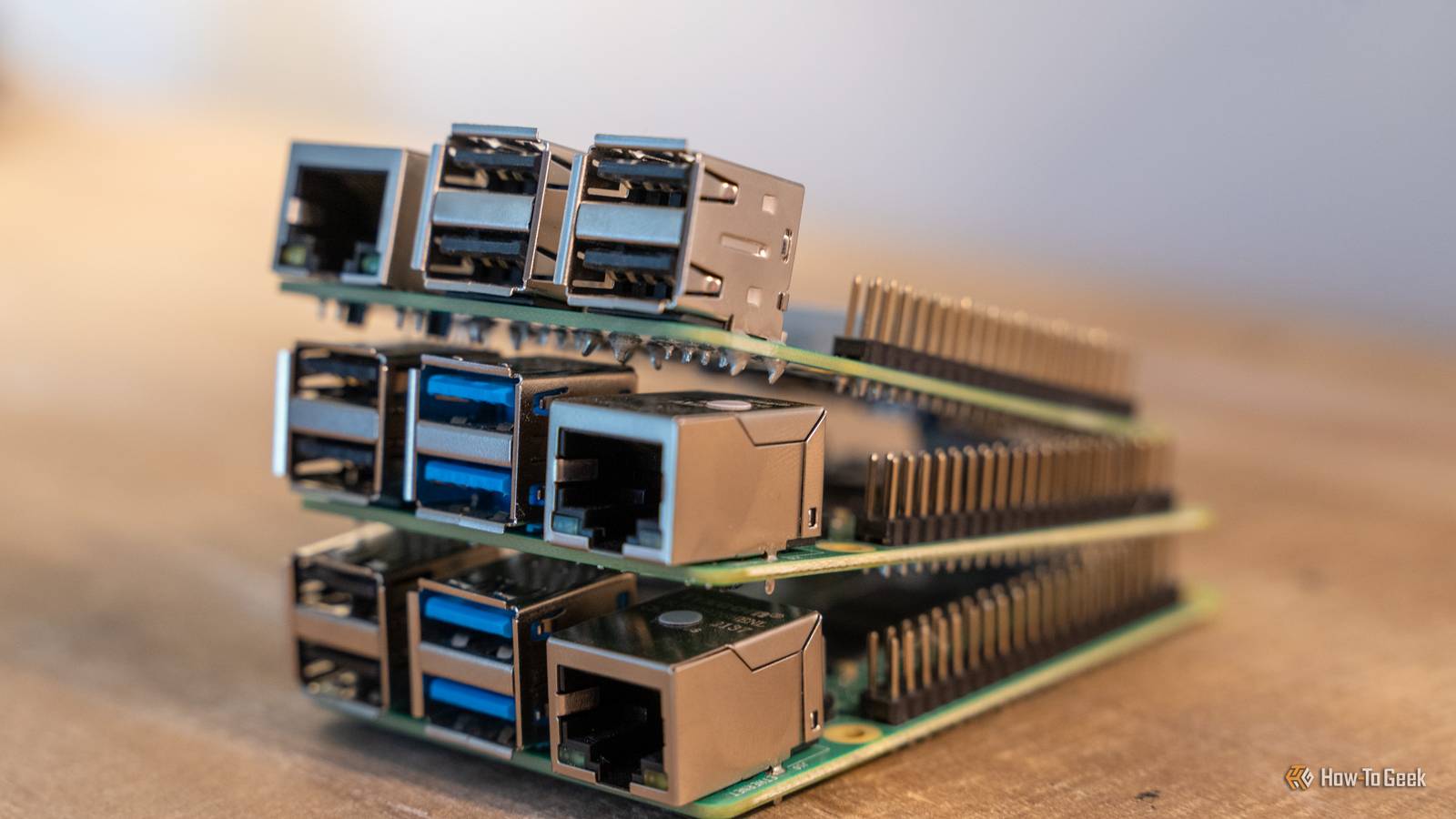
For a long time, the Raspberry Pi was default choice for any project that called for an SBC because it was affordable and well-supported.Unfortunately, things have changed.Memory prices have pushed the top-shelf Pi 5 from its original price of $120 to above $300.
The low-memory models are still affordable, but the calculus around which board you should buy is no longer quite so cut and dry.The Pi 5 still wins if you need documentation and off-the-shelf hats, but if you're doing something specific that relies on greater computational power, a specific form factor, or specific ports, then there are other boards that are a better buy.These are 5 of them, and the situations where they shine.
Radxa X4 The board that ends architecture arguments If you've ever spent an hour hunting for a specific arm64 image only to find it doesn't exist or has been ignored, you know the frustration of ARM-based homelabbing.The Radxa X4 solves that problem by putting an Intel N100 on a Pi-sized board.Because it uses x86_64 architecture, every amd64 container image—which is most of them—just runs right out of the box.
For roughly $65 to $250 (depending on your RAM choice), you get a quad-core CPU, 2.5GbE, and native M.2 NVMe support that is several times faster than the Pi 5's PCIe HAT.Additionally, Intel Quick Sync handles Jellyfin and Plex transcoding without breaking a sweat, which makes a great option for a tiny media server.Related Here's how I turned a Raspberry Pi into an in-car media server You don't need a record player in your trunk to take your analog favorites with you.
Posts 12 By Nick Lewis The trade-off here is applicability for kinds of DIY projects.You lose the MIPI connectors for cameras and there is no microSD slot at all.You also need to ensure you have 25 watts of power headroom and active cooling if you're going to run it under heavy loads.
If you need something in a Pi 5 footprint with an x86-64 processor, this is a great option.Sadly, the X4's availability is pretty spotty.It has been very difficult to get since the RAM crisis began.
Orange Pi 5 Plus The all-in-one storage and services box Close When you look at the spec sheet of the Orange Pi 5 Plus, it strikes me more like a NAS than a traditional tinkerer board.It has an 8-core RK3588 processor, 2.5GbE ports, and M.2 slots.The connectors make it an excellent option for a small device running networking-related services, all while avoiding the mess of hats and adapters you require on a Pi 5 to get that many Ethernet ports and M.2 connectors.
However, you have to deal with the software side.You're probably stuck with vendor images (which can be fine) and less documentation, though if you've used an SBC before you can muddle your way through.Memory pricing hasn't spared the Orange Pi 5 Plus, so expect the high memory models to cost.
If you need a low-power, always-on NAS with containers running alongside it, this is your best bet.Just budget an afternoon for the OS setup rather than twenty minutes.Radxa Rock 5B+ An orange Pi with more memory and HDMI input The Rock 5B+ uses the same RK3588 chip (8-core) as the Orange Pi but combines it with LPDDR5 memory.
The most interesting feature on this board is the HDMI port.That allows you to turn it into a DIY capture card or a KVM.You could also use it to intercept video and then perform an analysis or modify the video feed somehow.
That could be anything from AI image recognition to a simple interface overlay.While it's one of the more expensive ARM boards and requires active cooling, the stability and interesting utility make it worth the premium.ZimaBoard 2 A fanless x86 box with a PCIe slot If you want a system that is completely silent, the ZimaBoard 2 is a good option.
It uses an Intel N150 and the chassis doubles as a heat sink.Another standout feature is the available PCIe 3.0 x4 slot.You can add a 10GbE network interface card, a GPU riser, or any number of other accessories that a Pi 5 can't normally accommodate.
It also includes onboard SATA for 3.5-inch drives, so you don't have to rely on USB adapters.TP-Link USB to Ethernet Adapter $12 $13 Save $1 TP-Link's UE300 USB to Ethernet adapter supports gigabit connection speeds, and is plug'n play with almost any modern operating system.$12 at Amazon Expand Collapse The only significant downside is that passive cooling could lead to thermal throttling if it is run under heavy load for a long time.
You should use this as a quiet firewall or router that you can leave running for years and forget about.Banana Pi BPI-R4 An SBC built to be a router The Raspberry Pi normally makes a mediocre router because it has a single gigabit Ethernet port.If you want more, you need to use a USB to Ethernet adapter.
I built and tested one, and it performed , but a board with the hardware built in is better.The Banana Pi BPI-R4 is built around the MediaTek Filogic platform with SFP and native OpenWrt support and is designed specifically for networking.The extra ports combined with the right software allow it to handle VLANs, multi-WAN, and hardware offload properly.
Beating the Pi on value requires buying for a purpose There is no single "Pi killer" because these boards all serve different purposes.Use the Radxa X4 for containers, the Orange Pi 5 Plus for budget storage, the Rock 5B+ for KVM or inline AI, the ZimaBoard 2 for a silent setup, and the BPI-R4 for networking.The biggest cost is going to be your time.
When you leave the Pi ecosystem, you're giving up a huge amount of resources nad hardware compatibility.You will spend more time configuring your OS, but you'll gain significantly more performance.
Read More