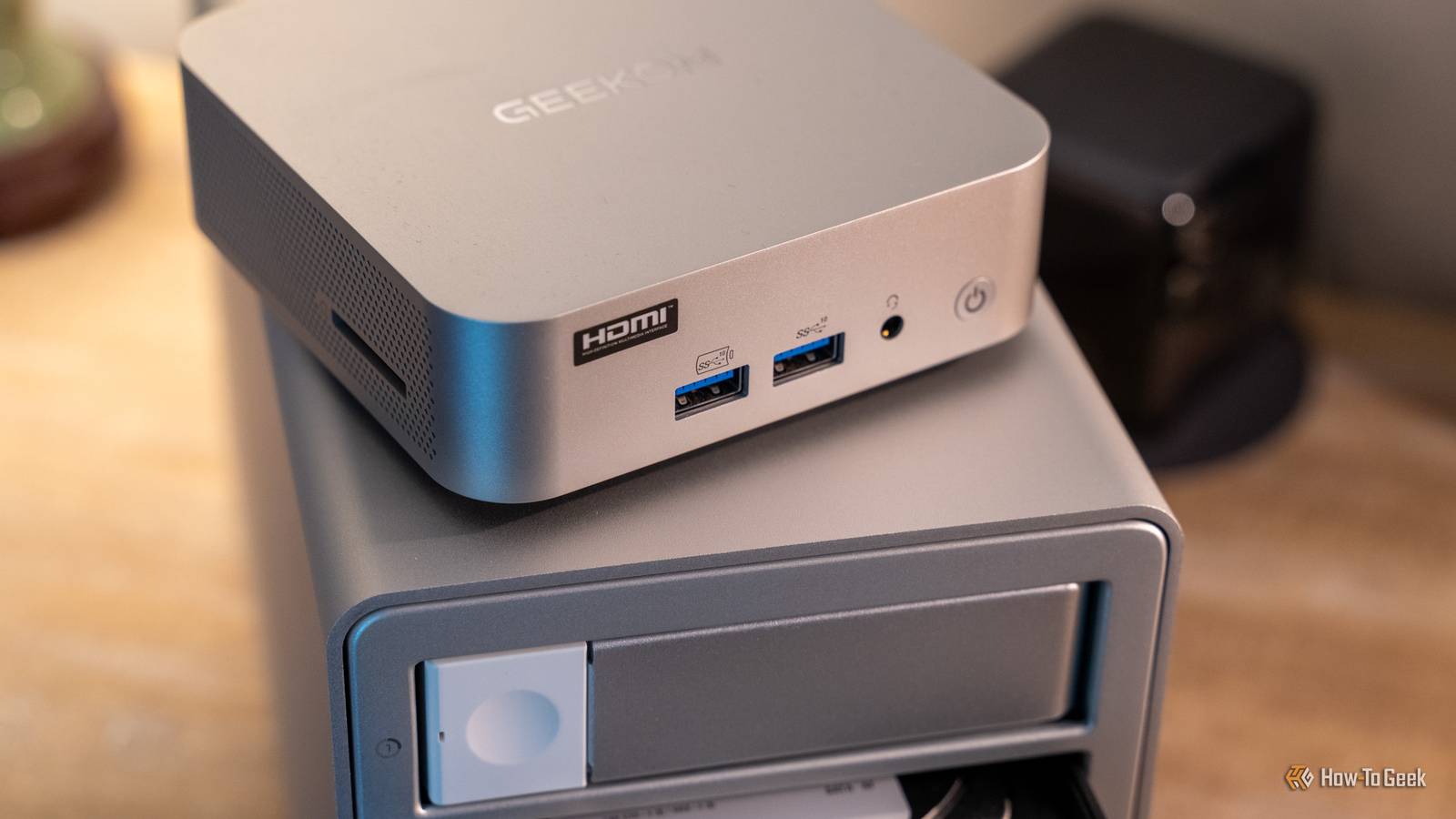
What's the easiest and cheapest way to build your own budget homelab? Arguably, a used Windows 10 PC is a safe bet (most of the time).But the reality is that mini PCs are slowly taking over this segment, and it's true that they have a lot of attributes that make them easy to recommend for that type of job.However, there's one more option other than building your own, repurposing, or using a mini PC, and it's a lot closer to a mini PC than you probably imagined.
A mini PC is essentially a laptop Minus a few important parts Close Fine, I'll lift the veil of suspense, although I'm sure you've guessed by now: I'm talking about laptops.There's a lot of merit in getting a used laptop and turning it into, well, just about anything you want, from a homelab to something to steal storage from, or even a troubleshooting/repair tool.And yes, in many cases this old laptop will be comparable to a mini PC, and if performance is not the #1 priority, it might even turn out to be better.
Hear me out.The thing with mini PCs is that if you pop the lid off of one, you'll often find laptop hardware staring back at you.Laptops and mini PCs often share the same CPUs, especially at the low-end.
They come with memory soldered to the board, and it's SO-DIMM memory a lot of the time, so again, laptop stuff.Many mini PCs are also fanless, and obviously, most don't come with discrete graphics (you're looking at SFF PCs for that instead).As such, a lot of the benefits of a mini PC can be replicated with a laptop.
Moreover, laptops generally have a bigger range of performance brackets, so an older decent-ish laptop can probably beat a lot of modern, cheap mini PCs.So, my question is: why bother with a mini PC when you probably already kind of own one, with extra perks? Perhaps one of the biggest perks is the fact that the laptop comes with a battery.Related I desperately want a mini PC—here's why i haven't bought one yet There are other portable and versatile computing options I'm already using.
Posts 5 By Bertel King The battery you'd have bought separately is already inside the laptop Avoiding power blips If you have a homelab or a home server, you probably prioritize stability ...but no one can ever fully prevent blackouts.Most of the time, they're out of our control, and that's always a problem when the devices affected are of the always-on variety.
Networking gear should never be plugged straight into a wall, so you probably have a UPS of some sort.After all, without a backup source of power, your mini PC will just die the moment power goes out.But your laptop? Good as new and happy to continue.
You won't even have to deal with transfer time, which might be the case with a backup source of power, as the battery is already built into the laptop.Of course, this won't prevent your internet connection from going down; for that, you definitely do need a UPS of some sort.But going with a laptop instead of a mini PC removes one roadblock and keeps your device functional even when everything else around it has temporarily gone dark.
Keep in mind, though, that an old, run-down laptop isn't going to give you hours of battery.I've had laptops that couldn't hold a charge at all, period, and at that point, they were the same thing as a mini PC.But any half-decent laptop should last long enough for you to be able to get all your ducks in a row.
The RAM-pocalypse broke all sorts of pricing arguments You're paying a premium for RAM We're in the midst of the RAM-pocalypse, and it's sad that I've been saying this for months, and it's still just as true.RAM prices are through the roof, the same as SSDs and GPUs.As a result, you might actually score a good deal by buying a mini PC just to scavenge it for parts.
However, buying an old laptop (or better yet, using one you already own) removes some of that pricing drama.You can usually pick one up for cheap, although buying second-hand always means needing to stay vigilant and watch out for scams.Mini PCs are generally inexpensive, but price hikes are happening across the entire industry, and with some luck, you'll get yourself a far better laptop for the same price.
Hunting for a deal is a good approach right now.External monitor and keyboard can actually be a nuisance Laptops can have an advantage here Whether it's a mini PC or a laptop, if you're using it for a homelab, it's just fine being headless.You're SSH'd in or poking at a web UI from the sofa, anyway.
But the lack of a built-in keyboard and monitor, while space-saving, can be a nuisance when something goes wrong.If your mini PC refuses to boot or generally misbehaves, you might wish it could be a more self-sufficient kind of device that doesn't need you to hunt down a monitor, an HDMI cable, a keyboard, and a mouse each time you want to interact with it.Laptops, as we all know, don't have that problem; what you see is what you get, mouse, keyboard, and all.
With that said, a laptop will often take up more space than a mini PC ...somewhat, anyway.Laptops are so thin these days that you can have one that barely takes up any space, but mini PCs, with their box aesthetic, are also easy enough to hide away somewhere.
A used laptop vs.a new mini PC? Budget says laptop I won't try and make this seem like a clean sweep, because mini PCs are still pretty awesome in their own right, and they make a good homelab or a NAS.Networking is an obvious advantage, because many mini PCs ship with 2.5GbE Ethernet ports, and your laptop is lucky to get the most basic option, because many laptop users are happy to just stick to Wi-Fi.
However, if you're thinking of budget reasons first and foremost, a used laptop is easy to find and will do just fine for your first homelab in 2026.Just be careful when you shop, as scams are everywhere right now.
Read More