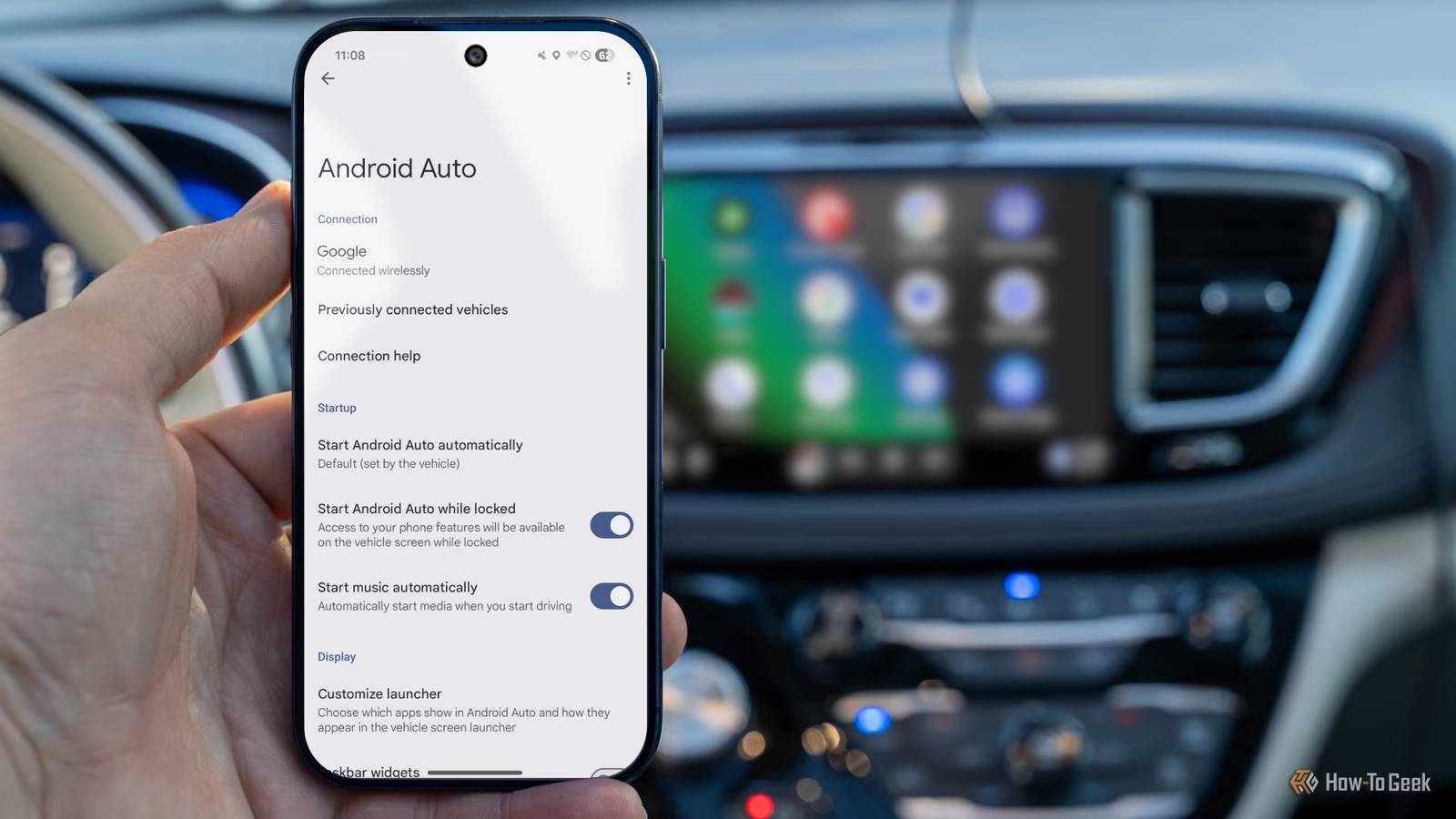
Android Auto is a great tool to have when driving because it provides an easy and accessible way to use your phone more safely while the car is moving.If your car supports it, there are several ways to connect your phone to Android Auto—especially wirelessly.However, even cars that do not support the feature can still get Android Auto.
With that, here are the different ways to set up wireless Android Auto in your car, whether it already has the wired version or not.Connecting to wireless Android Auto Connect your phone wirelessly to vehicles that support it Not every car supports wireless Android Auto.I have a 2020 Honda Civic, which isn’t the newest but isn’t too old either, but it only supports the wired version.
However, my mother has a 2025 Honda Pilot, and it supports the wireless version.Yet if you do have a car that supports the wireless version, it’s really simple to set it up without having to find a USB-C cord to plug into your vehicle.The hardest part is really figuring out where your phone connection settings are in your car’s infotainment system.
As I was setting everything up in the Honda Pilot, the settings I needed to access were in the Connection tab on the infotainment screen.Obviously, if you have a different or older car, this setting will be found elsewhere.Close Once I tapped into those settings and started the pairing process, I went to my Android device's Bluetooth section in Settings.
From there, I looked for my car—which popped up at the bottom of the list—and selected it.Tapping my car’s name put the phone into connection mode, then displayed a six-digit code that I needed to match the one on my car's screen.If both matched, then I hit the Pair button on my device and the two connected.
The car’s screen will then ask you if you want to enable Android Auto for your phone.From there, you will choose “yes” and then continue with the process.If the pairing is successful, a splash screen will appear on your device welcoming you to Android Auto and advising you of the information it needs to access while running.
You can also manage what information it accesses.Now, whenever I get into my mother’s car, my phone will automatically connect without me having to pull it out or press any other buttons.It’s fast and easy to do, and if I need to add another device—like a family member's or friend’s phone—the setup is easy to repeat.
Add an adapter Convert wired Android Auto into wireless As previously mentioned, even if your car only supports wired Android Auto, there is a way to make it wireless: an adapter.Like an adapter that lets you plug a USB-A cable into a USB-C port, this adapter lets you access Android Auto wirelessly even when it’s not natively offered in your vehicle.Now there are multiple adapters you can pick up on Amazon for different price ranges.
More expensive ones usually come with better design and chip integration, but if you don’t care for all of that, a cheaper option may suffice.However, when choosing an adapter, there are two things to keep in mind.First, you must already have Android Auto in your car.
This adapter will not add it to your car’s infotainment system if it’s not already available through a wired connection.Secondly, make sure you get an adapter that supports Android Auto.Some adapters support only one platform (either Android Auto or CarPlay), while others support both.
For Android Auto, you’ll obviously need to get one that specifically supports it, or one that supports both platforms.You can see which platform is supported in the device’s description or the logo on the physical adapter’s chassis.Aluratek - Apple CarPlay and Android Auto Combo Wireless Car Adapter Warranty 1 year Color 0.4 ounces Brand Android, Apple The Aluratek AWCGD02F wireless CarPlar and Android Auto combo adapter allows you to upgrade a wired Carplay or Android Auto system to a fully wireless one.
Just plug in the USB adapter to the usual USB port used by your phone to connect to your infotainment system and pair your device. The Aluratek AWCGD02F supports 5GHz Wi-Fi, Bluetooth, and allows you to pair up to two devices simulataneously. $60 at Best Buy Expand Collapse Motorola MA1 Wireless Android Auto Adapter Quickly and easily upgrade your car to a wireless Android Auto setup with the Motorola MA1 adapter. Best Buy Expand Collapse Once you have it in hand, just plug the adapter into the same port you use to connect your device to your car.A splash screen for the adapter may appear at first, but it will quickly disappear.Furthermore, even though you’re using an adapter, setup and usability are, frankly, the same as if wireless were already natively available in the car.
Install a portable screen Add a screen to get Android Auto What if you have an older car or one that doesn’t come with Android Auto installed? Before the feature became more widespread, you would have been out of luck or had to pay a hefty price for a display with it installed, but that’s not the case today.Now, you can go on Amazon and purchase a portable display that sits on top of your dashboard and offers the feature.Furthermore, you can find them for as little as around $50.
To install them, the screens usually come with a suction-cup base that you can place on your dashboard or windshield.However, if you do add it to your windshield, make sure it does not obstruct your view and follows any state guidelines.Podofo Portable Android Auto/CarPlay Screen $46 at Amazon Expand Collapse They also use power from your car’s cigarette lighter port and can play audio through your car’s speakers using the 3.5mm auxiliary port or Bluetooth.
Setting it up is similar to how you would in a car that offers built-in Android Auto.Just make sure to follow the steps on the screen, as the initial setup may differ depending on your screen’s model.While this is a great solution for any car that doesn’t have Android Auto integrated natively, the downside is that the wires for power and audio can be all over the place, which can be distracting.
I’ve seen some people tuck them under the interior lining of their car or use cable management organizers to keep them together.Some drivers have also added adhesive wire holders so the wires stay attached to the car and don’t freely hang from the screen to the ports they connect to.It really depends on how you want your car to look and what organization style works best for you.
So many options Back in the day, if you didn’t have wireless Android Auto—or the platform in general—in your car, you were mostly out of luck unless you shelled out a good amount of money.Fortunately, those days are long gone.Now, there are many options for getting wireless Android Auto in your vehicle, no matter how old it is.
It all comes down to one question: Does your car already have Android Auto, or does the whole experience need to be added? From there, you’ll know which option to go with and how to make the changes in your Android Auto experience.
Read More