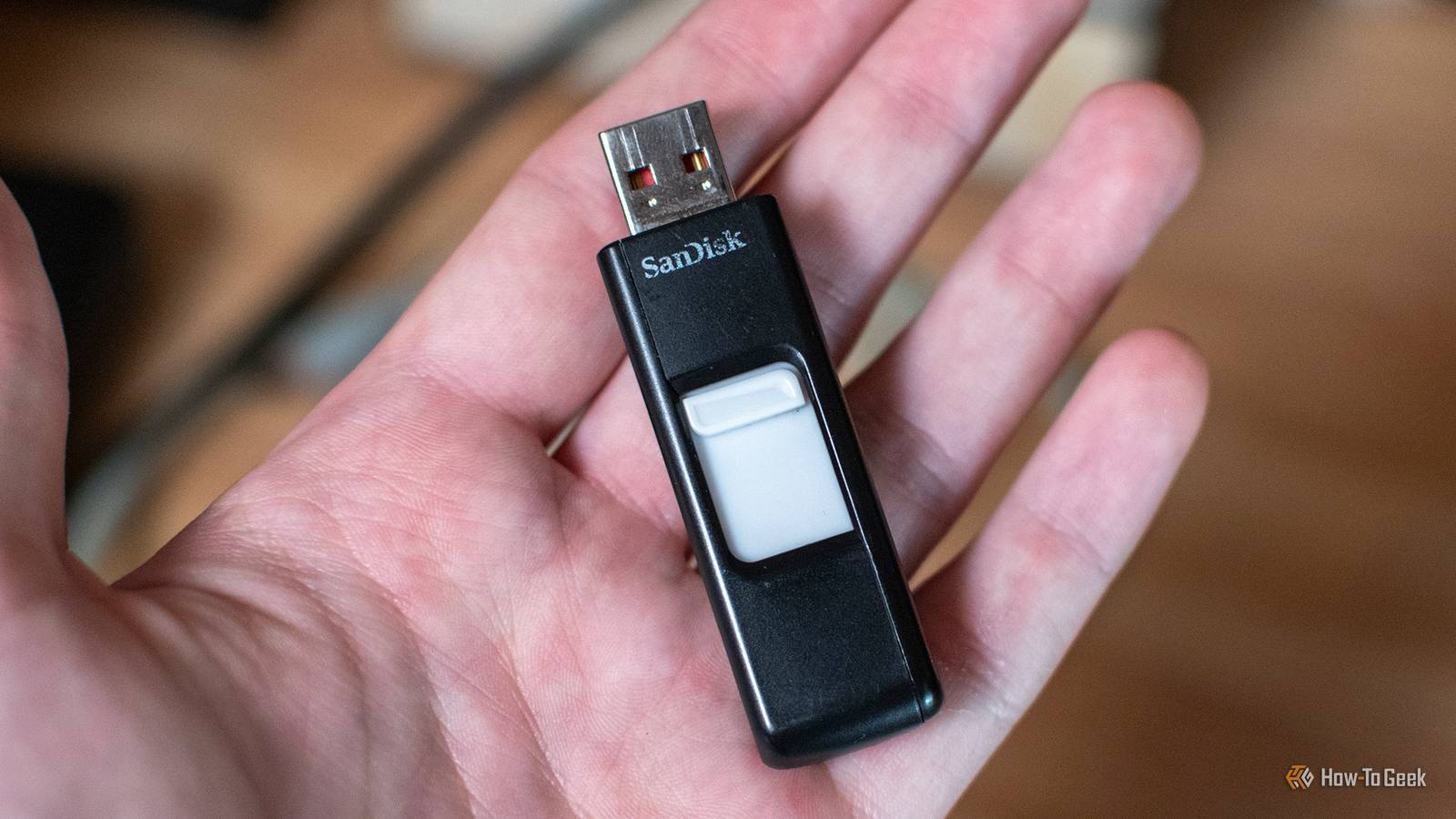
I'm no stranger to finding weird things for my USB drives to do, such as repurposing them as "rescue drives." But this year, with the RAM shortage spilling over to every area of the PC market, I've found new ways to make good use of just about every piece of tech that I own.From a tiny file server to a retro gaming console, here's what I used my USB flash drives for in 2026.Add How-To Geek on Google Add as Preferred Source Follow on Google Discover I turned a USB stick into a physical key for my computer Remove it, and the PC locks itself Close Who knew that an ordinary USB flash drive could become both the lock and the key to your PC? I read about it somewhere and decided to give it a go, and lo and behold, it worked.
Basically, all you need is a free tool called USB Raptor, which creates an encrypted key file on your flash drive and monitors whether it's connected to your computer.As long as it's plugged in, you can use your PC normally.Pull the drive out, and the software locks your screen until the USB finds its way back into the port again.
It's a neat little trick, especially if you frequently step away from your desk at the office or in a public place.Related Your USB-C cables might need a firmware update.I'm serious Great, yet another firmware update to forget about.
Posts 23 By Monica J.White I put an entire encyclopedia on a USB drive The internet disappeared, but Wikipedia didn't Most people know that you can download a website, but did you know you can download Wikipedia? In fact, you can download it and carry it around on a USB flash drive.All you need is a free tool called Kiwix, which lets you download compressed archives of websites and browse them completely offline.
I grabbed the portable version of Kiwix, added a Wikipedia archive to my flash drive, and I suddenly had access to endless pages worth of knowledge without needing an internet connection.This is a pretty cool way to pass the time on a long flight.I gave my router a miniature file server One USB stick, several computers Most people ignore their router's USB ports, but I decided to put mine to good use (and put a USB drive to work in the process).
I claimed one of the USB ports for a miniature file server.For routers that support USB storage sharing, you can access files on the drive from other devices connected to your network.If I refer to this as a mini NAS I'm probably going to become the laughing stock of this website, so I'll just say is that it's really handy if you want to be able to share some files across your home network without committing to anything more costly.
I turned my regular PC into a retro gaming console Windows can take the evening off This one is especially fun if you're a gamer with a lot of nostalgia in your soul.Just try Batocera, a free Linux-based operating system built specifically for retro gaming and emulation, and I decided to give it a go.All you need to do is download the appropriate Batocera image, flash it onto a USB drive, and boot your PC from it.
Instead of your regular OS, you'll be greeted with a dedicated gaming interface where you can launch games from various classic consoles, provided you have the necessary game files and firmware.I carried an entire software collection in my pocket My favorite apps, without the usual installations This one's not quite as unusual, but it's certainly one of the most useful things I've done with a USB flash drive.I used PortableApps.com to turn an ordinary USB stick into a miniature software library, complete with some of my favorite tools.
The platform offers portable versions of hundreds of Windows apps, including browsers, media players, and various utilities.You can launch them directly from the USB drive without going through the usual installation song and dance, making them a quick and easy plug-and-play kind of solution.I made one flash drive boot practically anything One USB stick to rule them all Creating a bootable USB stick is super useful, but it's not without its trade-offs, as you usually have to wipe the drive and start over whenever you need a different OS or recovery tool.
But I found Ventoy, which gets rid of that hassle entirely.You install it once, then simply copy compatible ISO files onto the drive, whether that's Windows, Linux, or various troubleshooting tools.When you boot from it, you get a handy menu that lets you choose what to launch.
You can even keep ordinary files on the same drive, so it doesn't have to be dedicated entirely to these bootable images.Turns out USB flash drives are pretty exciting Most of us use USB flash drives as temporary storage or a way to transfer files between PCs, but they can be mighty useful when you get a little creative.Check out yours and give it a job! Before you dig in, though, a quick PSA: I've had good success with all the software I mention in this article, but please do your due diligence and make sure everything is still in top shape before you download or install anything.
That's just basic internet safety, and you never know when a website or an app could become compromised.Lexar D40E Dual USB Flash Drive I have a few of these flash drives at home, and they all lead pretty interesting lives thanks to my obsession with repurposing them.See at Amazon Expand Collapse
Read More