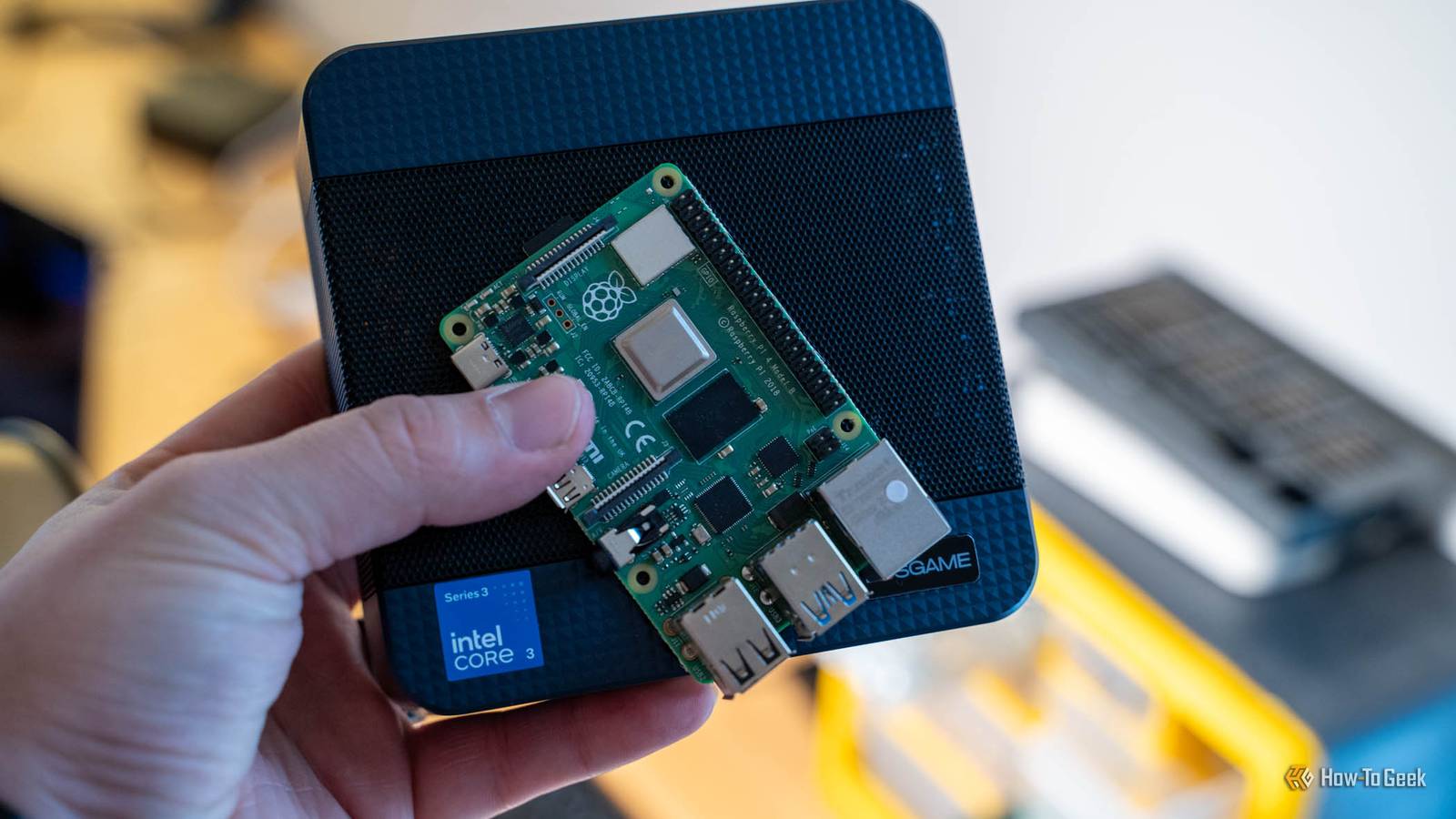
The Raspberry Pi just got a massive price hike.You'll now have to spend around $500 to get a full Pi 5 16GB setup, which is just crazy to me.I really don't think the Pi 5 is worth it at that price, as you can do almost everything that a Pi can do with a mini PC (outside of GPIO pins).
Add How-To Geek on Google Add as Preferred Source Follow on Google Discover So, if you're considering buying a 16GB Raspberry Pi 5, let me try and convince you otherwise by showing you that a mini PC is more upgradable and better suited for your homelab.The 16GB Pi 5 now costs $385 It launched at $120 less than two years ago Close For well over a decade now, the Raspberry Pi has been known as an affordable single-board computer for a wide range of tasks.Based on an Arm processor, it doesn’t necessarily run Windows all that well, but it’s the perfect mini system for those who like running Linux.
I’ve known multiple people who ran a Raspberry Pi as their main computer because it was just cheap and it worked well.It used to be that Raspberry Pis only came as low-spec systems.The Pi 3 B that I have only has 1GB of RAM, for example.
However, less than two years ago in January 2025, Raspberry Pi launched a 16GB Pi 5 for $120.It was one of the most expensive Pi systems ever released at the time, but it finally made the Pi a feasible computer for people who needed more power than the cheaper systems offered.On November 2, 2026, Raspberry Pi announced that the Pi 5 16GB was getting yet another price increase—this time to $385.
That’s over three times the price of what it launched at less than 24 months ago, and the actual Pi itself hasn’t changed.It’s still the same 16GB Pi 5 that was launched at the beginning of 2025, but Raspberry Pi blames the price increase on the DRAM supply and hopes to roll it back in price at some point, but doesn’t know if or when it will happen.A $385 Pi still needs about $100 more before it boots from an SSD Power, cooling and an M.2 HAT aren't optional at this tier So, for $385, you get a fully-working computer ready to use right out of the box, right? Wrong.
For $385, you get just the Pi 5 16GB unit itself.You’ll need a power supply, which costs another $12.Most people will want an active cooler to keep performance up, which is another $5.
Oh, and the Pi 5 doesn’t come with storage at all, so you’ll have to supply that yourself—and a 512GB SSD that's compatible with the Pi costs over $100.The Pi 5 only ships with the ability to use MicroSD from the factory, which you’ll have to buy yourself.If you want to use it with an NVMe drive, then you’ll need to buy a separate adapter which is another $12 plus an SSD to use it with.
All of this adds up to over $100 extra just to get the Pi 5 into working order for you to use as a computer, putting you close to, if not over $500 for a fully-working Pi 5 16GB when all’s said and done.The mini PC I'd buy instead comes with the case and storage An N150 box with 16GB lands under $400 all-in, storage included So, if a Raspberry Pi 16GB costs $385 without storage or other necessary accessories, and more than $500 once you buy everything else, what mini PC should you get instead? It all depends on the hardware you need.For $399—just $14 more than a Raspberry Pi—you can get a mini PC with Intel's N150 processor, 16GB of user-upgradable DDR4 RAM, a 500GB NVMe drive (with room for a second NVMe drive if you need), and Windows 11 Pro pre-installed.
If you go up to $500, you can get a mini PC that sports the Intel i7-1185G7 processor with Iris Xe graphics, 16GB of user-upgradable DDR4 RAM, 2.5Gb Ethernet, a 512GB NVMe drive (with room for a second), and Windows 11 Pro pre-installed.Really, there are a ton of great systems you can buy for the same price as a 16GB Raspberry Pi 5, and very few reasons to spend the cash on buying a Raspberry Pi 5 at this price point.There's even a mini PC with dual Gigabit Ethernet for just over $400.
Beelink S13 Mini PC Brand Beelink CPU Intel Processor N150 (4 cores, 4 threads, up to 3.6GHz, 6MB cache) Graphics Intel UHD Graphics (24 EUs, up to 1GHz) Memory 16GB DDR4-3200 (single SO-DIMM, single channel, 16GB max) Storage 500GB M.2 2280 NVMe SSD, plus a second slot for SATA storage Ports 4x USB-A 3.2 Gen 2 (10Gbps), 2x HDMI 2.0, 1x Gigabit Ethernet, 1x 3.5mm audio jack, 1x DC-in The Beelink S13 mini PC is the perfect buy if you're looking for something affordable with decent specs.It ships with 500GB of NVMe storage with the ability to upgrade down the road if you need.Plus, with 16GB of RAM and the Intel N150 processor, you'll also have plenty of power to drive dual 4K monitors.
It also even ships with Windows 11 Pro pre-installed. See at Amazon Expand Collapse GMKtec M2 Pro S Mini PC Brand GMKtec CPU Intel Core i7-1185G7 (4 cores, 8 threads, 3.0GHz base, up to 4.8GHz, 12MB cache) Graphics Intel Iris Xe Graphics (96 EUs, up to 1.35GHz) Memory 16GB DDR4-3200 (2x SO-DIMM, dual channel, up to 64GB) Storage 512GB M.2 2280 PCIe 3.0 NVMe SSD, plus a free M.2 2242 SATA slot (up to 10TB total) Ports Front: 2x USB-A; Rear: 2x USB-A, 1x USB-C (5Gbps, DisplayPort Alt Mode), 2x HDMI 2.0, 1x 2.5GbE Ethernet, 1x 3.5mm audio jack, 1x DC-in The GMKtec M2 Pro S mini PC packs a punch without breaking the bank.Sporting an Intel Core i7 processor and Iris Xe graphics, this tiny desktop also ships with 16GB of user-upgradable RAM.With a 512GB NVMe drive included from the factory that has Windows 11 Pro pre-installed, there's also a second NVMe slot for you to easily expand and add more storage if the need arises.
See at Amazon Expand Collapse BOSGAME E6 ECO Mini PC Brand BOSGAME CPU Intel Core 3 304 (Wildcat Lake), 5 cores / 5 threads (1 P-core up to 4.3GHz, 4 LP E-cores up to 3.3GHz), 6MB L3 Graphics Intel Graphics (1 Xe3 core) Memory 12GB LPDDR5X-6400 (soldered, not upgradeable) Storage 512GB PCIe 3.0 NVMe M.2 2242 SSD; second M.2 2242 slot (PCIe 4.0 x1); up to 4TB Ports Front: 2x USB-A 10Gbps, 1x USB-C (DisplayPort Alt Mode, USB PD in), 3.5mm combo jack.Rear: 2x RJ45 Ethernet, HDMI 2.0, DisplayPort 1.4, 2x USB 2.0, 19V DC jack The BOSGAME E6 ECO is a mini PC that packs a punch for its price class.With the Core 3 304 processor and 12GB of LPDDR5X RAM, this tiny desktop offers Wi-Fi 7, dual RJ45 Gigabit Ethernet, and support for up to three 4K displays. See at Amazon $490 at BOSGAME Expand Collapse Why buy a mini PC over a Raspberry Pi? Well, a mini PC is based on the x86 architecture instead of Arm, which makes it more compatible with most services.
For instance, Plex doesn't support native hardware transcoding on a Raspberry Pi, while it does support the Intel processors in mini PCs.You can also still install Linux on just about any mini PC you buy, while you can't really install Windows on a Raspberry Pi.Also, as I mentioned above, you can upgrade the RAM in most mini PCs, meaning you could buy a smaller amount like 8GB or 16GB now, and upgrade it with more RAM in the future if you need.
Plus, mini PCs typically support at least two storage drives, making it easier to add extra room for games or documents compared to trying to upgrade a Raspberry Pi.The Pi is still the right buy for pin projects GPIO projects just likely don't needed 16GB of RAM I'm not saying the Raspberry Pi 5 is a bad system—it's still great.I just wouldn't go spend $385 plus extras to get a Raspberry Pi.
If you want to run Linux, buy a mini PC and install Linux on it.If you need GPIO pins, you probably don't need 16GB of RAM.Related These 5 jobs are why I still keep a Raspberry Pi next to my mini PC Mini PCs win on compute, but they can't touch the real world like a Pi can.
Posts By Patrick Campanale All Pi 5 models ship with the same quad-core Cortex-A76 SoC and 40-pin GPIO, meaning every Pi 5 has the same capabilities except how much RAM it has.So, before you drop $500 or more on setting up a Pi 5 16GB, really weigh if your Pi 5 project 16GB of RAM.Chances are it doesn't.
If it does, then double check that a mini PC wouldn't be the better option for your needs instead.I still don't know why Raspberry Pis are so expensive these days Raspberry Pi says that they keep raising the price due to DRAM costs.I understand that RAM is getting more expensive in the age of AI everything, but if a mini PC, with way more ports and capabilities than a Raspberry Pi, can stay affordable, why can't the Pi itself? It just doesn't make sense to me.
Mini PCs haven't gone up all that much in price with the RAM price hikes.You can find some mini PCs in the sub-$300 range with solid specs.Yet, for some reason, Raspberry Pi is hiking the price for its systems multiple times in a year to unaffordable new heights.
Unless you the capabilities of a Raspberry Pi, just get a mini PC.It's better supported with the software you'll likely run in your homelab, and it's just simply more affordable and upgradable at this point. XDB Builder Free PC planner Tell XDB what you want the PC to do and how much you want to spend.
We'll find parts that fit, with current prices. What will you use it for? Pick any 1440p gaming 4K gaming Video Streaming Local AI 3D & CAD Photo Home server Games or apps Optional Budget $750 $1,000 $1,500 $2,000 $3,000 No limit Plan my build→ Opens XDB, XDA's free PC builder, in a new tab. Pick at least one use, or name a game or app.
Read More