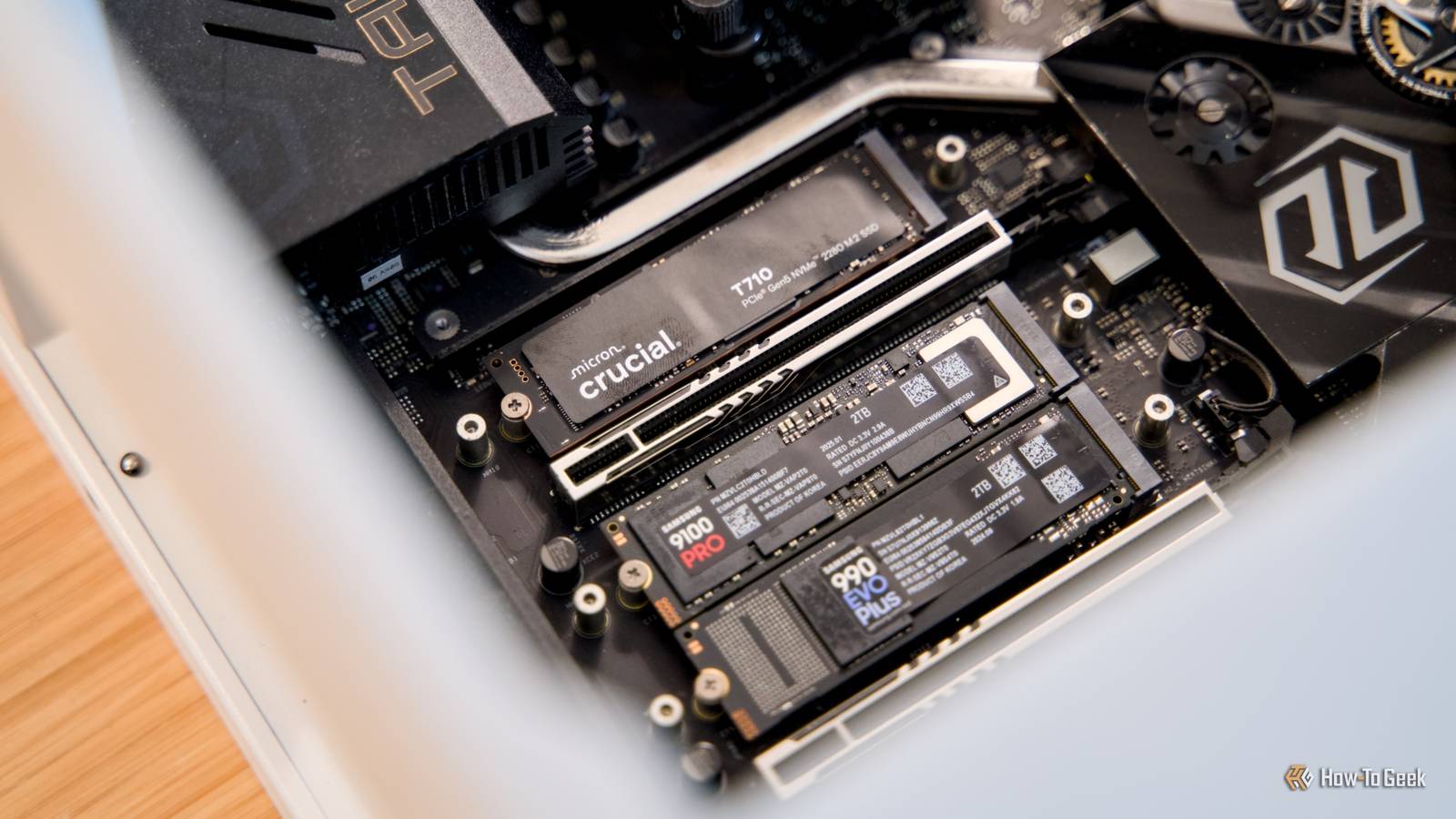
If you have recently upgraded from a SATA SSD to an NVMe SSD, you might have noticed something strange.Your new drive is several times faster on paper, and the benchmarks certainly confirm that.Yet, when you boot Windows, open your browser, or launch your favorite applications, everything feels almost exactly as it did before.
Add How-To Geek on Google Add as Preferred Source Follow on Google Discover This can be confusing, especially when you consider the speed.A typical SATA SSD tops out at around 550MB/s, while a modern PCIe 5.0 NVMe SSD can reach 14,000MB/s or more.That is over 12 times the sequential transfer speed, which sounds like an enormous upgrade.
The problem is that these numbers tell only part of the story.Most everyday computing tasks have very little in common with the workloads used to produce those impressive benchmark results.Those impressive SSD speeds come with a catch Sequential speeds are not what most applications need Close When manufacturers advertise an SSD capable of 14,000MB/s, they are usually referring to its maximum sequential read speed.
This measures how quickly the drive can read large amounts of data stored in consecutive blocks under favorable conditions.It is an important metric, especially if you regularly work with large files.For example, copying a 50GB video file between two sufficiently fast NVMe SSDs can be considerably quicker than transferring the same file between SATA SSDs.
However, your operating system rarely works this way.When you launch an application, the system has to retrieve executable files, shared libraries, configuration files, and other resources.These files are often relatively small, and the drive has to handle many separate requests.
You might have noticed that transferring a folder full of files is often slower than transferring the same folder as a ZIP archive.The difference has less to do with compression and more to do with transferring one large file instead of hundreds of smaller ones.This is why random read performance and latency become more relevant.
NVMe SSDs generally perform better than SATA SSDs here as well, but the difference is often much smaller than their sequential speed figures suggest, especially at the low queue depths common in desktop workloads.Consider what happens when you open Chrome.Your SSD reads the required files, but the CPU still has to execute instructions, initialize processes, and restore your previous session.
Then there is RAM to consider, and we are talking about Chrome, after all.The browser also has to load extensions and retrieve data from the internet.Even if your NVMe SSD finishes its portion of the work much faster, all those other operations still take time.
Suppose an application takes two seconds to launch from a SATA SSD, and only 200 milliseconds of that time is spent waiting for storage.Even if you could eliminate the storage delay entirely, the application would still take 1.8 seconds to open.That is an improvement of just 10%, despite making the storage portion infinitely faster.
Going from a hard drive to an SSD was a much bigger leap The biggest improvement was getting rid of mechanical delays Traditional hard drives have moving parts.Every time the system requests data from a different location, the drive may need to reposition its read/write head and wait for the appropriate sector to rotate underneath it.That mechanical movement introduces delays measured in milliseconds.
SSDs eliminate those moving parts and can typically access data in tens or hundreds of microseconds, depending on the drive and workload.As a result, even an inexpensive SATA SSD can respond to small random read requests dramatically faster than a hard drive.This matters because desktop operating systems frequently access small amounts of data from many different locations.
This reduced latency makes your PC boot faster, but the improvement is also noticeable when launching applications and performing everyday tasks.NVMe improves on SATA by using a protocol designed specifically for flash storage, with more efficient command handling and support for many queues.However, SATA SSDs had already eliminated the biggest problem with hard drives, which was mechanical seek latency.
Once that bottleneck disappeared, further storage improvements became less noticeable during ordinary desktop use.An interesting way to understand this is to think about internet speeds.When you upgrade from a 5Mbps connection to 100Mbps, websites load faster, videos stop buffering, and downloading files becomes much less frustrating.
The improvement is immediately noticeable because your internet connection was previously a major bottleneck.Related Stop running your NVMe 'naked': Why modern SSDs need a heatsink Your SSD is hotter than it should be, and it's only going to get worse Posts 3 By Goran Damnjanovic Now imagine upgrading from 100Mbps to 1Gbps.That is another 10x increase in bandwidth, but everyday browsing might feel almost the same.
Websites still have to respond to requests, and network latency does not necessarily improve with bandwidth.You will certainly notice the difference when downloading large files, but for most everyday tasks, the improvement is much harder to appreciate.Perhaps your mom was onto something when she asked, “What are you even going to use all that speed for?” Your RAM might be doing more work than you realize Modern operating systems try to avoid reading from storage Another reason NVMe might feel similar to SATA is that your computer does not always need to access the SSD in the first place.
Modern operating systems use available RAM to cache frequently accessed files and data.For example, when you launch an application for the first time after booting, the system may need to read its files from your SSD.However, when you close the application and open it again, some of those files may already be in memory.
Since RAM is considerably faster than even the best consumer NVMe SSDs, the difference between SATA and NVMe becomes largely irrelevant for those cached reads.You can sometimes observe this behavior yourself.Restart your computer and launch a large application.
Close it and launch it again.The second launch will often be quicker because the operating system can reuse cached data.This also explains why adding more RAM can sometimes improve everyday responsiveness more than replacing an already capable SATA SSD.
If your computer frequently runs out of memory, it may have to reclaim cached pages or move memory contents to storage.Having enough RAM reduces this pressure and allows more frequently used data to remain readily available.Of course, NVMe can help when the system genuinely needs to read from storage, including during heavy swapping.
But if your applications already fit comfortably in memory, a faster SSD has fewer opportunities to demonstrate its advantage.There are workloads where NVMe really makes a difference Large file transfers and demanding storage workloads None of this means the extra performance offered by NVMe is useless.There are plenty of situations where the difference becomes substantial.
As I said earlier, if you regularly edit large video files, work with HDR footage, process large datasets, or run several virtual machines, a fast NVMe SSD can make a meaningful difference.These workloads can generate enough storage activity to take advantage of NVMe’s higher throughput and better handling of concurrent requests.However, if you copy files from a SATA SSD to an NVMe SSD, the SATA drive is still limited to around 550MB/s.
Similarly, transferring files over a 1Gbps network typically tops out at roughly 110 to 120 MB/s under favorable conditions, regardless of how fast your local SSD is.Gaming is a little more complicated.Many games spend considerable time decompressing assets, preparing shaders, and performing other processing tasks while loading.
That means an NVMe SSD with several times the sequential read performance might only shave a few seconds off a loading screen.Technologies such as Microsoft DirectStorage can help supported games use fast NVMe storage more effectively by improving asset-loading workflows.Still, the actual benefits depend on how a game is designed and whether it implements those capabilities.
The biggest improvements appear when an application can genuinely keep the storage system busy enough to benefit from the extra bandwidth.Should you still buy an NVMe SSD? If you are building a new PC and your motherboard supports NVMe, it generally makes sense to choose an NVMe SSD.You get the convenience of the M.2 form factor, which usually connects directly to the motherboard without additional data or power cables.
However, if you already have a good SATA SSD, replacing it solely to make Windows boot faster or your Chrome launch more quickly probably will not deliver the improvement you expect.That money might be better spent on additional RAM if your system regularly runs short of memory, or on a CPU upgrade if your applications are primarily processor-limited.
Read More