Save time and teach smarter with these 25+ AI tips for teachers, prompting strategies, planning shortcuts, feedback workflows, and classroom-ready tools (plus privacy best practices).AI can absolutely help teachers! (When you use it like a tool, not a magic wand.) The difference between “AI gave me fluff” and “AI just saved me an hour” usually comes down to your process.Below are 25+ AI tips for teachers that improve your results fast, whether you’re brand new or ready to level up.
1.Turn on “Thinking” Most LLMs, like ChatGPT, Gemini, Claude, etc., have multiple versions of their models.Switch to the latest updated models, and I like to use the “Thinking” model for most of my prompts.
It will almost always give you a better response, and it only takes a little bit longer to respond.2.Ask AI to help you write your prompt Ask AI to be your prompt engineer and help you draft a high-quality prompt for your task.
Then copy and paste your prompt into a new chat to get a better quality response.3.Use the “Role + Task + Format” formula Give AI a clear role (instructional coach, 5th-grade science teacher, reading specialist), a specific task (create an exit ticket), and the format you want (table, bullets, Google Doc-ready).
This simple structure removes the guesswork and dramatically reduces generic output.4.Ask for 3 versions on purpose (and pick the best) Instead of settling for the first draft, request multiple versions (simple/standard/advanced).
This helps with differentiation, gives you choices, and often surfaces better phrasing or activities you wouldn’t have considered.5.Make AI ask YOU the questions first Teachers have a ton of context that AI doesn’t: time, class vibe, devices, student needs, and curriculum requirements.
Let AI interview you briefly before it produces anything.You’ll get fewer “perfect on paper” plans and more “I can teach this tomorrow” results.6.
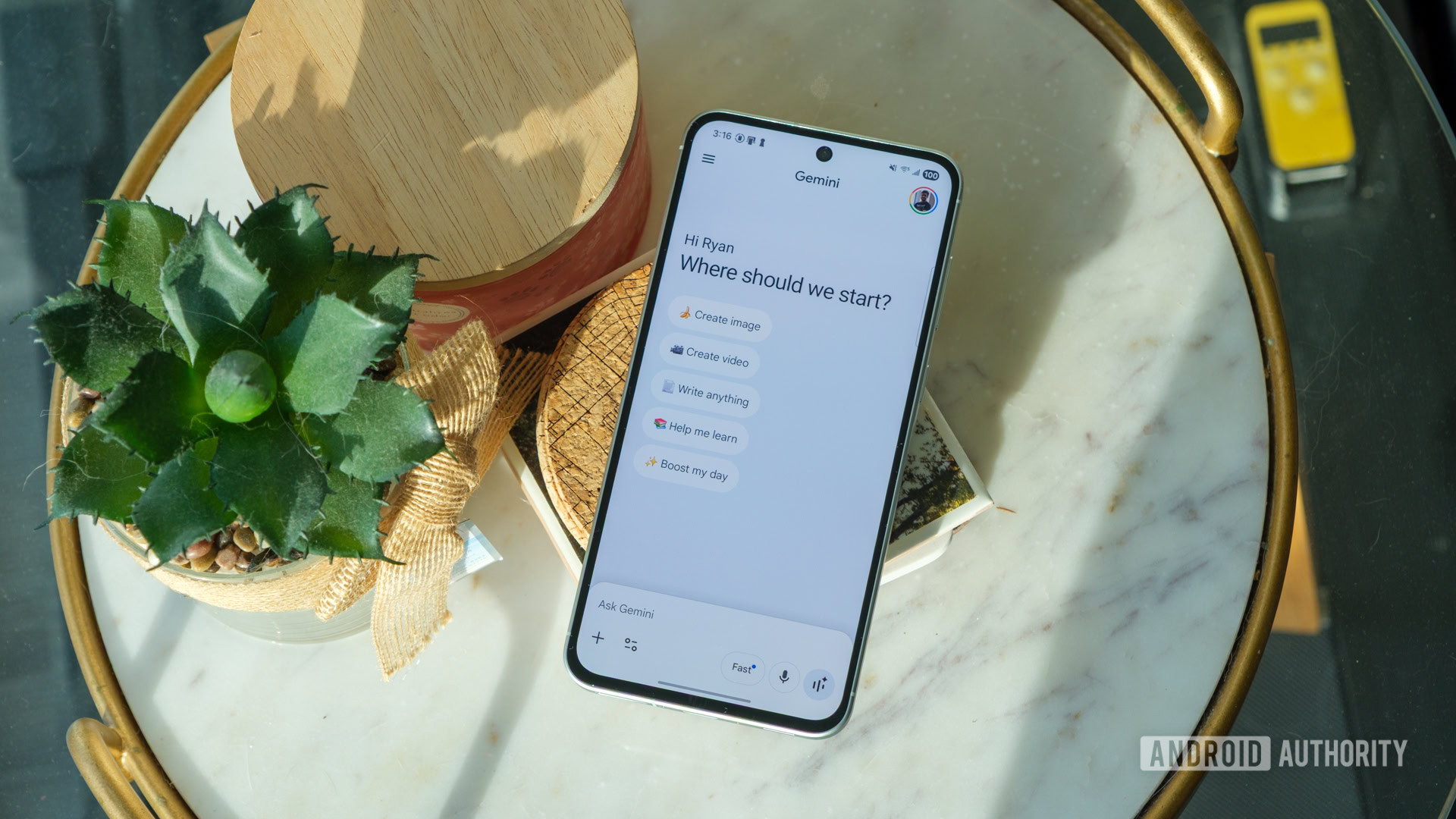
Use Gemini AI inside Google Classroom If you are a Google Classroom user, this is a no-brainer! Gemini AI tools are now available across all Google Workspace for Education tiers.Grab my FREE Gemini AI in Google Classroom Cheat Sheet here.7.
Use constraints to keep AI from getting unrealistic AI loves big ideas.Constraints keep it grounded: time limits, materials you already have, device limits, reading level, class size, language supports, accommodations, and pacing guides.Add these early so you don’t waste time editing later.
8.Create a reusable “Teacher Voice” style snippet If you find yourself constantly rewriting tone, create a short style reference you reuse: warm, clear, teacher-friendly, simple directions, positive framing, no buzzwords.This keeps your output consistent and saves time across everything from directions to parent messages.
9.Run a “fact-check pass” for anything factual AI can sound confident and still be wrong.Any time you’re dealing with stats, research claims, historical facts, or policies, do a quick verification step.
Ask it to flag what needs confirming and suggest where to check.10.Organize your day with AI (priorities, time estimates, “minimum viable”) Dump your to-do list and ask AI to sort it into priorities, estimate time, and identify the “minimum viable” version of your day (what must happen even if the day goes sideways).
This is great for Sundays… and for those super chaotic days.11.Use voice dictation to brain-dump, then have AI organize it Talking is faster than typing.
Dictate lesson ideas, feedback notes, or a rough plan—then use AI to turn it into a clean outline, steps, and materials list.This is especially helpful when you’re tired or on the go.(BONUS Tip: Turn on the speaker and let AI read the response back to you! This is great for when the text gets overwhelming.) *Related: AI Tools for Overwhelmed Teachers 12.
Ask for multiple options, then combine the best parts Think of AI like a brainstorming partner.Ask for several approaches, then stitch together the strongest elements.You’ll end up with something that feels more like you and less like a template.
13.Keep a reusable “teacher style” note handy This is different from a full snippet—it can be a quick “about my classroom” note: grade level, schedule constraints, devices, student supports, and your go-to routines.Paste it when needed, so AI stops making assumptions.
14.Use AI for parent communication, without losing your humanity.AI can help you find the right words, especially when emotions are high or time is short.
Use it to draft, then add your personal line so families still hear you.Aim for clarity, kindness, and zero accidental “edge.” Get more ideas like this in my book: AI for Classroom Management! *Related: 5 Ways AI Can Make Classroom Management Easier for Teachers 15.Create a feedback “comment bank” in your voice.
Instead of writing the same feedback 100 times, build a set of comments by skill (claim/evidence, organization, conventions, reasoning).Include a “next step” for each so feedback stays actionable—not just evaluative.16.
Turn standards into kid-friendly “I can” statements + success criteria Standards are not student-friendly.AI can translate them into “I can…” targets plus clear success criteria so students know what mastery looks like.Bonus: generate examples and non-examples to make it concrete.
17.Create rubrics fast (and add exemplars) Rubrics are a huge time drain.Use AI to create a 4-level rubric aligned with your objective, then generate sample student work at each level.
Even if you don’t use the exemplar text directly, it helps you calibrate expectations.18.Differentiate reading materials fast with Diffit.
Tools like Diffit can help adapt a text for different reading levels and generate activities around it.The key teacher move: start with your learning goal and make sure the “easier” version still holds the same idea—not a watered-down task.*Related: Top 15+ AI Tools for Teachers 19.
Use Brisk to give targeted feedback inside Google Docs Extensions like Brisk live where teachers already work (Docs/Slides/web).The real win is workflow: reducing copy/paste, speeding up feedback, and helping you give more consistent comments without starting from scratch every time.20.
Try MagicSchool for teacher-specific workflows Teacher-centered platforms like MagicSchool often include planning, assessment, and classroom workflow tools designed for educators.If you use these, treat them like a starting point—then refine to match your standards, pacing, and students.21.
Re-level without dumbing it down When you adjust the reading level, protect the important stuff: key vocabulary, core concepts, and academic thinking.“Easier” should mean more accessible language and supports, not lower expectations.22.
Ask for student-facing directions + teacher notes in one go When you generate an activity, you need more than a handout.Pair student directions with teacher facilitation notes, common misconceptions, timing, and fast finisher options.That’s the difference between “cute idea” and “ready to teach.” 23.
Convert a standard assignment into a choice board Choice boards are powerful, but time-consuming to design well.Use AI to propose options across different modalities (create/collaborate/reflect) while keeping the same learning target.Then you choose what fits your students and your time.
(BONUS: Try one of the choice board generators like Gemini in Google Classroom or Magic School.) 24.Turn one great prompt into a mini prompt library When you find something that works, don’t lose it.Have AI generate variations for other units, texts, standards, and grade levels.
Save them in a doc so next time you’re not reinventing the wheel.25.Use placeholders for privacy Never paste identifiable student information into AI tools.
Use “Student A,” “Period 3,” “my student with reading accommodations,” etc.Keep it general! 26.Treat AI output as a draft, not a decision This is the teacher move that keeps AI helpful and safe: you’re still the professional.
AI can speed up planning, drafting, and differentiation—but you make the final call for appropriateness, accuracy, and what’s best for students.27: Experiment with different LLM (Large Language Models) The top AI models are ChatGPT, Claude, and Gemini, and there are many others that are fantastic as well.Test the waters and try a model you’ve never tried before.
You never know what you’ll discover! Grab the AI Prompt Cheat Sheet BUNDLE SAVE 100’S OF HOURS with Our AI Prompt Cheat Sheet BUNDLE! For a limited time, you can access our complete bundle of AI prompt cheat sheets designed specifically for teachers at 50% off and save hundreds of hours this school year! Includes: 1.The AI Prompting Guide: Learn how to effectively use AI in your classroom with comprehensive instructions and tips.2.
Time-Saving AI Prompts Cheat Sheet: Streamline your planning and grading processes with prompts that save you time and keep you organized.3.Google for Education Tools AI Prompt Cheat Sheet: Maximize using Google tools in your classroom with prompts for Docs, Slides, Classroom, and more.
4.Student Engagement AI Prompts Cheat Sheet: Engage and motivate your students with interactive and collaborative learning activities.5.
Differentiated Instruction AI Prompts Cheat Sheet: Tailor your lessons to meet the diverse needs of your students with prompts for differentiation.6.Assessment and Feedback AI Prompts Cheat Sheet: Improve your assessment strategies and provide effective feedback with AI-generated prompts.
7.Classroom Management AI Prompts Cheat Sheet: Maintain a well-organized and disciplined classroom with practical management prompts.8.
Blended Learning AI Prompts Cheat Sheet: Integrate online and offline learning seamlessly with blended learning strategies and tools.150+ AI Prompts & Tips! ️ Grab the BUNDLE Shake Up Learning 2025.Unauthorized use and/or duplication of this material without express and written permission from this blog’s author and/or owner is strictly prohibited.
Excerpts and links may be used, provided that full and clear credit is given to Kasey Bell and Shake Up Learning with appropriate and specific direction to the original content on ShakeUpLearning.com.See: Copyright Policy.
Read More