I've been using an M4 Mac mini as my main workhorse since December 2024, and for most of that time, its lack of USB-A ports was a major limitation, as I noted in my review.For more than a year and a half, I had to make do with USB-A adapters, using them to connect all kinds of peripherals, and they genuinely limited how I used the tiny Mac desktop.Recently, however, I got my hands on a Thunderbolt dock, which allowed me to finally start using the Mac mini as a proper desktop PC.
The Mac mini is a superb mini PC, but it didn't feel like a proper desktop machine I just wanted a few USB-A ports Almost two years since its release, the M4 Mac mini is still one of the best mini PCs around.Whether it still offers the most bang for your buck is another story, considering the base model now costs $800; a tough-to-swallow price increase over the $600 price point the compact machine sold for until Apple had to "adjust" the prices of several of its computers amid the RAM-pocalypse.But looking purely at the specs and raw power, the mini still beats many Windows mini PCs with relative ease.
One glaring omission from Apple's downsized desktop, however, is the lack of USB-A ports and an SD card reader—something that, until recently, prevented me from using it like a proper desktop machine.Since most of my USB peripherals use USB-A, I had to get a few USB-C-to-USB-A adapters to use an SD card reader and my Logitech MX Master 3S mouse with the mini (using it over Bluetooth is noticeably laggier than with the included dongle).Then I had to get another USB adapter to use with other devices, such as external drives.
Related 7 things you should never connect to your PC's USB ports Just because the port is there doesn't mean everything that fits should be plugged in Posts By Monica J.White Bedecked with all those adapters, the mini wasn't a pretty sight, and it just didn't feel like a proper desktop machine that I could plug things into without needing a bunch of adapters.The thick, rigid HDMI cable connecting the mini to my monitor made the setup look even worse because it would pull the computer with it whenever I accidentally yanked the cable.
But then I made two changes that transformed the mini and finally made it feel like a proper desktop.A Thunderbolt 4 dock completely transformed the way I use my Mac mini Finally, a proper desktop setup Close The first upgrade was switching from an HDMI to a USB-C cable when I upgraded to a monitor with a USB-C video port.The new cable is much thinner and more flexible, and the mini finally stands its ground instead of moving every time I look at the cable menacingly.
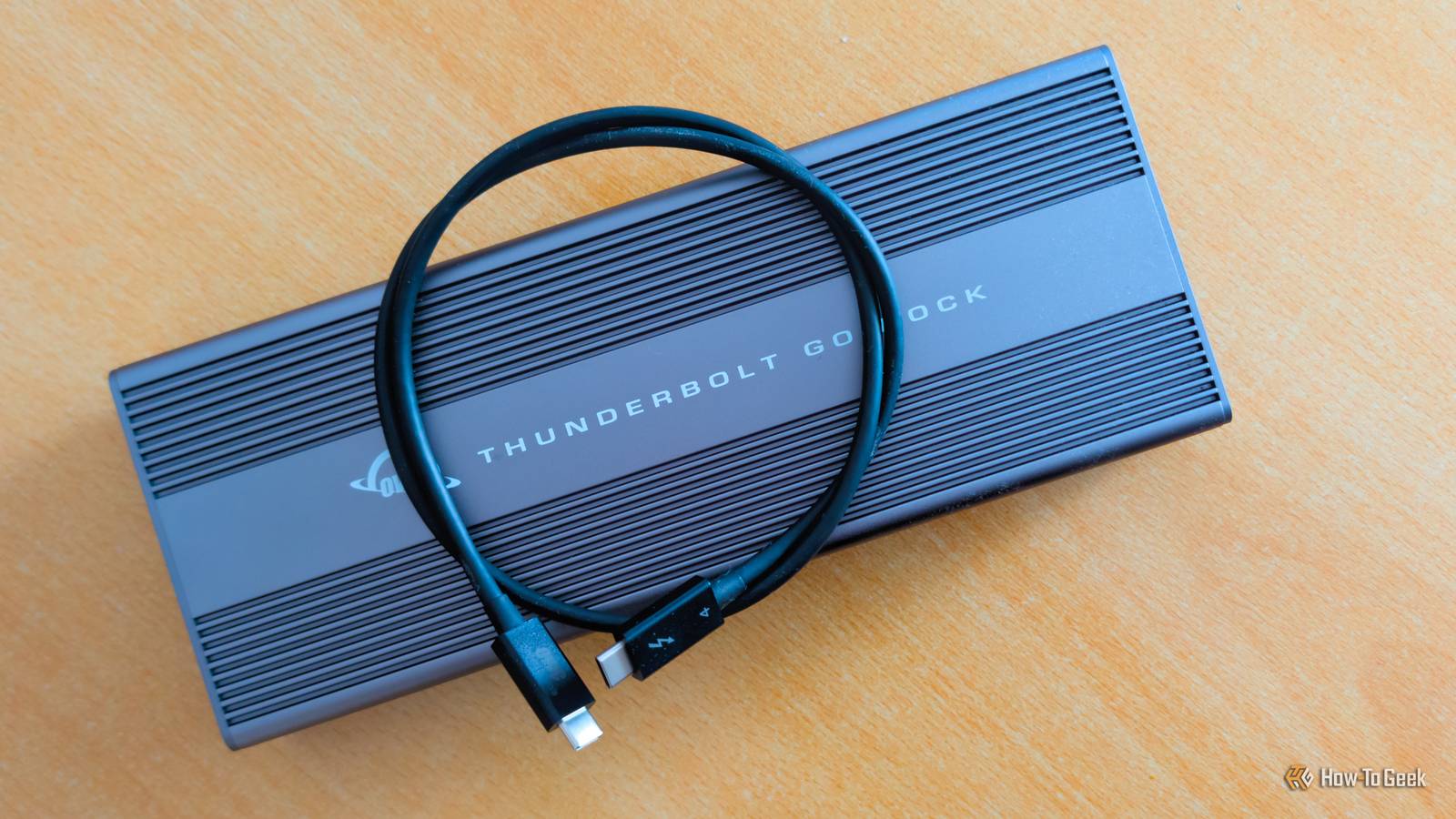
But the real change came after I received the MSI Claw 8 EX review kit from Intel.The kit didn't just include the handheld PC, but also an OWC Thunderbolt 4 docking station, which I immediately plugged into the mini.What an upgrade it was! I connected the dock to the computer with a single Thunderbolt 4 cable and, just like that, transformed the Mac mini into the desktop setup I'd always wanted.
I no longer have to use a bunch of adapters since I now have access to three USB-A ports (two of which are 10Gbps), an SD card reader, and three USB-C ports.I immediately plugged the MX Master's dongle into the USB 2.0 port, which felt incredibly freeing, and I still have two 10Gbps USB-A ports left for whatever I need, whether that's an external drive or my second mouse's dongle while the MX Master is charging.On top of turning the Mac mini into a USB powerhouse, the dock also allowed me to remove a USB charger I'd kept plugged into the power strip next to my desk.
I now use the dock to charge all my peripherals, as well as my phone in a pinch, thanks to its two easily accessible Thunderbolt 4 ports, each of which can provide up to 15W of power.My upgraded setup, now consisting of a Windows desktop and a Mac mini connected to the Thunderbolt dock, is still relatively messy and a rat's nest of cables.But now the tiny Mac stands on equal footing with the Windows desktop when it comes to USB connectivity, making it the more versatile machine of the two, which wasn't the case in times before the arrival of the dock.
OWC Thunderbolt Go Dock The OWC Thunderbolt Go Dock is one of the few Thunderbolt docks with a built-in power supply, eliminating the bulky external power brick without sacrificing connectivity.It offers Thunderbolt 4, USB-A and USB-C ports, 2.5GbE Ethernet, HDMI, an SD card reader, and up to 90W laptop charging, making it an excellent choice for any computer with Thunderbolt connectivity.See at Amazon See at OWC Expand Collapse I like the dock life so much I'm thinking about getting one for my Windows PC as well Using the dock with the Mac mini feels so good that I'm thinking about getting a USB-C dock for my Windows desktop as well, since the motherboard has a single 10Gbps USB-C port I could plug it into.
Having to crawl behind the PC every time I want to plug something in (the front USB ports are reserved for the SD card reader and a Bluetooth dongle) is a pain, and I'm really getting tired of it after doing it for more than two decades.A dock, on the other hand, would not only free up the front-mounted USB ports, but it would also give me several extra, easily accessible USB-A and USB-C ports, along with an SD card reader, while sitting under my monitor within arm's reach.If I'd known just how much of an upgrade a Thunderbolt 4 dock would be, I'd have gotten one myself.
Still, not doing anything about it paid off in a big way because, at the end of the day, the biggest upgrade for my Mac mini cost me zero dollars, so I won't complain.
Read More