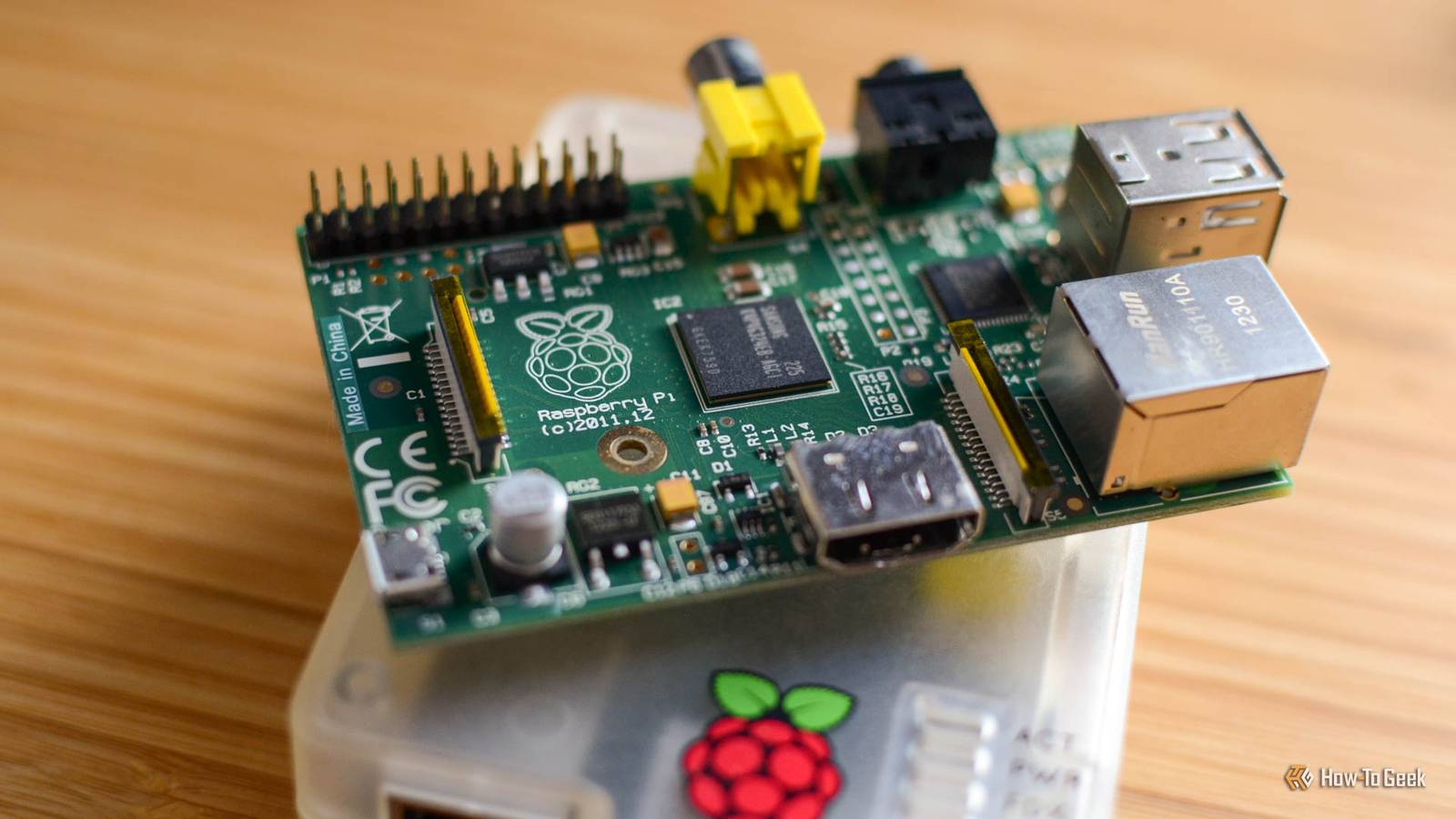
Are you ready for more Raspberry Pi projects to dive into? This weekend, I’m showing you how to track the ISS as it flys around the globe, modify a retro camera with new tech, and make plants scream at you with three more Raspberry Pi projects for you to do this weekend.Raspberry Pi 4 Model B Brand Raspberry Pi CPU Cortex-A72 (ARM v8) With the Raspberry Pi 4 Model B, you can create all kinds of fun projects, and upgrade gadgets around your home.Alternatively, install a full desktop OS and use it like a regular computer.
$35 at CanaKit $62 at Amazon Expand Collapse Always know where the ISS is Can you capture it flying through the sun? I can’t say that I’ve ever thought to myself, “I want to be able to track where the ISS is at any given moment in time with a quick glance.” But someone has.This fun and unique Raspberry Pi project just takes any Pi and E-ink display to show on a world map where the ISS is at any given moment in time.It’s a simple project and requires only a little bit of hardware.
If you want to skip the E-ink display, you can, and just hook up any other type of screen—just know that the image stays on the screen for a while, so displays that are susceptible to burn-in are best avoided.Related 3 DIY E-Ink Projects for Beginners Not all DIY projects need to take a full weekend.Posts 1 By Patrick Campanale Getting your own ISS tracker up and running is fairly simple.
Start by visiting the ProtoStax_ISS_Tracker GitHub repo, where the project is stored.It’s built around the Waveshare ePaper library, but should work with any screen.Once you have your Pi working with the E-ink display, clone the GitHub repo, and then enter it and run python3 iss.py.
That’s it, now the screen will update every 30 seconds with the location of the ISS as well as its historical trajectory since you started.There are also instructions on the GitHub repo for setting it up as a service so it starts working as soon as the Pi boots, and I’d definitely recommend doing that so if your Pi restarts for any reason the tracker comes right back up and starts working.Raspberry Pi 3 B Brand Raspberry Pi Storage SD card The Raspberry Pi 3 B is a single-board computer (SBC) with a 1.2GHz quad-core processor and 1GB RAM.
With Gigabit Ethernet and HDMI output, it makes for a great small, low-power device to run smart home or homelab services like Home Assistant, Homebridge, Pi-Hole, or other software on.$35 at CanaKit Expand Collapse Create a retro Polaroid-style camera In with the new that looks like the old Those old Polaroid cameras were fun for many reasons.One of my favorite things about a Polaroid though is how it’s an instant snapshot of the moment you’re in.
I know that all cameras work that way, but there was something about pointing a Polaroid, clicking the shutter button, and having it print out a picture.While a Polaroid-style Raspberry Pi camera might not immediately print it out a picture (though you definitely could do that with some more hackery), the overall style of the pictures that result from this project just bring back nostalgic.The motion blur from a slower shutter speed, the more dreamy look of the softness, it just exudes nostalgia for me—and likely you, too.
Building a Raspberry Pi Polaroid camera is actually a bit trickier than the average Pi project.You’ll want to make sure to have ample time set aside for this one.For starters, you’re going to need a 3D printer (or access to someone with a 3D printer) to make some of the parts for this.
You’re also going to need an actual Polaroid camera to retrofit—I’d recommend checking thrift stores (or your junk drawer) to find one.Once you have everything gathered together, follow the Instructables project to get your new camera up and going! There’s a lot of coding, some soldering, and even tinkering that has to happen to make it work.At the end of the day though, I love the style of the images that come from this project.
They’re perfectly retro, and make this something I want to build whenever I come across an old Polaroid camera myself.Raspberry Pi Zero 2 W Brand Raspberry Pi CPU Quad-core 64-bit ARM Cortex-A53 The Raspberry Pi Zero 2 W is super tiny and super affordable, but it packs enough computing power for a variety of DIY projects.You can use it to create a handheld retro gaming console, for Klipper/Mainsail, a super compact home or media server, and more. $26 at Amazon See at adafruit $16 at CanaKit Expand Collapse Make your plants scream at you You won’t forget to water them next time Have you ever forgot to water your plants for far too long? Plant moisture sensor projects are a dime a dozen, but have you ever thought about making your plants scream at you? It’s actually not that hard.
Subscribe for more Raspberry Pi projects and guides Get the newsletter for more Raspberry Pi builds, clear parts lists, code links, and practical troubleshooting so your next ISS tracker, retro camera, or plant sensor project actually works - plus other maker and DIY tech guides.Subscribe By subscribing, you agree to receive newsletter and marketing emails, and accept Valnet’s Terms of Use and Privacy Policy.You can unsubscribe anytime.
Most plant moisture sensor projects illuminate a light whenever the soil gets too dry.Some will send a notification to your phone or buzz a buzzer.Instead, make the trigger something unique: have the Pi play an audio recording of a scream or “Someone, please water me!!!!” clip so that way there’s no way you can forget to water your plants ever again.
While a specific project for making your plants scream at you doesn’t exist (probably for good reason), you can start with a simple moisture sensor project and modify it from there.An easy adaptation from illuminating a LED is making it buzz a buzzer whenever the water level falls below a certain threshold.From there, you can work on controlling a speaker to remind you that it’s time to water your plants.
LM393 Soil Moisture Sensors Brand HiLetgo This 4-pack of soil moisture sensors is perfect for your Raspberry Pi or Arduino projects.Designed to plug right into your GPIO pins, these sensors work with 3.3V up to 5V, making them ideal for a wide range of projects.$8 at Amazon Expand Collapse When it comes to Raspberry Pi projects, they don’t always revolve around physical builds.
In fact, there are plenty of open source projects that you can self host on a Raspberry Pi just fine.So, if you’re looking for something that you likely already have everything to do, then spin up some self-hosted services on your Pi this weekend.It’s fun, can be challenging, and is definitely rewarding.
Read More