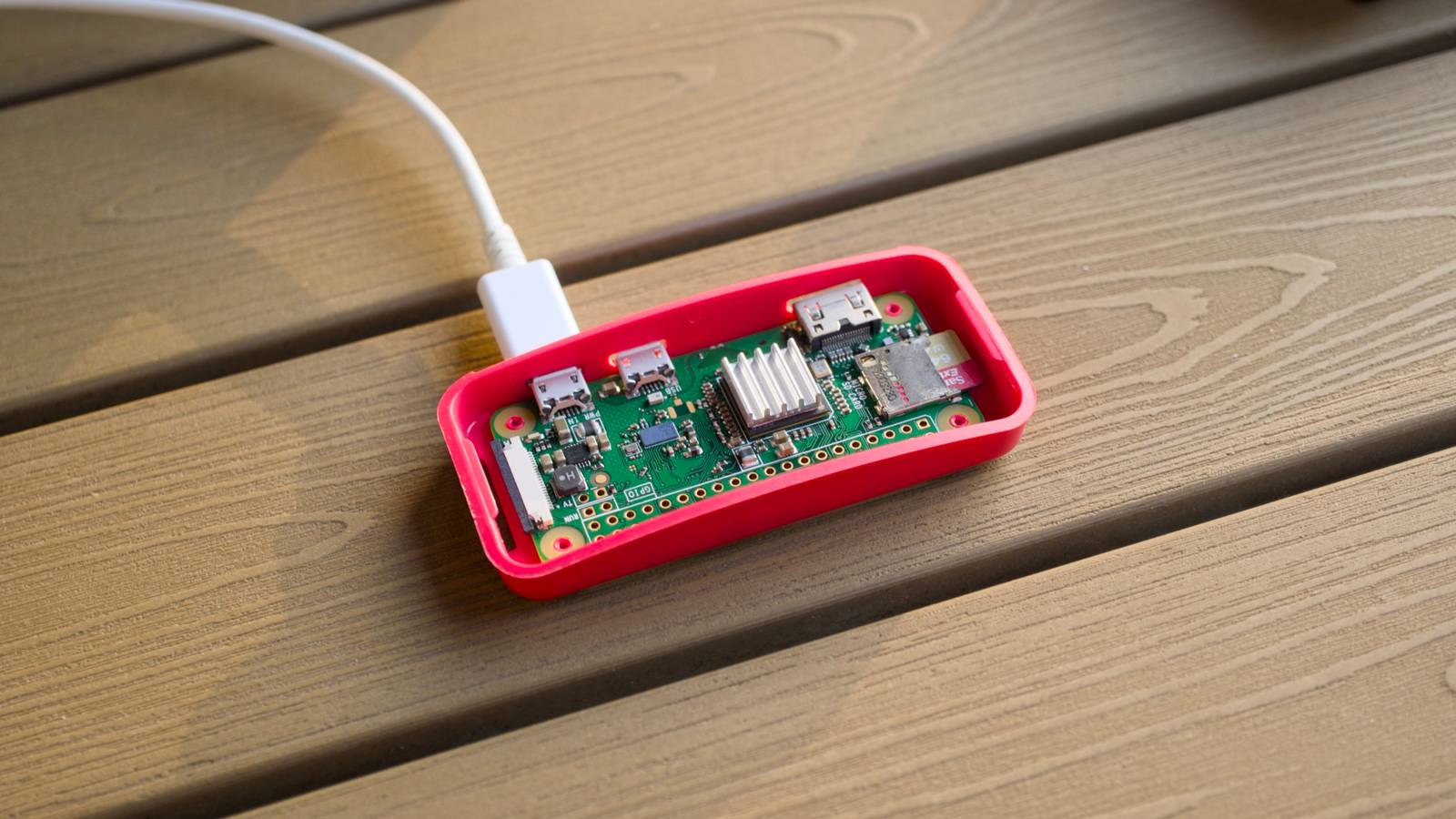
The Raspberry Pi Zero a tiny, low-power, and not considered a prime candidate for self-hosting.However, it has become an essential part of my setup.The Pi Zero made my homelab more reliable The biggest single source of downtime for my homelab usually comes from external sources.
Sometimes that is a power outage, other times it is my ISP performing maintenance.In very unlucky circumstances, some major service on the internet—like CloudFlare—will have an outage.In order to make my self-hosted services more resilient, I've recently added a battery backup to my modem and router, which keeps the internet online even when the power is out.
More often than not, just because the power is out doesn't mean the internet is.However, I quickly realized I had another problem: my self-hosted services.I self-host dozens of different things at various times, and there are a few, like my personalized start page, my WireGuard server, Joplin, and my PiHole, that I need at all times.
Raspberry Pi Zero 2 W Brand Raspberry Pi CPU Quad-core 64-bit ARM Cortex-A53 The Raspberry Pi Zero 2 W is super tiny and super affordable, but it packs enough computing power for a variety of DIY projects.You can use it to create a handheld retro gaming console, for Klipper/Mainsail, a super compact home or media server, and more. $26 at Amazon $16 at CanaKit Expand Collapse The Pi Zero is a great backup PiHole A PiHole is a one-stop solution that allows every device on your network to benefit from adblocking.It tends to filter out most malicious ads and a reasonable percentage of all others.
Despite the fact that it sounds like a big job to filter out all ads on an entire network, it really isn't.You can easily run the entire setup on a Pi Zero or a PI Zero 2 without a problem—just point your router's DNS server at the Pi on your network, and you're good to go.The best part about this setup is that it works in multiple circumstances.
If my internet is out, but the power is on, I can just attach my Starlink and I continue to get network-wide adblocking.If both the power and internet go out, I have to connect the Starlink to a battery backup, but I still have adblocking.And if the power is out, but I have the internet, I don't need to do anything at all.
The Pi Zero, my modem, and router are all attached to a battery backup.Everything just keeps working like normal.WireGuard runs well on a low-power device Normally, most people make their homelab services accessible using dynamic DNS or something like a CloudFlare tunnel, and for the most part, those setups work well.
However, as we saw in 2025, sometimes external services that we rely on—like CloudFlare—just break without warning.Sometimes they're broken for hours, other times they might be buggy for days.Whatever the case, I prefer to keep my network accessible even in th event of a power outage or a CloudFlare outage, so I use a WireGuard server instead.
Related Cloudflare's outage took down half the internet, but this open-source app saved my homelab Don't let a third-party outage keep you from accessing your self-hosted services.Posts 7 By Nick Lewis The WireGuard server runs on a Pi Zero on my network, and so long as I don't try and move a ton of data through it, it works well—I can even stream music through it without a problem.My home IP hasn't changed more than once every two years or so, so I don't worry too much about access beyond typing in my IP.
However, if you have an IP address that does change a lot, you could use something like DDClient to keep your IP up to date.If you want a totally self-contained version, you could write a script that pings various online services for your IP address and sends you a message whenever it changes.Whatever the case, a WireGuard server is a great way to keep a "backdoor" open to your self-hosted services that will work in almost all circumstances, unless the internet itself is out.
My dashboard requires virtually no power One of my favorite recent self-hosted services is a Glance start page, which has largely replaced social media feeds for me.I can get a condensed, minimalist view of the Reddits I care about, notifications on breaking news in topic areas of my internet, and pretty much any other information I want.All I need to do is add it to the configuration file.
It has become one of those services I rely on day in and day out for my work and my own personal interests, especially since it has allowed me to escape the algorithmically-driven content all over the internet.How-To Geek Report: Subscribe and never miss what matters Unlock your tech-savvy potential and master the digital world with How-To Geek.Subscribe By subscribing, you agree to receive newsletter and marketing emails, and accept our Terms of Use and Privacy Policy.
You can unsubscribe anytime.Fortunately, a Glance server requires almost no power to run if you keep things simple.I set it up on my Pi Zero as a test originally, and I just haven't moved it.
Now, it is accessible at all times from anywhere in the world, thanks to the combination of a battery backup and a WireGuard server.Of course, the Pi Zero or the Pi Zero 2 are not powerful PCs.They're tiny single-board computers designed to run very simple operating systems with simple programs.
I'd encourage you to create a "triage" list of the most important services you self-host and start by moving the most important lightweight ones to your Pi.
Read More