An average Ubuntu or Fedora installation can easily reach 15GB before you even start doing anything.Alpine Linux, which is famously tiny, usually weighs in at a few hundred megabytes.I wanted to create the smallest possible functioning Linux system I could, so I turned to TinyCore OS.
It has a desktop, a terminal, and a few other essentials.This is how I did it.What is Tiny Core Linux? A modular distro that boots into RAM and only loads what you want Tiny Core is designed to be as small as possible.
It comes in three distinct variants: Core — a command line only experience that requires a meager 20mb TinyCore — Retains everything from core but adds a desktop environment CorePlus — Adds Wi-Fi, extra layouts, and more One of the most important features of all of the varieties is that they load run in your system's RAM rather than off the storage.That makes it very fast, even if you're stuck using a mechanical hard drive.It also basically still has a repo, even if the approach—files you mount at a boot—is quite different from the more familiar approaches.
How to get TinyCore running Installing TinyCore on a 50MB partition Close To begin, you need the TinyCore ISO file.You'll also need a VM or an old laptop would work too.If you use Proxmox, make sure your drive is an IDE or SATA device rather than VirtIO.
Start by booting the TinyCore ISO in your device of choice.I'll be using Proxmox (QEMU) since that is my go-to choice for VMs, and where I'll be putting this tiny Linux distro to use.Once TinyCore is ready, load the tc-install extension by running tce-load -wi tc-install in the command-line tool.
The tce-load utility is how TinyCore loads of its software.It is a bit like APT or DNF, though the way it works is fairly different.Next, I ran tc-install.sh as sudo to actually start the installation process.
I opted for the frugal installation during the setup because I'm attempting to minimize the size of this install.If I'm missing anything, I'll come back and add it later.Close Then you need to partition the drive.
I formatted the entire 50MB partition as ext4.Getting a GUI back By default, the frugal installation doesn't come with a GUI, so I had to add it back.I used the lightest possible combo, and installed it with the following command: tce-load -wi Xvesa flwm_topside wbar aterm Now, just run startx to turn on the desktop.
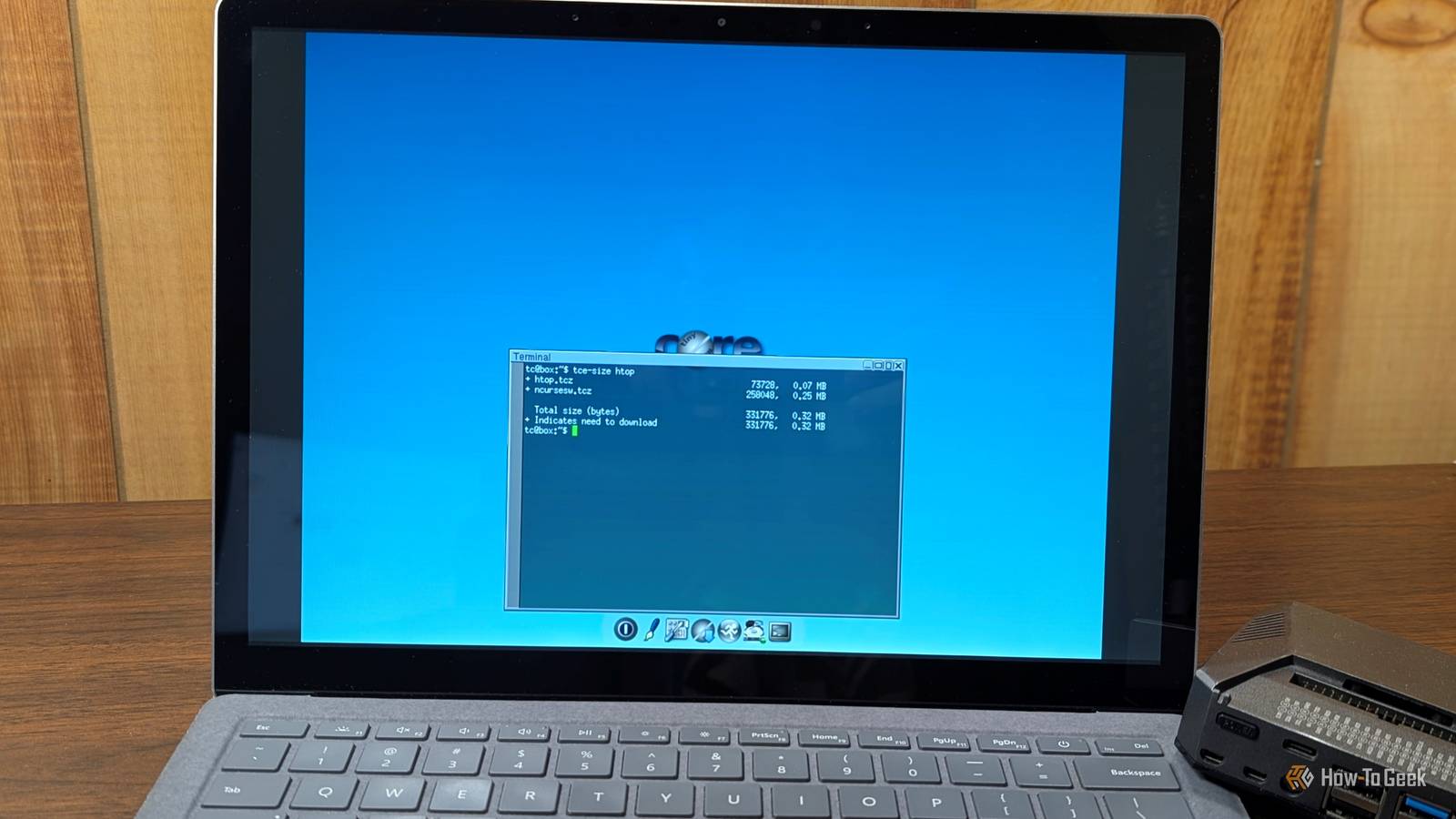
Adding more apps (extensions) on a 23MB budget Size is the biggest issue with this setup, so I always want to be mindful of the size of an application before I install it.Fortunately, you can use the tce-size command to do just that.For example, I use htop on Linux PC I have, so I want it on this one.
To find the size, I ran: tce-size htop The entire thing is 320KB, or 0.32MB—perfect.So, to install it add it to the boot list, I ran tce-load -wi htop.The -wi flag is important, since it tells TinyCore that you want to download the app, mount it in the current session, add it to onboot.lst so it is always available.
I also installed a handful of other lightweight applications: Dillo — An ultra minimalist web browser (about 1 MB) Screen — For keeping sessions running if I connect over SSH (0.5MB) fluff — An ultra light file manager (100KB) Dropbear — A smaller alternative to OpenSSH (200KB) Those cover the basic functions, and I still have a whopping 20MB left! If you need a firewall, I'd recommend something like iptables or nftables.It is important to remember that everything with TinyCore runs in RAM, which is part of why it runs so well even on ancient PCs.That also means that everything you do is stored in volatile memory and will be lost once you restart.
Related These 5 lightweight Linux distros make Windows feel so bloated These distros can make your machine scream.Posts 8 By David Delony If you want to save files or settings, you run filetool.sh -b first.Otherwise, you'll reboot to find they're completely missing.
The trade-offs are serious You're giving up hardware support The big issue I encountered when I first tried this on a laptop was hardware support.Wi-Fi firmware is very bloated when you only have 50MB to work with, so you're better off sticking to wired connections where possible.You can forget about advanced graphics drivers entirely—those are all measured in gigabytes.
You have a smaller pool of packages and utilities TinyCore doesn't have the support base of Ubuntu or Fedora, so you should fully anticipate that you won't have as many apps available.Additionally, the apps you do have tend to receive updates (potentially including security updates) more slowly.You also don't have the usual luxuries like systemd.
TinyCore is tiny but handy TinyCore is so small that it is tempting to dismiss it as entirely useless, but that isn't the case.In a pinch, you could store the tiniest recovery partition ever on a USB drive, and it'd be up to the job.You can fit a surprising number of repair utilities into 50MB if you stick with the CLI variants.
If you were really trying to get the most out of an old PC, you could even use a TinyCore installation as a Linux server to host things on your network.You'd need to lift the 50MB limit, but 50MB was arbitrary and an experiment anyway—even most ancient laptops have 4GB of RAM on them, which is plenty of space for some lightweight services.
Read More