I love trying out productivity apps, but it's not often that I come across new gems.One app that has impressed me with its diverse feature set has snuck its way into being my regular task manager.It replaced Todoist, and I'm not looking back.
Lunatask is beyond a task manager, and if you're looking to note and manage several areas of your life in one app, this might be what you are looking for.Here's what Lunatask offers, and why you may want to give it a shot.Lunatask is the task management app you're missing out on It's the tool that replaced my Todoist app I've tried more productivity and task management apps than I can count on two hands, and I rarely come across many apps that I end up adding to my productivity folder.
Lunatask (iPhone, Android) is one of my newer finds, and it might just be the task management app that replaces the one you're using right now.As a long-time user of apps like Todoist and TickTick, I love to discover up-and-coming new apps so I can either use them along with my quintessential apps or even find a replacement if I feel that I want to switch things up.Related Here's how your ISP tracks every website you visit, and one tool that stops it Learn how your ISP is tracking your every move online and the solution that keeps your browsing habits private.
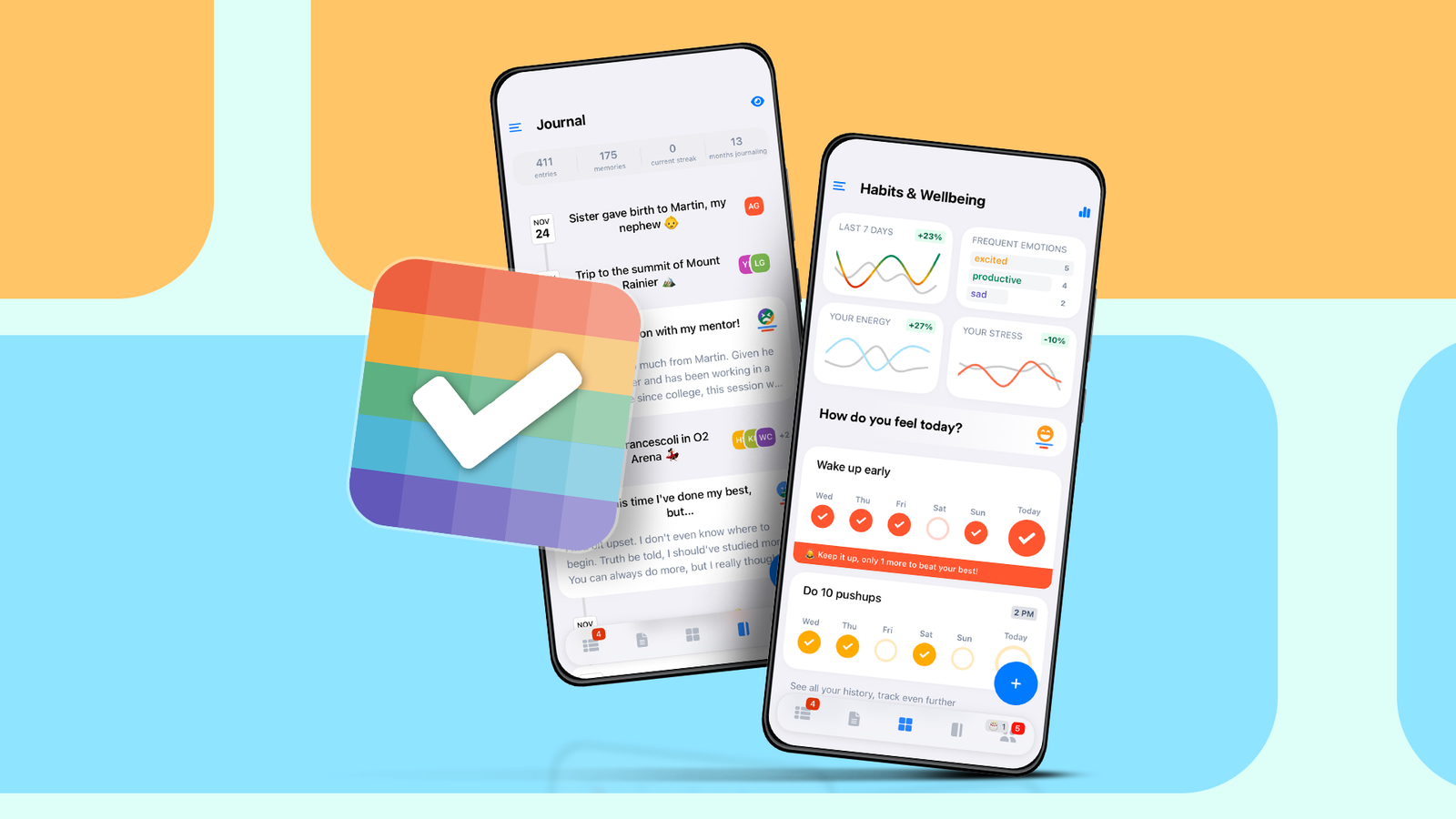
Posts By Graeme Peacock Everything you can do with Lunatask A task manager that works in every scenario Lunatask casts a wide net with its feature set, aiming to provide users with everything they might need to successfully manage their day (and lives) across professional, social, personal, and other tasks.This is what drew me into the app, and soon, I found myself typing my entire life into it so I could keep an eye on what needed to be done.Lunatask's core features include a simple task manager that lets you log tasks with several details, from date, time, and priority, to adding elements like a progress bar, a task timer, a remaining effort clock, and more.
Tasks can then be pinned and assigned to custom goals (social, fitness, work, etc.) and also worked into your personal calendar.Lunatask's time-blocking feature comes through for scheduling, and once you create a task, you can directly plan it into your day by creating time blocks through drag gestures.Close You can use Lunatask's prominent note-taking tab to log your day or take notes, and add elements like tables, images, codes, links, quotes, and more.
For more personal tasks, the app offers an in-app journal (that comes with a timeline and a "Happy Moments" entry option), a mood/energy track, and a progress tracker.For your personal relationships, Lunatask lets you add relationships (you can pick between friends, family, and acquaintances) that you want to improve or track to a separate tab, which can even be useful for networking.Close Why I prefer Lunatask Powerful, easy to use, and super adaptable While Lunatask is built as a one-stop app for managing your schedule and destressing, it is not alone: many productivity apps adapt this approach by offering multiple features that aid your task management efforts.
But after a month of regularly using Lunatask, there are a few things that made me find it a permanent space in my productivity suite.Apart from its comprehensive feature set, Lunatask also offers a clean interface that makes navigating between features very easy.You can customize your task list to be minimal or full, and given how customizable your task categorization is (with goals and areas of life helping you manage your life better), managing your personal, professional, and social tasks and responsibilities feels tailor-made.
Given the neat interface, the app's quick swipe-and-drag gestures also feel minimalist and native, so you don't spend much time getting used to its features.I like the calendar-blocking feature in particular, since it integrates with task creation, allowing for an easy-to-use schedule maker.The addition of features like mood/energy trackers, journal, and relationship management makes it feel super comprehensive, going beyond just being a task manager and to-do list app.
The app can be synced across devices, and can be used on Mac, Windows, and iPad as well.Related Why I ditched paid productivity apps for this free open-source alternative An app that lets you get more work done without costing a dime.Posts By Dibakar Ghosh Lunatask is set up in a way that allows for new features that fit seamlessly into its existing feature set, and I'm curious to see where developers will go with it in the future.
It's free, but there's a premium option Paid features are usually worth it if yo use Lunatask for work Lunatask is free to download and use, with most core features being free of cost.However, the productivity app does offer a premium subscription option ($8/month or $72/year), which comes with extra features like: Unlimited access to "Areas of Life," "Habits," and "Relationships." More trackers like weekly habits and stress Calendar integration Two additional techniques (the Eisenhower Matrix and the Must/Should/Want Method) Related 5 free, open-source apps that save me hundreds of dollars and hours of work Your wallet called.It wants you to read this.
Posts 11 By Dibakar Ghosh For students and teachers, Lunatask's premium features are available at a 50% discount.This subscription would be something to explore if you want to use Lunatask for work (with its calendar integration support), including tracking your meetings/video calls.Don't use productivity apps as an excuse to procastinate Many productivity apps can actually be counterproductive, taking up more of your time than saving it.
To make sure you don't fall into this trap, it's more convenient if you find one (or just a few, depending on your needs) app that you can use regularly to manage many aspects of your life in a single place.
Read More