Robot vacuums are the perfect example of what a smart home device should be.They make your life easier by taking over a tedious task you would otherwise have to do yourself, and with automation, you can make it all happen without having to do a thing.My robot vacuum isn't very smart, but I used Home Assistant to make it smarter.
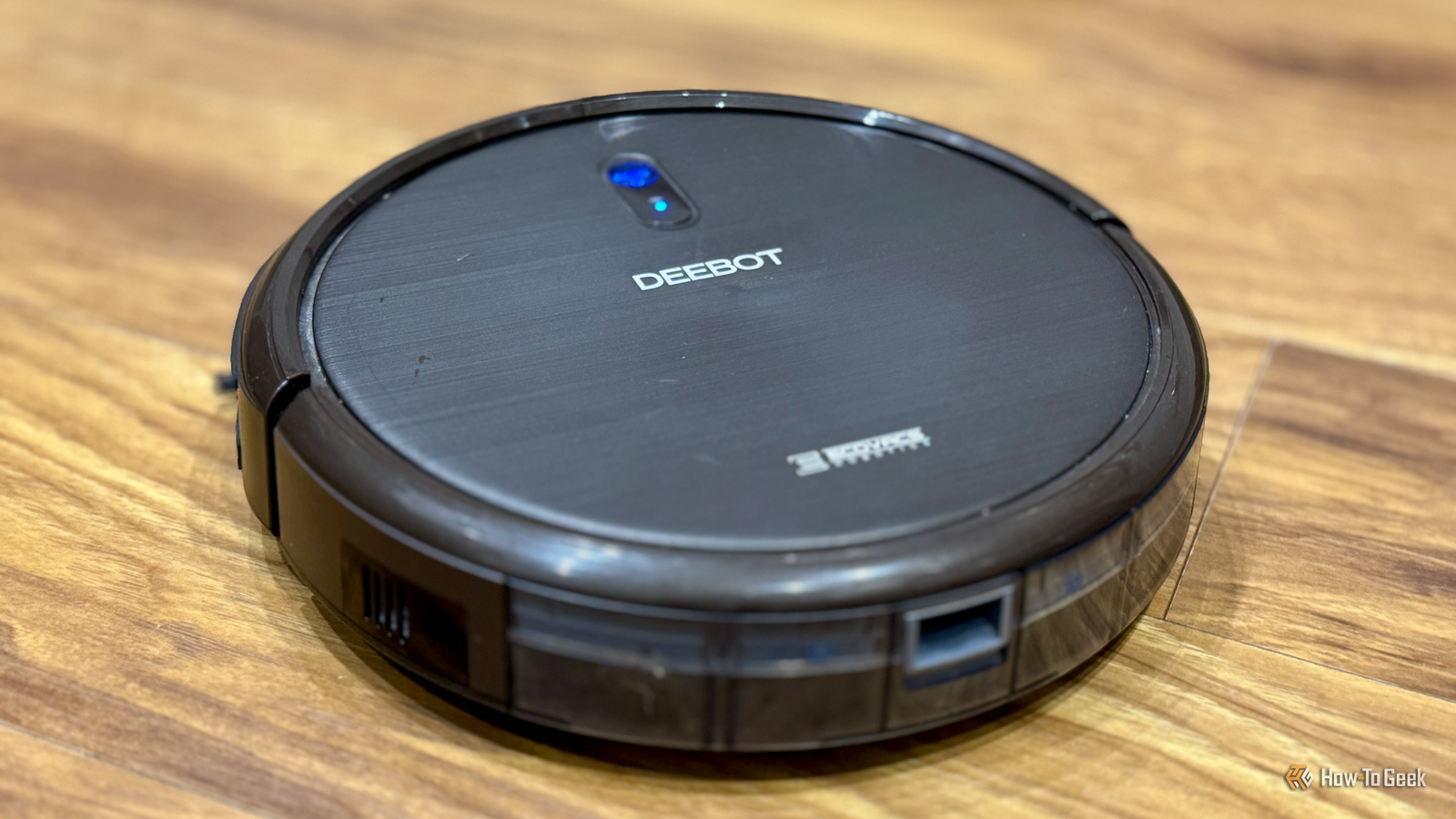
My robot vacuum isn't dumb, but it isn't that smart I bought my robot vacuum almost eight years ago, and it wasn't an expensive model.It's an Ecovacs Deebot N79S that I picked up when it was on sale.The smart functions are fairly limited; you can use an app to start and stop the robot, select the limited cleaning modes, or send it back to the charging station.
It lacks a lot of the more useful features that are available on some current robot vacuum models.For example, some models have object recognition for better obstacle avoidance, advanced mapping, smart scheduling, and more.In comparison, my robot vacuum is about as basic as it gets.
However, by integrating it into Home Assistant, I was able to recreate some of the features of more expensive models.Related 7 Tips to Get the Most Out of Your Robot Vacuum Does your robot vacuum do a subpar job cleaning your house? Follow these tips to step up its game.Posts By Timothy Jacob Hudson Getting a basic robot vacuum into Home Assistant There are several integrations in Home Assistant that you can use to connect and control your robot vacuum.
There are integrations for all the major brands, such as the Roborock, Ecovacs, and iRobot Roomba and Braava integrations.Using these integrations, you can control your robot vacuum directly from Home Assistant.For example, you can control it from a dashboard or create automations to control it for you.
The integrations also generate some useful sensors, depending on what your robot vacuum exposes, such as the battery level, how full the bin is, and total cleaning time.Many of the integrations rely on cloud services for control.This isn't always the only option, however.
For example, with the Ecovacs integration, I can set up my own self-hosted server to send commands to the robot vacuum, allowing me to control it locally.Adding my robot vacuum to Home Assistant opened up a world of new possibilities.While having the basic controls is useful, automations are what really made it smarter.
The automations that made it feel like an upgrade My robot vacuum has very limited scheduling capabilities.You can set specific times and days for it to start cleaning, but that's about as far as it goes.Modern robot vacuums have more useful scheduling features, such as cleaning when everyone has left home, and returning to the dock when people come home again.
With Home Assistant, I was able to recreate this feature with my aging robot vacuum.I use a combination of signals in Home Assistant to determine when everyone has left the house.I created an automation that tells the vacuum to start cleaning once everyone is out of the house, provided that it hasn't already done so that day.
My robot vacuum also has no way to tell when it's full, so it can't remind me when I need to empty it.After tracking the amount of time I used it between emptying manually, I was able to create a rough-and-ready automation that notifies me after it's been cleaning for a total number of minutes.This works reasonably well as a way to get notified when the robot vacuum is getting close to full.
My proudest achievement is a very rough way to mimic specific room cleaning.My robot vacuum has no mapping feature, but you can drive it around using the IR remote.With an IR blaster and some trial and error, I was able to get it to drive from its dock in the living room, through the living room door, and into the hallway, dining room, or kitchen, all using a combination of IR commands and delays.
Subscribe for Home Assistant hacks and smart-home guides Unlock more Home Assistant automations and practical smart-home strategies by subscribing to the newsletter.The newsletter focuses on actionable guides that help you extend the life of older devices, enable local control, and build real projects.Subscribe By subscribing, you agree to receive newsletter and marketing emails, and accept Valnet’s Terms of Use and Privacy Policy.
You can unsubscribe anytime.It doesn't work perfectly, but it's a vast improvement, as previously, the robot vacuum would often get stuck in the living room and never clean the other rooms.Using Home Assistant, I was able to get my home a lot cleaner, without having to pay for a new, more capable robot vacuum.
My robot vacuum is still going strong My Deebot robot vacuum is nearly eight years old, and it was never state-of-the-art when I bought it.However, it still functions perfectly well for its main purpose of cleaning my floors.The time it could run between charges was beginning to get a little short, but an inexpensive battery replacement fixed that problem.
Without Home Assistant, however, I would probably have upgraded it by now.Seeing the useful features that the best robot vacuums can offer, I would have been tempted to buy an upgrade.As it stands, I see no reason to replace it any time soon.
By using Home Assistant, I've been able to make my fairly dumb robot vacuum a lot smarter.Using automations, I can do most of the key things that I want a robot vacuum to be able to do.There's now far less benefit to upgrading, so I'm far less tempted to spend hundreds of dollars on a product I don't really need.
Read More