Samsung has been using Android for over 15 years, but it’s always done things its own way.You know a Galaxy phone when you see one, and that includes the software.One UI doesn’t work quite the same as plain Android—sometimes that’s good, sometimes it’s very annoying.
Notifications are one area where Samsung seems to have very different ideas from Google.It immediately throws me off whenever I use a Galaxy phone.However, as much as Samsung may try to hide things, most of the normal Android settings are available if you look hard enough.
That is exactly how I fixed my biggest gripe with notifications on Samsung Galaxy phones.What are “Notification Categories” on Android? Save yourself from notification noise Way back in 2017, Google introduced a feature called “notification channels” in Android 8.0 Oreo.The name has since been changed to “notification ,” but it still works essentially the same as it did nearly a decade ago.
Here’s the pitch: An app is bombarding you with notifications all day, every day, but you don’t want to turn off notifications completely because a few of them are actually important.Notification categories allow apps to, you guessed it, categorize their notifications.That way, you can turn off the categories you don’t care about without turning off notifications altogether.
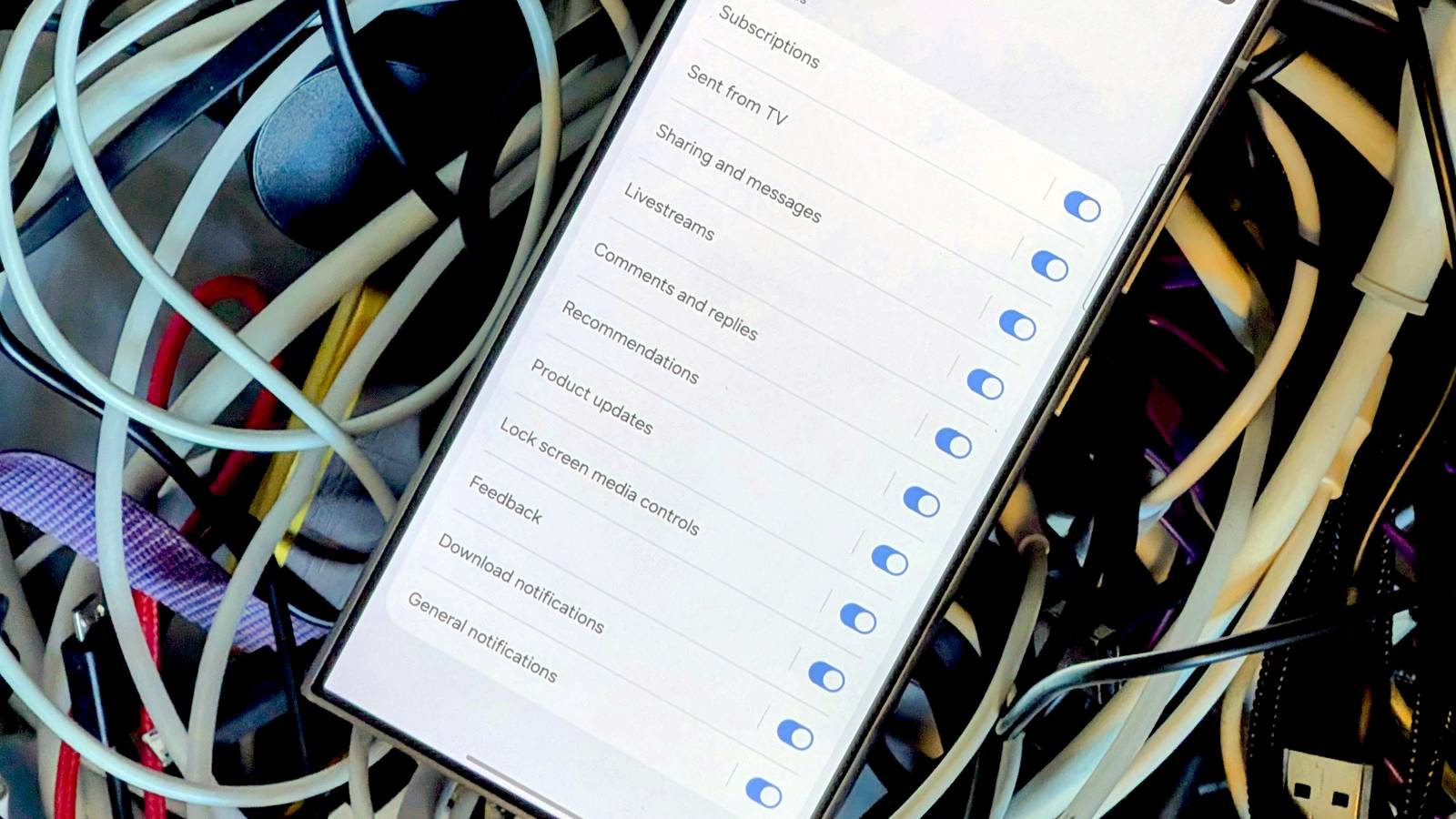
Let’s look at the YouTube app for an example.It has notification categories for subscriptions, livestreams, comments and replies, recommendations, messages, downloads, product updates, and more.Personally, I really only care about updates from my subscriptions—I turn all that other noise off.
You’ll find that most Android apps have at least a couple of notification categories.Well, unless you’ve been using a Galaxy phone for a few years.Samsung decided to hide notification categories and make users turn them on.
Meanwhile, on other Android phones, it’s just a basic feature in the notification section for every app.Related Samsung and Google are breaking Android's greatest strength The way Android handles notifications and Quick Settings has long been a stand-out feature.For good reason, the core functionality hasn’t changed much over the years.
Recently, however, there seems to be some growing discontent with this system.I’m not happy about it.Posts 4 By Joe Fedewa How to enable Notification Categories on a Samsung phone It’s easy to fix Samsung’s mistake By default, Samsung doesn’t give you many options when it comes to app notifications.
You can turn them on or off and choose how they look when they appear, but that’s pretty much it.If an app is being annoying with notifications, but some are actually useful, you’re left with an all-or-nothing decision.Here’s how to fix it.
Open the Settings on your Galaxy phone and go to Notifications > Advanced settings.Enable “Manage notification categories for each app.” Now, when you go to the notification section for an app (Settings > Notifications > App notifications), you’ll see “Notification categories” at the bottom.All those extra categories I mentioned are here for your toggling enjoyment.
Close Related Fix your Samsung Galaxy notification overload with this simple feature Android's notification system is one of its best features.However, we've all experienced those moments of notification overload, where you end up swiping everything away or start scrolling for what's important.And while there are tons of ways to supercharge or improve Android notifications, I've been using one Galaxy feature that calms the chaos and does all the work for me.
Posts 9 By Cory Gunther Why is Samsung afraid of Notification Categories? This is one of those decisions that I simply don’t understand.Notification categories make the Android experience better.It’s a feature that allows people to be in control of the apps on their phone, rather than the other way around.
Subscribe for Smart Android Tips in Our Newsletter Curious for more practical Android fixes? Subscribe to our newsletter to get clear Samsung and Android notification tips, step-by-step settings walkthroughs, and curated tricks that help you manage app notifications with confidence.Get Updates By subscribing, you agree to receive newsletter and marketing emails, and accept our Terms of Use and Privacy Policy.You can unsubscribe anytime.
It’s also not a complicated feature that could be confusing to the average person.You have to be interested in adjusting notifications to even find it, and if that’s the case, it’s probably exactly what you were hoping to find.One UI has a lot going for it, but there are little things like this that make me prefer other phones with more “stock” software.
I expect Android to work like Android, and when that gets disrupted, I feel out of place.Thankfully, this is one thing you can fix for yourself.Samsung Galaxy S26+ $1025 $1300 Save $275 SoC Snapdragon 8 Elite Gen 5 Display 6.7-inch Dynamic AMOLED 2X $1100 at Samsung $1025 at Amazon Expand Collapse
Read More