A PC desk setup is like an iceberg: on the surface, it looks good, but beneath it lies much more.The hidden portion usually consists of messy cables and wires leading to various ports and outlets.To solve this issue, many people turn to cable management to improve the appearance, but aesthetics are only one benefit.
Organizing your cables not only makes your area look nicer, but it also improves your computer's performance.Why cable management matters It’s deeper than being an eyesore Messy cables and unorganized cords connected to your computer aren’t just an eyesore; they can also harm your computer.This is because they can affect airflow to the internal components.
If wires block the fan, vents, or components, they can disrupt airflow and cause several negative consequences.It can also affect performance because hot air cannot leave the system and cool air can’t enter.Without a proper exit, the fan will spin faster to compensate for reduced airflow.
Additionally, trapped hot air can cause the system to crash and permanently damage the hardware inside.Yet, this can harm not only the physical components but also the computer’s overall performance.For instance, when a computer gets too hot, safety features kick in, causing the CPU and GPU to slow down to reduce the heat they generate.
This speed drop can cause stuttering or lower frame rates in games and apps, a process called thermal throttling.In retrospect, problems like this can happen in various ways to any computer if it isn't cared for properly.For example, placing your laptop on a bed, couch, or blanket can block the intake vents on the bottom and trap heat.
For desktop PCs, wires blocking vents in tight areas can also cause overheating.Fortunately, the fix is simple: improve airflow.But it can be hard to do if you have cables hanging all around.
However, there is an inexpensive solution: zip ties.Zip ties to the rescue A cheap solution for a costly mishap Zip ties may not be the first object you think of when considering cable management.I initially thought of getting silicone cable holders from Amazon, but steered away once I saw the use of zip ties and considered how cost-efficient they are.
One drawback, however, is that they aren’t the most aesthetically pleasing, especially the cheaper ones.On the other hand, they are better than having wires hanging everywhere.Plus, getting color-matching zip ties helps hide them better.
My cords and accessories are black, so I bought black ones to match.I do want to preface that my use of zip ties came with the issue I was having with the laptop that I use for working and gaming.While most people use zip ties for desktop PCs, I still found a way to incorporate them into my setup for better performance.
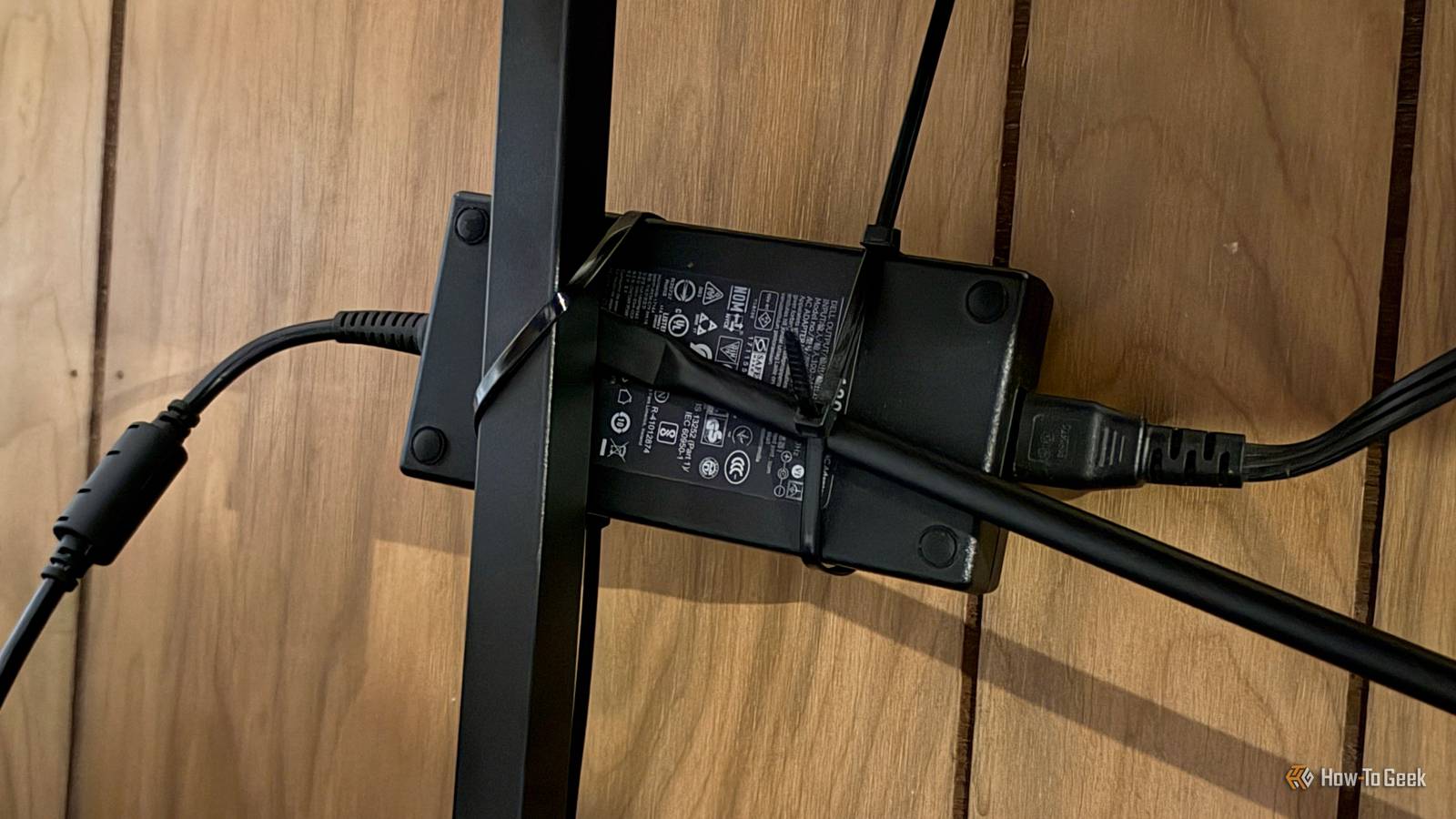
More specifically, I used zip ties to secure my laptop charger’s power brick to a section of my desk.This matters because the brick is always in use, since I keep my laptop plugged in whenever I'm on it.However, because of my desk's size, I used to place the charger brick underneath my laptop stand before I understood the harm it could do.
Once I learned about the risks, I realized that putting it there created extra heat directly under my setup, causing my laptop to draw warm air into its bottom intake vents instead of cool air.In simpler terms, I was forcing my laptop to cool itself with preheated air, which could hurt its thermal efficiency, and I had to do something about it.I could put the brick on the floor, but that would pull my laptop down if it ever got kicked or moved, and it would block the space where I put my feet, and the area is not that big.
Also, putting it on the floor would trap heat from the power bank because of the carpet.With all this in mind, I decided to use zip ties to secure my laptop’s power brick to one of my desk’s back legs.This kept it from being accidentally kicked while suspending it enough to prevent heat from being trapped.
One of the great things about zip ties is that you can link them together to create any length.This came in handy when I realized one zip tie would not be long enough to wrap around the brick, but two would.Since doing this, my computer's performance has improved because the airflow is more efficient.
The biggest improvement is that the fans don’t run as hard as they used to — especially for the simplest tasks.Furthermore, because the brick and the desk leg are black, the black zip ties blend in neatly.This, along with the fact that they're under the desk, keeps them out of sight.
Zip-tie the airflow Zip ties are a great, inexpensive way to keep airflow efficient for your computer or accessories.Whether you’re organizing cables outside your computer tower, inside it, or using them for laptop accessories, they are a worthy investment.Now, would I use zip ties for all cable management? Probably not.
To take them off, you have to cut them with scissors — and, for me at least, cable management may just be bundling cables to go into bags.Even so, I enjoy my setup and the outcome it delivered for my laptop.It’s a quick solution that didn’t break the bank and helped me protect my computer.
Read More