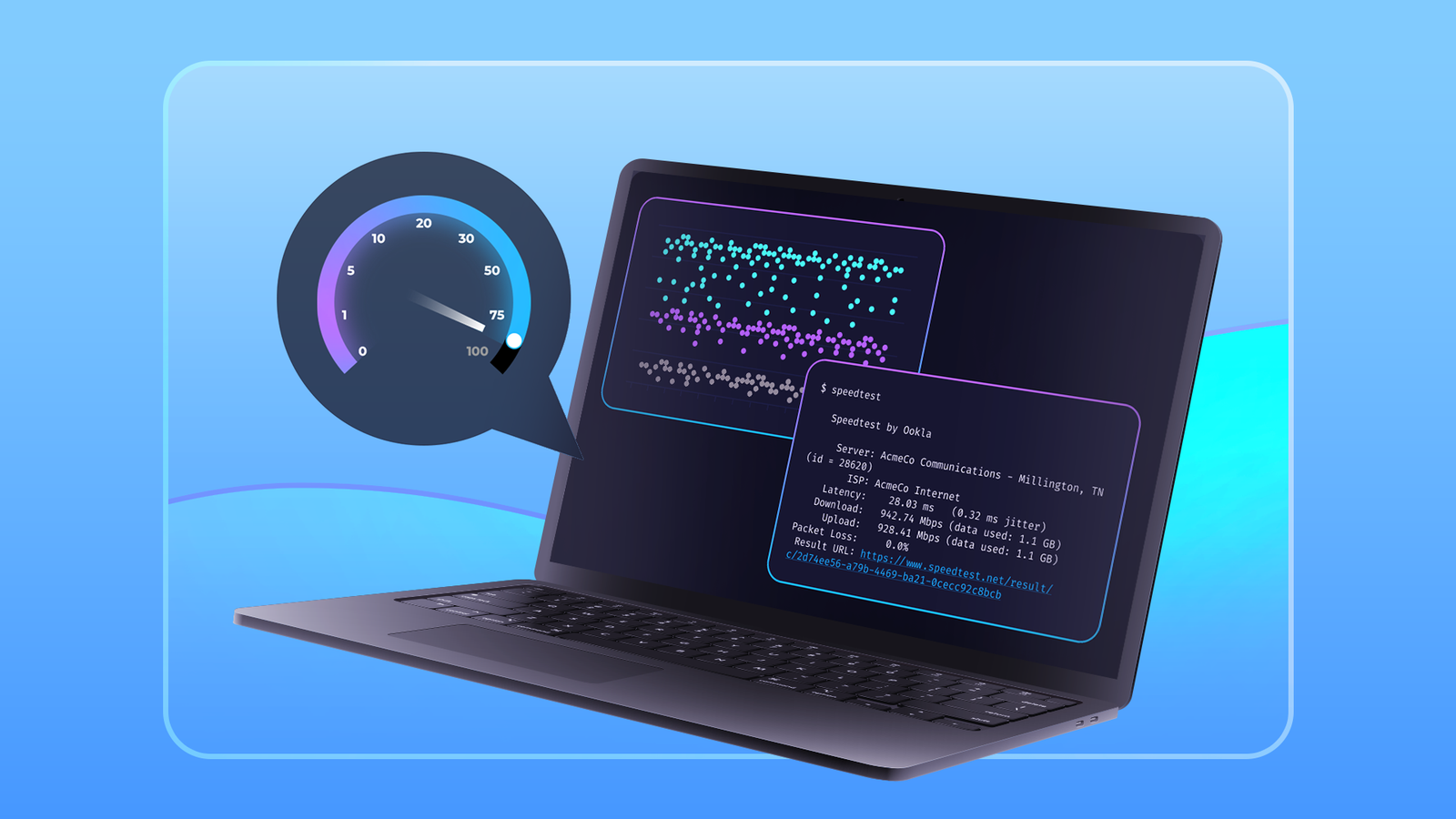
The internet is an invaluable part of day-to-day life, but what happens when you don't get the speed you need? How do you even notice, and how can you tell if the problem is on your end or with your ISP? Don't assume you get the speed you pay for from your ISP While I was experimenting with a network monitor for my self-hosted services and homelab, I installed a program called Internet Pi on a Raspberry Pi to keep an eye on my internet speed.I've experienced intermittent fluctuations in my download speeds on my desktop PC, but I couldn't narrow down a definitive issue.Internet Pi allowed me to keep a running log of my internet speed over the course of multiple days to see if there is actually a dip or if the problem is with my PC.
As it happens, my network is fine—most of the problem is with the network card in my desktop.However, as it ran longer, something else appeared to be going on too.After it ran for a few days, it became obvious that the fastest download speed I was getting was about 95 megabits per second (Mbps), while I was supposed to be on a plan that offered up to 300 Mbps.
There will always be some variability in your connection speed, but less than 1/3 of the advertised speed is well outside what a normal fluctuation should look like.After double-checking the modem and router, it became obvious that the problem was not on my end.It turns out that the problem was on the ISP's end.
Somehow, I'd accidentally been placed on the 100 Mbps plan while being charged for 300.The price difference is pretty significant too.The normal price for the 100 megabit plan runs $25 while the 300 Mbps plan runs $45 before taxes, fees, and modem rental.
After a message to the ISP, the speed was corrected, and they issued a credit for the difference in price.Mistakes happen, and luckily, it is very easy to keep an eye on your internet speeds to make sure something similar doesn't happen to you.Set up Internet Pi on a Raspberry Pi to monitor your internet speeds There are a whole host of ways to monitor your internet speed, but I'd recommend Internet Pi running on a Raspberry Pi.
It is simple to set up and low power, which means you can set it up and forget about it without worrying about how much electricity it is going to use.Internet Pi could be run on most Raspberry Pis if you put in a bit of work, but I'd strongly recommend you only use it on a Raspberry Pi 4 or a Pi 5.Internet Pi downloads a reasonable amount of data every day as part of how it tracks your average internet speeds.
If you have a metered internet plan with a data cap or overage fees, I wouldn't recommend you use it.To begin, download and install the Raspberry Pi imager.Once that is done, open it up and select "Raspberry Pi OS Lite (64-bit)" in the Raspberry Pi OS (Other) menu.
Make sure that you customize your installation.Make careful note of the username and password that you pick, and be sure to configure the Wi-Fi so that your Pi will automatically connect, otherwise you'll need to plug it in with an Ethernet cable instead.Additionally, it is very important that you enable SSH—it is the easiest way to control a Raspberry Pi remotely.
Once your microSD card is formatted, insert it into your Raspberry Pi and power it on.It'll take a minute or two for the operating system to boot up the first time.Once it is done, you'll need to find the IP of the Raspberry Pi on your local network and SSH into it using the following command: ssh (username)@ipaddress Where (username) is the username you chose during setup and ipaddress is the address of the Pi.
On my setup, the specific command I used was: ssh [email protected] The first thing you need to do is install git, which doesn't come standard with Raspberry Pi OS LIte.Run the following command: sudo apt install -y git After that, follow the instructions on the Internet Pi GitHub to finish the installation process, which is mostly automatic.Once it is done, you'll be able to access the dashboard for the Internet PI monitor through any browser of any device on your network by entering the following in the address bar, replacing ipaddress with your Pi's local IP: https://ipaddress:3030 The dashboard will take a while to start displaying data, so don't be alarmed if it is blank for a while.
Why else might your internet speed not match your plan's speed? When your ISP sells you an internet package, and you don't see the advertised speeds on your network, it is tempting to assume they're deliberately cheating you.However, that often isn't the case.Here are some common problems, and how you can go about fixing them.
There are damaged wires in your home When you start getting into network speeds measured in gigabits, signal integrity becomes extremely important.Unfortunately, something as simple as a badly kinked wire (which damages the conductors), a badly terminated Ethernet plug, or a loose connection can cause a problem.How-To Geek Report: Subscribe and never miss what matters Unlock your tech-savvy potential and master the digital world with How-To Geek.
Subscribe By subscribing, you agree to receive newsletter and marketing emails, and accept our Terms of Use and Privacy Policy.You can unsubscribe anytime.Fortunately, the solution is simple: replace the problem cable.
Your router or modem is too slow If you're using an old router or modem, it is possible they can't keep up with the bandwidth offered by some modern internet plans.In that case, you'll find that your wired and Wi-Fi speeds are lower than what they should be.This is much more likely to be a problem if you have multi-Gigabit internet.
Usually your ISP will provide a rental combo modem/router unit that will be fast enough for whatever plan you have.There is a problem with the connection on your ISP's side Internet connections usually rely on coaxial or fiber connections to deliver internet to your home.If there is a problem with one of those connections between your ISP and you, there is a very good chance you will not see the speed you should.
One problem I've seen relatively frequently is water infiltration.Normally, the coaxial connections used to deliver broadband are waterproof.However, wear and tear over time, human error during installation, or a manufacturing defect can result in a connection that doesn't completely keep water out.
If that happens, you'll almost definitely see a lower speed than you should when it gets wet.It is possible you'll lose connection entirely.If you've ruled out potential problems within your home, you'll need to call your ISP to check this one—there is nothing you can do to fix it.
Internet plans can be expensive, and it always pays to check and make sure you're actually getting what you're paying for.Even if you don't run a full-time speed monitor, you should occasionally check using a regular speed test.
Read More