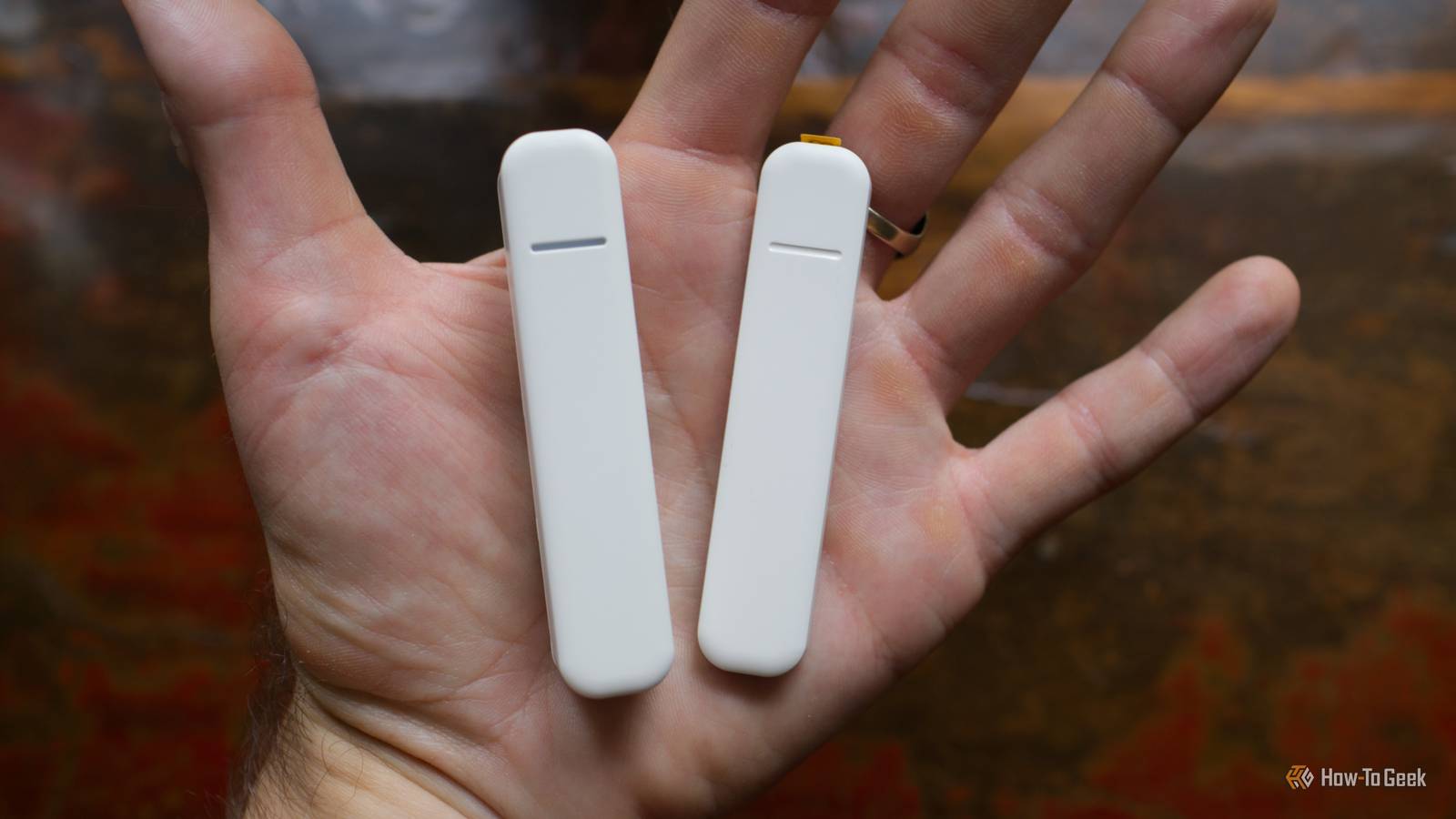
Contact sensors, often known as door or window sensors, use magnets to sense open or closed states.You can use this information and the changing of these states to do all sorts of neat things in your smart home.While contact sensors work with systems like Apple Home and Google Home, pair your sensors with Home Assistant and you’ll have far more options for creating detailed automations and using contact sensor states as conditions within your workflows.
Pause heating or cooling when windows are opened I’m happy managing heating and cooling manually in my home, rather than leaving it on at a set temperature all of the time.But if I lived in an apartment or newer house, I’d probably just get a fancy thermostat and let it be, at which point this tip would come in handy.One thing you probably want to avoid is wasting money by heating or cooling a space when the windows are open.
If you’re someone who tends to just leave the central air on at a set temperature all of the time, contact sensors are highly compatible with your style of management.Forget about switching the heating or cooling off every time you want some fresh air; use the “open” state of a contact sensor to automatically pause your system.By using the status of your contact sensors as a condition, you can have the system automatically engage whenever you close the house back up.
Get reminders about open doors and windows I had a bike stolen from my garage a few weeks ago because I forgot to close the garage door overnight.Since then, I’ve designed an automation that checks for the status of the garage door at a set time and sends me a critical alert if it’s open.Another way of going about this (that several commenters pointed out) is to create an alert that sends a notification if the door is left open for a set duration, like 10 minutes.
Use the change of state to “open” to trigger the countdown, then make the alert conditional on the basis that the door is still open.This could work for pretty much any door you don’t want to be left open for a prolonged period, whether that’s a porch screen, baby gate, or back door—perfect if you have pets or young kids that you don’t want getting out.Receive follow-up notifications to empty the washing machine Receiving an alert on your smartphone that the washing machine has finished its cycle is one of the best ways to use an energy-monitoring smart plug.
But if you’re anything like me, simply receiving a single alert on your iPhone isn’t enough.I’ve proven many times that I’m capable of ignoring a notification.With a contact sensor stuck to the washing machine door, you can create an alert that continually reminds you to empty the machine until the sensor is triggered.
Better still, you can create the whole automation using a powerful blueprint that only requires you to change a few settings and check a few boxes.Trigger lights when motion sensors don’t cut it Motion sensors are fine, but they’re not perfect.They’re big, they require a clear line of sight, and they chew through batteries.
While infrared is a good choice for triggering an event, these sensors are far worse at detecting ongoing presence, since if you stand still for too long (or walk out of range), they’ll register that nobody's there.Contact sensors might be a better choice in many instances.For example, if you have a wardrobe or a kitchen pantry that you want to illuminate based on a door opening, they’re perfect.
You don’t need to stand within range for the light to stay on; you can simply use the “open” state to turn a light on indefinitely and the “closed” state to turn it off again.Design intruder alerts and makeshift alarms I once built a makeshift alarm system using Home Assistant and some cheap IKEA contact sensors, which is perfectly tailored to my house.With the alarm system turned on, an alert sounds and lights turn on if a particular door or window is opened after I’ve gone to bed or when I’m away from home.
Doing this is pretty easy, right down to creating a simple trigger to turn the “alarm” on or off from Apple’s Home app and automatically turning the alarm on at night and off again in the morning.Such a system can be as involved or as barebones as you’d like, since Home Assistant has a lot of options.A silent system could be used to send you an alert whenever a sensor is triggered, and you’re not at home (there are flags for presence detection you can use, like the Home Assistant companion app for iPhone and Android).
You could then check any cameras to see what’s happening and decide whether you need to take further action.Subscribe for smart-home sensor tips and tricks Join the newsletter for hands-on smart-home guidance, learn practical contact-sensor automations, reminders, alarms, and Home Assistant setups you can adapt to your home.Subscribe to expand your automation toolkit.
Subscribe By subscribing, you agree to receive newsletter and marketing emails, and accept Valnet’s Terms of Use and Privacy Policy.You can unsubscribe anytime.You could do similar for doggy doors and cat flaps, or if you’re living in a share house, get an alert whenever someone enters your private space.
Log when doors or drawers are accessed In my home, both Apple Home and Home Assistant keep sensor logs so you can see exactly when they were triggered.You can even work out how long these sensors were “open” by checking how much time elapsed between the two readings.This gives you a log of access to any areas you might want to keep an eye on.
It could be the cupboard in which you keep the cookie jar, it could be the screen door on the porch to see if the delivery person really did knock on the door, it could be your garden gate to see if anyone has walked the dog today (though make sure you get a weather-proof contact sensor for that last one).I’ve gone for inexpensive IKEA Parasoll sensors for my Home Assistant set up, which are being phased out in favor of Matter over Thread Myggbett sensors.Brands like Aqara, TP-Link, and Sonoff also offer these kinds of solutions.
Read More