Technology has a habit of quietly removing things we thought would be around forever.Floppy disks gave way to USB drives, film cameras were lost to digital photography, and vinyl was barged out of the way by CDs and streaming before making an unexpected comeback.Sometimes the replacement is better, but other times you spend years wondering why someone decided the old way needed fixing.
Excel has had plenty of those moments.Wolfram data types Excel suddenly had hundreds of new tricks I was excited when Microsoft partnered with Wolfram in 2020.The idea (a great one, in my view) was to give you access to info about everything from chemistry and nutrition to historical events and genetics.
Microsoft described it as a way to "allow hundreds of new data types to flow into Excel." I could type something like "Mars" into a cell and then pull in information about its mass, radius, orbital period, and other properties.But then, three years later, seemingly out of the blue, Microsoft decided to pull the plug.Its explanation was pretty blunt: "We're simply choosing not to renew this partnership." The data types didn't suddenly disappear from existing workbooks, but their connection to Wolfram's data service was gone.
And it was a big loss.Connected data types felt like one of those clever things that made Excel feel much more than a spreadsheet.Money in Excel Your finances could live inside a spreadsheet Close Ignoring the obvious security questions for a moment, Money in Excel struck me as an idea that made almost too much sense.
Connect your bank accounts, credit cards, investments, and loans, pull the data into a workbook, and then do whatever you like with it.Sort it, filter it, build charts, add your own formulas, or simply keep an eye on where your money was going.Microsoft's own description captured the appeal: "The only template where you can securely connect your financial institutions to import and sync account and transaction information into an Excel spreadsheet." It was one of those features that made Excel feel like software that was created for the average Joe, not just accountants and businesses.
But Money in Excel was discontinued in 2023.Microsoft's end-of-support FAQ pointed us to Tiller as a replacement, saying it's "very much like Money in Excel" because it connects financial accounts to workbooks and imports daily transactions.But there's one fairly significant difference: it costs $99 a year.
And perhaps that's part of what I miss about Money in Excel.Features like this made Excel feel useful to ordinary people, whereas these days Excel increasingly feels shaped around Microsoft's bigger priorities.The COPILOT function AI inside your cells Close Microsoft introduced the COPILOT function to Excel Insiders in August 2025, promising a way to bring AI directly into the worksheet rather than making you open the Copilot pane.
The announcement called it "a major step forward" and said it would bring "the power of large language models directly into the grid." It could analyze text, classify information, generate content, and perform other tasks from a formula.Except it never made it to general availability.In September 2026, Microsoft removed the function altogether.
My guess is that the company ultimately decided the Copilot pane was the better home for this stuff, especially since an AI function could potentially give you different answers over time as the underlying model evolved.Either way, there's something wonderfully Excel-ish about a formula being introduced as a "major step forward" and ending up as a footnote just a year later.Exchange connector Everything in one place This one hits a little closer to home because Power Query is one of the Excel features I use most.
The old Microsoft Exchange connector lets me pull Exchange data directly into Excel, clean it up, transform it, and analyze it.I've used it for things like shared mailboxes, calendar events, and meeting schedules, all from the same connection.Unfortunately, the connector is on its way out, with retirement planned for April 2027.
Microsoft says its replacements are intended to support the scenarios the old one covered, with a Mail connector arriving first and guidance for other scenarios, including calendar data, still to come.Existing workbooks won't automatically transition to them.I get it.
Exchange Web Services itself is being retired in Exchange Online, so Excel can't rely on the old infrastructure indefinitely.But one connection that handled everything was convenient, and I'll miss it.XLW workspaces Excel used to remember your entire setup This is an old Excel feature I genuinely miss.
Microsoft described XLW as saving "a snapshot of the current layout of all open and arranged workbook windows in a workspace file," and you could then reopen them and restore that layout.But the Save Workspace command disappeared in Excel 2013.Microsoft says you can still "open a workspace file that was created in an earlier version of Excel," but you can't create new ones.
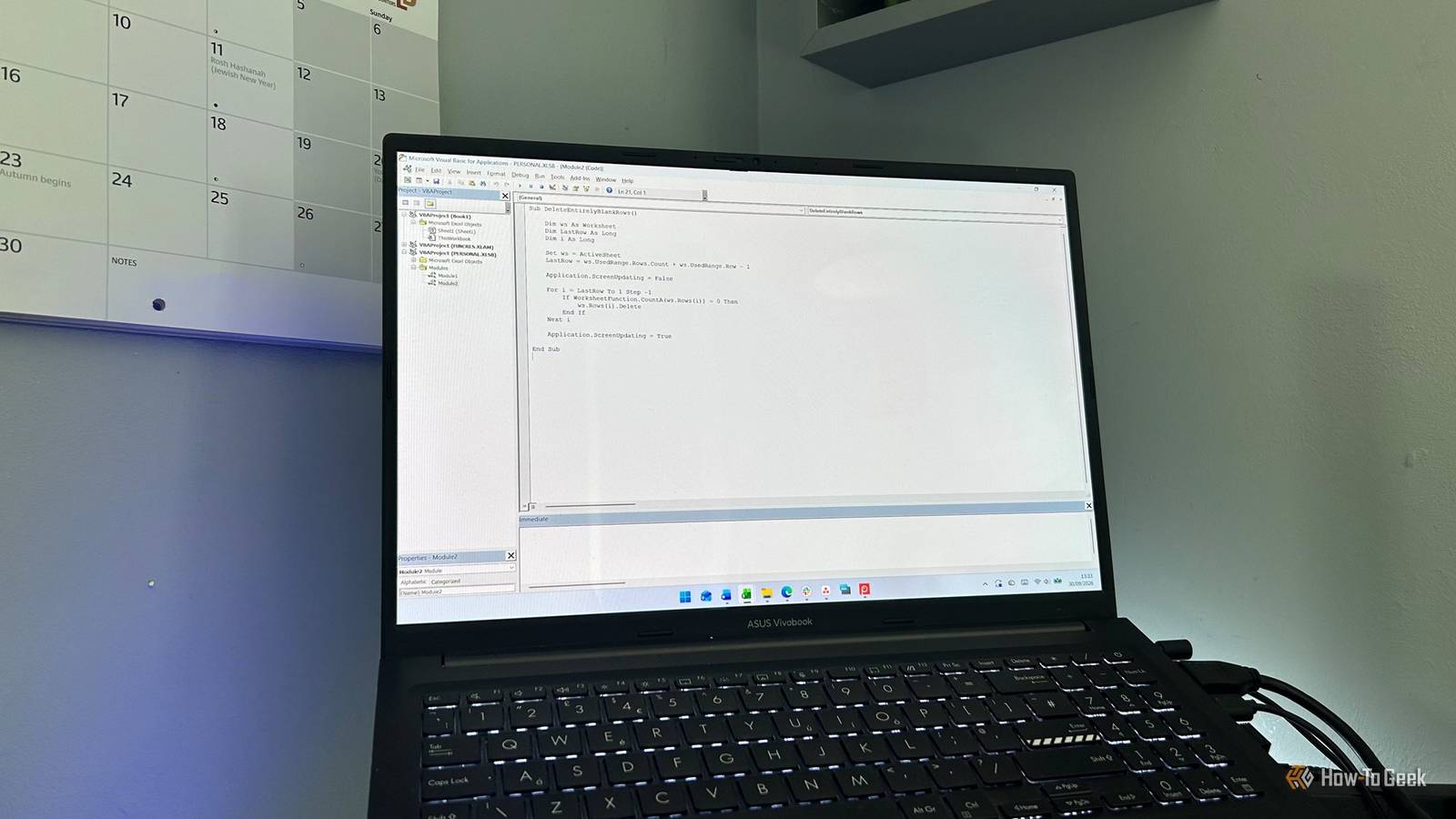
The frustrating thing is that the functionality itself was useful, yet there's no real replacement.If you had a regular collection of workbooks you opened together, XLW gave you a simple way to say, "This is my usual Excel setup." Today, you have to open those files yourself and arrange them again.Visual Basic for Applications The macro system survives while the experience stagnates Close I'm going to defend Visual Basic for Applications (VBA) here.
I've used it for years for small Excel jobs that would otherwise involve far too much repetitive clicking, and I still have useful macros sitting in my PERSONAL.XLSB.I also understand why Microsoft has become increasingly cautious.VBA macros are a genuine security risk.
Microsoft says they're "a common way for malicious actors to gain access to deploy malware and ransomware," which is why Office now blocks macros in files downloaded from the internet by default.That's a change I can live with.What I find harder to accept is how little the VBA experience seems to have moved forward.
The Visual Basic Editor still feels like a relic, and Microsoft doesn't appear to be investing much in making it easier or more pleasant to use.So I don't think VBA has been ruined.If anything, it's been left behind.
And that's a shame, because after all these years, despite modern automation tools, it remains one of the most useful ways to make Excel do exactly what you want.Excel isn't what it used to be What I miss most is the sense that Excel used to have a bit more personality.Microsoft still experiments with new ideas, but some disappear almost as quickly as they arrive, while useful older features get left behind or retired.
I think about things like the flight simulator hidden in Excel 97.Somewhere along the way, Excel became a little more serious.I miss those oddball touches that made it feel like a product people were genuinely experimenting with.
Read More