Streaming sticks are supposed to get better with updates, not break things that already worked.When Amazon pushed its redesigned Fire TV interface with its updates, some people seemed to have a new issue that came with it.It's not obvious what causes it, and Amazon doesn't mention the fix in the update notes.
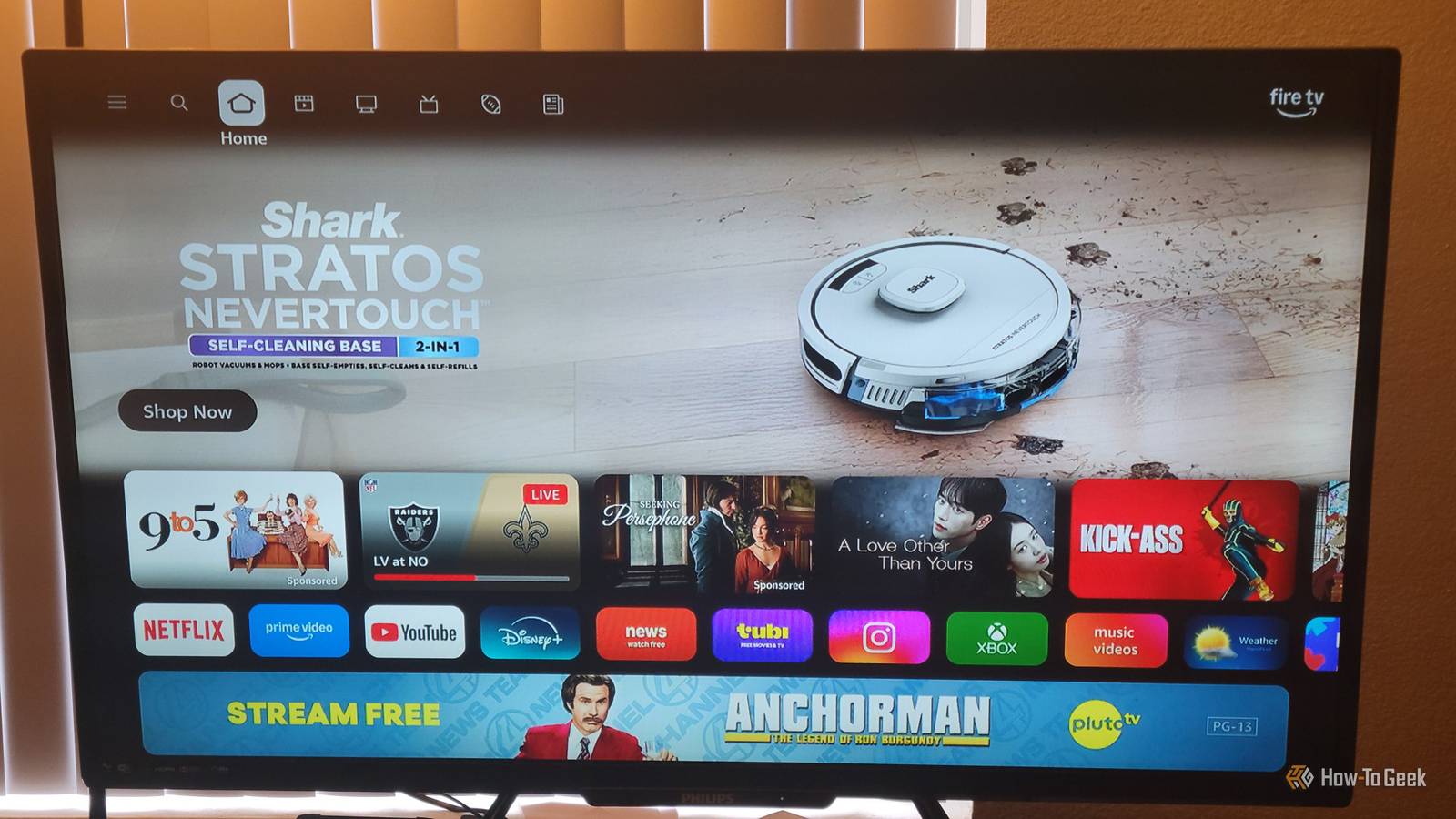
Luckily, you can fix this issue easily.Amazon changed how the Fire TV looks and works The new layout is faster and cleaner Amazon started rolling out its redesigned Fire TV interface to select devices in early 2026.The first wave hit in February, and then it opened up to way more hardware that spring.
It took a while for everyone to get it.Even though I had a 4K Fire Stick, I didn't remember seeing it until late March.The rollout started with higher-end stuff like the Fire TV Stick 4K Plus, the 2nd Gen Fire TV Stick 4K Max, and the Fire TV Omni Mini LED Series.
Then it spread to other Fire TV Sticks, the 3rd Gen Fire TV Cube, various smart TV lines, and partner displays from brands like Hisense, Panasonic, and TCL.Updates tend to come in waves, mostly because that is the safest way to do things.If an update backfires or breaks something, you can stop it before it gets to too many devices.
It's also easier to figure out where a problem is coming from, since you can trace a bug back to one wave.If you sent it all out at once, the situation could be a lot worse than you'd think.I personally hate the redesign because it feels like I'm running a billboard and not a streaming stick.
Amazon made the whole thing look more bloated.The old center-focused menu bar was replaced by a navigation bar that stays on the top with tabs for Search, Home, Movies, TV Shows, Sports, News, and Live TV.Amazon swapped the old boxy look for rounded tiles, softer gradients, new fonts, and more breathing room.
One thing that I actually did like was getting more pinned app slots.Also, I have to admit that the update made it noticeably faster to navigate.My Fire TV used to be slower than my Roku, and now the Fire TV stomps Roku in speed.
Unfortunately, this update really hurt the surround sound for some people.Thankfully, it's easy to fix.You can get your surround sound working again Change these settings and check your cables Close If your Fire TV update killed your audio or dropped you from surround sound back to stereo, check the audio settings first.
The update probably reset things behind the scenes.Go to Settings on your Fire TV home screen, then Display & Sounds.From there, you want to go to Audio and then Surround Sound.
Change the output format from "Best Available" to whatever your soundbar or receiver supports, like Dolby Digital Plus or PCM.If you don't know what your equipment can handle, there's a diagnostics tool called Audio/Video Diagnostics at the bottom of the Display & Sounds menu.Run it, and it'll test your HDMI connection and show you which audio formats and other specs your setup supports before you change anything.
If that's not enough, then you probably should look at your cables because they matter a lot.If you're using an optical cable or an older HDMI ARC connection, that's probably your issue.Neither has enough bandwidth for uncompressed multichannel or lossless audio, so your Fire TV could fall back to compressed 5.1 or even two-channel stereo.
If you can, swap in an Ultra High Speed HDMI cable.I'd go with at least 48Gbps.It's worth double-checking that you plugged your Fire TV directly into your soundbar or receiver instead of running it through your TV first.
That's not always an issue, but going through the TV adds an extra step where audio can get stripped out or converted down before it reaches your sound equipment.Once surround sound is working again, you might notice the audio and video are slightly out of sync, but you can always fix that too.Go back into the Fire TV Audio menu and find AV Sync Tuning.
This shows a bouncing ball with a beep, and you just move a slider until the sound lines up with what's on-screen.Big updates tend to mess up audio settings It might be time for a new sound setup When an OS gets a big overhaul, low-level settings and hardware connections tend to get scrambled during the background install.I'm not saying that's exactly what happened to Fire TV's audio, but it's probably part of it.
I do know that my mom, who owns a soundbar, had this problem when the new update hit her Fire TV.I was able to fix it for her, but it's hard to ignore how many people are having sound problems since this update.I think it's an issue with how Fire TV handles audio processing.
By default, Amazon uses the Best Available setting, which isn't always the smartest.The Fire TV decodes formats like Dolby Digital Plus on its own using Dolby MS12.MS12 then sends it out as uncompressed audio, either as standard LPCM or wrapped in a Dolby MAT 2.0 container.
The problem is it only works well if you've got a modern setup with HDMI eARC or a receiver or soundbar plugged straight into the Fire TV.Older setups get hit hard.Older ARC and optical connections don't have the bandwidth to carry the high-quality uncompressed audio Fire TV is trying to push through them.
We can't say for sure it's Amazon's fault, but if something stopped working right after an update, it's fair to assume the two are connected.It may be time for a new sound source A few setting tweaks should fix most surround sound problems with this update.If not, grab a newer HDMI cable and plug straight into your audio equipment.
That usually takes care of the rest.If you're still having issues, then it's likely not the update at all.Maybe it's time for a new TV or a soundbar.
Read More