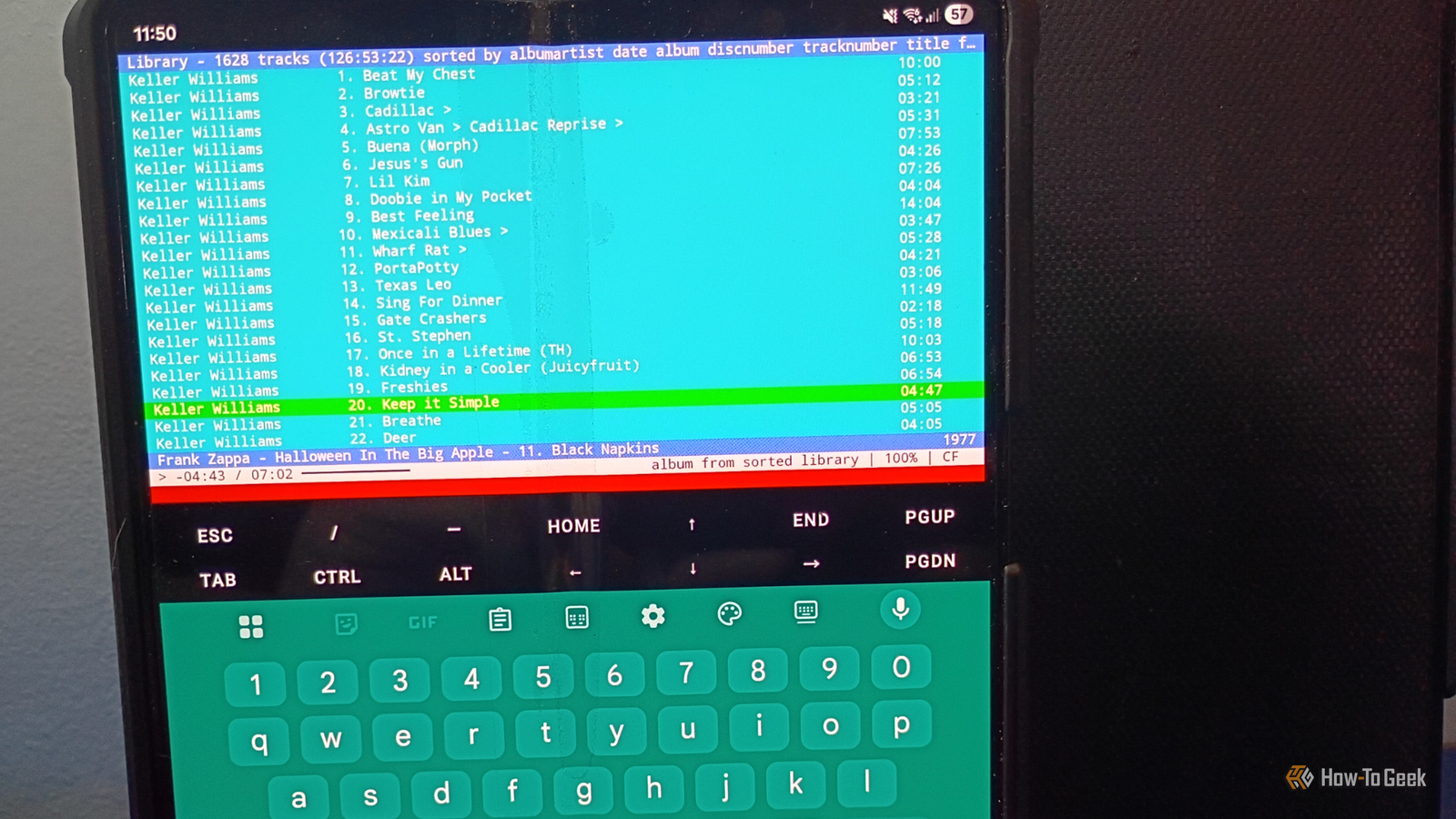
If you spend a lot of time working in the Terminal, you undoubtedly have your favorite CLI (command line interface) and TUI (terminal or text-based user interface) apps.One of mine is a TUI app called cmus.Cmus has a text-based user interface with minimal graphics and customization options.
It's also one of the best music players I've ever used, with easy organization (in conjunction with another method I use) and simple playback.I've been spending considerable time with Termux on both of my Android phones and came up with a bright idea: getting my favorite TUI apps to work on both of my Android phones.Setup takes only a few minutes Adding music to the library with a quick terminal command In cmus, you need to use the number pad to navigate to your directory or the :add command in the command line located at the bottom of the screen.
You can easily find the path to your files by using the pwd command in the directory where you keep your files: Once you've loaded up Termux, find your storage folder.Termux on Android requires permissions to the storage folder, so all your files are likely located there.To get there, change to the directory by using cd storage and then bring up a list of files by using ls.
In my example, you can see I have a music folder and a folder called tunes.Both of them contain various music files.The number keys are the simplest way to navigate But you can also use commands to control your tunes I love the navigation pane in cmus.
All I need to do is hit a number (0-7) to access the most important parts of the program.1-7 worked fine.Each takes you to a different display, like the queue, library, playlists, instructions, and customization settings.
0 is supposed to be used for making playlists, but every time I pushed it, an error appeared at the bottom of the screen: "not enough arguments." The same thing occurred when I pressed 8.8 is used to change the color scheme, but it didn't work on my phone.The inability to make playlists is not an issue at all for me.
I love listening to an entire album, live show, or box set all the way through, in sequence, from start to finish.Easy navigation through key binding Commands and shortcut keys work together Although cmus is a TUI program, you can use a combination of programming via the command line and key bindings to navigate.There's a massive library of key bindings that simplify the navigation.
They're mostly basic things like x for playback, b to skip to the next track, or v to stop.You can find them in the app or the manual.And if all else fails, you can always customize your key bindings.
For a TUI tool, there are a surprising number of customization options Testing some tunes and customizing the look Since I'm planning to use this TUI player often, it made sense to run some of my favorite artists through it.I listened to an entire Jonathan Richman show, and it sounded amazing.Then I tested out "The Eggplant That Ate Chicago." It sounded just like the first time I heard it on the radio.
While listening, I spent an unhealthy amount of time playing with the customization options on the command line: Don't forget you have to type a : to use the command line.Everything else is pretty straightforward: The program uses 256 colors, so find the color you want from this handy color selector and experiment until you find a design you like.Here's my end result: Discussing the limitations of using cmus on Android I love the app, but it's not without its flaws So, here we meet the limitations of cmus on Android.
Trying to use the cmus volume controls in the standalone version of Termux doesn't work.They're not supported, and you'll get an error message saying as much at the bottom of the screen.Normally, you can use {, }, =, and - to adjust volume.
But in Termux, you get an error that says volume controls aren't supported.It makes sense, since Termux is a Linux environment emulator (not a device emulator) and cmus can't open the audio controls on its own.The easiest thing to do is go back to your phone's home screen, adjust the volume, and then slide back into the Termux/cmus instance.
You can also install the Termux API to handle it.The downside is that you still have to open another Termux instance and use the termux-volume command to get it to work.It's not a huge issue for me, but there is a limitation of cmus on Android that's worth knowing.
Related 4 ways Python has turned my Android phone into the ultimate homelab companion I turned my Android phone into a homelab without buying anything new.Posts 1 By David J.Buck If you're not careful, you can mess up track playback What I learned from making a simple setup error Sometimes, it has a hard time playing back the right album when there's a ton of stuff in the queue.
I kept having an issue where I wanted to play one album, but every time the first song ended, it would go to a different album entirely.C for continuous mode was toggled on.F for follow mode was toggled on.
And shuffle (which you can control with S) was off.It turned out I made a mistake.I discovered that if I cleared the queue completely using :clear and re-added the album individually using the a command (which copies tracks to the library), it worked fine.
Things went smoothly from there, and I listened to a few full albums and live shows.There are still a lot of features and customization in cmus that we don't have space to cover here, but once you have the basics down, try playing some songs, and you might find it runs better than some of the other music players out there.I'll take cmus over any music app from the Google Play Store Cmus is easy to use once you learn the commands (the same could be said about Termux itself when it comes to learning commands and getting used to its workflow.
You don't have to hunt through your music to find what you want.It costs nothing but the time it takes to learn the system.There are no subscriptions or unnecessary features, and it handles most types of audio that I've run through it (mp3, Ogg Vorbis, FLAC).
I still use VLC Media Player with Android Auto sometimes, but I'm honestly considering taking cmus for a literal test drive just to see how it goes.But for listening at home or work ? I am 100% using cmus on my Android phone.
Read More