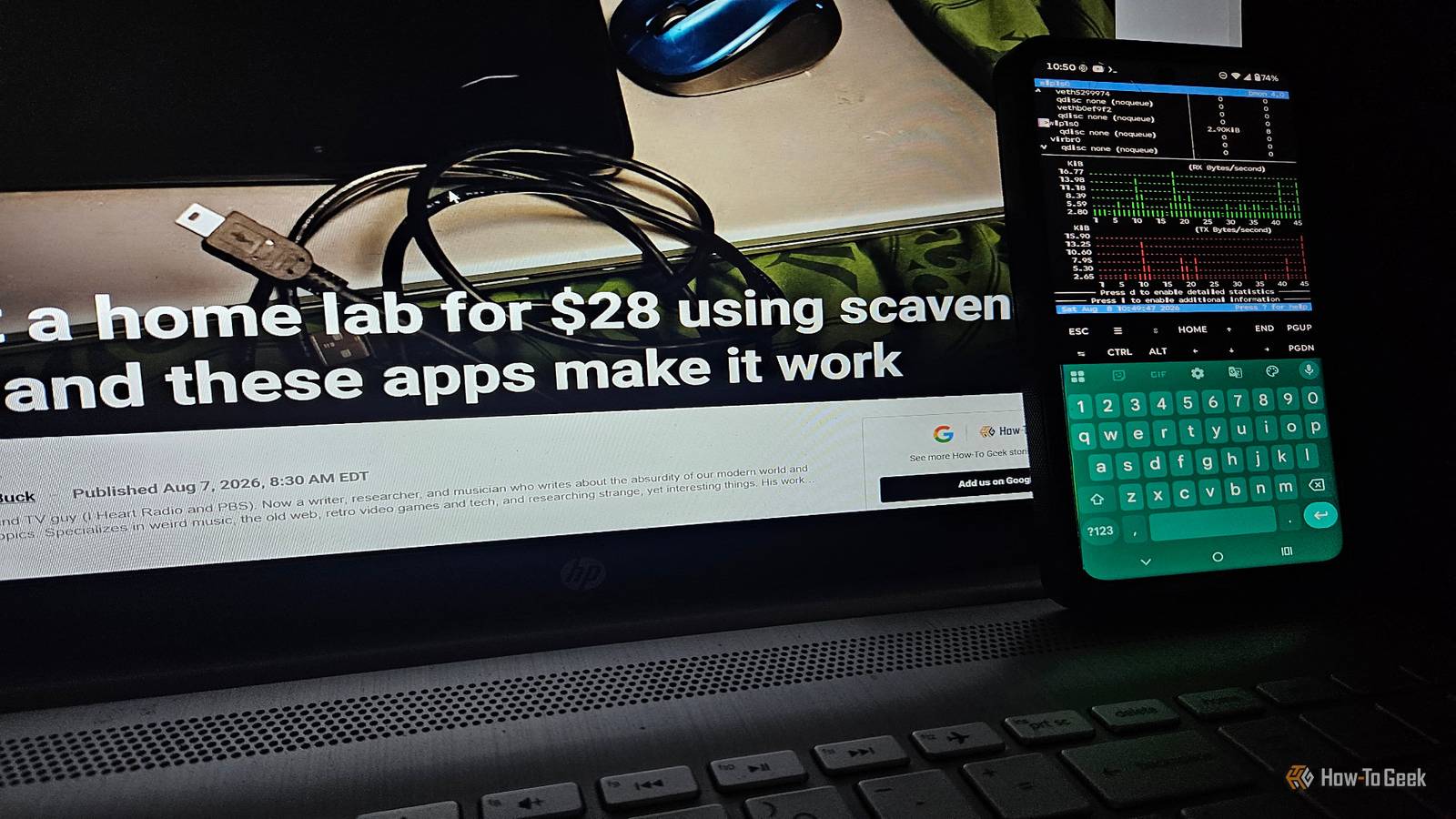
When you hear the phrase “home lab,” do you picture a server rack, tons of monitors, and screens/devices everywhere? I don't blame you if you do, but my home lab is nothing like what I just described.It's much, much smaller.However, I still needed to keep an eye on things, so I turned an old phone into an always-on monitor for my work.
My home lab needed a good monitoring tool I had a few options available to me I like to tinker with devices, do some modding, and work on different projects (I'm doing something with robotics and Python at the moment).But a good portion of my work involves being online in some capacity and more than likely using quite a bit of memory and processing power.I could do much of this monitoring from whatever PC I happened to be using at the time; doing so gets to be a hassle after a while.
I don't want to have to go back and forth between terminal instances just to monitor my system, especially when I'm in the middle of a project.I looked at a few different options and landed on using htop and ssh to create a real-time monitor for CPU usage and bmon for network monitoring.Related 4 ways Python has turned my Android phone into the ultimate homelab companion I turned my Android phone into a homelab without buying anything new.
Posts 1 By David J.Buck I used bmon to set up a network monitor Network monitoring with the non-Docker version of the app Close Originally, I planned to use this phone for emails, network monitoring, and some light Python work.After setting up this project, I ended up disabling email entirely so it could be converted to an always-on, dedicated monitor.
I essentially turned the device into a remote wireless display so it could monitor the resources I wanted it to monitor.I originally thought about using Uptime Kuma for the network monitor.Since I'm using Termux, which doesn't natively support Docker, I went with something simpler.
Uptime Kuma has a non-Docker version, but I couldn't get it to work properly, so I shelved it for a later project.I used bmon instead.Bmon is a simple monitoring tool that you can use to monitor your bandwidth, view packet rates, and track network usage.
It's pretty handy and lightweight enough to run on an old phone.I had to get creative to get it to work.I have a habit of installing various Linux distros on my Android devices using proot-distro.
I used Ubuntu for this one and work primarily with the command line.I installed it with sudo apt install bmon, ran ifconfig to find the active network card (and, technically, the IP address).After that, the instructions for bmon say to use bmon -p wlan0.
Now, if you run this in Termux/Linux on the Android device, it won't work right.I want it to monitor my home lab computer's network.That's where SSH comes in.
I used these instructions to get everything up and running.To get my PC's info onto the Android device, I need to establish a secure connection between the devices with SSH.That's incredibly simple and can be accomplished with two commands: ssh pc-username@pc-IP-address (substitute your username and your IP address) and allowing it through your Linux firewall (commands vary for this).
Be very careful when making adjustments to your firewall settings.I also tested htop as a consistent monitor for my CPU Going with what I know best for additional resource monitoring I know htop quite well, so I went with it for my idea.It's a simple monitoring tool, and I can use SSH to see what's happening on my desktop without switching to a separate window.
It works on Termux with pkg install htop, but it'll only provide info about your Android device.You have to connect it to your PC to use the phone as a monitor.Htop can help me monitor process IDs, CPU usage, and memory on my PC.
I set the refresh delay to 3 seconds with htop --delay=30 (the 30 is 3 seconds, not 30 seconds) and had the idea of running them side-by-side on my always-on display using the terminal multiplexer, tmux.So, I installed tmux and OpenSSH, connected the PC to my Android with the SSH command above, and opened an instance of htop in one window with bmon in the other.I initially ran into a space/display issue, but turning the phone to landscape orientation fixed the problem.
I already had all the apps (openssh-server, bmon, htop, and tmux) installed on my PC, Termux, and on Ubuntu/Android instances, and they were available in both Ubuntu and Mint's package managers.Tweak the phone's settings to keep it on all the time Getting around screen dimming and sleep mode Close Since this old phone's battery isn't what it used to be, I had to tweak a few things to turn it into an always-on display.To begin with, I turned on Battery Saver for most apps but excluded Termux.
Why? To restrict background activity on Android but prevent Termux from going to sleep.I'm not using this phone for anything but the display, so there's really no need to have location, sync, or similar services on.I also used my Motorola de-bloat process to purge unnecessary apps.
Next, I acquired a wake lock in Termux using the command termux-wake-lock.That will prevent Termux from going into sleep mode.Some phones have a built-in always-on display that you can also turn on.
It varies by model.I won't keep the phone plugged in constantly due to space considerations, so I usually set charging caps to 80% and do a recharge when it gets to about 10%.That way it continues to stay on without wrecking the battery.
Related Termux gives your Android phone access to tools Google doesn't want you to have There's a hidden world of apps that Google really doesn't want you to find.Here are three of them that are accessible through Termux.Posts 3 By David J.
Buck Putting both monitoring tools to work Although htop is my old standby for system monitoring, there are a few other options I considered, like using a widget called Glances.I'll likely test them out sometime in the future, but this works for now.As for network monitoring, I've always been a fan of Uptime Kuma, but I'm pleased with how well bmon works/integrates into my home lab.
Not bad for repurposing a phone nobody wanted.Not bad at all.
Read More