I ignored one of the oldest Pixel features on my phone for over a year, assuming it was just another background battery-draining feature with no real benefit.Then, I finally decided to enable Now Playing, and as it turns out, it's surprisingly a lot more useful than I expected.What's Now Playing? A quiet, always-listening song identifier built into Pixel Close Now Playing is a feature baked into Google's Pixel phones that automatically identifies music playing around you, without you having to open an app or tap anything.
It works entirely on-device, using a small, periodically updated database of song fingerprints stored locally rather than sending audio clips to Google's servers for analysis.This is a meaningful distinction from something like Shazam, which requires an active internet connection and uploads a snippet of what it hears to identify a track.The feature runs passively in the background, listening in short bursts using a low-power chip so it doesn't meaningfully affect battery life.
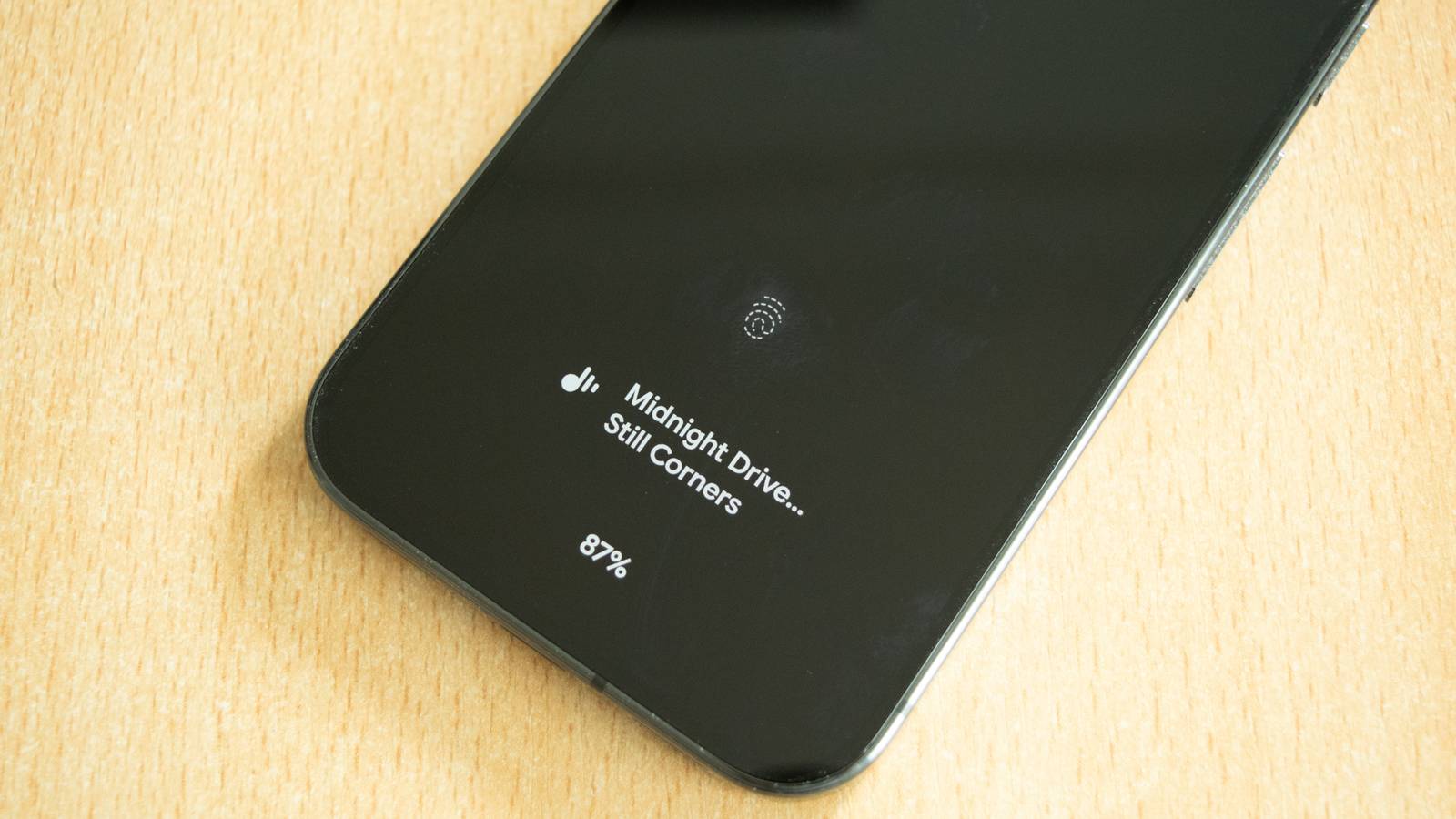
When it recognizes a song, the title and artist appear on your lock screen for a short time, and the entry gets logged in a history you can access later through the Now Playing history screen, tucked inside Pixel's sound settings.You never have to unlock your phone or interact with anything for it to work.Related The Google Pixel’s best feature finally has its own app, and it’s now my favorite part of my phone Better than Shazam Posts 17 By Goran Damnjanovic Because the matching happens locally against a downloaded song database rather than through cloud lookups, Now Playing only recognizes tracks that are included in that on-device catalog, which is periodically refreshed over Wi-Fi.
It leans toward mainstream and moderately popular music, so extremely obscure tracks or live performances sometimes go unrecognized.Google has expanded the database significantly since the feature launched with the Pixel 2, and it now covers a broad range of genres and eras, though it still isn't as exhaustive as cloud-based identification services.And there's also a "See what's playing" button you can tap if you want to perform a deeper search à la Shazam, just in case your phone doesn't pick up the song by itself.
The privacy angle is what initially caught my attention, since nothing is transmitted or stored outside your device unless you explicitly choose to look up a song online afterward.Is it actually useful? From skepticism to a genuine daily habit My skepticism came from assuming I'd rarely be in situations where I actually needed a song identified passively.In practice, the opposite turned out to be true.
I've used it in cafes, in stores, in other people's cars, and while half-listening to a television show in the background, all situations where pulling out Shazam mid-conversation would feel awkward or simply wouldn't occur to me in the moment.The lock screen history is where the feature earns its keep.Instead of needing to catch a song in the exact moment it's playing, I can glance at my phone twenty minutes later and see a running list of everything Now Playing picked up while my phone sat in my pocket.
I've built a fairly substantial playlist over the past few months entirely from songs I never would have actively tried to identify, because I wasn't paying close enough attention when they were playing to think to look them up.Related Google’s new Now Playing app quietly broke what made it even more special A small removal that had sneakily big ramifications.Posts By Joe Fedewa It's also proven useful for identifying music in ambient settings I wouldn't normally associate with music discovery, like background tracks in stores or restaurants.
Because it works without any prompt, it captures things I would have simply let pass by and forgotten about entirely.The one limitation worth noting is that it only works for tracks in its local database, so newer independent releases or niche genres sometimes slip through unidentified.Even then, though, I've found it can track a surprising amount of songs you wouldn't think are included in that list.
For example, I was able to occasionally grab a few songs here and there while traveling in China—a place where not only people often enjoy their ultra-local Chinese music offerings, but also a place where Google has little to no reach.Should you enable it? A low-cost feature with an easy yes Given how little it costs you in terms of battery or storage, there's not much reason not to turn Now Playing on if you own a compatible Pixel device.The feature can be enabled from the Sound settings menu, and once it's on, there's nothing further to manage unless you want to review or clear your history.
The privacy design is a strong point in its favor.Because song matching happens on-device against a local database rather than through an internet-connected service, there's no audio being sent anywhere, and Google has been fairly transparent about how the feature is architected.If you're someone who's cautious about apps listening in the background, Now Playing is a rare example of an always-on listening feature built specifically to avoid that concern.
The only real downside is the periodic database updates, which download over Wi-Fi and take up a modest amount of storage, though this has never been a noticeable issue for me.Battery impact is similarly minor, since the feature uses a dedicated low-power audio processor rather than the phone's main processor to do its listening.If you frequently find yourself in situations where music plays around you passively, coffee shops, stores, other people's homes, this is one of those Pixel-exclusive features that quietly does its job without asking anything of you.
A small feature that quietly changed my listening habits Now Playing turned out to be one of the more genuinely useful Pixel features I've used, not because it does anything flashy, but because it works reliably in the background without asking for attention.
Read More