Bluetooth is a great technology, especially if your expectations are low.However, anyone who has switched from using a Bluetooth keyboard and mouse to ones with proprietary USB receivers knows that the ease of use and improved performance are very much worth it.When you use a dedicated USB dongle, you usually get rid of that Bluetooth latency, and it's a plug-and-play experience.
From your computer's point of view, it's just a normal wired USB device, and it also gives you an easy way to use wireless peripherals with devices like TV streaming boxes, game consoles, and Raspberry Pis.The problem is that you also need as many USB ports as you would if your stuff was all wired, unlike Bluetooth, which needs none of your ports at all.Luckily, Logitech had a plan.
Logitech had the dongle problem solved back in 2009 It's so simple, right? In 2009, Logitech brought out its "Unifying Receiver" technology.Here, a single Logitech receiver could handle as many as six mice and keyboards if, for some strange reason, one person needed that many.You needed to use the Logitech Unifying software to pair devices, but once that was done, it just worked.
These days, the Unifying software has become obsolete, and it's all rolled into Logi Options+, in case you were wondering.Unifying was never quite as universal as its name suggested Members only Close But, as you probably assumed, the Unifying Receiver came with a catch.The ideal situation would have been perfect backward compatibility with Logitech wireless devices that came before.
In reality, Unifying devices were their own little ecosystem.Both the device and the receiver had to have that little unifying icon on them, or they just would not be compatible.Logi Bolt fixed real problems—and created another compatibility island A true bolt-on solution So now Logitech had a unifying receiver solution, and all it had to do was keep upgrading it, maintaining backwards and perhaps forwards compatibility.
You could just keep buying new mice and keyboards, and they would work with the $15 receiver that you already owned.What a perfect world that would be.Well, this isn't a perfect world, and Logitech decided to bring out a new receiver capable of handling six devices and completely incompatible with the original Unifying standard.
It's called Logi Bolt and rather ironically, it's based on Bluetooth LE.This might immediately raise the question of why you shouldn't then just use Bluetooth, especially if you have one of the latest Bluetooth radios that uses the same BLE technology.Well, as Logitech will take pains to explain, Bolt isn't the same as BLE, it's just based on parts of it.
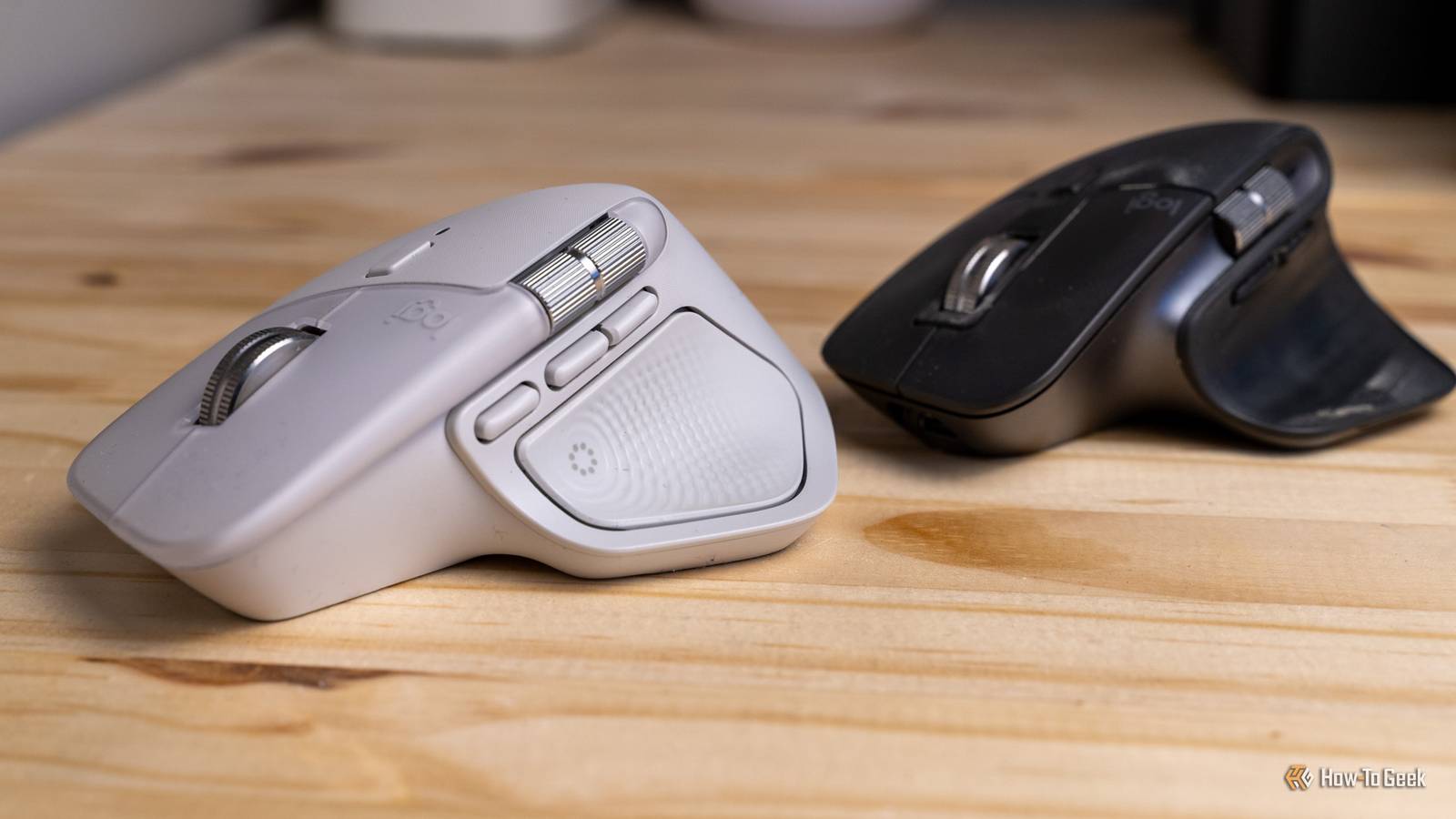
It's still a proprietary solution that Logitech says performs better when it comes to congested signal space and has better security.Logitech's marketing positions Bolt as a business-class solution, while Unifying is mainstream, but whatever the rationale, if you have devices that use one or the other, you need two USB ports.Logitech MX Master 4 10 Weight 150 Sensor 8,000 DPI The Logitech MX Master 4 features an all-new haptic engine for a unique and customizable clicking experience.
It's quieter than ever before, but without sacrificing the satisfying feel you've come to know and love.Plus, there's an all-new customizable action button, updated material, and more.Wireless? Yes Brand Logitech Battery 70 days of use Color Options Graphite, Black, Pale Gray Connectivity Wired, Bluetooth, Bolt 2.4GHz Programmable Buttons 6 $120 at Logitech $120 at Amazon $119 at Best Buy $120 at Micro Center $120 at bhphotovideo Expand Collapse Then Logitech gaming gear brings its own set of dongles OK, this one makes sense actually Believe it or not, we have a contender when it comes to Logitech USB receivers, and that's its LIGHTSPEED technology.
According to Logitech, it's possible to connect two LIGHTSPEED devices to one dongle, but the list of compatible LIGHTSPEED mice and keyboards is pretty short.The whole reason this additional proprietary standard exists is latency.For gaming on a PC, latency is everything.
And Logitech claims there's less than a single millisecond of latency when using LIGHTSPEED.I own a single LIGHTSPEED gaming mouse and, from my point of view, there is no difference in feeling compared to a wired mouse when it comes to latency.Then again, unless I'm playing Boomer Shooters, I generally have no issue playing any games even with my MX Master mouse (or even MX Ergo Trackball) with their low polling rates and "high" latency.
Either way, I guess I can forgive Logitech for this one, because LIGHTSPEED has a clear reason to exist.However, we are now up to three USB receivers, just to avoid Bluetooth, if anyone's counting.Related USB-C was supposed to end cable clutter, but manufacturers turned it into a trap A typical USB-C cable gives you one shape and one port, but countless ways to disappoint you when you need it.
Posts By Dibakar Ghosh Bluetooth helps, but Logitech could still make this much simpler Except for my Logitech gaming mouse, I don't use proprietary USB dongles with any of my Logitech gear that offers the option of Bluetooth.I think with older versions of the Bluetooth standard, there was a case to be made that using a proprietary wireless solution was always better.However, all of my computers now use at least Bluetooth 5.4, and the only problems I've ever run into have to do with range.
Logitech's receivers work better at longer ranges, but I personally have no need to use my computer from the next room, so it's a moot point.In the end, integrated Bluetooth gives me more USB ports, which I need on my laptop, and when the keyboard and mouse are just a foot or two away from the computer, anything short of active radio jamming is unlikely to be a problem.What really confuses me though, is why Logitech has separated these technologies out like this? Surely it's possible to create a truly unifying receiver that could handle Unifying, Bolt, and LIGHTSPEED in one package? I guess we'll never know why a company wants to sell you three things instead of one.
It's a mystery.
Read More