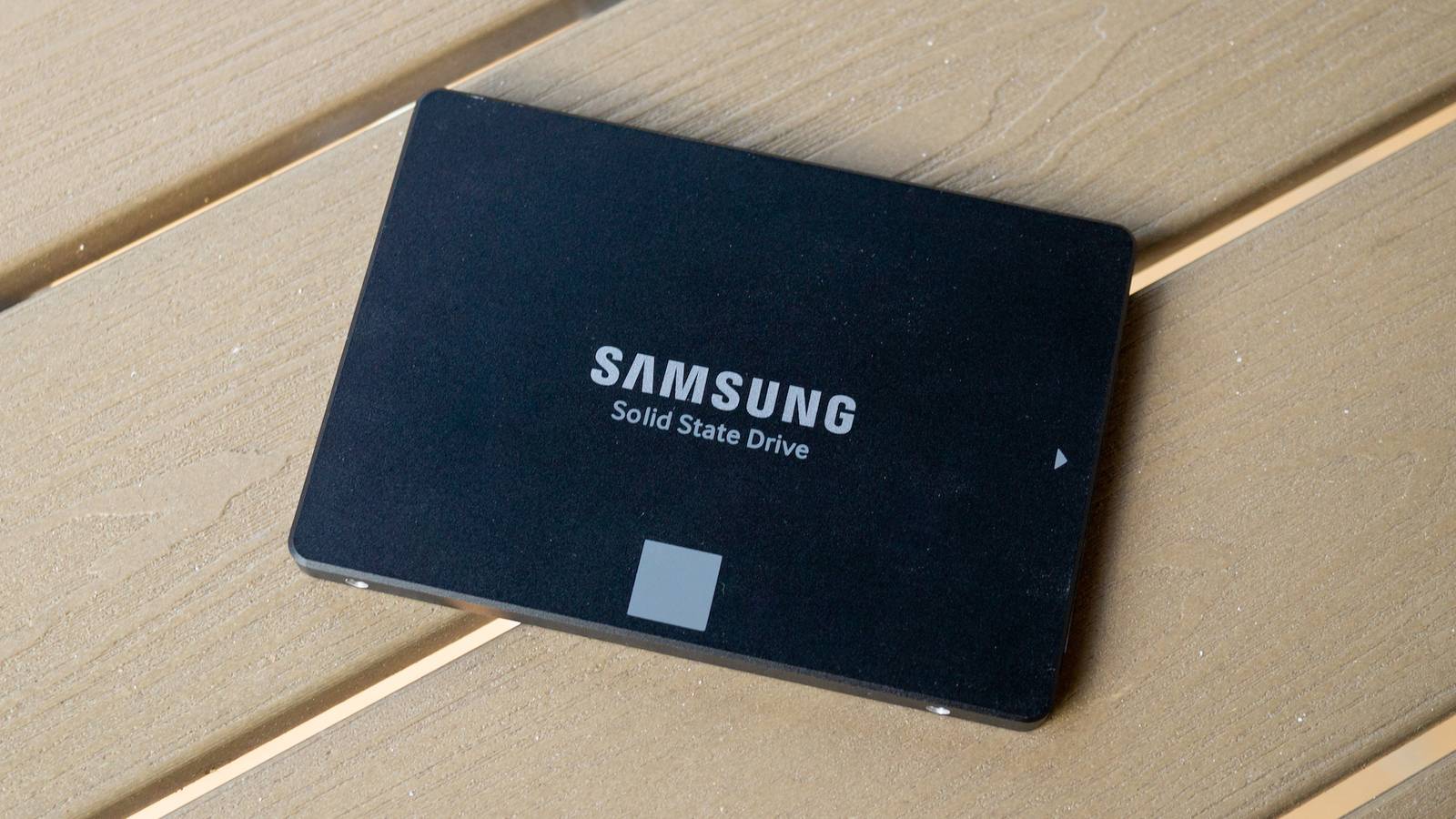
Repurposing a 1TB or 2TB SSD is easy enough.There's always something you can do with those, from game drives to external drives for backups.But when it comes to things like 250GB HDDs or 120GB SATA drives, it might seem like we're not as spoiled for choice.
Wrong! There are plenty of ways to find uses even for those old, slow(ish), and tiny SATA drives that were probably your boot drive a decade ago.Here's what I do with mine.A 120GB SATA SSD is too small for many jobs, but not for all jobs Tiny by modern standards, but still fast enough to be an upgrade My first SATA SSD was 64GB or somewhere close to it.
I got it used as a hand-me-down, and I was over the moon when I installed Windows on it.The difference between an HDD and an SSD, even a slow SATA drive, was like night and day.Quiz 8 Questions · Test Your KnowledgeStorage Through the AgesFrom ancient clay tablets to modern SSDs — how much do you really know about the wild history and quirky facts of data storage?HistoryHardwareCapacityOdditiesModern TechBegin 01 / 8HistoryWhat was the storage capacity of the very first commercially sold hard disk drive, IBM's 350 RAMAC introduced in 1956?A1 megabyteB5 megabytesC10 megabytesD50 megabytesCorrect! The IBM 350 RAMAC stored a whopping 5 megabytes — and weighed over a ton.
It was the size of two refrigerators and leased for around $3,200 per month, which is roughly $35,000 in today's money.Not quite.The IBM 350 RAMAC, launched in 1956, stored just 5 megabytes of data.Despite that tiny capacity by modern standards, it was a revolutionary machine that filled an entire room and cost thousands per month to lease.Continue 02 / 8OdditiesWhich of these has genuinely been used as a data storage medium by researchers and engineers?AFrozen ice crystalsBDNA moleculesCSoap bubblesDTree ringsCorrect! DNA storage is a real and rapidly advancing field.
Researchers have successfully encoded entire books, images, and even operating systems into synthetic DNA strands, which can theoretically store 215 petabytes per gram of material.Not quite.The answer is DNA molecules.Scientists have encoded movies, books, and even malware into synthetic DNA strands.
DNA storage is extraordinarily dense — theoretically capable of holding 215 petabytes per gram — making it one of the most promising future storage technologies.Continue 03 / 8HardwareWhat does the 'SSD' in SSD storage stand for?AStatic State DriveBSolid State DriveCSequential Storage DeviceDSolid Silicon DiskCorrect! SSD stands for Solid State Drive.The 'solid state' refers to the fact that it uses solid-state electronics — NAND flash memory chips — with no moving mechanical parts, unlike traditional spinning hard disk drives.Not quite.SSD stands for Solid State Drive.
The term 'solid state' comes from electronics jargon meaning the device uses semiconductor components rather than moving mechanical parts, which is why SSDs are faster, quieter, and more durable than HDDs.Continue 04 / 8CapacityApproximately how many standard 1.44 MB floppy disks would you need to match the storage of a single modern 1 terabyte hard drive?AAround 70,000BAround 350,000CAround 700,000DAround 1,400,000Correct! One terabyte equals roughly 1,048,576 megabytes, and dividing by 1.44 MB per floppy gives you about 728,000 disks.Stacked, that pile would be taller than most skyscrapers — a humbling reminder of how far storage has come.Not quite.You'd need approximately 700,000 floppy disks to match a single 1 TB drive.
That stack of disks would reach over a mile high if laid flat, which is a staggering way to visualize the enormous leap in storage density over just a few decades.Continue 05 / 8HistoryWhat storage medium did NASA use to store data from the original Apollo moon missions in the 1960s and 1970s?AEarly magnetic hard disksBMagnetic tape reelsCPunched paper cardsDOptical laser discsCorrect! NASA relied heavily on magnetic tape reels during the Apollo era.In fact, thousands of original Apollo-era data tapes were eventually lost or accidentally erased and reused, leading to a massive archival effort years later to recover what footage remained.Not quite.NASA used magnetic tape reels to store Apollo mission data.
Tragically, many of these original tapes were later lost or even deliberately erased and reused due to tape shortages, which is why some original high-quality Apollo footage is gone forever.Continue 06 / 8Modern TechWhat is the name of the technique used in modern NAND flash storage that stores multiple bits per cell to increase density?AQLC (Quad-Level Cell)BMRC (Multi-Read Cell)CDBC (Dual-Bit Compression)DTPC (Triple-Pack Cell)Correct! QLC, or Quad-Level Cell, stores 4 bits per cell and is used in high-capacity, budget-friendly SSDs.While it offers great density and lower cost, QLC NAND typically has lower endurance and slower write speeds compared to TLC (3-bit) or MLC (2-bit) designs.Not quite.QLC stands for Quad-Level Cell, and it's a real NAND flash technology that stores four bits per cell.
It allows for very high storage densities at lower cost, but trades off endurance and write performance compared to older, less dense cell types like MLC or SLC.Continue 07 / 8OdditiesThe Svalbard Global Seed Vault in Norway stores seeds for agricultural preservation — but what famous tech company also operates a nearby 'Arctic Code Vault' to preserve software?AGoogleBMicrosoftCGitHubDIBMCorrect! GitHub operates the Arctic Code Vault in Svalbard, Norway, where they stored a snapshot of all active public repositories on film designed to last 1,000 years.The project is part of GitHub's Arctic Vault Program to preserve open-source software for future generations.Not quite.It's GitHub — owned by Microsoft — that runs the Arctic Code Vault.
In February 2020, they photographed every active public repository onto special archival film and stored it deep within a decommissioned coal mine in Svalbard, designed to last a thousand years.Continue 08 / 8HardwareWhat was the primary reason early floppy disks were called 'floppy'?AThey failed frequently and were considered unreliableBTheir magnetic coating was applied in a loose, uneven layerCThe plastic disk inside was thin and physically flexibleDThey could be folded and stored flat in a walletCorrect! Early floppy disks — especially the original 8-inch variety from IBM in 1971 — used a thin, genuinely flexible magnetic disk inside a soft protective sleeve.You could literally flop the thing around.Later 3.5-inch versions came in rigid plastic cases, but kept the 'floppy' name.Not quite.
The name 'floppy' came from the physical flexibility of the magnetic disk inside the sleeve.The original 8-inch IBM floppy disks introduced in 1971 had a noticeably limp, floppy disk that you could bend.Even the rigid-cased 3.5-inch disks that followed kept the iconic nickname.See My Score Challenge CompleteYour Score/ 8Thanks for playing!Try Again Back then, I squeezed every last bit of capacity out of that drive, forcing it to handle not just Windows, but also my main game of choice.
In retrospect, I know that filling your SSD up to 100% is a bad idea, but when you only have one fast drive, it's hard to resist.Now? We're all running SSDs, and those tiny SATA drives feel super obsolete.But instead of throwing them away, you can always redirect some smaller jobs their way, saving space on your main drive and letting your old drives live on.
One thing to remember, though: don't count on these aging drives as your main and only source of backups.They work great for overflow jobs, but if some files are truly important, you should entrust them to newer drives.Follow the 3-2-1 backup rule to sleep soundly.
Beyond that? Repurpose away! 5 genuinely useful ways you can repurpose your old 120GB SATA SSD Give them a job they can actually handle It's true: your old SATA SSDs don't need to just sit there, collecting dust and wasting drawer space.Here's how I recommend using them to enhance your tech stack.1.
Turn it into a sacrificial test bench for dumb ideas This is probably my favorite use for a tiny old SSD, because it gives me somewhere to mess around without putting my main drive at risk.If you want to try a beta app, install a dodgy file, test a lightweight Linux distro, mess with mods, or generally play around with software, a 120GB SATA SSD fits perfectly.It's big enough for a stripped-down OS install and a handful of experiments.
This is a solid idea because it draws a clear line between your main SSD and this one, letting you keep your main drive clean and safe, while the small SATA drive takes over the nonsense.2.Make it your emergency repair drive I'm a big fan of rescue drives.
Those drives, whether they're a new USB or an old SATA, can save you in a pinch.A 120GB SATA SSD can be used for disk cloning software, firmware tools, hardware diagnostics, installers, BIOS files, OS ISO files, and anything else you might need to rescue a dying PC with minimal hassle.That way, if your primary boot drive fails or your OS gets corrupted, you always have a working fallback on hand.
SanDisk 1TB Ultra Luxe Flash Drive Capacity 1TB Speed 400MB/s If you want a rescue drive but don't have a SATA SSD you can trust, this SanDisk 1TB USB thumb drive can do the job.It's massive, so it can serve many roles at a semi-reasonable price.$156 at Amazon Expand Collapse 3.
Use it for temporary junk Not every file deserves a home on your best SSD.I like using old small drives for all the temporary mess that piles up over time, like downloads, installers, ZIP archives, extracted folders, transfer batches, and random files I know I am probably going to delete in a week.A 120GB SSD is just big enough for that kind of staging role, and it keeps your main drive from slowly filling up with low-priority junk.
4.Build a compact retro game drive Retro games and indies don't take up a lot of space, so why not turn your tiny SATA SSD into the perfect home for them? (Extra bonus if you use an enclosure and make it external.) 120GB is nowhere near enough for modern AAA games, unless you're satisfied with literally having just one game on this drive, but it's plenty enough for emulators, ROM libraries, and lightweight classics from GOG or Steam.5.
Turn it into an offline document vault If you have a lot of important but small files, a 120GB SSD is more than enough for an offline document vault.I am talking about tax paperwork, scans of bills and contracts, exported emails, PDF manuals, old university work, warranties, house documents, and other files that matter but do not take up much room.Please never use an old SATA SSD as your only backup for these important files.
Back them up elsewhere for peace of mind.A tiny SSD is useful if you adjust your expectations Still beats an HDD, anyway I'm not going to pull wool over your eyes and tell you that having a 120GB SATA SSD is the best thing in the world.It's true that the jobs outlined above are small, but that makes them perfect for a tiny drive.
With the right expectations, you'll keep your main SSD from piling up junk and get some use out of something you already paid for.Win-win! I'm a major fan of finding jobs for my old hardware.I don't like throwing stuff away, and disposing of storage drives is a pain, anyway.
If you have it, you might as well use it.And if you need a new drive? Buy an NVMe SSD.Both types are overpriced right now, so you're better off buying the faster one and using your slower drives for less important tasks.
Samsung 9100 PRO 7 Storage capacity 1TB, 2TB, 4TB, 8TB Hardware Interface M.2 NVMe Samsung's 9100 Pro is a great choice if you want to retire an older SSD (perhaps even a SATA?) and upgrade your main drive in a big way.These SSDs are lightning-fast, and while not cheap, they're bound to last for years.$420 at Amazon Expand Collapse
Read More