3D printing and Android are typically not things that go together.The best software is available for desktop computers, and that’s where I do 99% of my modeling and printing.However, there are a small handful of 3D printing Android apps that I like to keep on my phone for various purposes.
There was a time not long ago when the idea of 3D printing from a smartphone was outlandish.Nowadays, it’s not super difficult to view a 3D model or start a print from your phone.Plus, with large screen foldable devices becoming more popular, it’s actually practical to do so.
For viewing 3D models: Fusion A limited version of my favorite desktop software Close There are several nice options for 3D modeling software, but I settled on Fusion (formerly Fusion 360) when I first started.It’s been around for a while, and tons of people use it.The free “Personal Use” version has some limitations, but I’ve been very happy with it overall.
I only just recently learned Fusion has a companion app for Android.Now, don’t expect to extrude or fillet anything with this app.It’s not for creating or editing 3D models.
What it do is allow me to open any project that I’ve saved on my computer.I can explore the different parts of the model, pan, tilt, zoom, measure, and take photos.It’s a simple way to remind myself of a specific detail or show someone a project I’ve been working on.
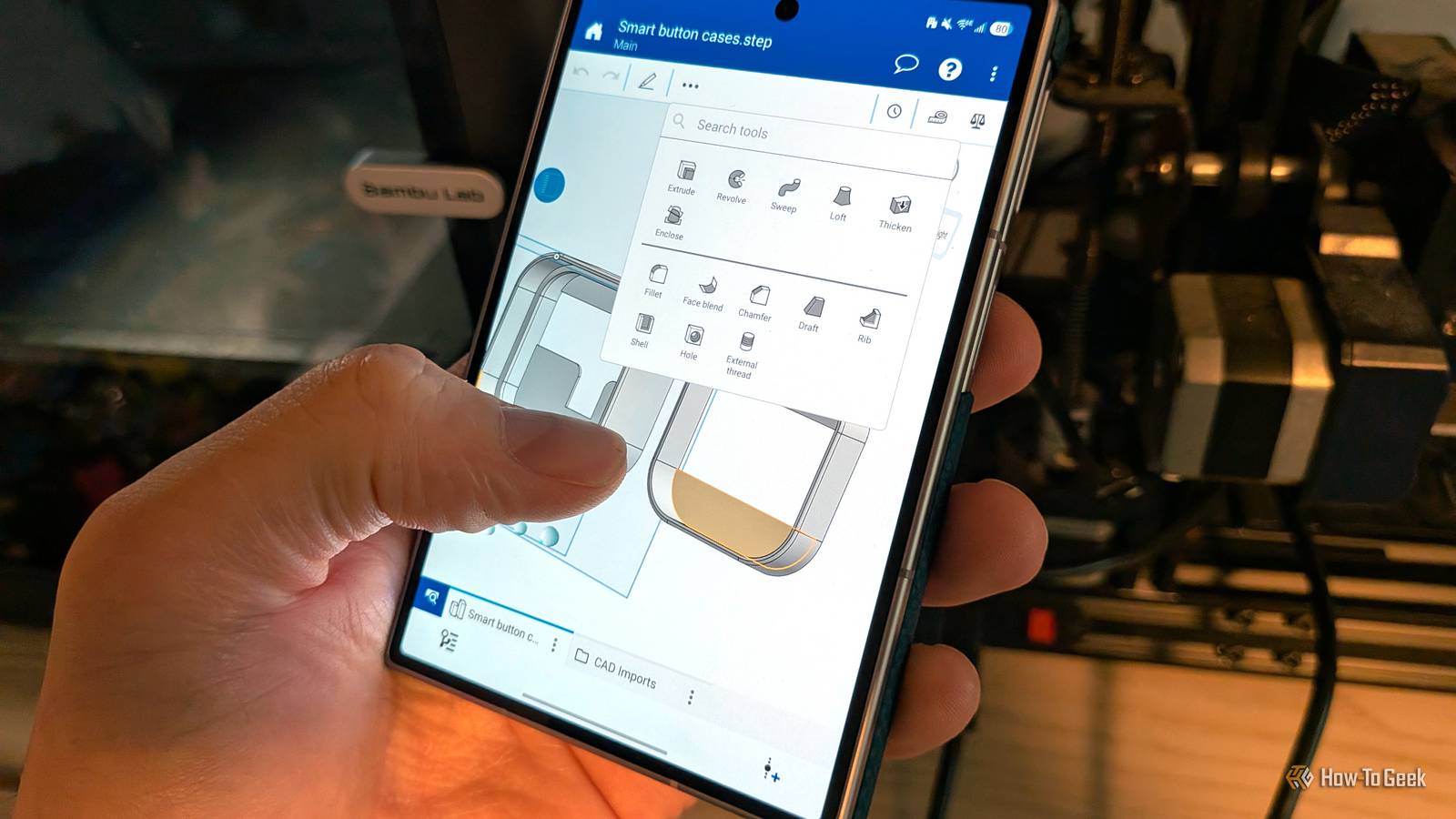
If you don’t use Fusion, there are apps for simply viewing a variety of 3D model file types.“3D Object Viewer” is a classic app that still receives updates.For editing 3D models: Onshape If you really need to make mobile edits Close As I said, the Fusion mobile app does not allow for real 3D modeling — but Onshape does.
Admittedly, this is not something I do often.Editing or creating a new model from scratch on a touchscreen is not an ideal experience.Onshape handles it about as well as I could expect.
The best workflow for Onshape is to use the desktop web app in conjunction with the Android app.That way, your models are synced between locations.However, as I said, I prefer Fusion on my computer.
So, if I’m planning to do some mobile modeling, I’ll export the model from Fusion as a STEP file and import it into Onshape.Onshape’s mobile app is surprisingly functional.A large chunk of the tools I’ve come to expect from Fusion are available.
I wouldn’t recommend it on a small screen, but if you have a foldable or a tablet, it’s more than decent.Related My phone doesn't have a microSD slot, so I 3D printed a case with microSD built in External storage that's with me all the time and doesn't block charging.Posts 8 By Joe Fedewa For monitoring 3D prints: Bambu Handy It is indeed “handy” Close One of the coolest developments since I’ve gotten into 3D printing is remote control.
My first printer had zero “smart” features, but my Bambu P1S can be accessed from my phone with the Bambu Handy app.My favorite feature is being able to check in on a print in progress.I’ve remotely stopped failed prints and saved the filament on multiple occasions — it can even skip specific objects without canceling the print entirely.
The app can also print models directly from MakerWorld, which I thought was super gimmicky at first, but I’ve actually used it a couple of times.Of course, Bambu Labs is not the only brand offering this functionality.Elegoo, Creality, and others have similar apps for their printers — but you already know that if you own one.
For browsing 3D models: 3D Collection Combining all the 3D worlds Close If you’re into 3D printing, you probably already know how tedious it is to search for models across the various repositories: Thingiverse, Printables, MakerWorld, Cults3D, etc.What makes matters worse is how poorly several of these sites perform in a mobile browser (I’m looking at you, Thingiverse).The solution is an aggregator, and I like the 3D Collection app.
It allows for searching all four of the sites mentioned above at the same time.The app pulls stats for downloads, prints, and likes, displays comments, and even lets you download files and print profiles.I find this to be drastically better than searching for models in the browser.
An Android phone is a capable 3D printer companion A mouse and keyboard are hard to beat when it comes to 3D modeling, but my phone is a helpful sidekick for other tasks.I can never go back to not being able to spy on my print from my phone, and I love being able to scroll through 3D models instead of social media.Related I 3D printed a vinyl record and it actually played music (barely) Following a decade-old tutorial, I 3D printed a playable vinyl record.
Posts By Joe Fedewa
Read More