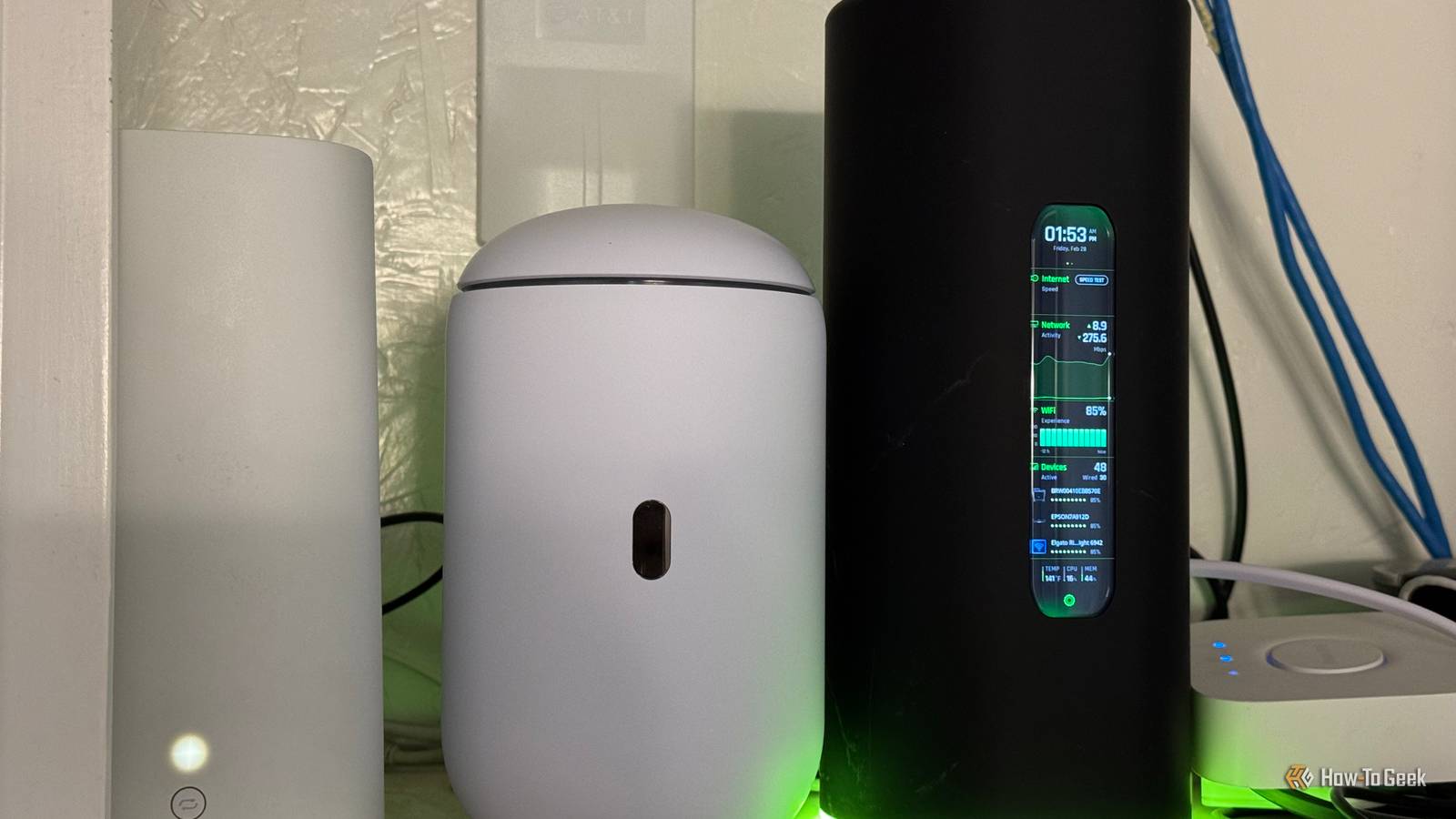
I have had AT&T Fiber for over seven years at this point.While I enjoy the service and have had very few reliability problems with it, I really just want to use my own router.AT&T doesn't allow you to use anything but its provided gateway, and it's always annoyed me.
Here's how I got around their rules and started using my own router with AT&T anyway.AT&T forces you to use their modem and router There are workarounds, but they're neither cheap nor easy While some internet service providers, or ISPs, will allow you to use your own modem and router, AT&T is not one of them.You have to use their provided system to authenticate with the AT&T fiber network.
Some folks have found unofficial workarounds for this, but they require spending well over $100 on a single adapter and it's technically a loophole that AT&T could eventually shut down, so it's not something I plan to invest in personally.But, I still didn't want to use the AT&T router and modem to handle my network traffic, so I decided to find a way to use what I wanted.I wanted to use UniFi for my home network I just prefer how it handles networking tasks Close While the AT&T router/modem I have is actually pretty good, offering Wi-Fi 6 speeds and a 5Gb Ethernet port, it doesn't give me the control that I want over my network.
I'm a big UniFi fan, as seen from my numerous UniFi posts across How-To Geek.But, to use UniFi effectively, it has to be the DHCP (dynamic host configuration protocol) server, and having two DHCP servers and a double NAT (network address translation) is a recipe for frustration.But, before we get to how I fixed that, why did I even want to use UniFi for my home network in the first place? What makes it better than the AT&T-provided modem/router? For starters, it offers far more control than the AT&T modem does.
I have a full firewall, VPN options, the ability to run multiple VLANs, I can have managed switches and networking, and expanding and adding extra nodes is far easier on UniFi than AT&T.But, the core of it is really that I just want to be the one in control of my network.I don't like others having control over what I can or can't do, and AT&T simply doesn't let me have that control with their provided modem/router, while UniFi does.
IP Passthrough mode makes this possible My AT&T modem now just acts as a passthrough gateway AT&T might not let me plug the fiber cable directly into my UniFi router—even though the UniFi router does support it—but they do have something called IP Passthrough mode.With IP Passthrough, I can put a specific device into the DMZ (demilitarized zone) which allows that specific device to basically bypass all safety and security functions of the AT&T router.The AT&T router then passes my external IP address through to that device, instead of assigning it an internal IP address.
These things combine to allow my UniFi router to act as the controller for the entire network.I have nothing but the UniFi router plugged into the AT&T modem, and the AT&T modem only sees the UniFi router, effectively.Using IP Passthrough means that anything going through the UniFi router essentially bypasses the AT&T modem.
It just passes right through, hence the name.The AT&T modem just becomes a connection point instead of a wall.Without IP Passthrough, I couldn't run my network how I do.
I've tried it in the past, and it just doesn't work right.You can't port forward properly, VPNs don't work as well, and there are a number of other issues that I ran into before I enabled IP Passthrough.Just make sure that you only enable IP Passthrough and the DMZ on another router with a proper firewall as it could become a big security nightmare if you put a normal computer in that zone.
When a company won't let you do something, there's almost always a workaround While I would love to just plug the fiber line from my wall directly into my UniFi Dream Router 7, AT&T simply won't let me do that, and I don't think that'll change anytime soon.So, until then, I'll use this workaround.That's the thing—there's almost always a workaround.
It might not be ideal, and you might not like it, but it does normally exist.I'm glad that I found the workaround I needed with my AT&T modem to let me use my own router, as I definitely couldn't go back to trying to use the AT&T router's software at this point.
Read More