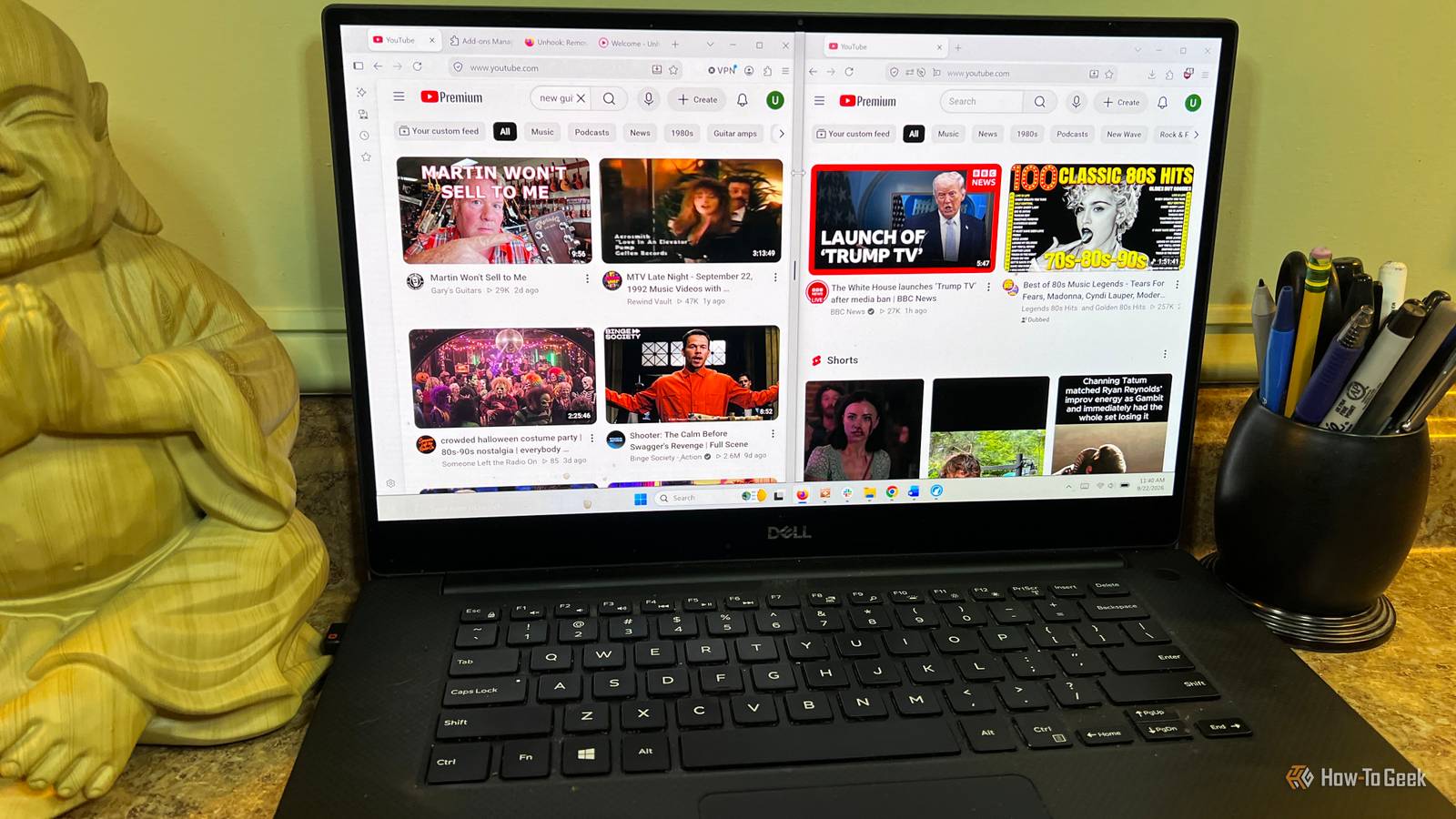
YouTube and I have a long and storied relationship.It’s one of the video platforms I turn to the most when I want to hear music or find out news about my favorite bands.Like many YouTube users, I also use it to learn new skills, figure out new songs, fix my cars, or get more out of the guitar and music production gear I spent good money on.
YouTube does a lot of heavy lifting in this space for me.Lately, my YouTube feed has been increasingly filled with political content, a topic that, while important, isn’t something I want to be watching regularly.It didn’t all happen at once.
If you’re a regular YouTube user, you can probably relate to this: you open YouTube to find something and you see a headline that is so outrageous that you have to click on it.I’m not immune to this, but YouTube seems to have decided that my homepage needs to be dominated by this topic.I’m not a political junkie and I’m much more interested in other things like music, space exploration, local news, and the occasional nostalgic trip that comes from watching one of my old favorites on YouTube.
That led me to start searching for a way to take back some control over my recommendations.YouTube doesn’t have a hard-and-fast setting for turning these recommendations off, which led me to Unhook, an extension available in Chrome and Firefox that lets you selectively remove parts of YouTube’s interface that don’t interest you.I removed YouTube's recommendations from the homepage and sidebar This wasn't necessarily what I was looking for Close When you land on the YouTube homepage you’re met with a wall of recommendations.
The Unhook extension gives you the ability to toggle the home feed on and off.I was a little taken aback when I initially did it.I thought something broke.
I just saw a blank space where all the rows of videos used to be.The only things left on the page were Home, Subscriptions, and You tabs.For a while, I relied on my subscriptions and search.
Ultimately, this was more bare-bones than I cared for, but I understand the appeal to some.I really like what Unhook does at the individual video level.Here, toggling Hide Recommended or Hide Video Sidebar makes the right column disappear, and the video fills more of the screen.
This really helped me to keep the focus on the video I was watching instead of half watching my video and scrolling down the right column.Dialing back the home feed and getting rid of the right-hand column really helped me avoid that rabbit hole we’ve all experienced where you click on a video and an hour later you say “Where did the time go?” You can also easily toggle on Disable Autoplay to prevent the next video from starting.Unhook also lets you hide things like comments and live chat on individual video pages, though that was outside the scope of what I was trying to fix.
I added some of YouTube’s homepage back Removing Shorts and other distractions was the better compromise After some experimentation, I decided the homepage being blank was too aggressive, so I toggled the home feed back on.I still want to find content creators on the topics I care about, but I wanted to take back some power from YouTube’s recommendation system.In the Unhook extension, I turned off Shorts, Recommended Videos, and the Explore and Trending sections.
The homepage looked less cluttered and there were still useful videos surfaced.Removing Shorts really gave back some of the real estate on the home feed.Related I Hated Browsing YouTube Until I Changed This Setting Peruse the YouTube library free of frustration.
Posts 19 By Tony Phillips This compromise has been working well for me.I still get some new video discovery but without all the other distractions.Instead of landing on the home feed and starting my journey there, I tend to go straight to my subscriptions.
If I’m looking for something new, YouTube Search works great.It’s changed my relationship with YouTube.Before, many of my interactions felt similar to Instagram, where I’m scrolling through a feed driven by an algorithm.
Now my interactions have more purpose.YouTube still gives you some control over your feed You can still shape what shows up YouTube does offer some ways for you to streamline your feed without using an extension like Unhook.There are built-in features like using “Not interested” on a video or “Don’t recommend channel.” You can also remove videos from your watch history.
This is helpful when one topic starts taking over your feed, as I mentioned earlier.YouTube Premium also has a feature called Your Custom Feed.Clicking this will take you to a page where you can build a prompt around a topic, mood, or interest you choose.
This can be really handy for research.A few takeaways after changing how I use YouTube Unhook isn’t the only way to change what you see on YouTube, but it does give you more direct control over what stays on the page.None of the changes I made were permanent.
I could easily toggle the entire extension on or off or remove it entirely.If you feel like YouTube has too much going on, this extension is an easy way to strip back the parts you don’t want.
Read More