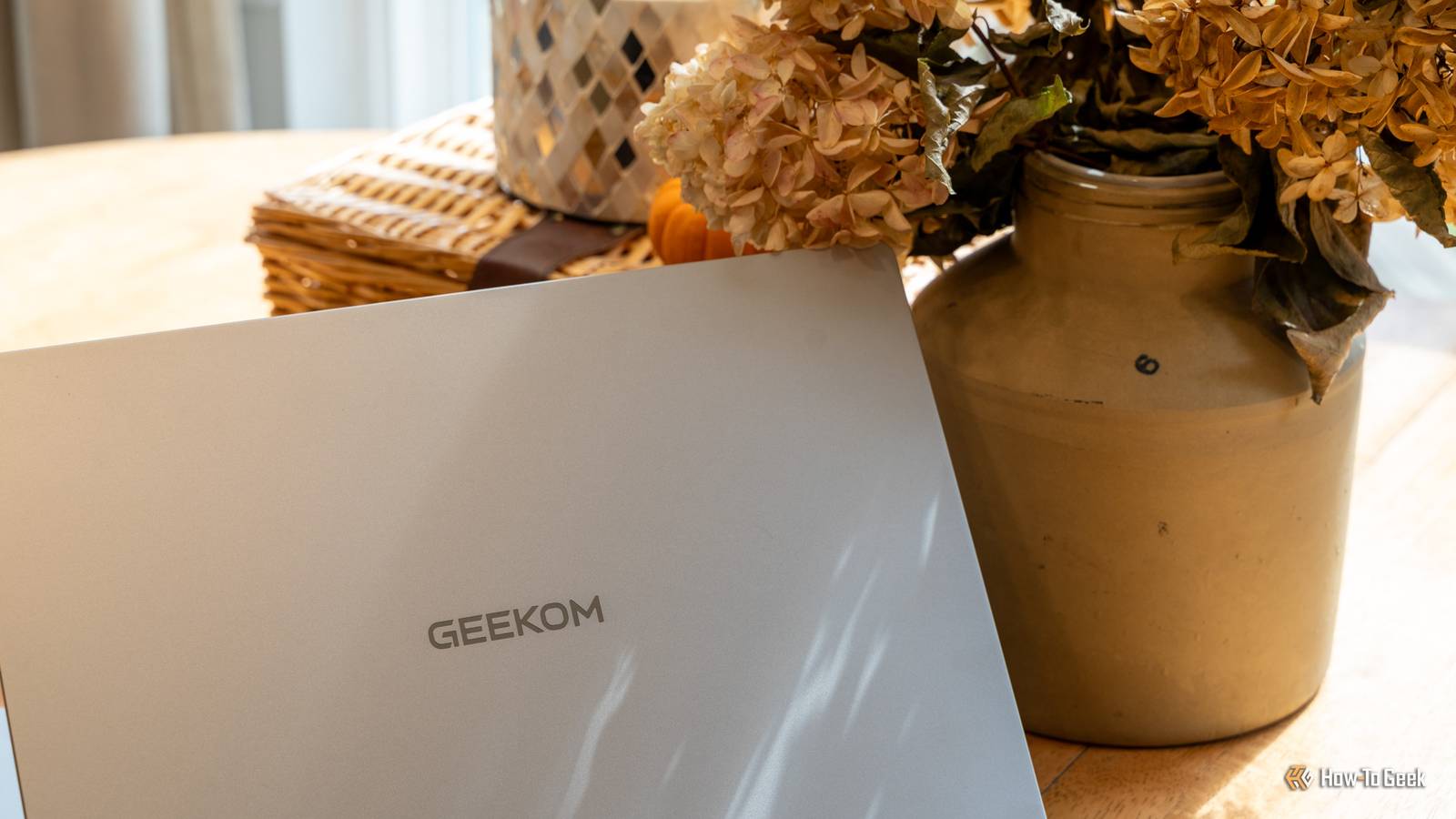
You might recognize the GEEKOM name from the mini PCs the brand makes.But, did you know that GEEKOM also makes laptops? I've spent the past few months with the GEEKOM GeekBook M16 and I have to say—I'm impressed.GEEKOM GeekBook M16 8 Operating System Windows 11 Pro CPU Intel Core Ultra 9 185H (16 cores, 22 threads, up to 5.1GHz) GPU Intel Arc graphics (integrated) RAM 16GB LPDDR5 (soldered) GEEKOM's GeekBook M16 laptop is the perfect laptop for your daily tasks.
It has an all-day battery life, Core Ultra 9 processor, and premium aluminum build.Plus, it has both USB-C (with USB4) and USB-A ports as well as HDMI output—no dongle needed. Pros & Cons Aluminum build feels far pricier than it is Core Ultra 9 handles maker and CAD work USB4, HDMI and USB-A built in, plus a dock in the box Big 99.9Wh battery with excellent standby Fingerprint reader and backlit keyboard Display is only 60Hz 16GB RAM is soldered Second SSD slot only fits 2230 drives See at Amazon $899 at Best Buy $899 at GEEKOM Expand Collapse See Our Process How We Test and Review Products at How-To Geek We go hands-on with every product to ensure it's worth your time and money.Posts By Justin Duino Price and availability The GEEKOM GeekBook M16 laptop is available to purchase directly from GEEKOM, Amazon, and Best Buy at a $899 MSRP.
Specifications Brand GEEKOM Operating System Windows 11 Pro CPU Intel Core Ultra 9 185H (16 cores, 22 threads, up to 5.1GHz) GPU Intel Arc graphics (integrated) RAM 16GB LPDDR5 (soldered) Storage 512GB PCIe 4.0 NVMe SSD (M.2 2280, up to 4TB); extra M.2 2230 slot (up to 2TB) Battery 99.9Wh Display (Size, Resolution) 16-inch, 1920x1200 (16:10), 60Hz Speakers 2x stereo speakers, DTS:X Ultra Ports 1x USB4 (40Gbps), 1x USB-C 3.2 Gen 2 (10Gbps), 2x USB-A 3.2 Gen 1 (5Gbps), 1x HDMI 2.0, 1x 3.5mm combo jack Network Wi-Fi 6E (Gigabit Ethernet through the included dock) Dimensions 14.0 x 9.8 x 0.66 inches (355 x 250 x 16.7mm) Weight 3.8 pounds (1.73kg) Price $899 Model GeekBook M16 (NM16DM) Power 100W USB-C Power Delivery Finish CNC-milled aluminum unibody Keyboard 98-key backlit keyboard (4 levels) with number pad Display type IPS, matte Audio 3.5mm headphone/mic combo jack, DTS:X Ultra Webcam 1080p (2MP) with privacy switch Security Fingerprint reader in power button, TPM 2.0, webcam privacy switch Expand Collapse GEEKOM's aluminum chassis feels like a much pricier laptop My only real gripe is the tiny second SSD slot Close I wasn't sure what I was expecting when I first was told the GEEKOM GeekBook M16 laptop was heading my way.I have several GEEKOM mini PCs as it is, and I figured it would be just like those—decent quality but nothing super impressive.My first thoughts when pulling the GeekBook out of the box were that I was very impressed with the build quality.
It felt better than laptops I've reviewed at twice this price.The aluminum chassis is very premium and GEEKOM definitely did well with it.The laptop has a little heft to it at nearly four pounds, but it's not too heavy.
The aluminum really does its job here.All the edges are rounded and I don't feel like anywhere is too sharp.GEEKOM also went the extra mile and made the laptop (somewhat) upgradable.
The included 512GB NVMe SSD is user-replaceable and is the proper 2280 size, supporting up to a 4TB drive.There's a second M.2 slot at 2230 in length that supports up to 2TB of storage if you need more.Sadly, the RAM is soldered, so this laptop is forever stuck at 16GB of LPDDR5 RAM with no upgrade path.
The keyboard is solid, though not amazing.It's not the worst laptop keyboard I've used, but I definitely felt that the keys were a bit more stiff than I personally like.Overall though, I had no real issues using the keyboard.
The keys themselves just aren't my cup of tea.GEEKOM also went the extra mile and put a fingerprint reader in the power button as well as backlit the keyboard.I mention that as going the extra mile because this is a sub-$1,000 laptop with more premium features, and it's always good to call those things out.
The Core Ultra 9 never once felt slow It's not Intel's newest chip, but you'd never know it in daily use We're on the third generation of Core Ultra processors now, so this is technically two generations behind.However, I never felt that.I've used the GeekBook M16 to run my woodworking and laser shop and it never skipped a beat.
From running CAD software to controlling lasers, I never felt it slow down.Now, in heavy CAD work, like Fusion, it definitely got a bit sluggish—but so does my M1 Max MacBook Pro or Ryzen 9 7900X desktop.Heavy CAD work is heavy no matter the system.
The Core Ultra 9 185H in this laptop has 16 cores, 22 threads, and actually can run at 55W sustained thanks to the extra tuning that GEEKOM did.Overall, I never noticed it being sluggish in the day-to-day, and I would have no problems recommending this GeekBook to someone who does maker-focused work (or any work, for that matter).The Arc integrated graphics were also fairly solid.
While it doesn't have amazing performance, this sub-$1,000 laptop game.I played No Man's Sky on it with no problems, especially when enabling XeSS.Forza Horizon 5 and 6 also run decently on it, though Horizon 5 definitely runs smoother as it's a bit of an older game.
At the end of the day though, this isn't a gaming laptop—but it can definitely still game.The display is solid for what it is I was pleasantly surprised with the experience it provided for under $1,000 I've definitely been spoiled by high-end laptop displays.OLED screens, 3.2K resolutions, 120Hz refresh rates, inky blacks, ultra-bright panels, and more.
The GeekBook has none of that, but that's okay.This laptop is under $1,000, and the screen is actually quite good with that qualifier.It's 16:10 with a 1920x1200 resolution and a 60Hz refresh rate.
It actually looks good for those specs.Never one time when I was looking at the display did I think "I wish it was higher resolution" or "They should have put an OLED on this." There were a few times when I wished it was a higher refresh rate, like Dell put on its XPS 13, but that's not the end of the world.For the type of work that I'm using the GeekBook M16 for, and for the type of work I expect others will be doing with it, the screen is just right.
GEEKOM didn't skimp on ports, and there's a dock in the box too USB-A and HDMI built in already beat a MacBook Air We're seeing more and more laptops going to USB-C only.Apple started the trend a decade ago, and many Windows laptops are definitely moving that way.GEEKOM didn't, though.
The GeekBook M16 actually has a pretty solid port lineup.On the left side there's a USB4 port at 40Gb/s, which is amazing for hooking up things like dedicated graphics cards or high-end docks.Next to that is a USB-C 3.2 Gen 2 port at 10Gb/s.
Between those two ports there's a HDMI 2.0 output.On the right side of the laptop there are two USB-A 3.2 Gen 1 ports at 5Gb/s each and a headphone jack.This alone would normally be pretty solid I/O for a laptop, but GEEKOM went a step further and included a USB-C dock in the box with the GeekBook M16.
The dock adds Gigabit Ethernet, another HDMI port, two more USB-A ports, and USB-C Power Delivery passthrough for charging.Battery life was also fairly great during my testing, and the standby/hibernation mode works fantastically, too.For example, I did a lot of traveling between August and October, so the GeekBook sat idle for a majority of that time and didn't drop a single percent in charge.
During use, the 99.9Wh battery (which is the biggest size you can take on a flight without airline approval) definitely felt spacious.I wasn't able to fully test the 24-hour claim that GEEKOM makes for the laptop, but it wouldn't surprise me if it would go that long on a single charge with light use.Should you buy the GEEKOM GeekBook M16? If you're looking for a sub-$1,000 laptop, I think the GEEKOM GeekBook M16 is honestly one of the best deals on the market.
Coming in at $899, and often on sale for less, it offers a premium build, great performance, and a solid overall experience.I also love that GEEKOM wasn't trying to be Dell or Lenovo here.They did their own thing and it worked.
This is a solid laptop from a mini PC maker and I think anyone who buys it with that in mind will be very happy with it.GEEKOM GeekBook M16 8 Operating System Windows 11 Pro CPU Intel Core Ultra 9 185H (16 cores, 22 threads, up to 5.1GHz) GPU Intel Arc graphics (integrated) RAM 16GB LPDDR5 (soldered) GEEKOM's GeekBook M16 laptop is the perfect laptop for your daily tasks.It has an all-day battery life, Core Ultra 9 processor, and premium aluminum build.
Plus, it has both USB-C (with USB4) and USB-A ports as well as HDMI output—no dongle needed. See at Amazon $899 at Best Buy $899 at GEEKOM Expand Collapse
Read More