If you’re interested in robotics, a great way to get started is with an affordable kit that will let you focus on software and control, rather than frustrating and overwhelming hardware design.But once you play with that kit for while, you’ll probably reach a point where you want more capability than just line-following or remote control.At that point, you can take a page from Iulia’s book and use an Arduino UNO Q to add real intelligence.
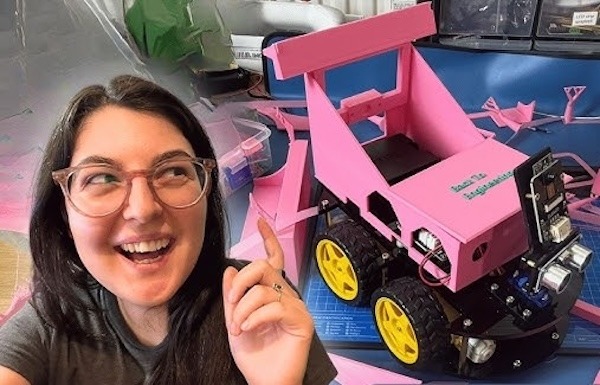
Iulia started with an entry-level robotics kit from Elegoo.It had an Arduino UNO Rev3 for control, a shield providing motor drivers and connections, and only a few sensors to perform tasks like obstacle avoidance and line-following.That’s fun at first, but one can do so much more with some enhancements.
The most important upgrade Iulia performed was swapping the UNO Rev3 out for an UNO Q.They have identical headers, so moving the shield over was easy.That gave the UNO Q the same control over the motors and Iulia could very simply reproduce the original functionality.
But the UNO Q also gave Iulia a lot more horsepower to work with.Its STM32 microcontroller is far more powerful than the ATmega328 it has the entire microprocessor running Linux.That microprocessor is more than capable of running local machine learning models, which meant that Iulia could take advantage of AI to make the robot far smarter than it was.
She implemented that by connecting a standard USB webcam, so the UNO Q could see the world.She then pulled that video feed into the Arduino App Lab’s face tracking Brick.Some simple code translated that detection into movement commands for the robot.
It looks for the position of a face in frame and turns to keep the face centered, then drives forward towards the face it sees.That’s a bit aggressive, because it essentially chases any face it sees.But it proves how effortlessly—and affordably—you can turn a basic robot kit into something far more capable and sophisticated by taking advantage of UNO Q.
Read More