Over time, I've discovered several Docker containers/apps I can't work without.FOSS apps are consistently high-quality, but some apps kick it up a notch.I loved the app so much and got to thinking about similar apps.
Apps you might jokingly say "do things you wouldn't expect from a Docker container" because they're premium-level, feature-packed programs that are (usually) free, self-hostable, and containerized.Here are a few of the best ones I've found.Paperless-ngx For creating a searchable document database Close We'll start with something near and dear to my work: document management.
Paperless-ngx can handle anything I throw its way.It aligns with my interest in building and maintaining a Knowledge Base in a seamless way while also allowing me to have a hub for all my documents.Paperless-ngx is open-source and is meant to build a searchable database of physical documents.
The idea is you'll scan or photograph your documents and upload them into the database.I'm using it to manage expenses, keep track of music ideas and lyrics, as well as building a database of manuals and chord charts.Paperless-ngx uses OCR (optical character recognition) to read and categorize the documents you upload.
To install it, I used the Docker Compose YML file, but made a few adjustments to get it to my liking.Once I started the container with docker compose up -d, I created a login and got started.The interface is very simple and intuitive.
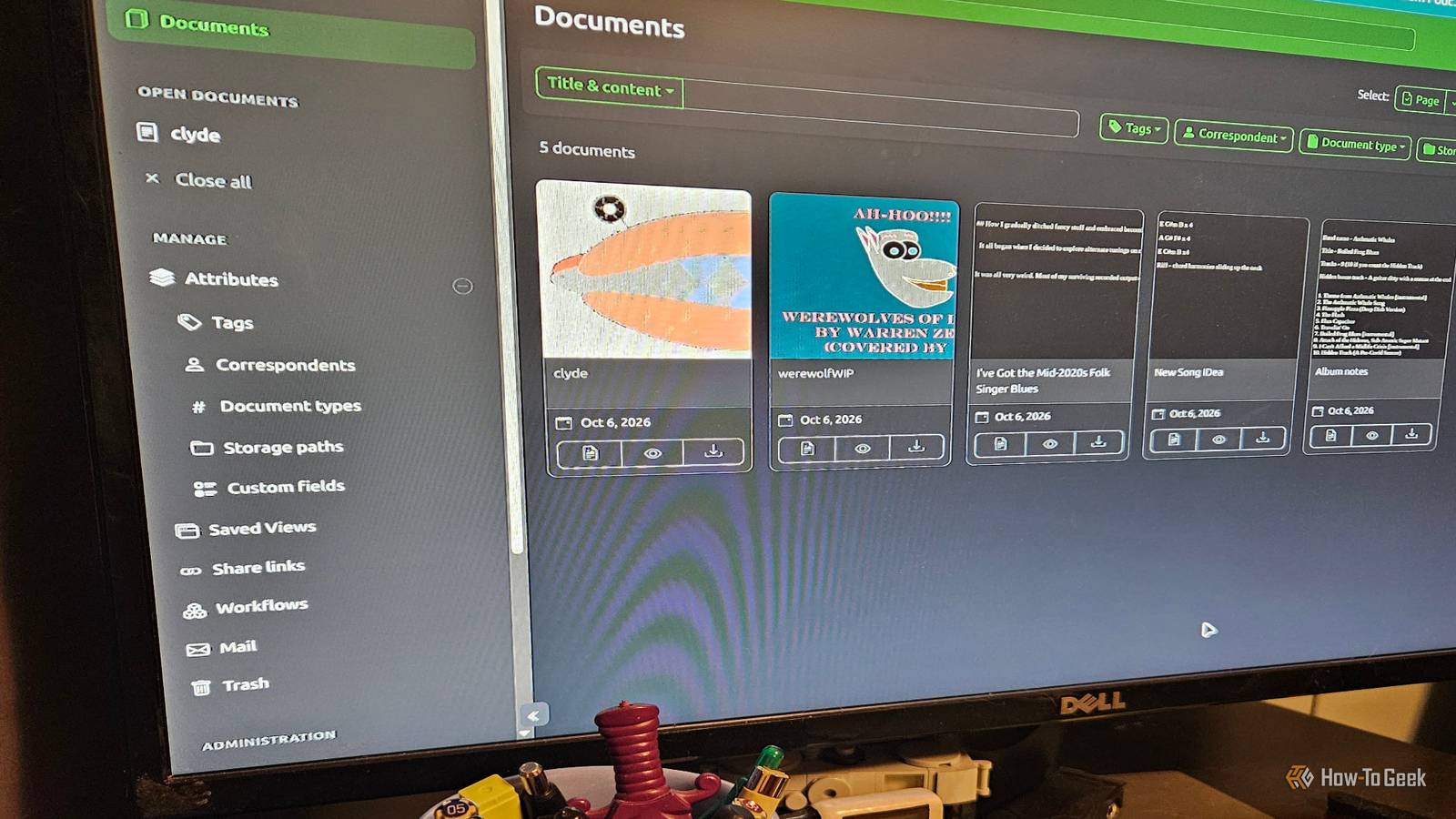
The idea is you just drag and drop your documents on the right side, and it'll start building the index from there.You can also change OCR settings, AI settings, and add an application logo.For my initial test, I used it to organize and back up documents related to an album project I've been kicking around for the past few years.
I set my OCR output to PDF and kept everything in the standard configuration.I made sure all AI functions were switched off, since I didn't want to use them for this particular project.There are going to be some proprietary documents in here that I don't wish to share with LLMs.
I added my logo (a flying cheeseburger named Clyde) and started uploading files.Setting up info for the document is pretty straightforward.When you click on the document or image, it opens up a sub-menu where you can add the appropriate data (serial number, creator, and so on) and tag it.
This is an example of my "logo:" From there, I began uploading appropriate documents: the song list, lyrics, HTML files, chord charts/images, and other data relevant to the album project.Once everything was loaded, I was able to really start working on the project (a project that I'd been putting off for a decade at this point).I wasn't expecting to have the ability to build this type of database with a containerized app.
It's pretty simple and helped me start a very ambitious project that I've been putting off for a while.I plan to use this in the future for more than just my ambitious music project, and I'm pleasantly surprised by how good it is.Open Web UI and Ollama A match made in Docker heaven I know, I know.
I've made it crystal clear that I'm not a fan of LLMs in the past (mostly because of the environmental impact, dodgy info, disdain for AI art, and the way the weirdos in charge of it market them).That hasn't changed.But I have an open mind about tech and during my research, I couldn't pass up the opportunity to talk about using Docker to self-host a local LLM.
I've actually been curious about Ollama for a while now, so I took this as a sign to install and take it for a test run.It uses Open WebUI.Ollama has been available as a Docker image since 2023.
I tried it because I like to self-host things and because it can run offline without sending my data anywhere else.Once installed, I selected llama 3.2:1b (I plan to try 3b and mistral as well) as the model to run, since it's pretty lightweight and my test machine could handle it.I set up the Docker Compose file and then pulled the model directly in with docker exec -it ollama ollama run llama3.2:1b.
The interface is pretty straightforward.The AI's a bit slow, but that's to be expected.I started by asking it about its limitations and capabilities.
Then I made it create puns and a brain-teaser.It wasn't very good at puns, I'm sorry to say.It resorted to dad jokes pretty fast, but I did chuckle at the coffee cup being .
Peak LLM humor.The brain-teaser was a horrible failure.I answered it, the model got confused and started coding...something.
Let us never speak of it again.I never would've expected Docker to handle an AI chatbot, but it works, and I can see plenty of potential uses in the future.Docker continues to amaze and surprise me Sometimes you find a good app in an unexpected place.
Docker is full of those types of surprises.While I've only explored a few here, I'm still discovering new and useful software.I've found Docker to be a powerful companion to my work, hobbies, and the just plain absurd projects that I like to do in my free time.
Related I used this open-source, self-hosted Docker app to finally get my physical media collection under control I got tired of using spreadsheets to track my physical media collection.Here's the self-hosted app I use instead.Posts 1 By David J.
Buck
Read More