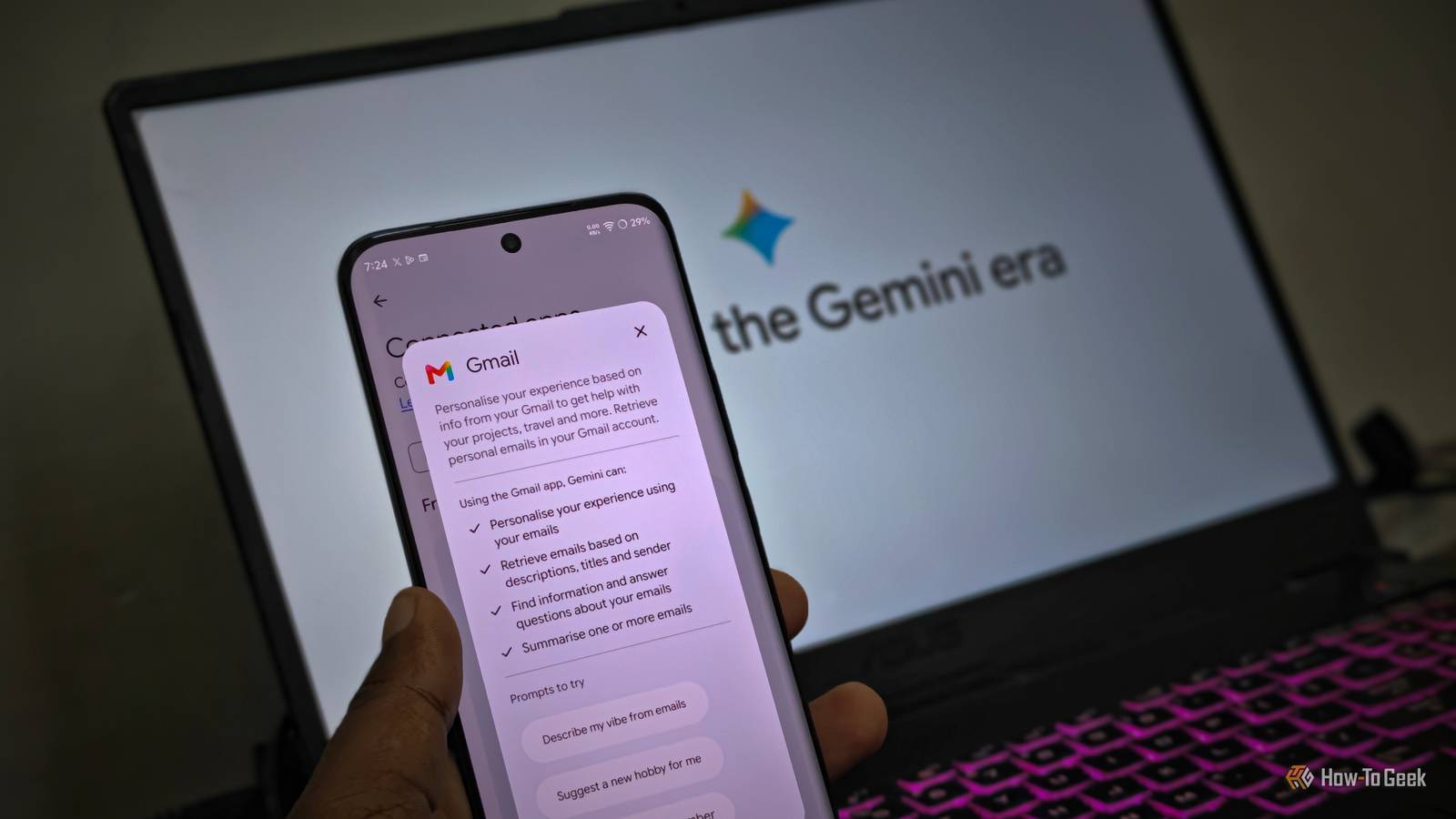
Gemini Spark, which is part of the Google AI Pro and Ultra subscription, is still relatively unexplored by many users.Spark is Google's take on 'Personal AI Agents for Everyone,' letting you create tasks and workflows using simple prompts.No need to worry about data connectors, skill setup, instruction set, etc.
The fact that most of us rely on Google products every day, Gemini Spark relies on them — Gmail, Docs, and Drive — to execute complex multistep processes all by itself 24 x 7 on your behalf.With just a few sentences of a good prompt, I pretty much automated my routine digital chores, such as morning briefing, keeping track of my learning throughout the week, streamlining travel logistics, personal finance, and more.Automating your daily morning brief Get a unified breakdown of your schedule, weather, and critical inbox alerts before you leave bed Close Every weekday at {Preferred Time}, generate my 'Daily Morning Brief.' Check my Google Calendar for today's agenda, fetch the current local forecast, and pull the top three regional news headlines for {Your City/Region} from reputable local news sources.
Next, scan my Gmail for unread emails received in the last 12 hours, highlighting only urgent items requiring a reply before noon and summarizing any package delivery updates.Finally, cross-reference my calendar commitments with my flagged emails to generate a suggested, prioritized to-do list for today arranged into high, medium, and low urgency.Digging emails, checking tasks, and keeping up with the latest news are my morning priorities, and I usually like to do all of this over my morning coffee.
Planning my day takes a lot of cognitive load, and I can get distracted easily.So, I've set up a task in Spark by just typing this prompt, and the rest is taken care of by Spark.It digs through Gmail, Google Tasks, the Web, and Calendar to pull all the info into one place.
In order for the Spark agent to pull data across your Google Apps, you'll need to connect your Google Workspace apps with Gemini.You can do so by going through Gemini Settings -> Personal Intelligence -> Connected Apps -> make sure Google Workspace is enabled.Maintaining a frictionless daily learning and habit log Automatically append your daily wins and new skills to a running master document Keeping track of what you learn every day and reflecting on it becomes important in the long run.
While there are plenty of note-taking apps that can help you do this, you can leverage Spark too.While quickly taking a note is simple and faster, on days I feel lazy, I simply head to my Spark chat and start yapping about things I've learned through a voice prompt, then tell it to “keep track.” It immediately structures my learning and adds it to a dedicated Google Doc, making it easier to maintain my learning log.Whenever I start a prompt with the phrase 'keep track,' take the text that follows, format it with today's date and a bullet point, and append it to the bottom of my 'Daily Learnings Tracker' Google Doc.
Related Google just made this Gemini paid feature available for free From generic chatbot to a true digital assistant.Posts 1 By Viraj Gawde Curating a personalized weekend watchlist Stop doomscrolling streaming apps and let AI schedule your movie nights every Thursday Keeping track of all the movies and shows releasing in a particular week can be a hassle when they're spread across multiple streaming providers, and it takes a lot of patience — and even more doomscrolling.So I set up a dedicated Spark scheduled task to do the hard work for me.
Every Thursday, I get a dedicated response that curates the latest releases across major OTT platforms, including Netflix, Prime Video, and Disney+, helping me decide what's worth watching.If you play around with this prompt, you can curate a more personalized experience, tailored to your streaming needs.So, I'd suggest giving it a try.
Every Thursday at 6:00 PM, scan major streaming platforms, including Netflix, Prime Video, Disney+, Max, and Apple TV+ for all new movies and TV shows released this week.Provide each title along with its streaming service, genre, runtime or season count, and Rotten Tomatoes or IMDb rating, so I know what is worth watching.For every recommendation, write a concise one-sentence premise and explicitly flag whether it is a must-watch or safe to skip.
Gemini Spark requires you to have a Google AI Pro subscription ($19.99 per month).If you're a college student, you can claim 12 months of Google AI Pro at no cost.Catching sneaky subscriptions and trial cutoffs Prevent surprise bank charges by auto-logging renewal notices and return windows The majority of apps and services we use follow a subscription model, and there's a good chance you've subscribed to at least 10 of them.
As the number of services we rely on grows, there's a high chance we'll sign up for a trial and forget about it, only to notice the deductions on our bills later.So I set up a smart way to analyze my emails, track subscription renewals, invoices, and price increases, and log them in a dedicated Google Sheet.Every Sunday evening, scan my Gmail from the past seven days for keywords like 'free trial,' 'subscription renewal,' 'price increase,' 'membership,' or 'invoice.' If you find an upcoming charge or trial expiration, extract the service name, cost, and renewal date.
Append these entries to my 'Sub Tracker' Google Sheet and flag any charges scheduled within the next 48 hours.Consolidating travel confirmations into master itineraries Turn scattered flight receipts and Airbnb bookings into a single, pocket-ready Google Doc Email overload is real, especially when you're traveling, and your inbox is filled with receipts for booking confirmations, flight or transportation details, and more.Consolidating all the details and keeping track of everything in one master document is a smarter approach.
To do so, I wrote the prompt below on Gemini Spark and got my travel itineraries sorted instantly.Scan my Gmail for all booking confirmations, e-tickets, and hotel reservations related to my upcoming trip.Extract the departure times, flight numbers, seat assignments, confirmation codes, hotel check-in/out windows, and physical addresses.
Organize this chronologically into a new Google Doc titled 'Trip Master Itinerary,' and format it as a quick-reference cheat sheet with check-in hyperlinks.Put your routine on autopilot While the world around us is buzzing with complex AI development terms like "agentic AI," "skills," "tool use," and "multi-agent orchestration," Google is trying something with Spark that makes personal AI agents more accessible without requiring complex setup, coding knowledge, or infrastructure.Be mindful of the fact that it's still in beta testing and only available to Google AI Pro or Google AI Ultra subscribers.
In my experience, Gemini Spark was pretty stable, although I found prompt execution to be a little slow at times.It should be improved in the coming months.Nonetheless, if you have access to Spark, it's definitely worth trying, and these prompts should act as a great starting point.
Read More