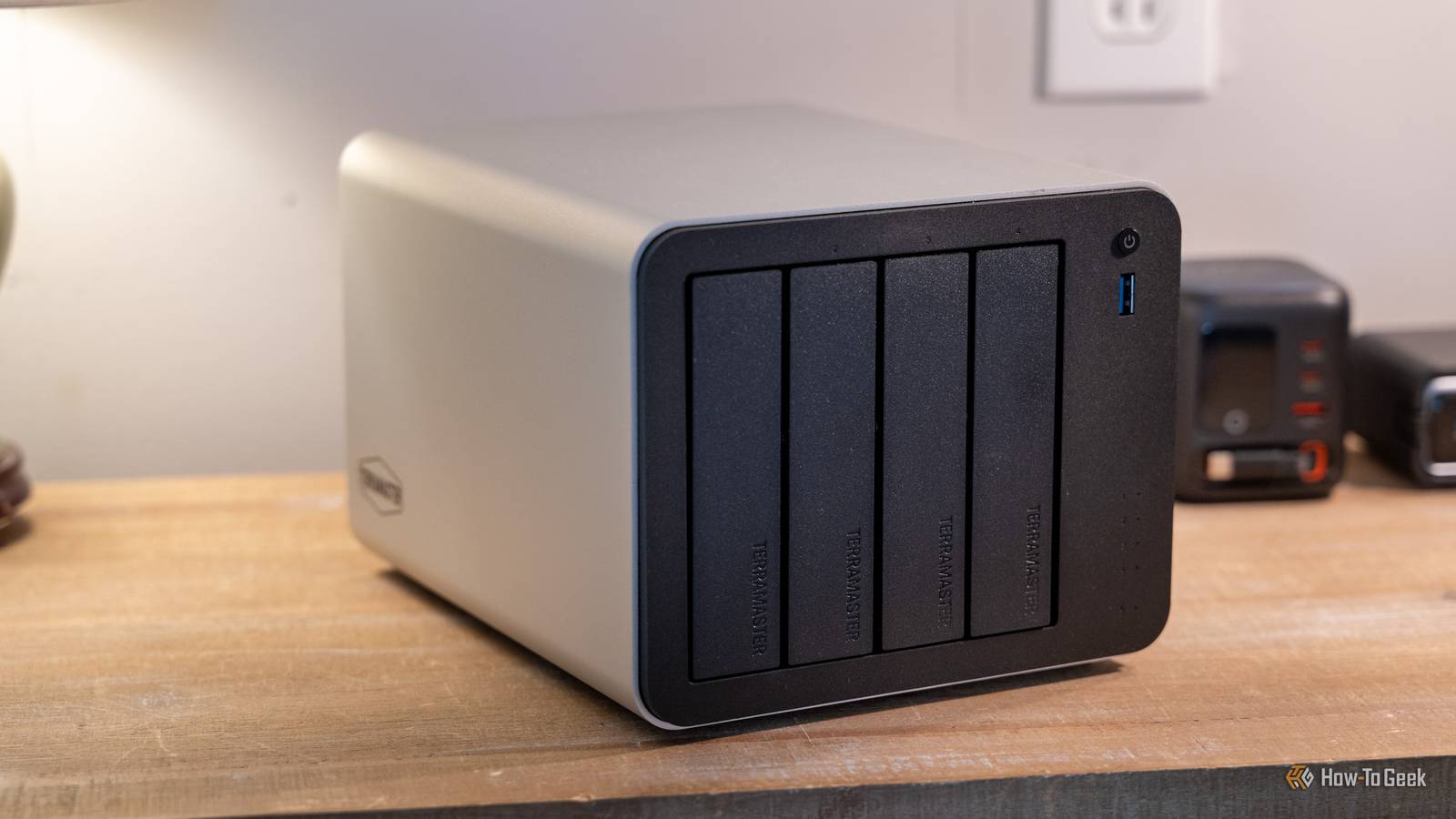
My new NAS does not stream movies, serve files to every device, run containers, or sit there waiting for the next request.Most of the time, it consumes no power at all.I turn on my NAS roughly once a month, use it for a specific backup job, verify that everything is there, and shut it down again.
That might sound like a strange way to use a NAS, especially when common practice assumes that the machine should remain available around the clock.But not every storage system needs to behave like a server.A NAS does not have to be an always-on server Availability is useful only when you actually need it Close The traditional NAS model makes sense when the storage is part of your daily computing environment.
If you use a NAS for shared documents, media streaming, virtual machines, surveillance recordings, backups from several machines, or services running in containers, shutting it down defeats the purpose.My use case is quite different because some of my data needs to be available immediately and that belongs on storage that is online all the time.Other data (which is the majority) might not be touched for months.
Once something falls into that category, permanent availability becomes much less important.A NAS used for this kind of storage is closer to a personal archive than a traditional file server.That changes the design considerably.
Instead of optimizing for low latency and constant availability, I can optimize for capacity, data integrity, power consumption, and long-term reliability.The NAS can remain powered off until I actually have something worth doing with it.Related I built a low-power NAS out of a Raspberry Pi NASberry Pi.
Posts 5 By Nick Lewis There was a time when accessing archived data meant finding removable media, connecting external drives, or maintaining a collection of optical discs.A dedicated NAS makes cold storage much easier to manage as the disks remain installed in one machine.The filesystem remains intact and with it the datasets, snapshots, permissions, checksums, and directory structure remain available.
When I need the archive, I turn the machine on.That is a much smaller inconvenience than running several hard drives continuously for the entire month just so I can access a file that I probably will not need.The electricity savings are more substantial than they sound A six-drive NAS can consume power even while doing nothing Power consumption is an obvious benefit of shutting the NAS down, but it is easier to appreciate when you put some numbers behind it.
A typical multi-drive NAS can easily draw somewhere around 50 to 60 watts while sitting idle, depending on the processor, motherboard, disks, fans, power supply, and other hardware.Consider a NAS that averages 50W while powered on.Running that system continuously would consume: 50W × 24 hours × 365 days = 438 kWh per year.
At an electricity rate of $0.15 per kWh, that works out to about $66 per year.At $0.20 per kWh, it becomes roughly $88 per year.Those numbers are not enormous on their own, but the important point is that the NAS is providing almost no value during most of those hours in my particular use case.
Related 7 reasons your NAS will never replace the cloud There's always at least one cloud in the sky.Posts 32 By Sydney Butler If I instead run it for six hours once a month, the annual runtime is only 72 hours.At the same 50W average draw, that is about 3.6 kWh per year.
Still, if storage is only being used for a few hours each month, powering an entire multi-drive computer for the other 8,688 hours of the year is difficult to justify purely for availability.My monthly backup has a specific job The NAS is a destination, not my primary working storage Close My working machines hold the data I actively use.During the monthly maintenance window, I bring the NAS online and synchronize the selected datasets to it using ZFS replication, (you can also use rsync or Borg) which allows the NAS to receive only files that have changed since the previous run instead of copying the entire dataset every time.
Related Backing up isn’t enough: A modern guide to ZFS on Linux It's awesome—but it, sadly, has some downfalls.Posts 2 By Arol Wright Deduplication is important because a monthly backup does not necessarily mean transferring everything again.After the initial copy, the incremental synchronization can be considerably smaller.
After the synchronization completes, I can inspect the results, check the relevant datasets, and shut the NAS down.That makes the machine a deliberately scheduled backup destination rather than another server that happens to contain backup data.A scrub reads data and metadata stored in the pool and verifies their checksums.
With redundant storage, ZFS can use the available redundancy to repair corrupted data when the necessary conditions are met.That makes the monthly startup more than simply copying files and also becomes an opportunity to check whether the storage system is healthy.What about wear from constantly starting the drives? Spin-up cycles are a real consideration There is an obvious counterargument to this approach that hard drives have mechanical components, and repeatedly spinning them up and down creates start/stop cycles, but there is an important difference between shutting down a NAS once a month and aggressively spinning individual drives up and down dozens of times every day.
In my case, the NAS performs one startup for its monthly maintenance window.The drives then remain running for the backup and verification work before the entire machine is shut down.Related Your unpowered SSD is a ticking time bomb Long-term cold storage on an SSD could be a risky business.
There are better options.Posts By Monica J.White That gives me very few power cycles compared with a system configured to repeatedly wake disks throughout the day.
There is also no guarantee that leaving a drive spinning continuously will make it last longer.Mechanical storage can fail for many reasons, and workload, temperature, manufacturing variation, vibration, and simple component failure all play a role.The practical approach is to treat power cycling as one factor rather than assuming that either constant operation or regular shutdown is automatically better for every drive.
My NAS is basically a digital archive There is nothing wrong with running a NAS 24/7.In fact, that is exactly what many people should do.A NAS can be an excellent home server, but my NAS is a centralized, locally controlled archive that I can bring online when I need to update or inspect it.
For data that rarely changes and rarely needs to be accessed, that is not a particularly strange way to use a NAS.
Read More