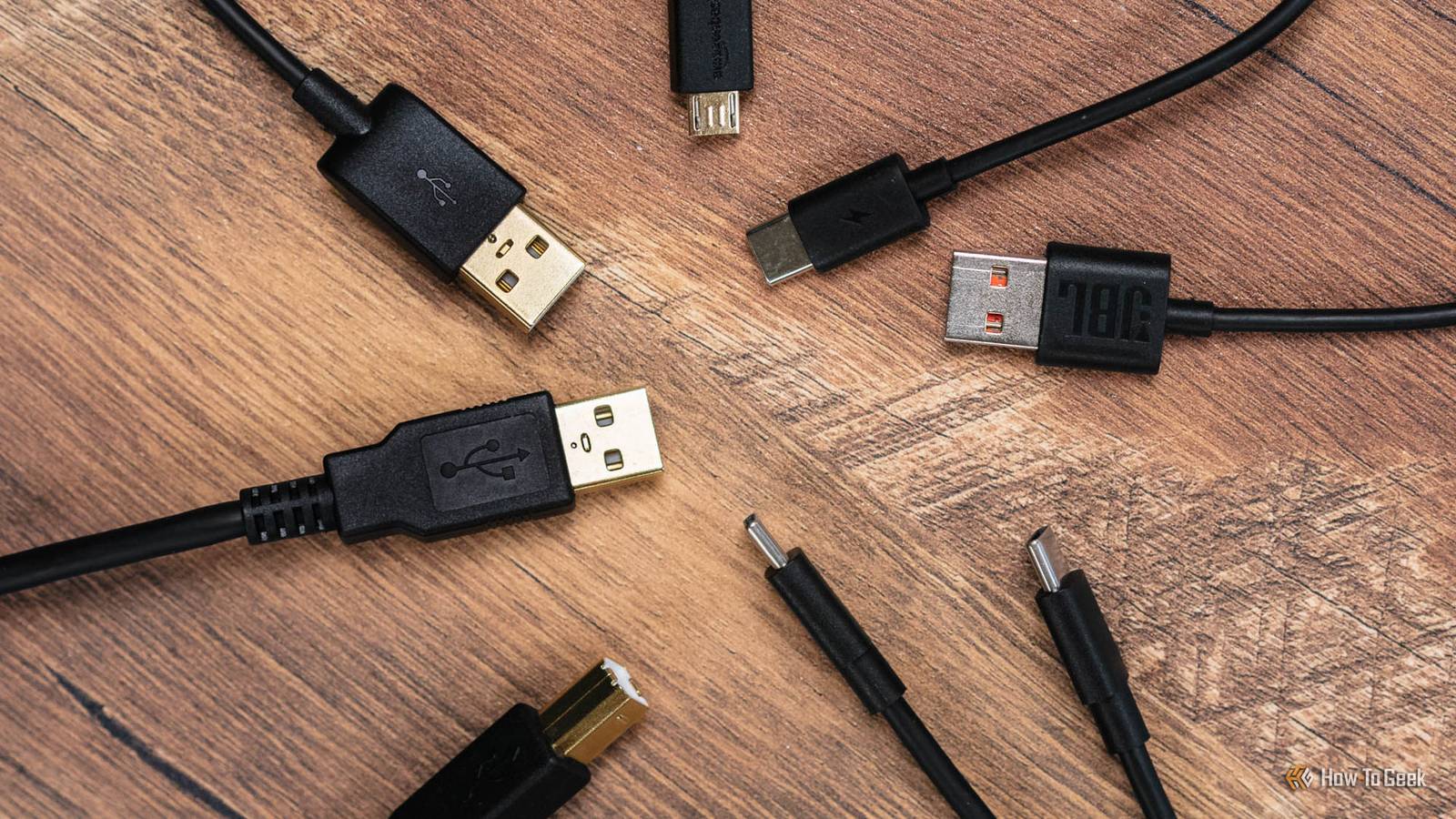
Most people know to avoid sketchy downloads or suspicious links, but they don't think twice about USB cables.People buy whatever they find at a gas station because it looks harmless.The problem is that the cable connecting your phone or laptop to power can do more than you think.
Never plug in a cord you just found or know nothing about.You're still plugging in a gadget, even if it doesn't seem like one.USB A-to-A cables can easily fry your hardware Why plugging two computers together breaks them USB-A to USB-A cables are weird, and they're actually dangerous to use.
The whole point of USB was to create a clear one-way relationship between a host and a device.The host side outputs power through a standard-A port, and the device side receives it through a totally different connector shape.Those two sides were never supposed to meet directly.
A passive male-to-male USB-A cable does exactly that, with both ends expected to be in charge, and that's a problem before you even get to data.The biggest danger here is plain old electricity, not some spy gadget or cyberattack.Plug two computers together with one of these, and you're bridging two separate 5V power supplies through bare copper wire.
Since no two power supplies put out exactly the same voltage, current flows from the higher one into the lower one with nothing to stop it.These cables can't even get certified by the USB-IF.At best, you trip a fuse.
In the worst case, you burn PCB traces or kill the USB controller outright.And since many USB ports on a motherboard share the same controller chip, killing that chip can permanently take out every port it serves, which is honestly annoying.Uncertified knockoff cords are a fire hazard Bad cables lie about how much power they take Close Uncertified USB cables are a real safety problem, and they affect basically every device people own.
"Uncertified" means the USB Implementers Forum never tested the cable.If it's a USB-C cable rated above 3A or built for USB 3.x/USB4 data, it might also be missing a required chip called an e-Marker.Basically, the cable and charger talk to each other digitally before any serious power starts flowing, so the system knows what voltage and current to use.
Some certified USB-C cables have tiny e-Marker microchips in the connector heads.Those chips tell the device the cable's actual specs, like whether it can handle 3A or 5A, or whether it supports 60W or 240W charging.Uncertified cables either skip those chips entirely or send back false information when the device asks.
The big problem is that a bad cable can tell your device it can handle more power than it actually can.Back when USB-C was just rolling out, a lot of cheap USB-A to USB-C cables had the wrong internal resistor on the configuration pin.Compliant cables use a 56k ohm resistor, but these knockoffs used 10k ohm instead.
That made phones and laptops think the charger could supply 3.0A continuously.When people plugged them into regular computer ports rated for only 500mA, the device tried to pull 3.0A, which could damage the host controller.Nobody makes uncertified cables to hurt you on purpose.
They come from companies that cut corners and skip quality control.Stay away from them.Magnetic tips are convenient but risky That little metal plug can short out your port Magnetic USB cables work by leaving a little metal adapter tip plugged into your device's port, while the cable itself snaps on and off with magnets.
They got popular because they're convenient.But that design isn't ideal because it comes with security risks and electrical hazards you need to consider.The biggest security issue is that a metal stub is just sitting inside your port.
Chips and wireless components are tiny now, small enough to hide inside an adapter tip.If someone swaps yours for a malicious one, they've basically planted a bug in your device.A regular cable gets unplugged when you're done, but this part just stays there.
From there, it can silently inject keystrokes, sniff data signals, or even give someone remote access that bypasses your operating system's security software.Even if nobody tampers with them, these cables still pose real electrical risks.A standard USB-C port crams 24 pins into a very small space, with high-voltage power lines right next to sensitive low-voltage signal pins.
When a magnetic cable connects or disconnects at even a slight angle, the contacts slide across adjacent pins.One brief contact like that can kill your motherboard's processor or USB controller on the spot.O.MG are built to hack your machine How an attacker can take over through a fake cord O.MG cables are some of the sneakiest, most high-tech attack tools out there.
Uncertified cables might just have electrical hazards or manufacturing defects, but an O.MG cable is made to attack you on purpose.A security researcher known as MG originally made them, and they now sell them as tools for red teams and penetration testers.What makes them especially dangerous is how stealthy they are.
An O.MG cable looks exactly like a normal factory-made charging cable.But inside the plastic casing at the connector end, there's a tiny computer built for attacks.The cable has its own Wi-Fi chip that runs a small web server and wireless access point, so an attacker can connect to the cable remotely from hundreds of meters away or send commands over a nearby wireless network.
When the attacker sends a command, the cable tells the computer it's a regular USB keyboard.Modern operating systems automatically load keyboard drivers for these devices.Once that happens, the cable can silently run preloaded keystroke scripts or inject commands in real time at over 1,000 words per minute.
That lets the attacker open a command window, run malicious code, download more malware, or steal passwords right off the computer.It's always bad news.It's up to you to keep yourself safe The good news is that three of these four cable types are easy to avoid if you're careful about what you buy.
Stick to certified cables from known brands, skip the magnetic adapters, and never plug in a cable you didn't buy yourself.The O.MG cable is the harder problem because it's designed to be undetectable, and it's used in targeted attacks rather than random ones.To avoid it, just don't borrow someone else's cable.
Read More