Self-hosting has become easier than ever.Docker Compose, one-click installers, and container-focused operating systems make it possible to deploy dozens of applications in minutes.For many people, that is enough.
However, some self-hosted applications benefit from capabilities that containers cannot provide on their own.Features such as snapshots, GPU passthrough, advanced networking, PCI device assignment, kernel customization, and filesystem flexibility often make a virtual machine the better choice.This is where Proxmox stands out.
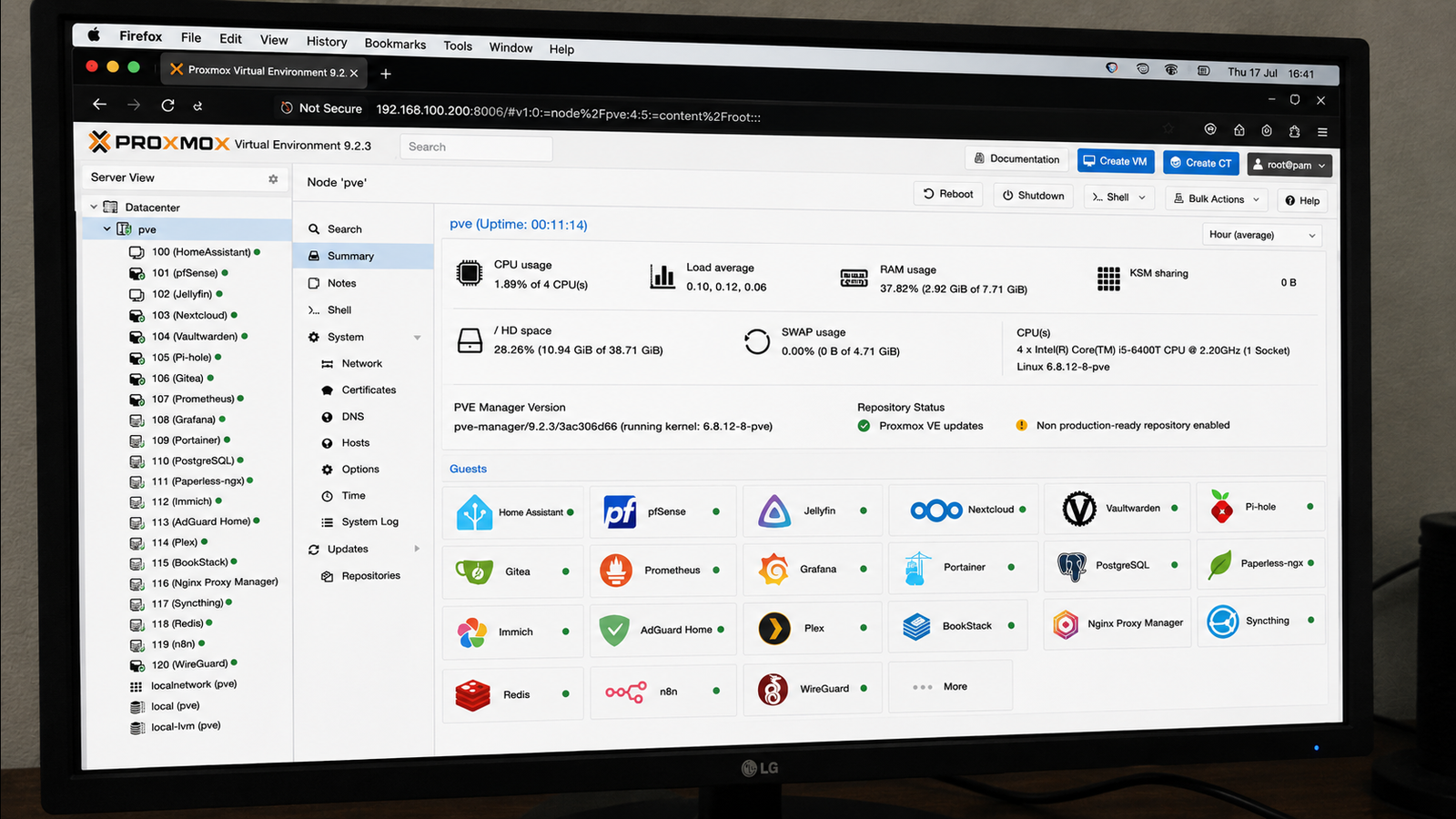
Proxmox combines KVM virtualization, LXC containers, ZFS support, software-defined networking, and integrated backup tools in a single platform.Instead of treating every workload as another container, it lets each application run in the environment that suits it best.Here are several self-hosted applications that become significantly more capable when deployed on Proxmox.
Home Assistant USB passthrough and safe upgrades Many Home Assistant users eventually rely on USB devices such as Zigbee, Z-Wave, or Thread coordinators.While Docker supports USB passthrough, keeping device mappings consistent across updates or hardware changes can require additional configuration.Proxmox simplifies this with direct USB passthrough or PCI passthrough for dedicated controllers.
You can assign the hardware directly to a virtual machine, allowing Home Assistant OS to behave almost exactly as it would on dedicated hardware.Snapshots provide another advantage.Before upgrading Home Assistant or installing experimental integrations, you can capture a VM snapshot.
If something goes wrong, restoring the previous state takes only a few seconds.Close pfSense or OPNsense Build a fully virtualized network lab Running your firewall inside a virtual machine may sound unusual, but it is one of the most common Proxmox deployments.With multiple NICs or PCI passthrough, pfSense and OPNsense gain direct access to physical network interfaces.
You can isolate traffic management, create VLANs, experiment with VPNs, or build an entire virtual networking lab without additional hardware.Snapshots allow safe testing of firewall rules, while virtual switches make it easy to connect multiple virtual machines to different network segments.Although container-based networking labs are possible, firewall distributions are designed to control the operating system's networking stack directly, making virtual machines the more practical choice.
Jellyfin With GPU Acceleration Give your media server direct GPU access GPU acceleration is available in Docker, but Proxmox provides greater flexibility for dedicated media servers.PCI passthrough allows an Intel iGPU or NVIDIA GPU to be assigned directly to a Jellyfin virtual machine.The VM has exclusive access to the hardware, reducing many of the driver and permission issues that can arise in containerized deployments.
Running Jellyfin in its own VM also isolates media-specific drivers, codec packages, and supporting software from the rest of your infrastructure.If you later migrate to another server, Proxmox backups make it straightforward to restore the complete environment.Related Plex lost the plot—here's why Jellyfin is the better choice for self-hosting Jellyfin is the ultimate free self-hosting platform.
Posts 18 By Ismar Hrnjicevic Kali Linux and Security Labs Create disposable testing environments Security professionals frequently build disposable penetration testing environments.With Proxmox, an isolated Kali VM can communicate with intentionally vulnerable targets such as Metasploitable, OWASP Juice Shop, or Windows evaluation machines, all within an isolated virtual network.Snapshots are especially valuable here because after malware analysis, exploit development, or penetration testing exercises, every machine can be restored to a clean state in moments.
While some security tools run well in containers, many advanced testing workflows benefit from a full operating system with unrestricted kernel access and complete networking capabilities.GNS3 and EVE-NG Run complex networking simulations Network simulation platforms benefit enormously from virtualization.GNS3 and EVE-NG often require nested virtualization, custom kernels, multiple virtual adapters, and substantial CPU and memory resources.
These requirements align naturally with Proxmox.Multiple labs can run simultaneously, each with isolated virtual networks, independent virtual switches, and configurable hardware allocations.Here also, snapshots make it easy to preserve complex lab states before certification practice or enterprise network testing.
Related 5 networking devices that are officially too old for anything in 2026 Some network upgrades are about safety, not just speed Posts 15 By Patrick Campanale Kubernetes Clusters Build production-like test environments Although lightweight Kubernetes distributions such as k3s can run on a single host or in containerized environments, production-like Kubernetes labs are generally better suited to virtual machines.Each Kubernetes node can run as its own VM with dedicated resources, separate networking, independent kernels, and configurable storage.This closely mirrors real-world deployments while allowing experiments with high availability, storage classes, MetalLB, Longhorn, or distributed control planes.
Proxmox templates further simplify cluster expansion, allowing new nodes to be cloned from prepared images in minutes.Why these applications benefit from Proxmox The real advantage of Proxmox is flexibility because, instead of forcing every application into a container, it lets each workload run in the environment that best matches its requirements, whether that is a virtual machine or an LXC container.As your homelab grows, Proxmox makes it easy to expand resources, migrate workloads, and test changes without rebuilding your infrastructure.
That adaptability is what makes it a strong foundation for running a wide variety of self-hosted applications.
Read More