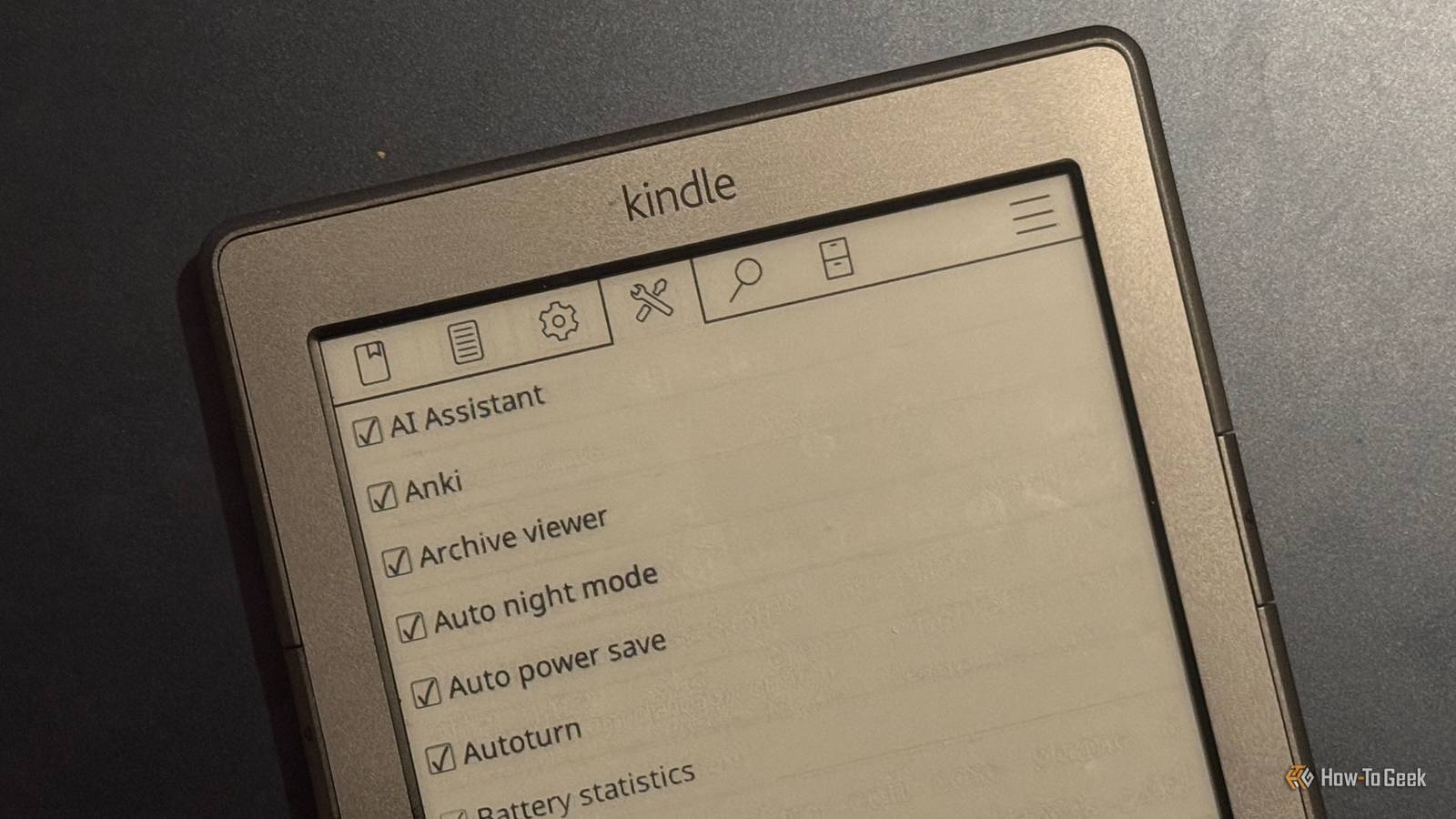
Since jailbreaking my Kindle, I’ve had a lot of fun exploring what I can do with it.At the heart of everything is KOReader, the document viewer app that you can use instead of the stock Kindle reading software.There's a lot to discover in KOReader, including some very useful plugins.
Reading statistics Learning more about how I read I love a good streak.Maintaining my multi-year streak in Duolingo is the only thing that keeps me using an app that continues to get worse over time.For a long time, the Streaks app was my main way to keep myself motivated for tasks.
That's why I love the reading statistics in KOReader so much.Not only can you see detailed stats about the current book that you're reading, but you can also see your overall stats for the week, the total time spent reading each book in KOReader, and a calendar view of what you've read each day so you can see how long your reading streak has been.All of this information is accessible through the Tools menu in KOReader as long as you have Reading Statistics enabled.
You can then view all of the different stats you want and even customize them to suit your needs.Wallabag Turning my Kindle into a Pocket replacement Close When you find a good article that you don't have time to read, it's all too easy to forget about it and never return.Pocket used to be a great option for saving web pages to read later on any device, but Mozilla killed it off.
Thankfully, there are open-source alternatives, such as Wallabag.This is a self-hosted service that you can use to save web pages you want to read later, and access them from different devices.KOReader has its own Wallabag plugin, meaning that you can easily pull articles saved in Wallabag to your Kindle and read them in KOReader.
This is exactly what I do.With a Chrome extension, I can save any article by clicking the extension icon in the browser, which uploads the article to my Wallabag server.When I'm ready to read, I can download the articles to my Kindle through the KOReader Wallabag plugin and enjoy the articles on the E-Ink screen.
Related 8 Cool Things You Can Do With a Jailbroken Kindle Break free from Amazon's walled garden.Posts 1 By Andy Betts Vocabulary Builder Creating a list of words to remember By installing an appropriate dictionary, you can select words in KOReader and look up their meanings.If you're not sure what a word means, it's a quick and easy way to get a clear definition.
Once you've read the definition, however, it can quickly slip your mind, and the next time you come across the word, you may still be unsure of the meaning.The Vocabulary Builder plugin in KOReader is designed to help.When you look up a definition of a word in KOReader, there's an option to add it to the Vocabulary Builder.
Doing so will add it to a list of saved words.You can then view this list at any time to refresh your memory about the definitions.You try to remember the meanings and select "Got it" if you recall the definition or "Forgot" if you don't.
Words you forget will keep appearing, while words you remember won't appear again for a while.Using this method of spaced repetition, you should be able to commit the words to memory.Anki Flashcards Turning dictionary searches into a way to learn While the Vocabulary Builder is useful, it’s a bit cumbersome to use on my ancient Kindle 4.
The good news is that there's an even better way to help learn vocabulary.I'm learning Italian, and one of the best ways I've found to improve is to read books in Italian that I've already read in English and know well.I started with the Harry Potter books since I've read them to myself and my kids enough times to know a lot of it by heart.
I still struggle with new Italian words, and with an Italian-English dictionary installed in KOReader, I'm able to look them up just by selecting the word in the text.I can add them to the Vocabulary Builder, but I've found an even better option.There's a community plugin that allows you to save the last looked-up word to a local Anki server.
This automatically generates flashcards on my Mac with the Italian word on one side and the definition on the other.I can then test myself on the Italian vocabulary, just like any other Anki cards.AI Assistant Sending queries about text to a local LLM This final plugin is a bit crazy because it adds AI to my Kindle 4.
Obviously, the 15-year-old eReader doesn't have the necessary hardware to run AI models, so it connects to external services.You can use APIs from providers such as OpenAI, but you can also connect the plugin to a local LLM on your home network.This was the option I went for.
It's slower than using a cloud-based AI, but I'm in no rush, and it's nice to keep everything local and private.Using a smallish model running in Ollama on my mini PC, I can select a section of text and send it to the LLM, either with a custom prompt or using one of the default shortcuts such as ELI5.The response is then sent back to my Kindle and appears on the screen.
It's fairly slow using a local LLM on my weak hardware, but it's not so slow as to be unusable.It's genuinely cool to be able to ask anything about some selected text.Don't sleep on KOReader's plugins There's so much that KOReader can do in terms of adjusting the look and feel of your eBooks and documents that it's easy to miss the other amazing features.
It's worth checking out the plugins to see what you can do.
Read More