If you’re about to buy new hardware just to unlock one extra feature on your PC, hold off — you might already own a gadget that does the same thing without you even realizing it.I’ve been eyeing a webcam, a second monitor, and an MX Master mouse for a while, but I’ve held off because buying all three would be a hefty expense.So I took a step back and wondered if there was another way.
And, as it turns out, I managed to save a couple of hundred dollars by repurposing hardware I already owned with the help of free software.Here are the three free apps that saved me from buying a webcam, a monitor, and an MX Master mouse.Kando How an app replaced a mouse — sort of Close I'm sure the thing you're most curious about is how an app can replace a mouse.
Well, it can't.But it can unlock features that would otherwise require you to buy a more expensive mouse.You see, Logitech's MX Master mice support Logitech Options+, a companion app that unlocks additional features on compatible hardware.
One of them is Actions Ring, a pie menu that appears around your cursor and lets you trigger shortcuts, launch apps, and control media using your mouse.I first saw it at a friend's place, where he was doing practically everything on his PC with just his mouse, while sitting comfortably on a sofa across the room.Now, if you know anything about me, you'd know I hate using the keyboard.
Partly because of wrist pain, but also because working with a keyboard often means using both hands.I'd much rather keep one hand on my mouse and the other wrapped around a cup of coffee while working on my PC.As such, the MX Master mice seemed like a good solution, but they were a little too expensive for my liking.
So I looked for alternatives and eventually found Kando — a free, open-source pie menu that works with any mouse.In fact, it’s actually more powerful and customizable than Logitech's Actions Ring.You can create nested menus and assign all sorts of actions to individual menu items, from launching apps and managing windows to controlling media, opening browser shortcuts, and running terminal commands or PowerShell scripts.
I configured mine for voice typing, window management, editing shortcuts, screenshots, clipboard history, my favorite apps, and frequently visited websites.Now I can access all of these with a few quick mouse movements and clicks, without reaching for the keyboard.Related This Linux app makes mouse gestures so powerful, you’ll forget about your keyboard Making your mouse the only input device for your PC just got a lot more viable.
Posts 1 By Dibakar Ghosh Spacedesk You might already own a second monitor without realizing it Close As someone who reviews apps and tech for a living, I benefit from having as much screen real estate as possible.I often find myself with five or more windows open at once: Notion for writing articles, a browser for research, Slack for team chat, a file manager for dragging images and screenshots into my articles, and whichever app (or apps) I'm testing.Now, I already own a 34-inch ultrawide monitor, but even that starts to feel uncomfortably cramped with just four windows open side by side.
Squeezing in five makes everything claustrophobic.That said, I am also not keen on spending a couple hundred dollars on another monitor.Fortunately, with a little research, I discovered Spacedesk — a free app that turns an iPad or Android tablet (or phone) into a secondary display for your Windows PC.
All you’ve got to do is install the Spacedesk driver on your Windows PC and the viewer app on your tablet, and that’s it.I connected both an iPad and an Android tablet to my PC, giving me plenty of extra screen space without spending a dime.Windows recognizes the tablet as an additional display, so you can manage it through Settings > System > Display, just as you would a regular monitor.
Now, Spacedesk supports connections over Wi-Fi or USB, but I did notice occasional lag and stuttering with both.For that reason, I mainly keep reference materials and relatively static apps on my tablets rather than anything that requires constant interaction.I should also mention that Spacedesk supports touch input, so you can interact with windows on your tablet using its touchscreen, which is always nice to have.
Related Stop buying portable monitors—this free app turns your old tablet into one Stop letting your old tablet collect dust and turn it into a second monitor for free in under two minutes.Posts 6 By Dibakar Ghosh DroidCam The best webcam is already in your pocket Close Between client meetings and online courses, I spend a lot of time on video calls.That said, for the most part, I've always kept my webcam off, primarily because I don't own one.
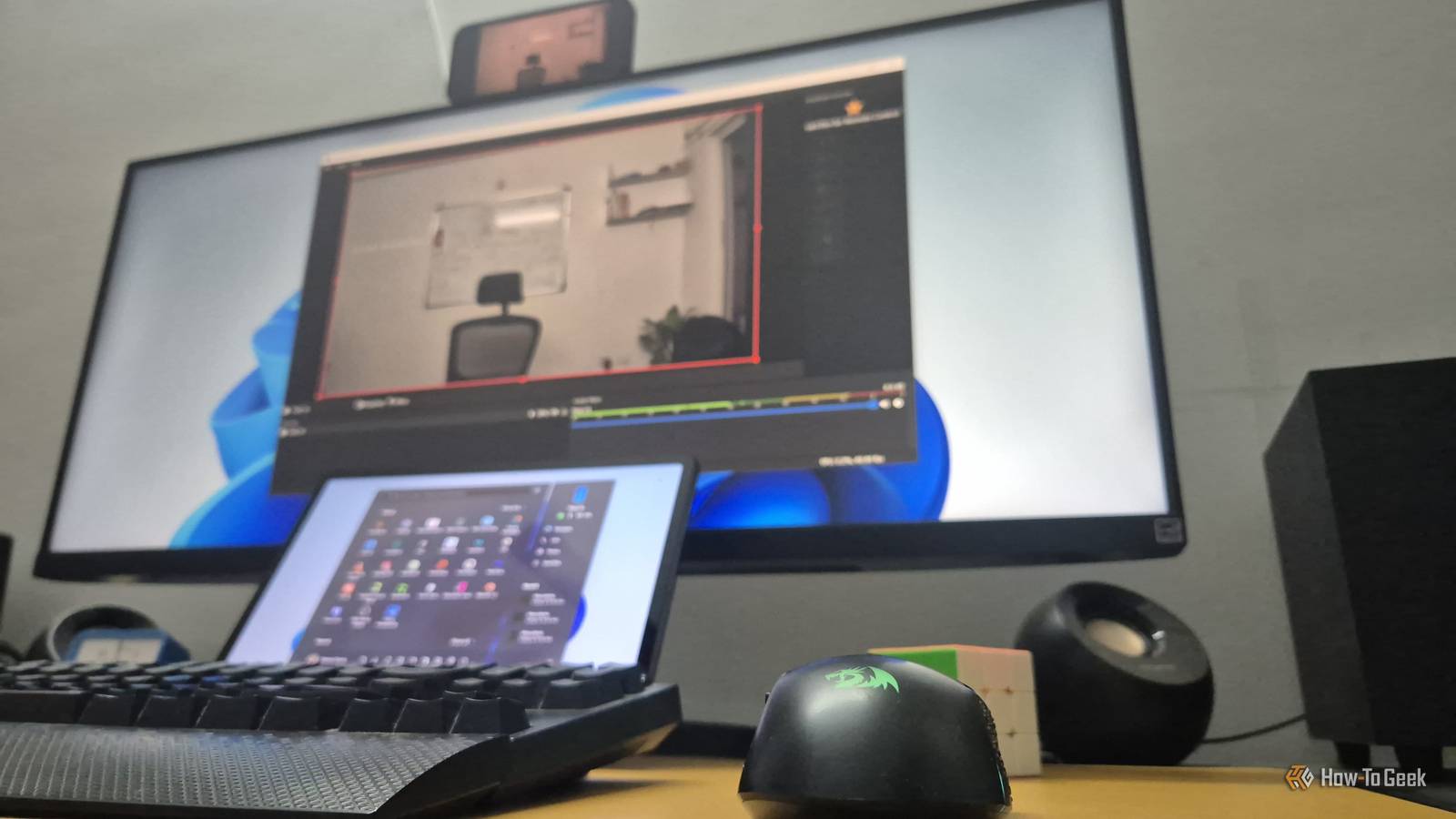
Eventually, though, that started to feel a little unprofessional, so I decided to turn my smartphone into a webcam instead.Now, there are plenty of apps for this, but I went with DroidCam.It lets you use an Android phone or iPhone as a webcam for your Windows or Linux PC.
There's even an OBS plugin, which is handy if you're into streaming.The best part is that your smartphone's camera can deliver much better image quality than a typical built-in webcam.DroidCam gives you several options to fine-tune your footage, including white balance, exposure, and autofocus adjustments.
You can also switch between the front and rear cameras, dim your phone's screen to save battery while streaming, and do plenty more.It can even use your phone as a microphone, which can sound better than your PC's default mic.That said, I should mention that DroidCam isn’t completely free — it uses a freemium model.
The features I've mentioned are available for free, but some advanced options require a paid upgrade.These include 4K recording, remotely controlling your phone's camera settings from your computer, and accessing additional cameras on your phone, such as the ultrawide or telephoto lens, if available.The free version also adds a watermark to your video feed, which you need to upgrade to remove.
Still, I didn't find it too distracting.The watermark moves every time you start a new stream, so you can restart the stream a couple of times until it lands in a less noticeable spot.But if you'd rather not deal with it at all, you can always upgrade to the Pro version.
Pricing varies by region, but it's roughly $13 as a one-time purchase or $5 for a yearly subscription.Related You can use your Android phone as a webcam for any computer Get better video quality without buying a webcam.Posts 1 By Joe Fedewa When software becomes proxy hardware Software can't replace hardware outright.
These apps wouldn't do you much good if you didn't already own a phone, tablet, or mouse to work with.But software can extend the capabilities of the devices you already own, unlocking new features that might save you from buying additional hardware.For example, your phone already has a camera, so why not repurpose it as a webcam, as I did, or even as a security camera? Similarly, a tablet's screen can double as a dashboard or a digital photo frame — or, in my case, a secondary monitor.
With the right software, your existing devices can take on new roles, potentially saving you from unnecessary purchases.Related 6 ways to repurpose old tech for your smart home Give your old gadgets a new lease of life.Posts By Adam Davidson
Read More