TL;DR Google has updated the Android Package Installer with the new Material 3 Expressive design language to match the rest of the OS.The redesigned dialog centers the app name and icon while using distinct filled and elevated button styles to improve usability.You will need to install the Android 16 QPR2 update to see the changes, as this component cannot be updated via Google Play System Updates.
With the first quarterly release of Android 16, Google completely revamped the operating system’s UI to introduce its new Material 3 Expressive design language.From the notification panel to the Settings app to the lock screen and beyond, Google redesigned nearly every system interface visible to the user.However, Android is a huge OS, so Google missed a few parts during the initial overhaul, such as the Package Installer that handles sideloading apps.
With Android’s latest update, the Package Installer has finally received its Material 3 Expressive redesign, too.Don’t want to miss the best from Android Authority? Set us as a favorite source in Google Discover to never miss our latest exclusive reports, expert analysis, and much more.You can also set us as a preferred source in Google Search by clicking the button below.
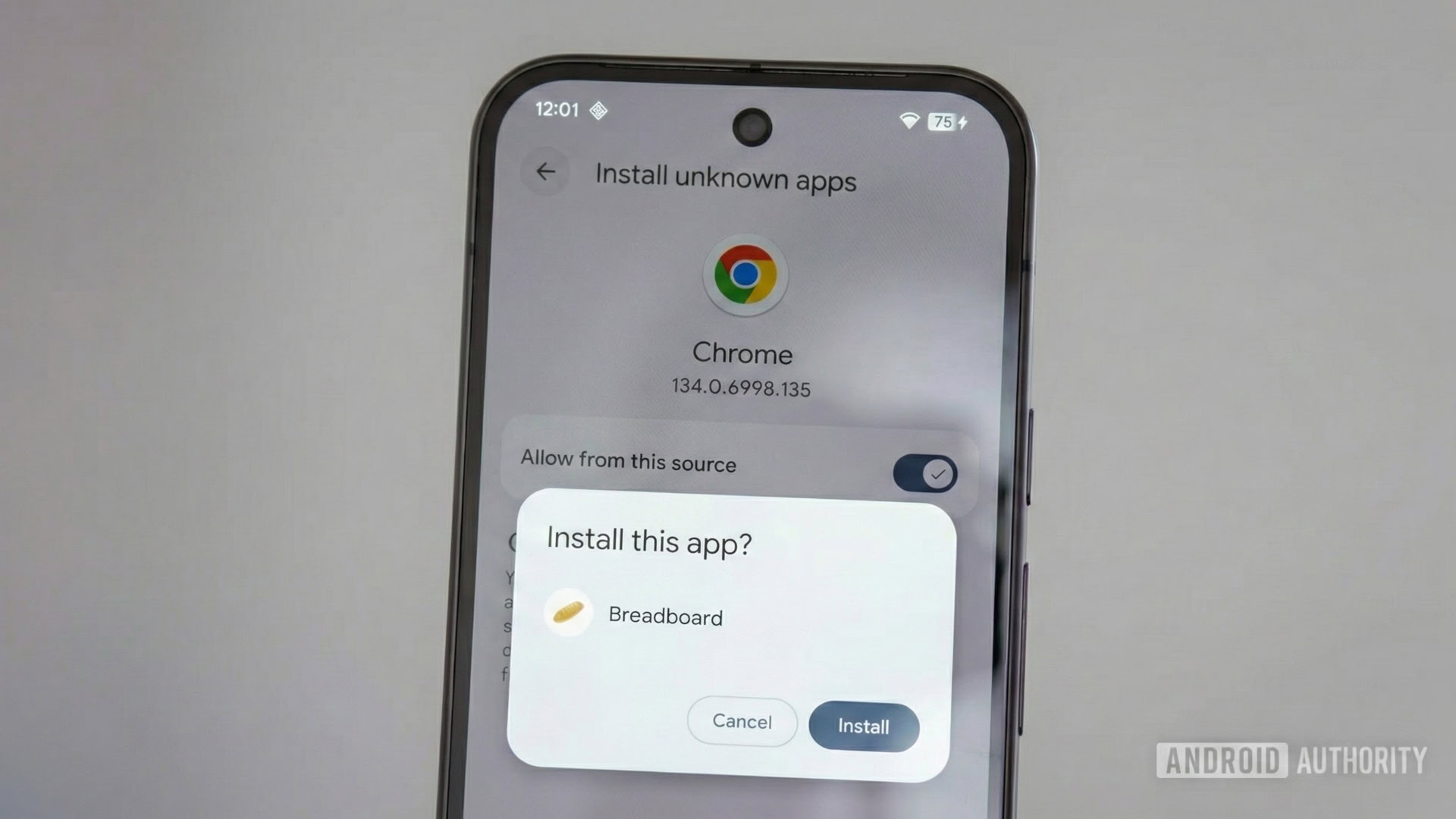
After receiving the Android 16 QPR2 update that rolled out the other day, developer Rob Wainwright discovered that Google redesigned the dialogs that appear when you install an app from outside the Play Store.The new layout no longer displays the app’s name and icon at the top of the dialog (the “title”); instead, it shifts them to the center (the “body”).In their place, the dialog now highlights the current action (“Install this app?”, “Installing…”, “App installed”).
Demoting the app name and icon to the center places more emphasis on the specific action taking place, which better signals the dialog’s intent.In addition, the new dialog adopts newer Material 3 button styles.Specifically, the “Install” and “Open” buttons use Filled Buttons, while “Cancel” and “Done” use Elevated Buttons to clearly separate primary and secondary actions.In contrast, the old dialog used standard Text Buttons that lacked a visible container and relied solely on text color to denote interactivity.
Furthermore, the installation progress bar now uses the newer Material 3 Linear Progress Indicator.Lastly, Google increased the font size for the dialog’s title, resulting in a slightly taller window, as shown in the screenshots below.Mishaal Rahman / Android AuthorityMishaal Rahman / Android AuthorityOddly, the system dialog that asks you to grant an app permission to sideload didn’t receive the full redesign and still uses the old button style.This may just be an oversight, though.The updated sideloading UI joins the redesigned permissions UI that Google recently introduced.
Unlike the latter, Google cannot update the sideloading UI via a Google Play System Update because the Package Installer is not a modular system component like the Permission Controller.As such, the updated sideloading UI requires a full OS update, which is why it’s only available in the latest Android 16 QPR2 release.What do you think of this new sideloading UI? Let us know in the comments below! NewsAndroid 16FollowThank you for being part of our community.
Read our Comment Policy before posting.