Overclocking enthusiasts are always pushing the envelope.Which means they'll often try some pretty out-there solutions to cool down their overworked processors.Add How-To Geek on Google Add as Preferred Source Follow on Google Discover Take liquid cooling as an example.
Today, it's pretty normal to buy an AIO water cooler for your computer, but this whole class of cooling solutions exists because overclockers with a few screws loose decided to DIY CPU coolers from motorcycle radiators and aquarium plumbing.Likewise, liquid metal as a thermal interface material began as an extreme way to drop a few degrees.Now, gaming laptops and even mainstream consoles like the PlayStation 5 come with liquid metal from the factory.
Surely that means this is a safe cooling upgrade you can apply DIY, right? Wrong! While you can absolutely apply liquid metal in a safe way, the risk of getting it wrong is significantly higher than regular thermal paste or pads.The temperature drops are real, but there’s a catch A little too cool for school, you might say Close To be crystal clear — liquid metal works! It has far higher thermal conductivity than the typical thermal grease we've been using for decades.In other words, it improves the efficiency of heat transfer between the heat spreader of the processor (CPU or GPU) and the heat sink.
This leads to a significant drop in temperature, especially under load.When Gamers Nexus benchmarked liquid metal against regular thermal paste, we saw around a 10C drop.That said, this was when replacing the internal TIM (Thermal Interface Material) rather than the layer between the heat sink and CPU.
Nonetheless, liquid metal makes enough of a difference that some high-performance GPUs come with liquid metal from the factory and, famously, the PlayStation 5 uses liquid metal to cool its SoC through a large central cooling system.So, what's the problem? The issue is that if just a drop of that liquid ends up where it shouldn't, your PC could be permanently and seriously damaged.One stray drop can become an electrical problem Don't release the magic blue smoke Sadly, that high thermal conductivity is paired with high electrical conductivity.
Which means that should any liquid metal bridge two electrical circuits, only bad things can happen.This is why you cannot just apply liquid metal the same way you apply grease.While it can be annoying to clean up non-conductive grease that has accidentally spilled where it shouldn't be, it's hardly a catastrophe.
However, you need to apply liquid metal right and with extreme care.Below, you can see how ASUS applies liquid metal to its gaming laptops, using a brush and a special barrier to ensure both even distribution and very low risk of leakage.Thermal Grizzly's guidance is to put a drop the size of a pinhead in the center of the spreader and heatsink.
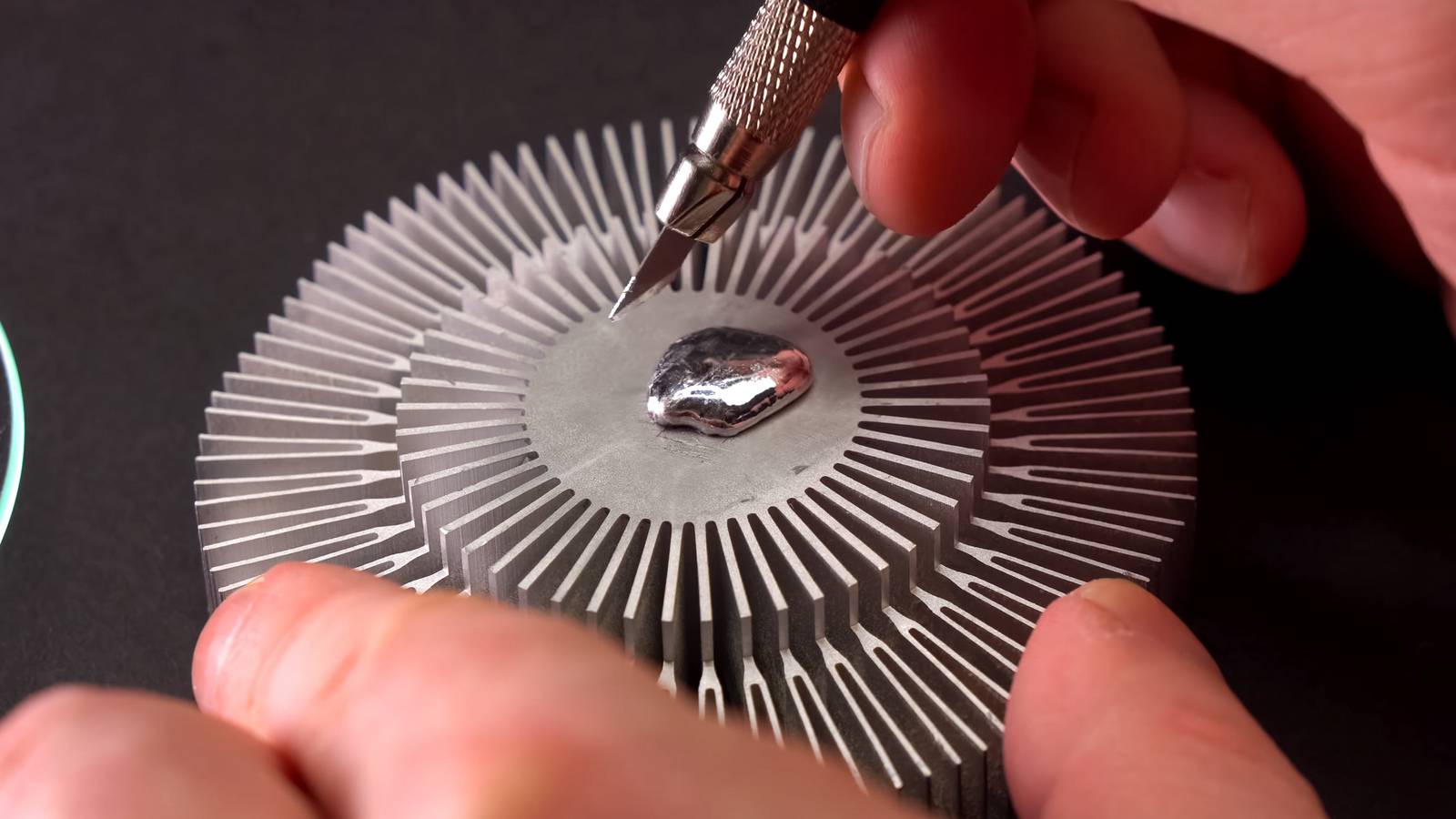
Then manually spread it out in a thin layer.The wrong cooler material can suffer permanent damage There's no going back In that same Thermal Grizzly guidance, you'll notice a stern warning about cooler materials.You cannot, under any circumstances, use liquid metal with aluminum coolers.
The contact surface has to be made of copper.Gamers Nexus put this to the test, and in just a day the liquid metal had corroded the aluminum beyond repair.Budget coolers, and many stock CPU coolers, use aluminum to save on cost.
The truth is, however, that if you're trying to improve cooling on your PC, you'd get much better results by switching to a cooler with a copper base, anyway.Even without liquid metal.Factory liquid metal comes with engineering you don’t get in the syringe They aren't doing this in a garage I've heard the argument that, if companies are shipping products with liquid metal, then surely it can't be that dangerous? The problem is that these companies have spent a lot of time and money engineering safe and consistent ways of applying liquid metal to their chips.
At least to the extent that it won't be a problem during the warranty period.But that actually raises the issue of servicing.Even a butterfingers like me can remove a laptop cooler, change the paste, and put it back without breaking anything.
However.I the day my launch PlayStation 5 needs its liquid metal changed.I'm probably going to pay a professional to do it.
Make liquid metal your last cooling upgrade In my opinion, liquid metal is the last part of the quest to get the lowest temperatures or that last bit of overclocking headroom.Almost anything else you do is likely to have a bigger aggregate impact on cooling and performance, without any of the risk.Maybe I'm just too skittish in a world where there's no hope of me affording a replacement CPU or GPU if I fry the ones I have.
I'm not even of the opinion that liquid cooling is worth the risk or maintenance headaches to get five more frames per second in a game or save 30 seconds on a video render.If you want to use liquid metal, that's your choice, but think carefully about the risk-reward equation.Especially if you haven't explored other options to cool down your system.
Read More