I've used Microsoft Office and Microsoft 365 for years, so I'm well aware of how difficult they are to replace.But I've also watched free, open-source alternatives quietly get better, and today's options are much more convincing than they were a few years ago.And with Microsoft 365 Personal costing $9.99 a month, there's a pretty good reason to see what else is out there.
I'll start with free suites that can replace several Microsoft apps at once, before moving on to alternatives for individual apps and services—because if you only really use one or two Microsoft apps, you may not need the whole Microsoft 365 subscription.LibreOffice The dependable choice if you want Office without the subscription Close If you want something that's been around for a while and feels familiar, LibreOffice is a good place to start.I've used LibreOffice (especially LibreOffice Calc) on and off over the years, and it's become a surprisingly capable alternative to Microsoft's desktop Office apps.
Writer, Calc, and Impress cover the jobs you'd normally use Word, Excel, and PowerPoint for, while Draw, Math, and Base add some useful extras.LibreOffice is free, open source, works offline, and doesn't require an account.Its native OpenDocument formats also give you an open alternative to Microsoft's file formats, though it can still open and save Microsoft Office files when you need to work with others.
The main catch is compatibility: complicated Word and Excel files can lose formatting or functionality, while macros, tracked changes, and Office add-ins aren't always a perfect fit.ONLYOFFICE It looks and feels much more like Microsoft Office Close ONLYOFFICE takes a different approach from LibreOffice.Instead of giving you its own very different look, it sticks fairly closely to the Microsoft formats and ribbon-style interface you're already used to.
The suite handles documents, spreadsheets, presentations, and PDFs.That makes it a good option if the thought of moving away from Word and Excel's interface is more off-putting than leaving Microsoft altogether.The desktop editors are free and open source, while the wider ONLYOFFICE ecosystem also supports collaboration through services such as Nextcloud.
Just note that those cloud and collaboration features can require additional infrastructure or paid services, and you won't get Microsoft's Outlook, Teams, or OneDrive ecosystem.Thunderbird A serious Outlook alternative without the Microsoft ecosystem If you use the desktop version of Outlook that comes with Microsoft 365, Thunderbird is worth a look.It's a free, open-source email client that lets you bring your existing email accounts into one app, rather than making you move to a new email provider.
I was surprised by how easy it was to set up and link my existing email account, and I particularly like how it makes email feel like it used to.It also handles calendars, contacts, multiple accounts, and add-ons.Thunderbird has become more useful for Microsoft users as its Exchange support has improved, although it still won't replace Microsoft's whole ecosystem.
If your work depends heavily on Exchange calendars, Teams, OneDrive, and other Microsoft services, you'll lose some of that integration.For personal email or accounts using standard protocols, though, Thunderbird can remove one of the biggest reasons to use Microsoft's desktop Outlook app.Joplin Your notes stay portable instead of being tied to OneNote Joplin is an appealing OneNote alternative because it doesn't try to copy Microsoft's freeform canvas.
Instead, it gives you a structured, portable home for notes across Windows, macOS, Linux, Android, and iOS, with notebooks, tags, attachments, search, to-dos, Markdown, encryption, plugins, and a web clipper.It also has an importer specifically for OneNote notebooks, which makes switching much less daunting.There's one thing worth pointing out, though: OneNote itself is free, so Joplin isn't going to save you $10 a month by itself.
The real appeal is getting out of Microsoft's ecosystem if OneNote is one of the only Microsoft apps you actually use.You also have more choice over synchronization: you can use services such as Nextcloud, Dropbox, or OneDrive, or pay for Joplin Cloud to handle it for you.The trade-off is that OneNote's freeform pages and handwriting tools are much harder to replicate in Joplin.
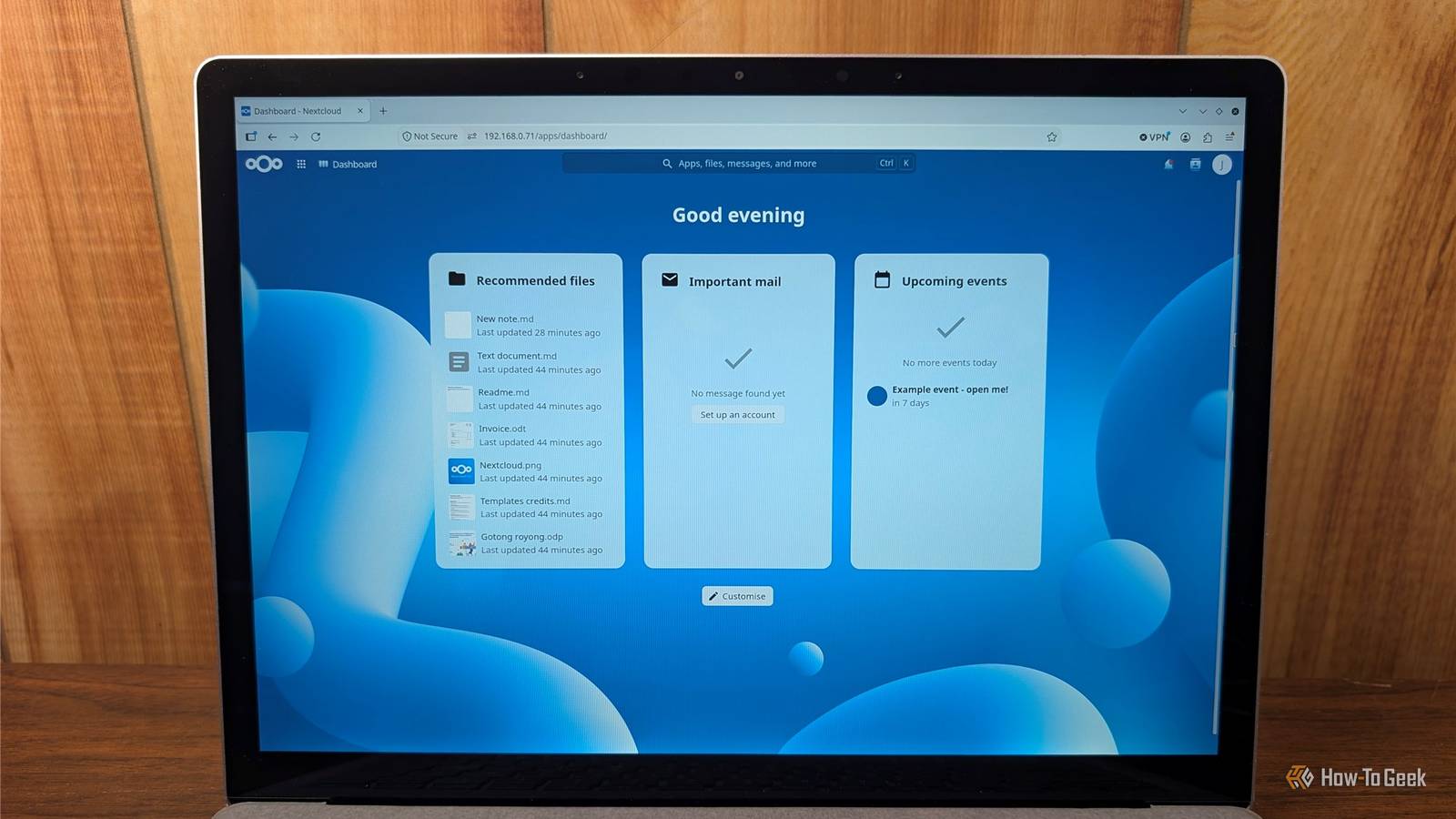
Nextcloud Turn your own storage into a private cloud Nextcloud takes the idea of replacing Microsoft 365 a step further: instead of replacing one Microsoft app, it can replace some of the services sitting underneath them.Its core server software is free and open source, and you can use it to store, sync, and share files across your devices in much the same way you use OneDrive.Nextcloud also has apps for chat, calendars, office work, whiteboards, and plenty more, so you can recreate a surprisingly large part of the Microsoft 365 experience on one platform.
Its biggest attraction is control: your files can live on hardware you own, or with a hosting provider you choose, rather than relying on Microsoft's storage service.OneDrive also gives you some free storage, so Nextcloud isn't automatically cheaper if you only need a few gigabytes in the cloud.Bear in mind, though, that free software doesn't mean free hosting.
If you self-host, you're responsible for updates, backups, security, and uptime, making Nextcloud considerably more involved to set up than something like LibreOffice or Thunderbird.CryptPad Collaborate on documents without handing the server your files Close CryptPad takes a different approach to Microsoft 365, putting privacy first instead of trying to copy every Microsoft feature.It's a browser-based suite with documents, spreadsheets, presentations, forms, kanban boards, whiteboards, and encrypted file storage, all designed for real-time collaboration.
And its forms feature is useful beyond the Microsoft ecosystem, giving you a privacy-focused alternative to tools like Google Forms.Its standout feature is zero-knowledge encryption: your files are encrypted in the browser before they're sent to the server, so the service provider can't read their contents.You can also self-host CryptPad if you want more control.
The free CryptPad tier includes 1GB of storage, with paid plans available if you need more.The catch is that its office tools aren't as feature-rich as Word, Excel, or PowerPoint, and Microsoft-format compatibility isn't its strong suit.If privacy and collaborative editing matter more to you than having every Office feature, though, CryptPad is an interesting alternative.
You don't have to replace everything at once No single free, open-source app can replace everything Microsoft 365 does, but LibreOffice and ONLYOFFICE can replace several core Office apps, while Thunderbird, Joplin, Nextcloud, and CryptPad let you replace individual parts of Microsoft's ecosystem.If you can find free alternatives for the Microsoft apps and services you actually depend on, you may be able to ditch the subscription altogether.And if you can't, you'll at least have a clearer idea of which Microsoft features are keeping you tied to the subscription—and whether they're worth paying for.
Read More