I am no stranger to having to deal with flights and passport issues.That kind of moment is exactly what Samsung is trying to solve with its new partnership with CLEAR.It sounds both too good to be true and a major security violation, but it is so much bigger than that.
You can likely access it right now if you have a Samsung, and if your other electronics are packed well, you could skip the long wait.You can set this up on your phone right now Getting the digital ID ready only takes a few minutes Samsung teamed up with the identity verification company CLEAR to roll out Samsung ID with CLEAR.This is a really cool feature that lets Galaxy phone users keep a verified, digital copy of their U.S.
passport right inside the Samsung Wallet app.It works as a reusable digital ID that makes traveling within the US a lot smoother, since you can verify who you are with a quick tap or a QR code scan at more than 250 TSA checkpoints across the country.Before you jump into setting it up, you'll want to make sure you actually meet the requirements.
You'll need a compatible Samsung Galaxy phone running Android 9.0 or higher to get a federal document loaded into a commercial app like this.On top of that, you'll need an active Samsung account, the Samsung Wallet app updated to the latest version, and a valid passport that's in decent physical shape.The basic version of the digital ID is free to set up and use, but if you already pay for CLEAR+, your digital card will turn from white to blue in the app.
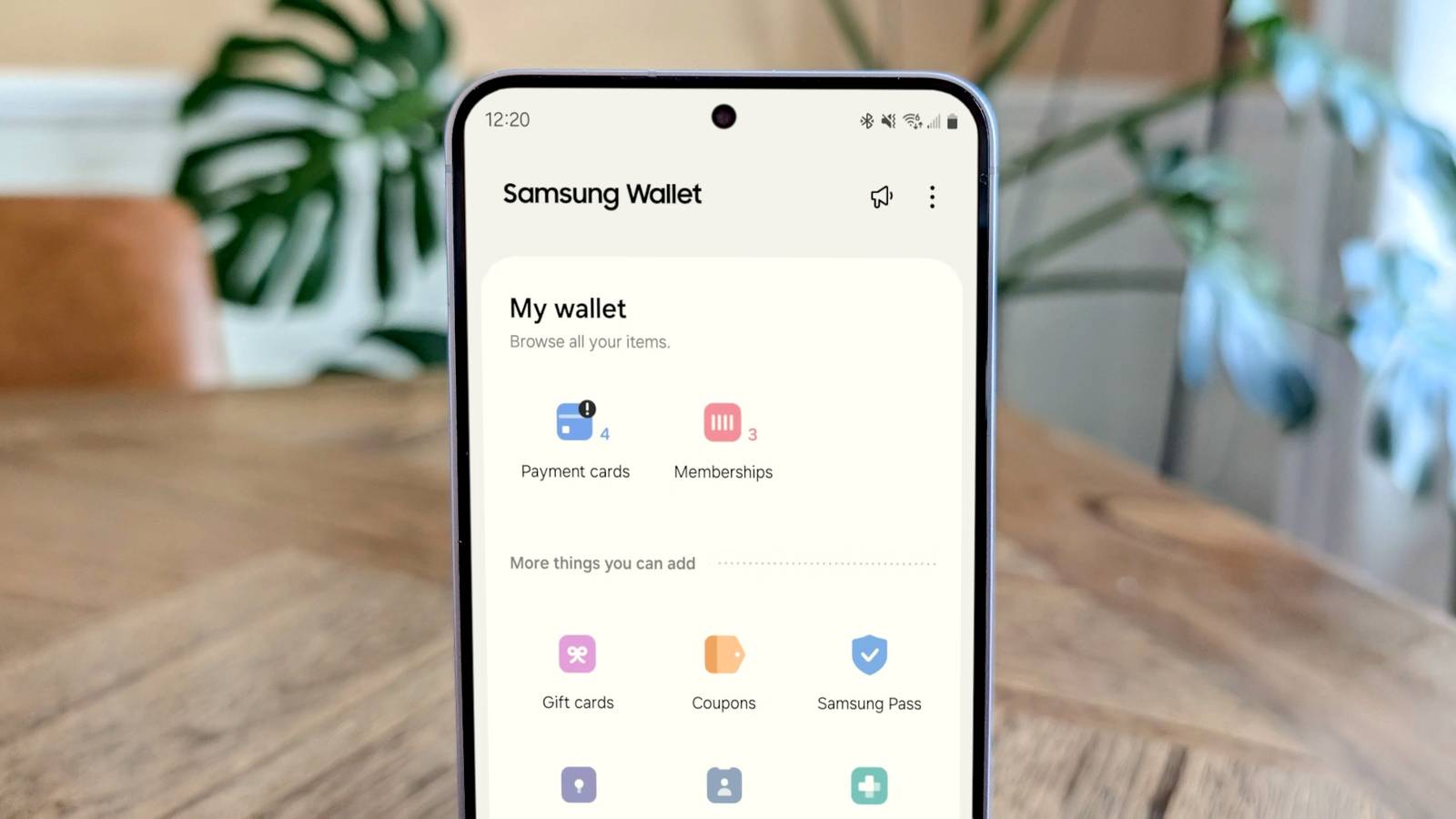
That blue basically tells TSA agents that you get to use the expedited lane.Once you have all that sorted, setting it up is pretty simple and only takes a few minutes.Open the Samsung Wallet app on your phone and tap on Quick Access at the bottom of the screen.
From there, hit the plus icon in the top-right corner, pick Digital IDs from the menu, and then select Samsung ID with CLEAR.Tap Get Card or Continue, and the app will have you use your camera to scan the photo page of your physical passport.After that, you'll need to do a quick live facial scan right on screen to verify it's really you.
The last step is locking in your new digital ID by confirming with your PIN or fingerprint.Now all Samsung needs to do is match Apple’s Driver’s License feature.This shortcut only works for domestic lines You still need your physical passport book for international traveling There's a big asterisk with using this kind of service, just like when you try to wear a smart ring to travel.
This digital ID is not a replacement for an actual passport book.It's not an internationally recognized travel document.It is just more of a shortcut for getting through domestic TSA lines.
It can prove who you are to the TSA inside the US, but that's where it stops working.You can't use it to cross any international border or get through customs anywhere, because foreign immigration officers have no way to read or recognize what's stored in your Samsung Wallet.If you're leaving the country, coming back into it, or passing through customs, you still need your physical passport.
Even for flights within the US, it's smart to treat this as a backup option instead of something you fully rely on.Keep your physical passport or ID on you just in case, because the technology doesn't always work perfectly.Sometimes the Bluetooth connection between your phone and the scanner drops, the scanner itself glitches, or your phone battery dies right when you need it.
Not every checkpoint has the right equipment either, so TSA agents sometimes have to fall back on checking a physical ID the old-fashioned way.You can also just be told to give your real ID or passport anyway.Keeping federal data in a commercial app has risks Your phone is built to keep your biometrics safe Putting your passport on your phone can cause real issues if it isn't done carefully.
Stuffing this kind of sensitive federal data into a commercial smartphone app is like signaling hackers to come and take it.It is a juicy target for anyone looking to track people or get their information.Letting a company act as the gatekeeper for your government ID is a hard idea to get your head around in the first place.
It's worse that CLEAR is a publicly traded company, so it's a middleman that has to make more money all the time.Then there's the biometric problem, which is far worse than getting a password or credit card stolen.Those can be replaced if they leak, but your fingerprint and face can't.
So if a private company's database holding that biometric data ever gets breached, you're stuck with the fallout for good.All that is important, but it might be worrying too much.The encryption built into the phone's hardware, combined with biometrics, actually makes this setup safer than just carrying a paper booklet around.
Galaxy phones support this by using a multi-layered setup built around ARM TrustZone and Samsung Knox Vault.Deals Phones & Mobile deals: save on phones, cases, and travel gear Browse top Phones & Mobile deals to score discounts on smartphones and travel-ready accessories.Find savings on cases, chargers, power banks, screen protectors and Bluetooth earbuds — plus offers on SIMs and travel adapters to keep you powered and TSA-ready.
Deals Explore Phones & Mobile Deals Instead of your biometric data getting handed over to Android itself, the actual face or fingerprint check happens inside a separate, isolated piece of hardware on the device.That means your biometric info never actually gets sent to CLEAR, Samsung, or the TSA.The scanner at the checkpoint just gets back a signed digital token saying, "Yes, this person checked out," nothing more.
On top of that, the ISO 18013-5 standard this is all built on is designed to work completely offline, so there's no log that gets created or sent anywhere when you tap your phone at security.Knox Vault goes a step further by physically separating itself from its own processor and memory, which makes it tough to tamper with, probe into, or attack, even if the main part of the phone gets compromised by malware.Your digital passport also sits in storage that stays locked even if someone gets their hands on your phone while it's powered off.
So it is very safe.It's up to you to use this I still keep my physical passport in my bag every time I fly, even with this set up on my phone.There is an ongoing argument online about the security risks, but you should do what makes you comfortable.
It all sounds very reasonable to me, but if it's not for you, then don't get it.None of the solutions to the security concerns erase every risk of putting a passport on your phone, but it does make this worth setting up as a backup, not a replacement.samsung wallet App Publisher Samsung Samsung wallet keeps your cards and passport safe in your Android.
Get it here! Expand Collapse
Read More