When I first started using Zigbee devices in my home, I wasn't impressed.The devices would regularly drop off the network, causing automations to fail.The solution was a $5 accessory that made all the difference.
Why your Zigbee network gets flaky Zigbee is a low-power communication protocol.This is what allows your sensors to run on battery power rather than needing to be plugged in all the time.These sensors don't have the power to blast out a super-strong signal, so the connection can be unreliable under the wrong circumstances.
If your devices are too far from your Zigbee coordinator, for example, the connection can be very weak.While Zigbee is a mesh network, most battery-powered devices are end devices and don't act as routers, so your sensors may be trying to communicate over long distances.Zigbee often shares the same 2.4 GHz band as Wi-Fi, which can become very crowded if you have a lot of wireless devices in your home.
In all the noise from your Wi-Fi devices, messages from your Zigbee devices can easily get lost.There are plenty of things in your home that can block signals or reduce their strength, too.Thick walls, metal appliances, and large electronic devices can all weaken the signal or create dead zones.
Related 5 ways to use a Raspberry Pi with Home Assistant (aside from running your server) It's time to repurpose your old Home Assistant server.Posts 2 By Adam Davidson Interference from your server is the silent killer The issues above can degrade your Zigbee network, but there's another potential cause of your spotty Zigbee network, and it's not one you might expect.If you have your Zigbee dongle plugged directly into your Home Assistant server, this can be the root of a lot of your problems.
The reason this is a problem is that your server and peripherals can emit a lot of interference that can significantly degrade your Zigbee network.One of the biggest culprits is USB 3.0, which can generate a lot of noise around the 2.4 GHz band that your Zigbee network uses.This noise can effectively drown out the Zigbee reception if your dongle is connected in close proximity to a USB 3.0 port.
USB 3.0 isn't the only problem, either.Other components, such as SSDs, power supplies, and even USB hubs, can contribute to the noise.If there's too much noise in close proximity to your Zigbee coordinator, it's really going to struggle to communicate with your sensors.
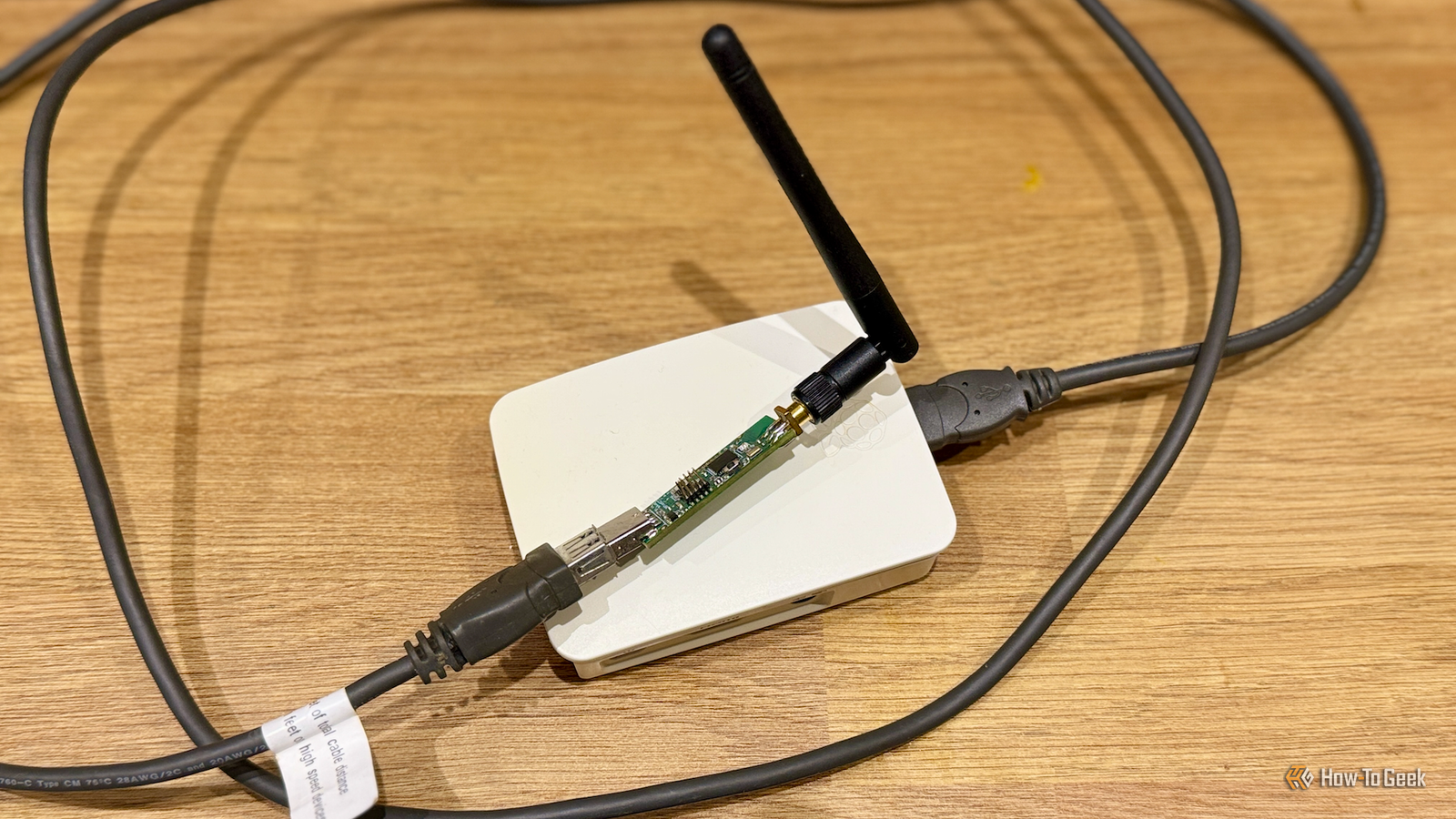
A USB extension cable lets you put your coordinator where it actually works The solution to this problem is incredibly simple, and it's not going to break the bank.All you need to do is plug the Zigbee dongle into a reasonably long USB extension cable.This allows you to connect the dongle to your server but keep it far enough away from all that noise.
I purchased a cheap 6-foot USB 2.0 extension cable, plugged the Zigbee dongle into one end, and the other end into my server.Placing the dongle as far as I could from the server, the difference was remarkable; the link quality for all my Zigbee sensors became significantly stronger, and even the devices that were farthest from my server showed a reasonably solid connection.The cable cost me around $5, and it turned my Zigbee network from a flaky mess to a pretty solid network that gave me very few issues.
It's still one of the most cost-effective investments I've made in my smart home.Not every Zigbee coordinator needs an extension cable If plugging Zigbee coordinators into your server causes so many problems, why aren't they sold with extension cables included? Well, many of them are.The discontinued Home Assistant Connect ZBT-1 (previously known as the Home Assistant SkyConnect) was sold with an extension cable included in the box to help reduce the risk of interference.
The new model, the Home Assistant Connect ZBT-2, includes a 1.5-meter USB-C cable so you can keep away from your server.Some Zigbee coordinators take things one step further.Devices such as the SMLight SLZB-MR2 or the Sonoff Dongle Max both offer Power-over-Ethernet (PoE).
This allows you to connect your device to your network and power it via a single Ethernet cable using a PoE switch or injector.Subscribe to the newsletter for smarter Zigbee fixes Get practical Zigbee and smart-home troubleshooting in the newsletter — subscribing gives access to clear, inexpensive solutions, setup tips, and hardware recommendations to help you fix flaky networks and improve device reliability.Subscribe By subscribing, you agree to receive newsletter and marketing emails, and accept Valnet’s Terms of Use and Privacy Policy.
You can unsubscribe anytime.You then have the potential to place your Zigbee coordinator almost anywhere, far away from the interference from your server, and in the optimal position to communicate with all your Zigbee devices.You should then hopefully be able to wave goodbye to your flaky Zigbee network.
If you're using Zigbee devices with a Zigbee coordinator plugged directly into your server, you may be struggling with devices constantly dropping off your network.The solution could be as simple as a $5 extension cable.It's worth trying to move your Zigbee coordinator as far from your server as you can before you give up and throw it in the trash.
Read More