A Raspberry Pi is a great device to start your journey into the world of self-hosting.You can run single services such as Home Assistant or Pi-hole, or run multiple services on the same device.There may come a point when you’ve outgrown your Raspberry Pi, and there are usually some telltale signs.
You're constantly disabling features You shouldn't have to compromise on what you can run This is a sure sign that it's probably time to move on from your Raspberry Pi.A lot of popular self-hosted apps, including Immich and Plex, offer features that ideally require better hardware than a Raspberry Pi can provide.In order to get these apps to run on your Raspberry Pi, you may have to disable features such as facial recognition in Immich, transcoding in Plex or Jellyfin, extended Recorder retention in Home Assistant, or OCR imports in Paperless-ngx.
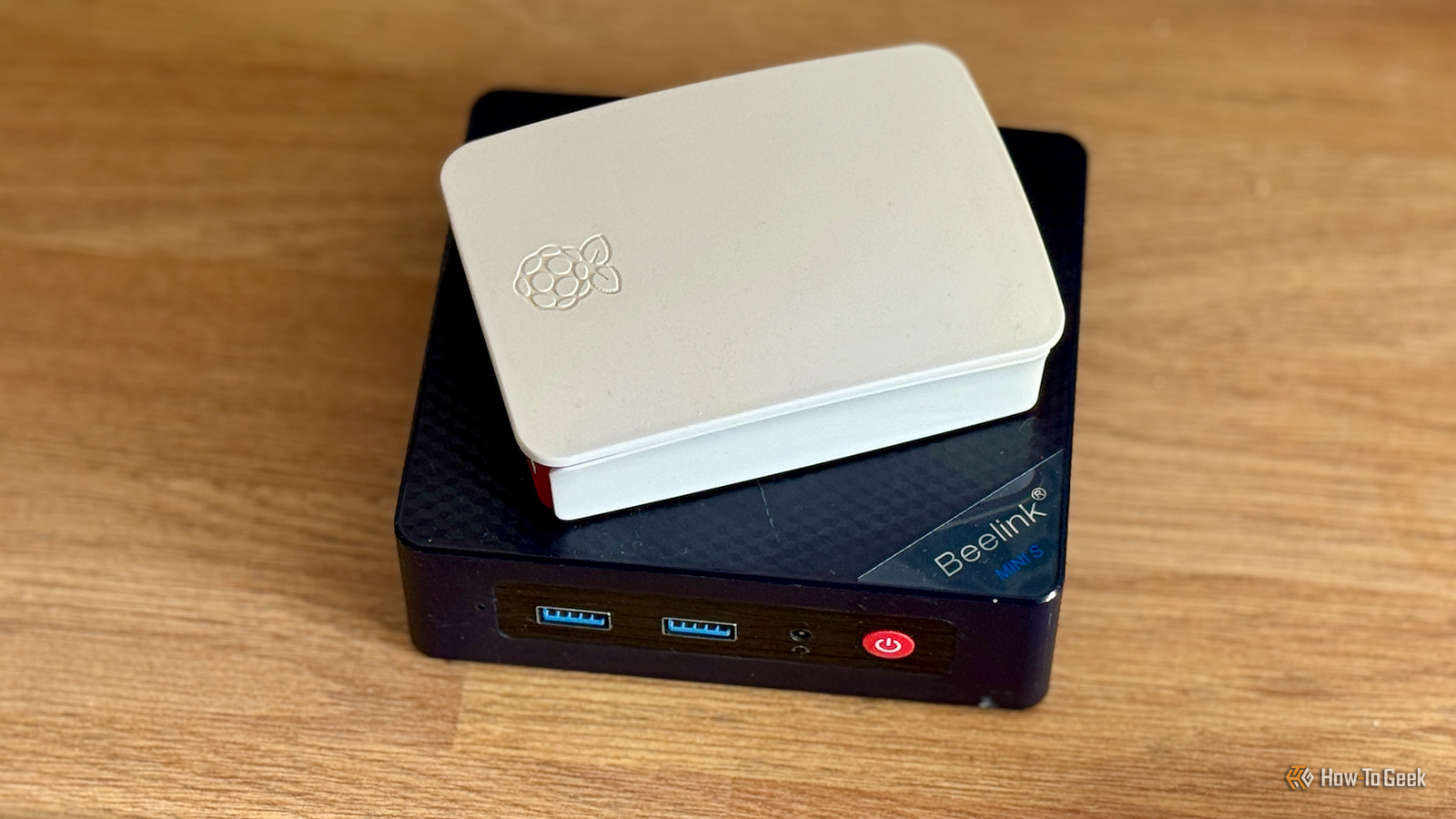
The problem is that you're then only getting some of the benefits of these services and may be missing out on some of the most useful features.Beelink S13 PRO CPU Celeron FCBGA1264 3.6GHz Graphics Integrated Intel Graphics 24EUs 1000MHz The Beelink Mini S13 Pro desktop PC is a ultra-compact computer powered by the Intel N150 processor.Shipping with 16GB of DDR4 RAM and a 500GB SSD, this micro desktop is perfect for a variety of workloads.
From running simple server programs to replacing your old PC, the Beelink S13 Pro is up to the task. Memory 16 GB DDR4 Storage 500GB Operating System Windows 11 Home Dimension 4.52 x 4 x 1.54 inches USB Ports 4 $339 at Amazon Expand Collapse Routine maintenance takes forever Simple tasks can bring your server to a halt When you're only running a handful of lightweight services, routine maintenance usually isn't a problem.You can update Docker containers, run apt upgrade, take backups, or scan media libraries without everything grinding to a halt.As you start to reach the limits of what your Raspberry Pi can handle, these routine tasks can quickly become things you try to avoid.
They can start to crawl, taking far longer than usual to complete, and slowing down everything else that's running at the same time.If the thought of having to run a simple update fills you with dread, it's a clear sign your Raspberry Pi isn't enough anymore.Related My favorite Raspberry Pi feature is too often overlooked A Raspberry Pi might be a single-board computer, but it's easy to make it a multi-OS system.
Posts 13 By Patrick Campanale You're constantly running out of RAM Self-hosted apps can be demanding Most Raspberry Pi models come with fairly limited amounts of RAM.While you can buy a Raspberry Pi 5 with 16 GB of RAM, cheaper and older models come with far less, and there's even a budget Raspberry Pi 5 model that only has 1 GB of RAM.If you're running heavy services, or even multiple lighter services, you can soon hit the limits of your Pi's RAM.
Linux may then invoke its out-of-memory (OOM) killer, which terminates a process to free up memory and keep the system running.This means that your services can suddenly stop running as the RAM pressure gets too great.While a Raspberry Pi is designed to be modular and modifiable, upgrading the RAM is one thing that you can't do, as the RAM is soldered directly to the board.
If you need more RAM to run your services, your only option is to upgrade to a device with more.Your Raspberry Pi has become an octopus There are half a dozen drives hanging off it Close Sometimes the signs that you've outgrown your Raspberry Pi are immediately obvious just by looking at it.If your Raspberry Pi is sitting in a tidy case running merrily, then all is good.
If it resembles an octopus, with a mess of powered USB hubs and external hard drives hanging out of the back of it, then it's a definite indication that it might be time to upgrade to something else.The problem is that running everything off a microSD card is far from ideal.Standard microSD cards aren't designed for sustained, write-heavy workloads, and using them this way can eventually lead to failure or data corruption.
At best, corruption can bring all your services crashing down, and at worst, it can result in data loss.USB hard drives can be a safer option, but you can still run into issues such as the Pi not being able to supply enough power to the drives or USB 3.0 cables interfering with 2.4GHz Wi-Fi.Instead of adding more and more external storage to your Raspberry Pi, it might be time to move on.
You've spent more on upgrades than the Pi cost A mini PC might have been a cheaper option One of the best things about a Raspberry Pi is that it's designed to be modular.You can add snap-on expansion boards called HATs directly to the pins of the Raspberry Pi, including audio boards, sensor boards, AI accelerators, and even boards that let you connect fast SSDs.You can also add camera modules, touchscreen displays, cooling solutions, and custom cases.
Over time, you can add quite a collection of add-ons and modules to your Raspberry Pi.When you stop to do the math, however, you may find that the cost of all the things you've added to your Raspberry Pi is higher than what you paid for the Pi in the first place.If you find that you've spent a small fortune adding more and more hardware to your Raspberry Pi, then you might be better off opting for a device that already includes a lot of that hardware.
A Raspberry Pi is great until it isn't Many people run their first self-hosted services on a Raspberry Pi.I ran my Home Assistant server on one for several years.Eventually, however, you can outgrow the hardware of your Raspberry Pi.
I moved all my self-hosted services to a mini PC, and now my Raspberry Pi is used for running dedicated tasks.
Read More