The Material 3 Expressive design language is the reason your Pixel phone's UI looks so good, but many Android apps haven't implemented it yet (and many never will), resulting in a ton of apps that look kind of out of place on Pixels.Luckily, the Android app ecosystem is vast, and there are many apps out there that follow Material 3 Expressive to a T, looking and feeling like they're tailor-made for our Pixels.Here are some of my favorite apps that look like they were made by Google; they wouldn't look out of place as built-in Pixel apps.
Google Pixel 10 $534 $799 Save $265 Brand Google Looking to upgrade to a Pixel but not sure if you need all the bells and whistles of the more expensive models? You won't be disappointed with the standard Pixel 10 model.Coming in striking colors, Gemini features, and seven years of updates, you can't go wrong with this purchase.$534 at Amazon $799 at Best Buy $799 at Google Store $799 at AT&T Expand Collapse Lawnchair The best alternative to the Pixel Launcher I love the look and feel of the Pixel Launcher.
It's oh so smooth and responsive, and while you can't say it does anything exciting or experimental, it looks better than most other system launchers out there.But it's limited as heck when it comes to customization, which is at odds with the spirit of Android, an operating system that has always encouraged a high level of user control and the ability to customize your home screen to your heart's content.If you share my sentiment, you have to try out the Lawnchair launcher (pun intended according to the Lawnchair developers).
It's an open-source version of the Pixel Launcher that sports the same looks and features but comes with a deluge of customization options you'd expect from a robust third-party launcher.You can, for instance, remove the Google Search bar at the bottom, go beyond the 5×6 Home screen and app drawer grids, create folders and hide apps in the app drawer, change icon size, use custom icon packs, and so much more.The current version of the launcher doesn't yet include the feature I yearn for most—changing your default Home screen page—but it's coming in the next major update, according to the developers, which is reason enough to switch to Lawnchair if you ask me.
Essentials A Good Lock-lite for Pixel phones Samsung phone owners have access to Good Lock, a powerful suite of customization apps that allows you to fine-tune every element of the user interface.Unfortunately, Pixel phones offer much less in terms of customization, and while the Lawnchair launcher does offer a wide range of customization options, many system-level adjustments are out of its reach.This is where Essentials comes in, an open-source app that packs a number of mods and tools that allow you to tweak your Pixel beyond what Google allows.
You can enable edge-lighting notifications, similar to what Galaxy phones offer, use the camera flash as a notification LED, add additional Quick Settings tiles (change refresh rate, toggle Private DNS and NFC, and much more), and use custom widgets, such as one that shows the battery levels of devices connected to your phone via Bluetooth.You can also customize the keyboard that comes with the app, remap hardware buttons, and more.You can even create automations that trigger when you turn the screen on or off, enter or exit an app, and so on.
While not as robust as Good Lock, Essentials is the next best thing for your Pixel phone.Since the app lets you adjust system-level options Google doesn't want you to have access to, you'll need to use Shizuku (an app that can grant other apps elevated permissions usually available only through rooting your phone or via ADB) to utilize the full suite of options available in Essentials.Also, there's a good chance Google Play Protect will prevent you from installing the app because it lets you access areas Google didn't intend users to reach and because it's a third-party app that's not available on Google Play.
To install Essentials, download the app, then open Google Play and tap your profile picture.Open the Play Protect tab, tap the settings icon, and disable the Scan apps option.You can then install Essentials and immediately turn the Scan apps option back on to keep your phone protected against malicious apps.
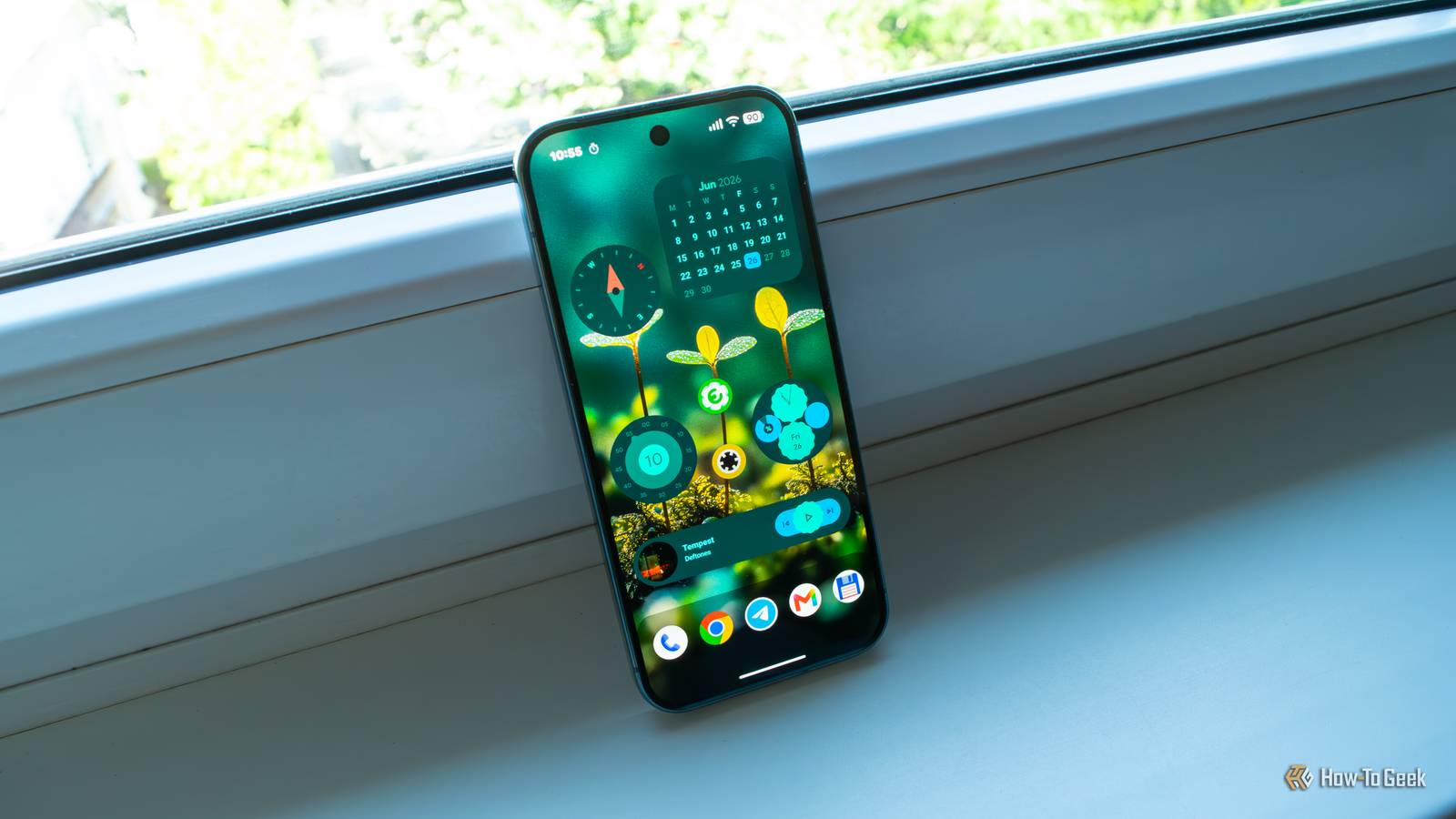
Material You Widgets If you like the built-in Pixel widgets, you're going to love these! The built-in Pixel widgets look delightful and are a great Material 3 Expressive showcase.The only issue is that there are only a handful of them.Pixel Weather widgets are the worst offenders, if you ask me.
They look phenomenal, but you only get two of them, and you have to expand the larger one until it takes up an entire Home screen page to access the weather forecast for the upcoming days.Luckily, Material You Widgets is an app that brings more than 300 widgets (that's right, more than three hundred different widgets) to your Pixel, with each and every one of them being just as attractive as the built-in ones.You can now finally have a compact Pixel-style weather widget with a forecast for the next couple of days.
But that's just the start.Material You Widgets offers more than a dozen weather widgets in total, both fixed-size and responsive, with responsive ones changing their layout as you resize them.You also get access to a deluge of clock widgets, as well as battery, screen time, and music control widgets, cool-looking folders, widgets for your Pixel Buds and Pixel Watch, a compass widget, and even simple games such as Tic-Tac-Toe that you can play right on your Home screen.
The best part is that the app costs only a buck.pocket operator for Pixel Cook up some beats on your Pixel pocket operator for Pixel is an app developed by Teenage Engineering, the company behind those cool-looking samplers, sequencers, drum machines, mixers, synthesizers, and other gadgets that allow you to cook up some serious beats.The app was developed in cooperation with Google, is available only for Pixels, and is essentially a virtual version of Teenage Engineering's Pocket Operators, a range of compact and affordable devices that allow you to create music on the go.
Deals Save on Phones & Mobile deals: discounts on Pixel-ready gear Explore the latest mobile deals and savings on phones, earbuds, smartwatches, and Pixel-friendly accessories.Score discounts, limited-time offers, and bundle savings on hardware and accessories that enhance your Pixel experience.Deals Explore Phones & Mobile Deals You can record videos to use as the basis for your beats and then mix them with custom effects and sounds, create loops, and edit the music until you're satisfied with the results.
You can then export your creations and share them with anyone.The app's relatively straightforward to use, albeit a bit daunting if you haven't used sequencers before, so I suggest going through the tutorial a few times until you learn the ropes.But once you get the hang of it, this app could become your next obsession, especially if you're into making music.
Some Google apps have unique features on Pixel phones Don't forget that some Google apps available on every Android phone come with unique features only available on Pixels.For instance, Gboard includes advanced voice typing and editing features, while Google Photos packs Pixel-exclusive AI-powered photo editing tools.You also have access to a bunch of Google-developed apps only found on Pixels, such as Now Playing, Pixel Screenshots, Google Recorder, Pixel Weather, the Thermometer app, and more.
Google Pixel 10 Pro Brand Google SoC Google Tensor G5 The Pixel 10 Pro offers an upgrade over the base model with the powerful Google Tensor G5 chip, more RAM, and more storage (if you need it).See at Amazon $999 at Best Buy $999 at Google Store $999 at AT&T Expand Collapse
Read More