I've been homelabbing for years, and except for my "main server" and a few Raspberry Pis, most of the equipment I use is second-hand, or devices that I pulled out of dumpsters or recycle bins.Despite the state I found them in, much of that "e-waste" has been put to productive use in my homelab.It just took a bit of tinkering and careful software selection to make it worthwhile.
The salvaged thin client running Pi-hole and Unbound A school-surplus thin client as a low-power DNS sinkhole When I first started building out my home network, one of the best pieces of old equipment I picked up was a thin client.It did various jobs over the years, but it eventually wound up running Ubuntu Server with a Pi-hole installed, and Unbound when I want to experiment.Pi-hole filters out trackers and a few known malicious domains at the DNS level for every single device on the network, and Unbound acts as a recursive resolver, so your queries don't have to rely on a third-party upstream provider.
I briefly ran a Pi-hole on my larger server, but ultimately, the thin client was a better fit.It is small, unobtrusive, passively cooled, and it consumes next to no electricity.It isn't as powerful as a modern PC or even a Raspberry Pi 5, but it was also free.
If you keep your eye out when schools, banks, or other large institutions upgrade their computers, you might be able to get one at very low cost too.The Raspberry Pi as a backup DNS server A second Pi-hole instance on a Pi keeps the internet working A Pi-hole is great, but it introduces a serious problem: You now have a single point of failure on your network.If you're running a Pi-hole, I'd recommend running a mirror Pi-hole to act as a backup if your primary Pi-hole goes down, which can happen for any number of reasons.
My Pi-hole backup runs on a Pi Zero 2 W that I rescued from a recycling bin.It is now connected to a battery that also powers the router and modem.As a result, my internet doesn't go down during a power outage unless my ISP also runs into a problem at the same time.
I'd suggest using some kind of automated sync to duplicate your Pi-hole settings between servers so you don't have to do it manually.It can get a bit tedious.Raspberry Pi Zero 2 W Brand Raspberry Pi CPU Quad-core 64-bit ARM Cortex-A53 Memory 512MB of SDRAM The Raspberry Pi Zero 2 W is super tiny and super affordable, but it packs enough computing power for a variety of DIY projects.
You can use it to create a handheld retro gaming console, for Klipper/Mainsail, a super compact home or media server, and more. $40 at Amazon $19 at adafruit $16 at CanaKit Expand Collapse The old desktop works as a NAS One desktop can do a ton of different things Instead of buying a pre-built NAS, I turned an old desktop tower into a NAS instead.First, I added Proxmox, which allows me to create as many virtual machines or containers as I want.Then, I create a specific VM that runs TrueNAS to provide NAS functionality.
Because it is built with a regular desktop PC and virtual, I can easily expand the RAM and storage just by adding more when it is necessary.The unfortunate tradeoff is power consumption.A desktop PC—even undervolted—consumes more power than an off-the-shelf NAS.
However, there are about a dozen other services that I regularly run on the same desktop PC that to run 24/7, so the NAS component of the setup doesn't add much to the total cost.If you can, I'd recommend trying to get something that is recent enough to use DDR4.You could definitely use something older, but the power to performance ratio of those systems is much worse than more modern systems.
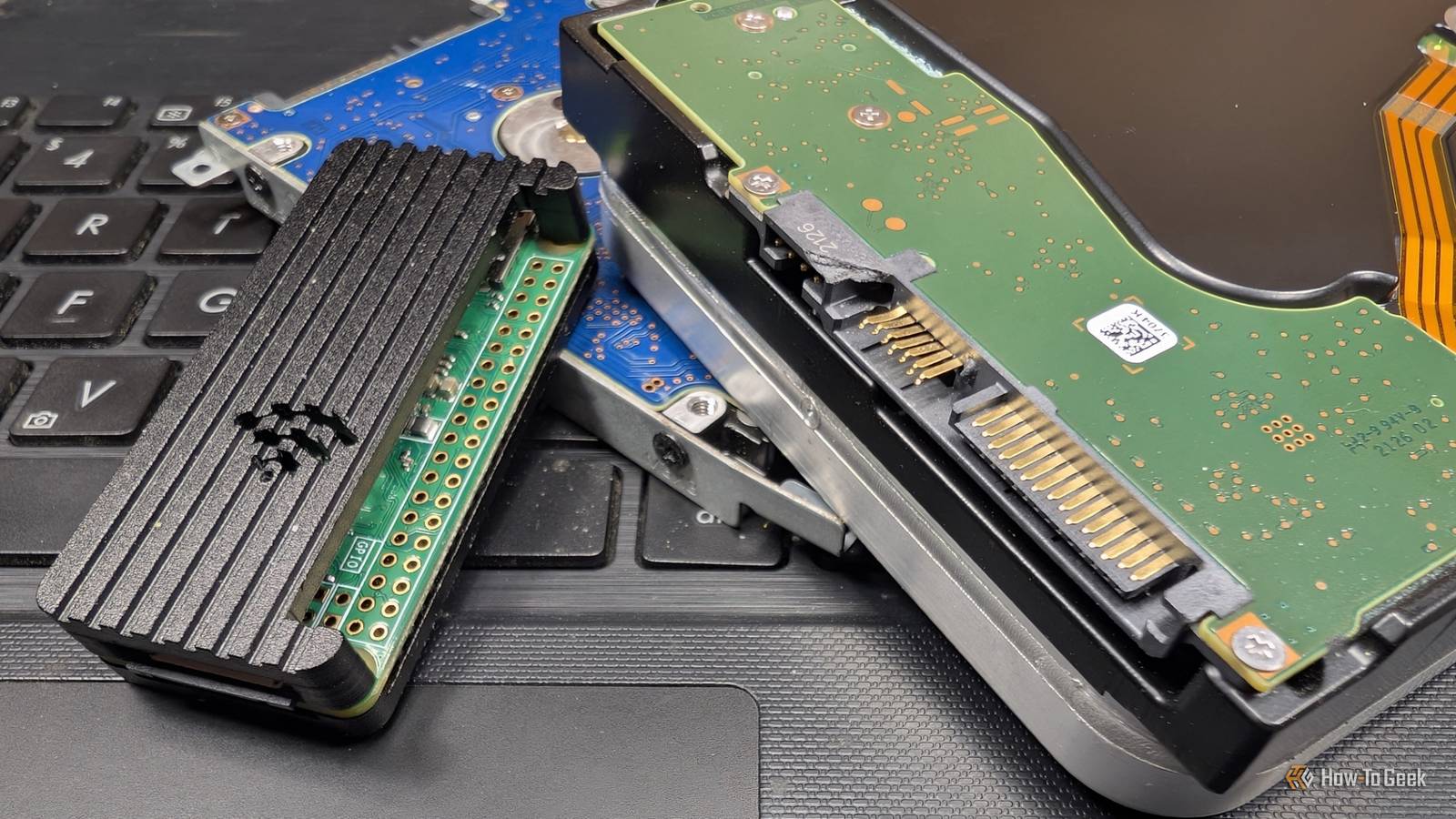
Also, stick with a ZFS pool—it adds some overhead, but has a ton of great features that help ensure you don't lose any important data.The pile of rescued drives giving the NAS its capacity Salvaged HDDs and SSDs from dead machines become usable storage Since the price of storage has skyrocketed, I've started grabbing every old PC I can find and ripping out any useful components.Most of the time they're not worth keeping (DDR3 is obsolete), but old hard drives are good to have as long as you treat them with the caution they require.
Perform a complete wipe immediately—you never know what nonsense someone was storing on the drive, and it isn't worth the risk.Run a SMART Diagnostic and badblock scan to determine the health of the drive.Assume that any second-hand drive that you rescue could die at any time, so don't store anything sensitive on it.
You vet these drives before adding them to a pool.You risk losing your data otherwise.Deals Save on Storage & Networking deals for homelabs Hunt storage and networking deals to equip a homelab affordably — discounted NAS enclosures, HDDs/SSDs, switches, routers, UPS/backups, and network accessories.
Find offers that maximize reliability and capacity without breaking your budget.Deals Explore Storage & Networking Deals Most importantly, never build a single-drive array out of salvaged drives; use mirroring or parity so that one dead drive doesn't wipe out everything.An old laptop is turning into a network monitoring station An old laptop as a dashboard for ISP tests and service uptime I'm currently turning a retired laptop into a network health dashboard.
A laptop is perfect for this because it has an integrated display and a built-in battery that acts as a mini-UPS, all while consuming relatively little power.My eventual goal is to run scheduled ISP speed tests and monitor the uptime of my self-hosted services using Uptime Kuma and Grafana.Related 5 powerful Docker containers you can set up in under 1 hour Docker takes the headache out of the self-hosting process.
Posts 8 By Nick Lewis If you rescue an old laptop, treat the battery with a bit of caution.Batteries tend to become more prone to catastrophic failure as they age, and no one needs a lithium battery catching fire in their home.If the laptop itself is otherwise healthy but the battery is toast, that may not be a problem.
Laptops can often run directly off power even if you completely remove the battery, which basically removes all risk.Turning e-waste into a homelab is a great way to save money If I had to replace every piece of "e-waste" that is currently at work in my homelab it would cost me hundreds of dollars (at least), especially given the explosive rise in the cost of storage and memory.However, almost everything in my homelab (except for my AI PC and a few Pis) was rescued from dumpsters, recycle bins, or people giving them away for free on Facebook Marketplace.
If you want to try it yourself, just grab the next old device you see and try to get it running.It may be a dinosaur not worth saving, but it may also be a decent enough device that could be useful in a homelab with a bit of refurbishment.
Read More