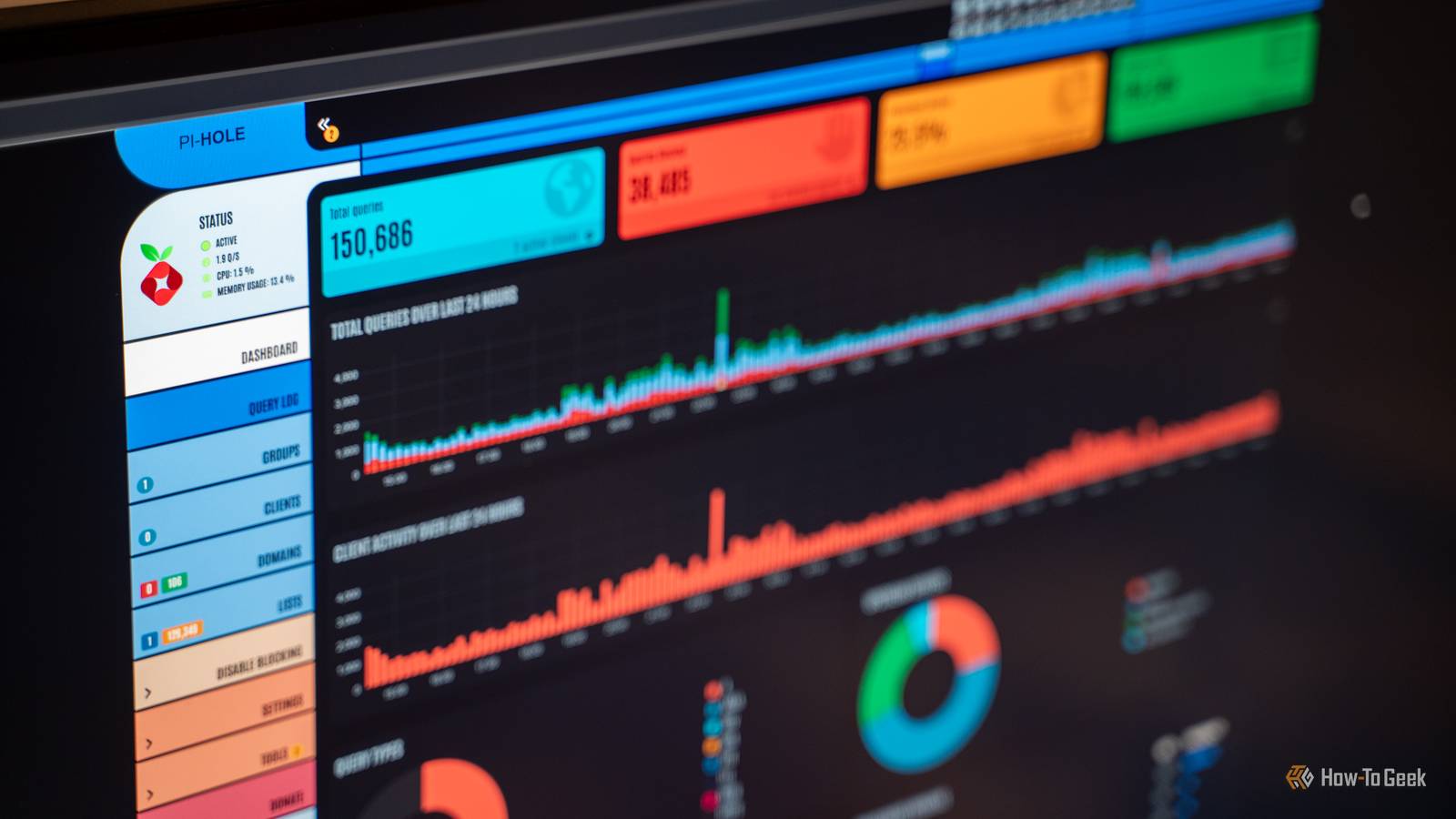
Pi-hole acts as a DNS sinkhole that sits on your network, intercepting and blocking ads and trackers for every device before the content ever has a chance to load.Most of us have "set up Pi-hole" on a to-do list, but it actually takes less than an hour.That one hour of work gets you extra privacy, security, and transparency.
It has become one of the most important services in my self-hosted arsenal.Network-wide privacy that follows every device Block trackers once, protect everything on the network When you use a browser extension to block ads, you're only protecting that specific browser on that specific device.Pi-hole filters tracking and ad domains at the DNS level, which means it covers your phones, laptops, and—most importantly—your IoT devices, which are notoriously insecure.
You can’t install an ad blocker on a smart TV or other smart appliance, but you stop those devices from phoning home to tracking servers by blocking their requests before they have a chance to reach the internet.If you have a ton of smart devices, and you don't like the idea of them all sending data home, a DNS filter like a Pi-hole is the most efficient way to block them.Keep in mind that DNS blocking does have limits.
It can't stop every tracker, and it won't stop ads that originate from the same source as your content, like YouTube.Raspberry Pi Zero 2WH Brand Raspberry Pi The Raspberry Pi Zero 2 WW is super tiny and super affordable, but it packs enough computing power for a variety of DIY projects.You can use it to create a handheld retro gaming console, for Klipper/Mainsail, a super compact home or media server, and more.
Plus, the GPIO header pins come pre-soldered for ease of use.$21 at Sparkfun $36 at Amazon Expand Collapse It creates an extra security layer against malicious domains Stopping bad connections before they happen Beyond just removing ads, Pi-hole serves as a network-wide safety layer.By using carefully-selected blocklists, your Pi-hole can stop connections to domains tied to malware, phishing schemes, and command-and-control servers before the connection is even established.
This is particularly valuable if you have family members who aren't as tech-savvy or if you have unmanaged devices that don't have their own reliable security suites.While DNBS filtering is a significant layer of protection, you treat it as a total replacement for good security habits.It is an extra complementary layer to your existing defenses, not a replacement.
You still need to update the firmware of your devices and ensure your antivirus is updated regularly.Diagnostics into your network traffic Full visibility of what your devices are doing One of the most interesting moments I've ever had using a Pi-hole came when I first started looking at all the traffic originating from the devices on my network.A Pi-hole logs and visualizes DNS queries, showing you which devices are contacting which domains and how often they do it.
I'd always cynically believed it was happening a lot in the background, but the true scope of it still caught me off guard.If you've ever wondered why your "smart" lightbulbs are constantly communicating with a server in another country, this is where you find out.It makes chatty apps and misbehaving IoT devices that would otherwise remain invisible extremely noticeable.
If you want to keep an eye on your network, it is a great tool.The trade-off here is transparency: because the query logs are so revealing, anyone with access to the Pi-hole dashboard can see the browsing patterns of the entire household.It's cheap, light, and runs on anything Why wait if you don't need extra hardware? You don't need to buy an expensive server to run a Pi-hole.
Pi-hole is lightweight enough to run on a Raspberry Pi, an old laptop, a NAS, or even as a container in Docker on your main PC.If you have a spare Pi or an old machine collecting dust in a closet, there's really no reason to wait.The only real downside is that, because the Pi-hole handles your DNS, it becomes an irreplaceable link in the chain; if it goes down, your devices will lose their ability to resolve web addresses until you fix the problem.
Related I built my entire home network out of e-waste, and it saved me hundreds One person's e-waste is another person's homelab.Posts By Nick Lewis You can run two Pi-holes to mitigate failure risks Remove the single-point-of-failure The biggest reason people hesitate to set up Pi-hole is the fear of "breaking the internet" for the entire network.If the one device running Pi-hole goes down, your DNS stops working, and the internet will largely be inaccessible.
Deals Save on networking gear and DNS protection deals Explore deals and discounts on networking essentials to power a resilient DNS setup: single-board computers, routers, NAS units, switches, UPS backups, Ethernet cables, and storage cards.Save on hardware and accessories that keep your network private and online.Deals Explore Storage & Networking Deals You can prevent that problem by running a second instance of Pi-hole.
By running two Pi-holes, you ensure that if one fails, the other can take over, keeping your network online.While setting up a second instance requires more effort to keep them in sync, it goes a long way to solving the most annoying problem you could run into with a Pi.Don't procrastinate setting up a Pi-hole With a Pi-hoe, you get improved privacy, better security, and a great view of your network activity that is useful for diagnostics privacy.
I spent nearly 6 months waiting to set up my first Pi-hole; now I can't imagine my home network without it.
Read More