You might think that hosting your own local photo server is a great way to save money instead of just paying for Google Photos.However, you'd be wrong.By the time you buy a NAS, storage, and pay for cloud backups, you'll be spending far more than Google charges you.
A cheap NAS is a few hundred dollars And power isn't free To run a proper photo server, you're going to want at least a 2-bay NAS, which is going to cost you about $350.4-bay units are even more expensive, and getting models that support SSD caching for faster file transfers bump the price up even more.You might be thinking "I have an old computer sitting in the closet, so that's free!" and you're 100% right on the hardware side of things.
However, have you measured how much electricity that computer takes up and uses? My homelab costs me over $400 per year to power, and that's selling two power-hungry servers.Now, I have a of hardware in it, but still, computers use electricity, and depending on your power rates, even a few-year-old computer can be expensive to run.Related 5 Hidden Costs of Building a Homelab Build a homelab, they said.
It’ll be cheap, they said.Posts 4 By Patrick Campanale A big NAS definitely isn't cheap to power.At the end of the day, a NAS costs more than just the unit itself, as you have to make sure that it has power to run and internet to consume.
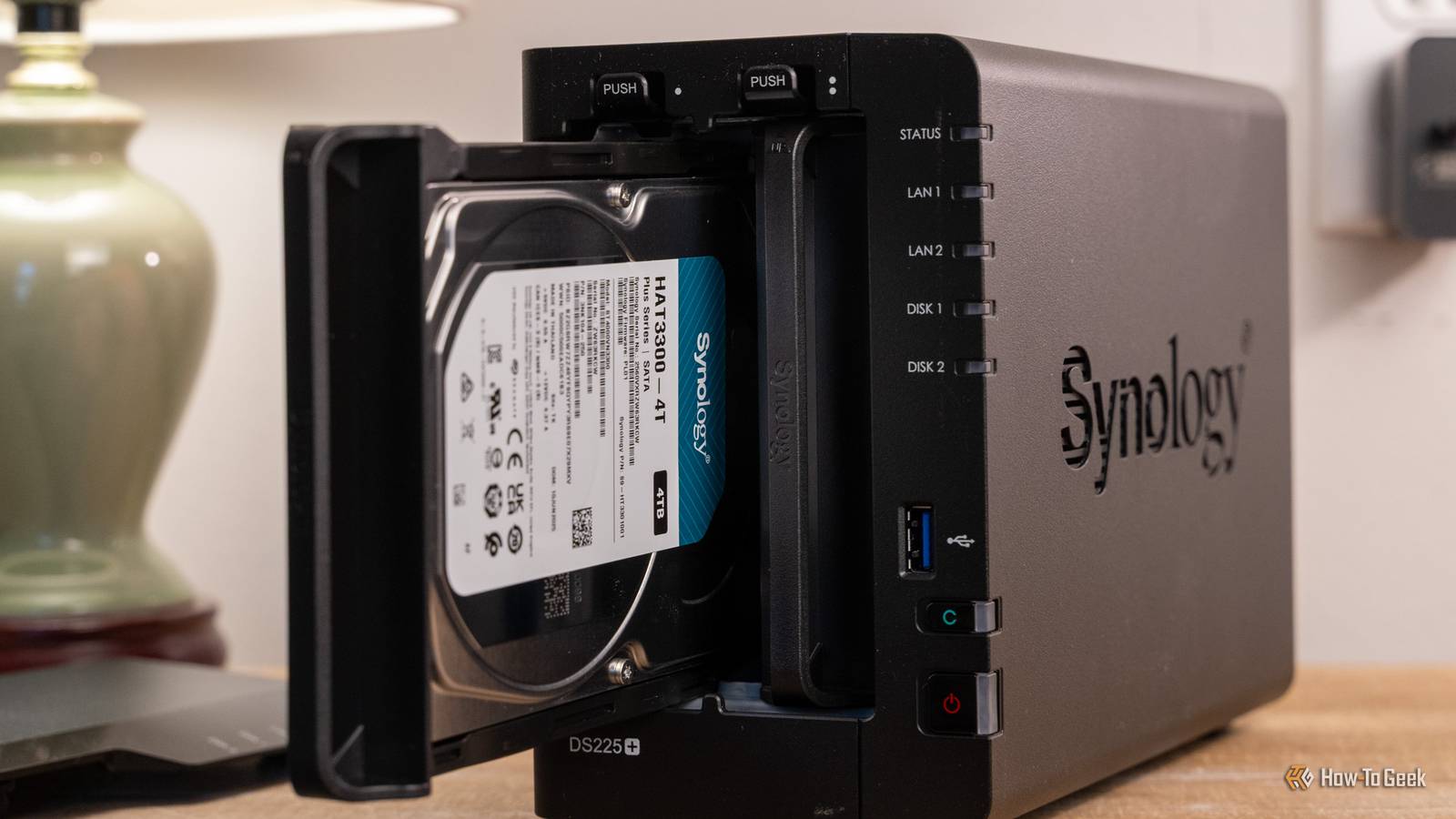
I use around 10-15TB of data per month on my unlimited internet plan, but not every ISP offers unlimited internet.So, the base cost of your NAS has a lot of add-ons before we even get to storage, which is where a of cost can come in.Synology DS225+ Brand Synology CPU Intel Celeron J4125 Memory 2GB Drive Bays 2 Expansion None Ports 2x USB 3.2 Gen 1 The Synology DS225+ is a great beginner storage server.
It features two 3.5-inch hard drive bays and both 2.5Gb Ethernet and Gigabit Ethernet.Designed around Synology's Disk Station Manager operating system, this NAS offers a simplified experience that anyone will feel at home using. See at Amazon $340 at Best Buy $340 at bhphotovideo Expand Collapse Storage is cheap You can use old hard drives, but how reliable are they going to be? Have you priced out storage lately? For comparison's sake, I'm going to compare everything from here on out to Google's 5TB storage plan for $20 per month.So, to get close to that, you're going to need at least two 4TB drives.
Yes, that's 1TB less, but 6TB or 8TB drives would be expensive, and you're likely going to be hard pressed to fill 4TB anyway.So, if you want to go with new drives, then you'll be spending $170 each, or $340 for two of them.Refurbished drives will save you some cash, coming in at $130 each or $260 for the pair.
When you add the cost of those drives to a 2-bay NAS, you're already up to at least $600 to start with for the NAS.You might already have some hard drives around the house to get started, and that's definitely a great beginning point, but how reliable will those drives be? You should plan to have at least one backup drive on hand, so that way you can keep your system online if you're using used drives you already own.Seagate IronWolf 4TB NAS HDD Storage Capacity 4TB Brand Seagate Transfer rate 180MB/s Workload 180TB/year Cache 64MB A great combination of pricing and performance, the Seagate IronWolf is a great option for most NAS users.
With a three-year warranty, three years of data recovery services included with purchase, and a workload of 180TB of data writing per year, this drive can handle just about anything you throw at it.See at Amazon Expand Collapse A single server with no cloud backup isn't a backup at all You're going to end up paying for cloud storage after all Here's where the real kicker comes in: remote backups.With Google Photos, your pictures aren't just stored in one location, they're stored in many.
Google does this to prevent data loss in case of catastrophe.Imagine if Google only stored your pictures in one data center in Japan, and then a tsunami hit and destroyed the data center, and all of your photos were gone.That's why Google distributes its data to multiple data centers all over the world.
If you have photo server, then you're also limited to a single point of failure.Something as simple as a power outage or both drives failing at one time could lead to you losing all of your photos with no way to recover them.That's why it's always best to have at least one off-site backup of your photos.
This could be another NAS stored on the other side of the country at a friend's house if you're trying to avoid subscriptions.However, that friend should definitely have unlimited internet, and you should really trust them.The most reliable backup solution is to use a reliable cloud storage partner.
BackBlaze is one of the best out there, and their B2 backup platform is built specifically for this type of solution.It'll start out cheap, depending on how many photos you have, as it's $6 per TB of storage per month, or approximately $0.006 per GB per month.However, if we scale that to backing up the entire 4TB drive, then it's now up to costing $24 per month for 4TB of online storage to back up a $600 NAS setup.
Now, you're spending per month for your own cloud storage than 5TB of Google One would cost you, and having to spend $600 up front to get the system up and running.BackBlaze B2 Cloud Storage Brand Backblaze Expansion Unlimited Price $6/TB/month Backblaze's B2 Cloud Storage option is an S3-compatable online storage provider that costs $6 per terabyte of storage per month.Designed to back up network attached storage servers or used in other similar enterprise applications, B2 offers low-cost, high-performance always-hot object storage for anything you need.
Sign Up Expand Collapse Your time is worth something A self-hosted photo server isn't maintenance-free The server and development teams at Google Photos handle all of the hard work of keeping the service online—all you have to do is use it.When you self-host your own local photo server, that development team is one person: you.Your time has a value attached to it.
It might be $10 per hour, $20 per hour, or $300 per hour.I don't know what your time is worth, but it have a value attached to it.When I first started self-hosting my own services, I spent countless hours maintaining my infrastructure.
It's paid off, as I now self-host services that save me literally thousands of dollars per year.But, that's only because I self-host more than just photos.So, unless you're ready to be the server maintenance person, software maintenance person, and the network engineer, then self-hosting a photo server might cost you more in time than you'd expect.
The only way to make your own photo server cost-efficient is to use it for more than photos At the end of the day, if you're backing up photos, there's no way to make it cheaper than Google Photos unless you're playing the ultra-long game and buying all the hardware up front for remote backups.However, if you can use the same system for more things, like hosting a Plex or Jellyfin server, a few websites that you're paying monthly for, or some game servers, then it can start to add up to save you money in the long-run.Before you get into self-hosting to save money, just make sure you count all of the costs to do it properly.
Self-hosting improperly without cloud backups can be a money-saving thing for sure, but, it also opens you up to a lot of risk.So, just make sure you are informed about all the pros and cons before diving in.
Read More